1
2
Configuring Parallel Computing Products for an MJS
Configure Windows Firewalls on Client
If you are using Windows firewalls on your client node,
1 Log in as a user with administrative privileges.
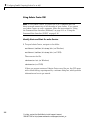
2 Execute the following in a DOS command window.
matlabroot\toolbox\distcomp\bin\addMatlabToWindowsFirewall.bat
This command adds MATLAB as an allowed program. If you are using
other firewalls, you must configure them for similar accommodation.
2-22
For help, contact the MathWorks install support team at
508-647-7000 or http://www.mathworks.com/support/contact_us