1
SETTING UP
Door Phone
Examples
To only set the ‘Ring back when free’ feed through, program the following:
79 0000 1 8 1
SETTING UP
turns on the distinctive ring detection
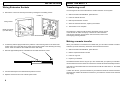
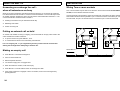
A door entry phone may be connected to any extension between 2 and 5. When the door phone
goes off hook it rings the designated extensions with a different ring. This can be answered
and if required activate the door opener after talking to the person at the door phone.
To allocate an extension as a door phone or set the type, do the following:
•
Lift handset
•
Dial 79 PPPP 4 X
Where
X sets extension 2-5 (0 clears), or
X is 6 for a standard telephone type i.e. a reception phone
or 7 for the MMS door entry phone (generates disconnect clear)
To set extension 5 for a fax machine on the alternate number, program the following:
79 0000 1 5 1
sets extension 5 to the alternate number
79 0000 1 8 1
turns on the distinctive ring detection
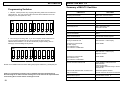
set dip switch 10 to prevent ringing on the standard number
A confidence tone is returned if your entry was successful
Note: extension 1 cannot be set as this is the power fail extension.
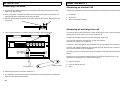
To allocate which extensions are to be rung, do the following:
•
Lift handset
•
Dial 79 PPPP 5 X T
Where
To set extension 3 for children's bedroom on the alternate number, program the following:
79 0000 1 3 1
sets extension 3 to the alternate number
79 0000 1 8 1
turns on the distinctive ring detection
79 0000 1 6 1
allows priority (optional)
79 0000 1 7 1
ring others if busy (optional)
set dip switch 8 to prevent ringing on the standard number
Note: The call bar dip switch may also be set to prevent outgoing calls, recommended in this
example.
PPPP is the pass code (default = 0000)
PPPP is the pass code (default = 0000)
X is extension 1-5 (0 = all)
T is 1 for ring and 0 for no ring
A confidence tone is returned if your entry was successful
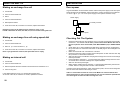
To set the maximum time the phones will ring, do the following:
•
Lift handset
•
Dial 79 PPPP 9 X
Where
PPPP is the pass code (default = 0000)
X is time 1-9 which sets 10-90 seconds (default 30 seconds)
A confidence tone is returned if your entry was successful
16
17