1
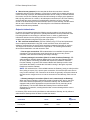
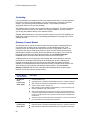
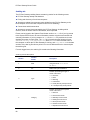
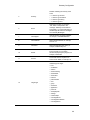
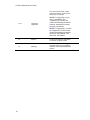
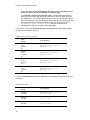
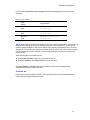
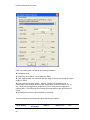
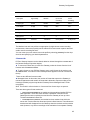
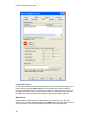
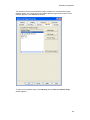
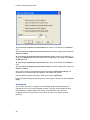
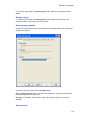
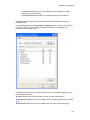
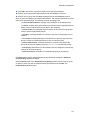
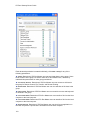
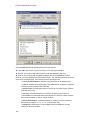
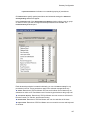
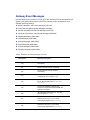
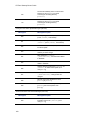
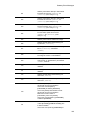
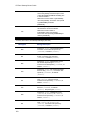
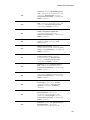
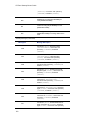
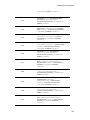
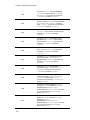
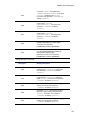
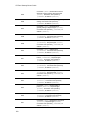
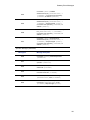
PC-Duo Gateway Server Guide Auditing tab The PC-Duo Gateway auditing feature creates log entries for the following events: PC-Duo Gateway startup and shutdown Polling and discovery of new Host computers Attempts to update Host computer status (either from the PC-Duo Gateway to the Host computer or from the Host computer to the PC-Duo Gateway) Connections and disconnections Attempts to access Hosts managed by the PC-Duo Gateway, including which services, such as remote control or file transfer, were requested Events can be logged to the System Event Viewer and/or to a .CSV file. If you log events to the System Event Viewer, the event information contains only the event number and summary information. If you log events to a .CSV file, the .CSV file provides much more detailed information for each event. The .CSV file is named using the following format: MACHINE-Gateway-YYYY-MM-DD-HH.CSV, where MACHINE is the machine name of the computer on which the PC-Duo Gateway is running, and YYYY-MM-DD-HH is the date and time of the last log file rollover period. You can use Microsoft Excel to view and print the audit log file. For each logged event, the audit log file contains the following information: Audit Log Column Descriptions Column Column Header Description 1 Date Date and time of the event recorded using the format: YYYY/MM/DD HH:MM:SS. 2 ms Milliseconds part of date/time. Type Number representing the type or cause of the event: • 0 = Success • 1 = Error • 2 = Warning • 4 = Information • 8 = Audit (Security Check) Success • 16 = Audit (Security Check) Failure Category Number representing the specific cause of the event: • 1 = General • 2 = Host Access Check • 3 = Gateway Access Check • 4 = Settings Access Check • 5 = Group Access Check • 6 = Session Access Check • 7 = Operation Access Check 3 4 68