1
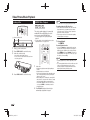
SETTINGS
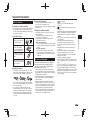
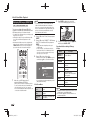
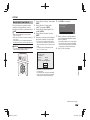
The Operation Procedure for
Inputting Characters Manually
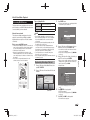
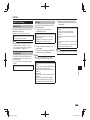
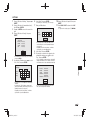
4
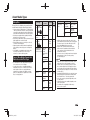
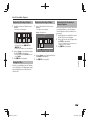
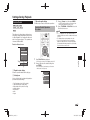
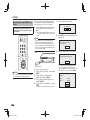
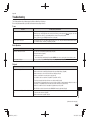
Repeat the step 3 to display all of the desired
characters/numbers in the input field.
5
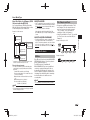
Example: The screen for inputting numeric characters
IP Address
Netmask
Gateway
NOTE
• Numeric characters such as IP address can be entered
on the input screen either by selecting each of the
characters in the “Numeric” mode or using the Number
buttons on the remote control.
IP Address
Netmask
Gateway
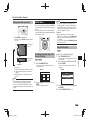
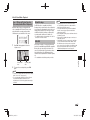
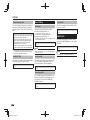
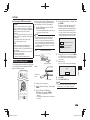
1
123
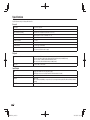
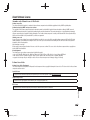
Press ENTER at the boxes in which characters
are to be entered, and the input screen will
appear.
Numeric
Edit
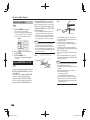
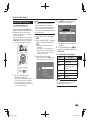
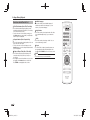
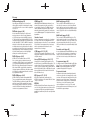
Press D (Blue) (Complete) to fix the numbers
which have been input.
123
123
1 2 3 4 5 6 7 8 9 0
6
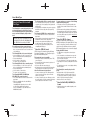
NOTE
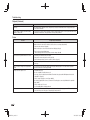
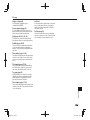
Repeat step 1 to 5 to finish inputting all the
required characters.
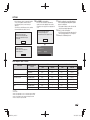
• Press j (Del.Char.) to delete a number/
character you have input.
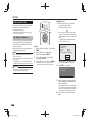
• To change a number/character you have input, press B
(Green) (Left) or C (Yellow) (Right) to select the number/
character you want to change, and press j
(Del.Char.). Then, press c/d to select a new number/
character you want to input, and press ENTER.
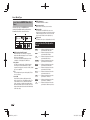
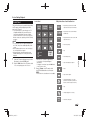
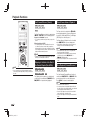
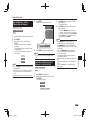
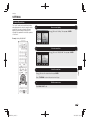
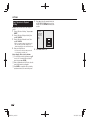
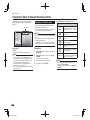
Input character list
Numeric
Edit
Numeric
1 2 3 4 5 6 7 8 9 0
Edit
Selected by pressing
a/b
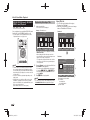
2
3
Selected by pressing
c/d
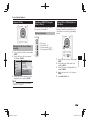
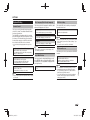
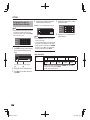
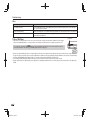
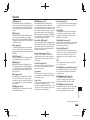
Press a/b to select the desired input mode.
Press c/d to select a number/character, then
press ENTER.
1234567890
Cancel
Left
Right
Complete
Del.Char.
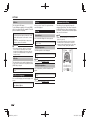
The same operation as the coloured buttons and j can be performed by
selecting each of the items and pressing ENTER.
“Del.Char.” stands for deleting characters.
46
BD-HP25A_en.indd 46
2011/03/01 10:55:55