1
CD-E250E
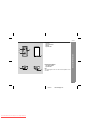
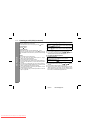
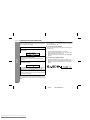
To interrupt recording:
Press the REC PAUSE (TAPE-2
) button.
! Recording is paused, but CD playback will continue.
To resume recording, press the / button.
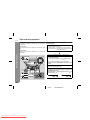
" Dubbing from tape to tape
You can record from TAPE 1 to TAPE 2.
1
2
To stop recording:
Press the button.
The CD and tape will stop.
Note:
Whilst recording, OPEN/CLOSE button is deactivated. It is recommended to perform CD recording after closing the disc tray.
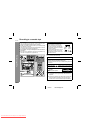
" Recording from the radio
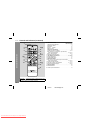
1
2
Tune in to the desired station. (See page 19.)
Load a cassette into the TAPE 2 cassette compartment
with the side to be recorded on facing you.
Wind past the leader of the tape, on which recording cannot be
performed.
3
Press the REC PAUSE (TAPE-2
) button.
Recording will be paused.
4
Press the
/
button to start recording.
To interrupt recording:
Press the REC PAUSE (TAPE-2
) button.
To resume recording, press the / button.
To stop recording:
Press the button.
Note:
If you hear a whistling noise whilst recording an AM station, move
the AM loop aerial.
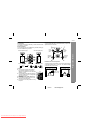
Press the ON/STAND-BY button to turn the power on.
Load a prerecorded cassette
into the TAPE 1 cassette compartment. Insert a blank tape
into the TAPE 2 cassette compartment.
It is recommended that the recording tape is the same length as
the master tape.
3
Press the TAPE (1
the display.
4
Press the REC PAUSE (TAPE-2
) button.
Recording will be paused.
5
Press the
/
2) button until "TAPE 1" appears on
button to start dubbing.
To stop dubbing:
Press the button.
TAPE 1 and TAPE 2 will simultaneously stop.
Tape Recording
To perform programmed recording:
1 Programme discs and tracks. (See page 18.)
2 Press the REC PAUSE (TAPE-2
) button.
3 Press the / button.
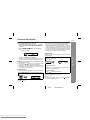
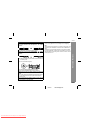
" Erasing recorded tapes
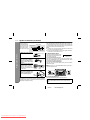
1
2
3
4
Load the tape to be erased into the TAPE 2 cassette compartment with the side to be erased facing toward you.
Press the TAPE (1 2) button until "TAPE 2" appears on the display.
Press the REC PAUSE (TAPE-2
) button.
Press the / button to start erasing.
Note:
Make sure that the TAPE 1 is not in use.
23
03/2/17
Downloaded From Disc-Player.com Sharp Manuals
CD-E250E(E)3.fm