1
17" LCD Color Monitor
Dell E178FPC
necessary.
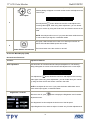
"+" increase 'brightness'
" - "decrease 'brightness'
The 'Contrast' function adjusts the degree of difference between darkness and
lightness on the display screen.
"+" increase the 'contrast'
"-" decrease the 'contrast'
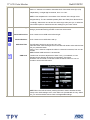
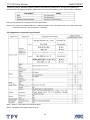
3.3 Adjusting the Picture
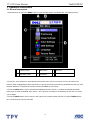
Icon
Menu and Submenus
Exit
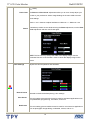
Positioning:
Description
This is used to exit out of the Main Menu.
'Positioning' moves the viewing area around on the monitor screen.
Horizontal When making changes to either the Horizontal or Vertical settings, no changes
Vertical occur to the size of the viewing area; the image gets shifted based on what you
select.
Minimum is '0' (-). Maximum is '100' (+).
Image settings:
Auto Adjust Even though your computer system can recognize your new flat panel monitor on
startup, the 'Auto Adjustment' function will optimize the display settings for use
with your particular setup.
NOTE: In most cases, 'Auto Adjust' produces the best image for your
configuration; you can directly access this function via Auto Adjustment
9