1
Oscillators
The Prophet 12 has four oscillators for each of its twelve voices. The oscillators
are capable of generating the “classic” analog wave shapes—sine, triangle,
sawtooth, square—as well as more complex shapes and different types of noise.
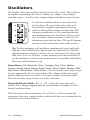
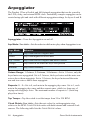
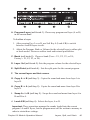
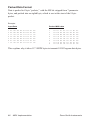
Use the four oscillator buttons to select an oscillator for editing. The arrows that connect the oscillator buttons is a graphic representation showing
which oscillator affects another when the Sync, FM
(frequency modulation), or AM (amplitude modulation) parameters are used. Oscillator 2 affects oscillator 1, oscillator 3 affects oscillator 2, and so on. For
information about what the Sync, FM, and AM parameters do, see the relevant items later in this section.
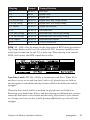
Tip: To edit a parameter on all oscillators simultaneously, press and briefly
hold any of the oscillator select buttons until all of them are lit. Select the
desired parameter using Prev and Next Param (Soft keys 2 & 3). Press and
hold, Hold: Edit All (Soft key 1) while adjusting one of the soft knobs. Or
use the soft knobs to edit the same parameter for each oscillator individually.
Press any oscillator button to exit.
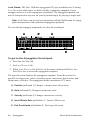
Shape/Noise: Off, Sawtooth, Pulse, Triangle, Sine, Tines, Mellow,
Church, Muted, Nasal, Boing, Gothic, Ahhh, Shrill, Ohhhh, Buzzzz, Meh,
Red Noise, White Noise, Violet Noise—Used to select the wave shape or type
of noise generated by the selected oscillator. Wave shapes include four typical
analog synthesizer waves as well as twelve more complex wavetable sounds.
There are also three types of noise: red, white, and violet.
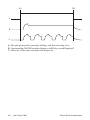
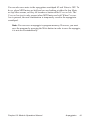
Shape Mod/Pulse Width: -64…0…63—Causes the wave shape to be
altered. How it changes depends upon the selected shape. A setting of 0 is the
default, unaffected shape.
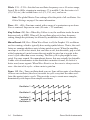
When Sawtooth is the selected shape, Shape Mod/Pulse Width controls the
symmetry of the wave, similar to pulse width on the Pulse wave creating the rich
sound of two sawtooth oscillators.
12
Oscillators
Dave Smith Instruments