1
Contents
SAFETY INFORMATION ..............................
1
Features .......................................................
4
Accessories .................................................
6
Precautions about Using This Product .....
7
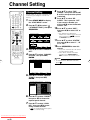
Channel Setting .............................................................
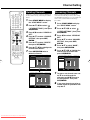
Deleting Channels ..........................................................
Re-naming Channels .....................................................
About Hard Disc (HDD) ...............................
9
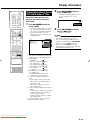
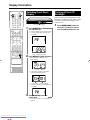
Display Information ..................................... 32
Recording Format ..........................................................
Unrecordable Material ....................................................
Hard Disc Operation (Recording/Playback/Time Shift
Recording) ...................................................................
Initialisation ....................................................................
CPRM (Copy Control) Information .................................
9
9
Channel Information .......................................................
Checking Remaining Time of HDD and Number of
Titles ............................................................................
Checking Remaining Time of DVD and Number of
Titles ............................................................................
Switching Front Panel Display ........................................
Turning off the LCD Backlight ........................................
9
9
9
About DVD ................................................... 10
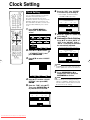
Clock Setting ............................................... 29
Clock Setting ..................................................................
29
Channel Setting ........................................... 30
30
31
31
32
32
33
34
34
10
11
12
13
13
13
14
14
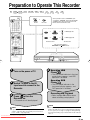
Preparation to Operate This Recorder ...... 35
Initialisation and Finalisation ..................... 15
40
Types of Discs that Can Be Used with This Recorder ....
Discs that Cannot Be Used with This Recorder .............
Types of Discs for Recording .........................................
Recording Formats ........................................................
Recording Time ..............................................................
Disc Remaining Time .....................................................
Using the Proper Disc ....................................................
Unrecordable Material ....................................................
Initialisation (Formatting) ................................................
Allowing Discs to Be Played Back
with Other DVD Players (Finalisation) .........................
15
15
About the Contents of the Disc ................. 15
Title, Chapter and Track .................................................
Icons Used on DVD Video Disc Case ............................
The Icons Used in This Operation Manual .....................
15
16
16
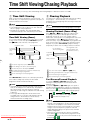
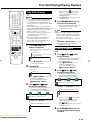
Time Shift Viewing/Chasing Playback ....... 36
Time Shift Viewing ..........................................................
Chasing Playback ..........................................................
37
37
Recording to HDD ....................................... 38
Direct Recording to HDD ...............................................
Setting the Record End Time during Direct Recording
(Simple Recording Timer) ............................................
39
Recording to DVD ........................................ 41
Loading Disc ..................................................................
Direct Recording to DVD ................................................
41
41
Setting Recording Mode (HDD/DVD) ......... 43
Important Information ................................. 17
HDD Recording Mode and Recording Time ...................
DVD-RW/R Recording Mode and Recording Time ........
Setting the Manual Recording Mode (MN) .....................
Direct Recording the TV programme you are watching .
Disc Precautions ............................................................
Cautions Regarding Recording ......................................
Copyright ........................................................................
Timer Recording/The GUIDE Plus+®
System ................................................... 45
17
17
17
Major Components ...................................... 18
Main Unit (Front) ............................................................
Front Panel Display ........................................................
Main Unit (Rear) .............................................................
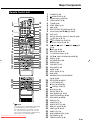
Remote Control Unit ......................................................
Loading the Batteries .....................................................
Operating a TV Using the Remote Control (Universal
Remote Control) ..........................................................
Setting the Remote Control Code ..................................
18
18
18
19
20
21
22
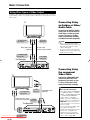
Basic Connection ........................................ 23
Connection Using Aerial Cables and SCART Cables ......
Using Other Types of Video Output ................................
23
24
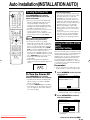
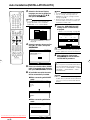
Auto Installation (INSTALLATION AUTO) ..... 25
Turning the Power On ....................................................
Using the INSTALLATION AUTO for Initial Setting .........
25
25
About START MENU .................................... 27
GUIDE Plus+ System Overview .....................................
GUIDE Plus+ Setup .......................................................
The “One-Button-Record” Feature .................................
Browse, Search, etc... ....................................................
Timer Recording with SHOW VIEW®... ...............................
Manual Recording (Timer Recording by Specifying Date,
Time and Channel) ......................................................
Editing (Confirm, Change and Cancel) a Timer
Programme ..................................................................
Other Functions of the GUIDE Plus+ System ................
43
43
44
44
45
46
49
50
51
53
55
56
Dubbing (HDD/DVD) .................................... 58
Dubbing Method and Dubbing Types .............................
Titles Including “Copy Once” Enabled Programme ........
Rate Conversion Dubbing and High Speed Dubbing .....
Limitation during Dubbing ..............................................
Dubbing (HDD↔DVD)/High Speed Dubbing
(HDD→DVD) ................................................................
58
58
59
60
61
27
27
Eliminating Problems (Recording, Timer
Recording, Dubbing) ............................. 63
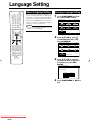
Language Setting ........................................ 28
HDD Playback .............................................. 65
About Language Setting ................................................
Changing Language Setting ..........................................
Playback from REC LIST ...............................................
Playback by Selecting Title Number (Direct Playback) ..
Other Types of Playback ................................................
About START MENU ......................................................
Basic START MENU Operation ......................................
Downloaded From Disc-Player.com Sharp Manuals
28
28
65
66
67