1
Introduction
1.3
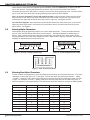
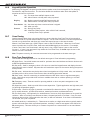
Programming Menu
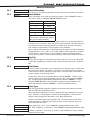
You are now ready to start programming the XT30/XT50 panel. Pressing the COMMAND key scrolls you
through the programming menu items listed below.
Menu Item
Section in This Manual
Menu Item
Section in This Manual
Initialization
2
Bell Options
9
Communication
3
Output Options
10
Network Options
4
Output Information
11
Messaging Setup
5
Area Information
12
Remote Options
6
Zone Information
13
System Reports
7
Stop
14
System Options
8
Set Lockout Code
15
To select a section for programming, press any Select key when the name of that section displays on the
keypad. The detailed instructions for each programming step are found in sections 2 to 15 of this manual.
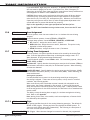
1.4
Programmer Lockout Codes
Although the XT30/XT50 panels allow you to access Programmer mode without a lockout code, it is
recommended you program one to restrict programming access to authorized individuals only. You can do
this by using SET LOCKOUT CODE at the end of the programming menu.
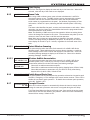
Installing a lockout code
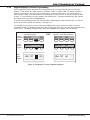
1.After entering the Programmer menu, the keypad displays PROGRAMMER. Press the COMMAND key
until SET LOCKOUT CODE is displayed (after STOP).
2.Press any Select key. At the ENTER CODE: - display, enter a 1- to 5-digit programmer lockout code.
Press COMMAND.
3.The displays shows ENTER AGAIN. Enter the same lockout code again and press COMMAND. The
display shows CODE CHANGED. The new code number must now be entered before the Programmer
menu can be accessed.
The lockout code should be written down and kept in a secure place with access limited to authorized
persons only.
Lost Lockout Code requires factory reset: If you lose or forget the lockout code, the panel must be sent
back to the factory to be reset. There is no field option for gaining access to the panel without a valid
lockout code.
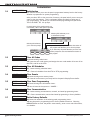
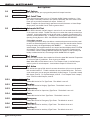
1.5Reset Timeout
The XT30/XT50 has a feature that requires you to enter the Programmer within 30 minutes of resetting
the panel. After 30 minutes, if you attempt to program by entering the 6653 (PROG) code, the keypad
displays: RESET PANEL. You must reset the panel and enter the program code within the next 30
minutes.
If you are already in the Programmer and do not press any keys on the programming keypad for 30
minutes, the panel terminates programming. All data entered up to that point is saved in the panel’s
memory.
Using the STOP function disarms all areas: To exit the panel’s Programmer you must use the Stop
function. The STOP option is the second to the last option in programming. The Stop function disarms all
areas and clears the panel’s Status List.
The programming session is then terminated and the keypad returns to the Status List.
Digital Monitoring Products
2
XT30/XT50 Programming Guide