1
Contents
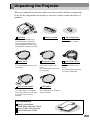
Unpacking the Projector .......................................................................... 1
Features of the Projector......................................................................... 2
Before Using the Projector
Part Names and Functions...................................................................... 8
Front/Top......................................................................................................................8
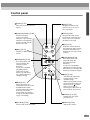
Control panel................................................................................................................9
Rear ............................................................................................................................10
Base ............................................................................................................................11
Remote control...........................................................................................................12
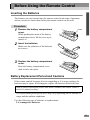
Before Using the Remote Control ......................................................... 13
Inserting the Batteries ................................................................................................13
Battery Replacement Period and Cautions.................................................................13
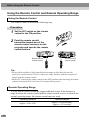
Using the Remote Control and Remote Operating Range .........................................14
Notes on Handling the Remote Control .....................................................................15
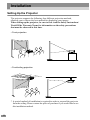
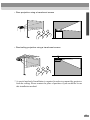
Installation ............................................................................................. 16
Setting Up the Projector.............................................................................................16
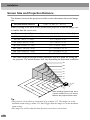
Screen Size and Projection Distance..........................................................................18
Connecting to a Computer .................................................................... 19
Eligible Computers.....................................................................................................19
Projecting Images from the Computer .......................................................................20
Playing Sound from the Computer.............................................................................24
Using the Remote Control to Operate the Mouse Pointer..........................................25
Connecting to an External Monitor............................................................................28
Connecting to a Video Source .............................................................. 29
Projecting Composite Video Images..........................................................................29
Projecting S-Video Images.........................................................................................30
Projecting Component Video Images.........................................................................31
Projecting RGB Video Images ...................................................................................32
Connecting to an External Speaker ...................................................... 34
Basic Operations
Turning On the Projector ....................................................................... 36
Connecting the Power Cord .......................................................................................36
Turning On the Power and Projecting Images ...........................................................37
Turning Off the Projector ....................................................................... 39
4