1
OTHER RECORDING FUNCTIONS
Specifying Power On Default Settings
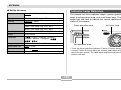
Function
On
REC Mode
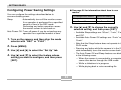
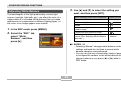
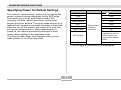
The camera’s “mode memory” feature lets you specify the
power on default settings individually for the REC mode,
flash mode, focus mode, white balance mode, ISO
sensitivity, AF Area, digital zoom mode, manual focus
position and zoom position. Turning on mode memory for a
mode tells the camera to remember the status of that mode
when you turn off the camera, and restore it the next time
you turn the camera back on. When mode memory is
turned off, the camera automatically restores the initial
factory default setting for the applicable mode.
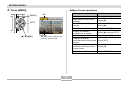
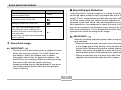
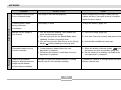
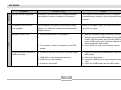
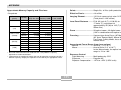
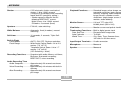
The following table shows what happens when you turn
mode memory on or off for each mode.
Off
Snapshot
Flash
Auto
Focus
Auto
White Balance
Auto
ISO
AF Area
Digital Zoom
MF Position
Zoom Position*
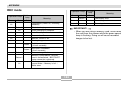
Setting when
camera is
turned off
Auto
Spot
On
Last Auto Focus
position that was in
effect before you
switched to manual
focus
Wide
* Only the optical zoom position is remembered.
81