1
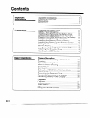
Contents
Important
Information
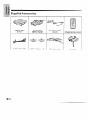
Supplied Accessories .. . . .. .. .. . ..*...*...*...........*........ 3
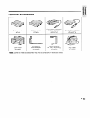
Optional Accessories .. . . . .... . ..a......*....................... 4
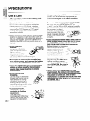
Precautions . .. .. . .. . .. . .. . . .. . .. .. . . ... . .. . .. ... . . . ... .. . . . . ... . . . . . . 5
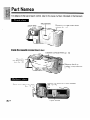
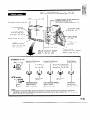
Part Names . ... .. . . . ...I.............................................
9
/
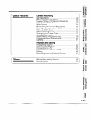
Preparation
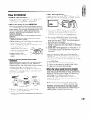
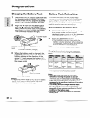
Charging the Battery Pack .................................
Battery Pack Refreshing ....................................
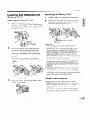
Inserting and Removing the Battery Pack .........
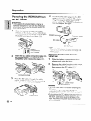
Powering the VIEWCAM from an AC Outlet.. .......
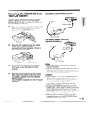
Powering the VIEWCAM from Your Car Battery ...
Inserting and Removing a Cassette ..................
Installing the Memory Backup Battery ...............
Installing the Battery in the Remote Control ......
Setting the Date and Time .................................
Monitor Display ..................................................
Using the Hand Strap and the Lens Cap.. .........
Attaching the Shoulder Strap .............................
Handling the LCD Monitor .................................
r
Y
Basic Operations
Camera Recording
Easy Camera Recording with Full Auto .............
Zooming .............................................................
Tips on Recording Positions ..............................
Hints for Better Shooting ....................................
Quick Return ......................................................
Edit Search.. .......................................................
Setting the VIEWCAM to Full Auto Mode ...........
Macro Shots .......................................................
Recording the Date and Time ............................
Remaining Recording Time Display ..................
Remaining Battery Power Display .....................
Playback
Playback ............................................................
Volume Control ...................................................
Video Search ......................................................
Still.. ....................................................................
Using the Remote Control ..................................
\
II11
12
13
14
15
116
16
17
18
19
19
19
20
21
22
22
23
23
24
24
25
26
26
27
27
28
28
29
/