1
CD-E800W
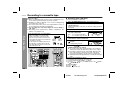
Listening to a CD (CDs)
This system can also play audio CD-R and CD-RW discs, but cannot record.
Some audio CD-R and CD-RW discs may not be playable due to the
state of disc or the device that was used for recording.
4
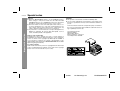
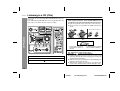
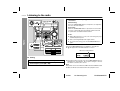
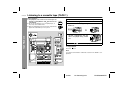
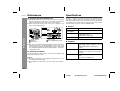
Place the CD(s) on the disc tray, label side up.
When loading a third disc, press the DISC SKIP button to
turn the disc tray, then place the CD in the open position.
" CDs can be placed on any open position on the disc tray.
" Be sure to place 8 cm (3") CDs in the middle of the disc positions.
CD Playback
12 cm (5") 8 cm (3")
5
Press the OPEN/CLOSE
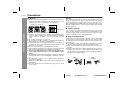
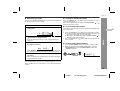
Total number of tracks on
the CD whose number is
flashing
1
2
3
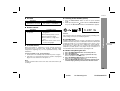
Press the ON/STAND-BY button to turn the power on.
Press the CD button.
Press the OPEN/CLOSE
button to open the disc tray.
button to close the disc tray.
Total playing time of the CD
whose number is flashing
6
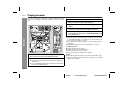
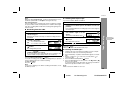
To select the CD you want to listen to first, press one of the
1 - 3 buttons on the remote control.
7
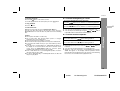
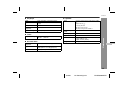
Press the (
) button to start playback.
" Playback will begin from track 1 on the disc you have selected to play. After that disc finishes playing, the next disc will
automatically start playback.
" When the last track on the third disc has finished playing, the
CD player will automatically stop.
" When there is no CD in one of the disc 1 - 3 positions, that
position will be skipped and the next CD will begin to play.
13
03/8/27
CD-E800W(A)2.fm
TINSE0908AWZZ