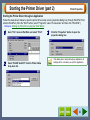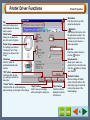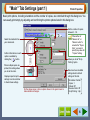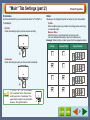
1
Printing Multiple Pages on One Page
Print
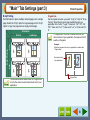
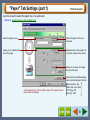
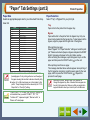
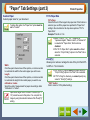
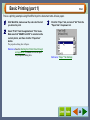
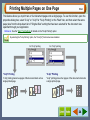
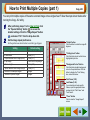
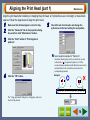
This feature allows you to print two or four document pages onto a single page. To use this function, open the
properties dialog box, select "2-Up" or "4-Up" for "N-Up Printing" on the "Main" tab, and then select the same
paper size from the drop-down list of "Original Size" setting that has been selected for the document size
specified through your application.
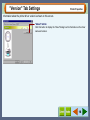
Reference: See the "Main" Tab Settings for details on the "N-Up Printing" option.
By selecting the "N-Up Printing" option, the "Zoom[%]" function becomes disabled.
For "2-Up" printing
For "4-Up" printing
"2-Up" Printing
"4-Up" Printing
"2-Up" printing places two pages of the document stack onto a
single printed page.
"4-Up" printing places four pages of the document stack onto
a single printed page.
24