1
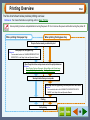
Identifying Unit Problems
Troubleshooting
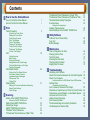
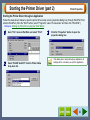
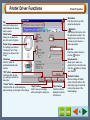
When any trouble has occurred in the unit, first, verify whether you can make a copy or not with the unit. Check
the items shown below when the unit does not work properly but it can make a copy.
Reference: If any copier trouble occurs, refer to "TROUBLESHOOTING" in the Setup Guide and Operation Manual.
1
Check the Connection between
the Unit and Computer
A
Printing trouble
2
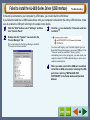
Check Your Computer
Failed to Install the AJ-6000 Series Driver
(USB Interface)
B
Scanning trouble
When one of the troubles listed below
occurs while printing, check the
corresponding item.
When one of the troubles listed below
occurs while scanning data, check the
corresponding item.
Nothing Prints
Unable to Scan the Image
Poor Scanning Result
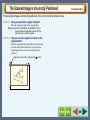
The Scanned Image is Incorrectly Positioned
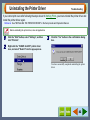
Uninstalling the Printer Driver
Faint, Uneven or Smeared Print Output
Characters or Graphics are not Printed in Correct Position
Printed Lines are not Straight, or Have Blank Spaces
Unit does not Print in Colour
What type of trouble do you
have?
• Printing trouble
• Scanning trouble
• AJ Series Utility trouble
A
B
C
C
AJ Series Utility trouble
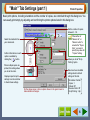
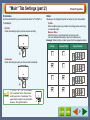
When any trouble has occurred while using
Copy JX2 or Button Manager, first, refer to
the error messages and the help file. If you
cannot solve the problem, remove the AJ
series utility software and then reinstall it.
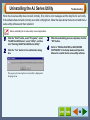
Uninstalling the AJ Series Utility
If you fail to solve the problem after verifying all the items listed above, please contact your authorised SHARP
service centre.
77