1
10/100Base-TX Hardened Managed Ethernet Extender
Quick Start Guide
This quick start guide describes how to install and use the Hardened
Managed Ethernet Extender. This is the Hardened Managed Ethernet
Extender of choice for harsh environments constrained by space.
Physical Description
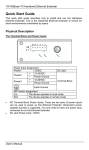
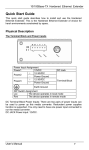
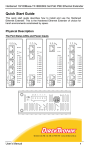
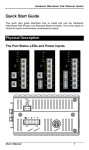
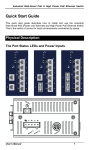
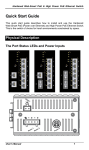
The Port Status LEDs and Power Inputs
User’s Manual
1
10/100Base-TX Hardened Managed Ethernet Extender
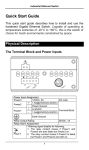
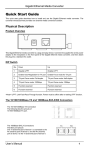
Power Input Assignment
Power1
12VDC
+ 12-32VDC
Power2
- Power Ground
+ 12-32VDC
Power3
- Power Ground
DC Jack
Terminal Block
Earth Ground
DIP Switch Assignment
Loc
The device operates in local mode
Rmt
The device operates in remote mode
LEDs
Power1
Power2
Power3
Ethernet
Link/ACT
State
Steady
Indication
Power on
Off
Power off
Steady
Valid network connection established
Transmitting or receiving data
ACT stands for ACTIVITY
Neither valid network connection established
nor transmitting/receiving data
Connection in full-duplex mode
FDX stands for FULL-DUPLEX
Connection in half-duplex mode
Flashing
Off
FDX
Steady
Off
Ethernet Extender
Remote The device operates in remote mode
Local
The device operates in local mode
Error
Error occurred
Link
A valid connection established
Green, 1Mbps, up to 1900M
1
Amber, 3Mbps, up to 1800M
Green, 5Mbps, up to 1600M
2
Amber, 10Mbps, up to 1400M
Green, 15Mbps, up to 1200M
3
Amber, 20Mbps, up to 1000M
Green, 25Mbps, up to 800M
4
Amber, 30Mbps, up to 700M
Green, 40Mbps, up to 600M
5
Amber, 50Mbps, up to 300M
DC Terminal Block Power Inputs: There are two pairs of power inputs can
be used to power up this media converter. Redundant power supplies
function is supported. You only need to have one power input connected to
run the media converter.
DC JACK Power input: 12VDC.
User’s Manual
2
10/100Base-TX Hardened Managed Ethernet Extender
Functional Description
y
y
y
y
y
y
y
y
y
y
y
y
Meets NEMA TS1/TS2 Environmental requirements: temperature,
shock, and vibration for traffic control equipment.
Meets EN61000-6-2 & EN61000-6-3 EMC Generic Standard Immunity
for industrial environment.
Operates transparent to higher layer protocols such as TCP/IP.
Ethernet port: Supports IEEE802.3/802.3u/802.3x. Auto-negotiation:
10/100Mbps, full/half-duplex; Auto MDI/MDIX.
Ethernet Extender port: Symmetrical on the VDSL, full-duplex 50Mbps
communications link over existing copper telephone line.
One DIP switch for configuring Local (Loc) and Remote (Rmt).
Ten speeds with speed indicator LEDs on front panel of unit, up to
50Mbps @ about 300meters (984ft.), down to 1Mbps @ about
1,900meters (6,233ft.).
Supports RS-232 console, SNMP, Web Browser management.
Operating voltage and Max. current consumption: 0.35A @ 12VDC,
0.175A @ 24VDC. Power consumption: 4.2W Max.
Power Supply: Redundant 12-32VDC Terminal Block power inputs and
12VDC DC JACK with 100-240VAC external power supply. “For use
with Model UP0351E-12P as power jack supply source by Universal
Micro Electronics Co., Ltd.".
Field Wiring Terminal: Use Copper Conductors Only, 14-24 AWG
torque value 4.5 lb-in.
Operating temperature range @ -40℃ to 75℃ (-40℉ to 167℉).
Tested for functional operation @ -40℃ to 85℃ (-40℉ to 185℉).
UL508 Industrial Control Equipment certified Operating Surrounding
y
Air Temperature @ -34℃ to 60℃ (-29℉ to 140℉).
Supports Din-Rail or Panel Mounting installation.
Assembly, Startup, and Dismantling
y
y
y
Assembly: Place the Hardened Managed Ethernet Extender on the
DIN rail from above using the slot. Push the front of the Hardened
Managed Ethernet Extender toward the mounting surface until it
audibly snaps into place.
Startup: Connect the supply voltage to start up the Hardened Managed
Ethernet Extender via the terminal block (or DC JACK).
Dismantling: Pull out the lower edge and then remove the Hardened
Managed Ethernet Extender from the DIN rail.
User’s Manual
3
10/100Base-TX Hardened Managed Ethernet Extender
Console Configuration
•
Connect to the console of Hardened Managed Ethernet Extender:
Connect the DB9 null-modem or cross over cable to the RS-232 serial
port of the device and the RS-232 serial port of the terminal or computer
running the terminal emulation application. Direct access to the
administration console is achieved by directly connecting a terminal or a
PC equipped with a terminal-emulation program (such as HyperTerminal)
to the console port of Hardened Managed Ethernet Extender.
•
•
Configuration settings of the terminal-emulation program:
Baud rate
Data bits
Parity
Stop bit
Flow control
115,200bps
8
none
1
none
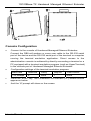
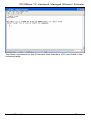
Press the “Enter” key. The Command Line Interface (CLI) screen should
appear as below:
•
And the “#” prompt will show on the screen.
User’s Manual
4
10/100Base-TX Hardened Managed Ethernet Extender
<Note> The procedures to restore factory default password:
Connect to console of Hardened Managed Ethernet Extender through
Microsoft Windows HyperTerminal. Please power on Hardened Managed
Ethernet Extender and press “Ctrl” and “D” while Hardened Managed
Ethernet Extender is booting up to enter Bootloader. Input “reset password”
command at Bootloader prompt and press “Enter”. Power off and on
Hardened Managed Ethernet Extender then Hardened Managed Ethernet
Extender is restored with factory default password.
Web Configuration
•
Login the Hardened Managed Ethernet Extender:
Specify the default IP address (192.168.1.10) of the Hardened Managed Ethernet
Extender in the web browser. A login window will be shown as below:
User’s Manual
5
10/100Base-TX Hardened Managed Ethernet Extender
•
Enter the factory default password (no password).
Then click on the “Submit” button to log on to the Hardened Managed
Ethernet Extender.
User’s Manual
6
10/100Base-TX Hardened Managed Ethernet Extender
Preface
This manual describes how to install and use the Hardened Managed
Ethernet Extender. The Hardened Managed Ethernet Extender introduced
here provides one channel for Ethernet over existing voice grade copper
wire.
The Hardened Managed Ethernet Extender fully complies with IEEE802.3
10Base-T and IEEE802.3u 100Base-TX/FX standards.
In this manual, you will find:
y
y
y
y
y
y
Product overview
Features on the Hardened Managed Ethernet Extender
Illustrative LED functions
Installation instructions
Management Configuration
Specifications
User’s Manual
7
10/100Base-TX Hardened Managed Ethernet Extender
Table of Contents
Quick Start Guide ......................................................................... 1
Physical Description .................................................................... 1
The Port Status LEDs and Power Inputs.................................... 1
Functional Description................................................................. 3
Assembly, Startup, and Dismantling............................................. 3
Console Configuration ................................................................. 4
Web Configuration ....................................................................... 5
Preface............................................................................................ 7
Table of Contents .......................................................................... 8
Introduction ................................................................................. 10
Product Overview....................................................................... 10
Product Features ........................................................................ 10
Packing List................................................................................ 11
One-Channel Hardened Managed Ethernet Extender ............ 12
Ports ........................................................................................... 12
Ethernet Extender Mode Settings ............................................... 12
DIP switch .................................................................................. 12
Front Panel & LEDs .................................................................. 13
Installation ................................................................................... 14
Selecting a Site for the Equipment.............................................. 14
Wiring Diagram ......................................................................... 14
DIN Rail Mounting ..................................................................... 15
Connecting to Power .................................................................. 16
12VDC DC Jack ...................................................................... 16
Redundant DC Terminal Block Power Inputs ......................... 16
Web-Based Browser Management............................................. 17
Logging on to The Hardened Managed Ethernet Extender........ 17
IP Address................................................................................ 17
Password.................................................................................. 17
Understanding the Browser Interface ........................................ 18
Basic Settings ............................................................................. 19
Network Settings ..................................................................... 19
Server Name Settings .............................................................. 20
Time Server Settings................................................................ 20
Advanced Settings....................................................................... 21
Lan Settings ............................................................................. 21
VDSL Settings......................................................................... 21
SNMP Settings ........................................................................ 22
User’s Manual
8
10/100Base-TX Hardened Managed Ethernet Extender
Link-Fault-Pass-Through Settings ........................................... 23
Log Settings............................................................................. 23
System Management ................................................................... 24
Change Password..................................................................... 24
Accessible List......................................................................... 25
Restore Factory Default ........................................................... 25
Firmware Update ..................................................................... 26
Reset VDSL............................................................................. 26
Retrain VDSL .......................................................................... 27
System Monitoring...................................................................... 27
System Log .............................................................................. 27
VDSL Status ............................................................................ 28
Restart ........................................................................................ 28
Restart System ......................................................................... 28
Command Line Console Management ...................................... 29
System Management ................................................................... 31
Ethernet Extender Management ................................................. 33
Network Management................................................................. 34
Specifications ............................................................................... 35
User’s Manual
9
10/100Base-TX Hardened Managed Ethernet Extender
Introduction
The Hardened Managed Ethernet Extender provides one channel for
Ethernet over existing voice grade copper wire. This Hardened Managed
Ethernet Extender solution is perfectly fitted in the industrial applications or
rugged environment.
Product Overview
Product Features
y
y
y
y
y
y
y
y
y
y
Meets NEMA TS1/TS2 Environmental requirements such as temperature, shock,
and vibration for traffic control equipment.
Meets EN61000-6-2 & EN61000-6-3 EMC Generic Standard Immunity for industrial
environment.
Operates transparent to higher layer protocols such as TCP/IP.
Ethernet Port: Supports IEEE802.3/802.3u/802.3x. Auto-negotiation: 10/100Mbps,
full/half-duplex; Auto MDI/MDIX.
Ethernet Extender port: Symmetrical on the VDSL, high-speed full-duplex 50Mbps
communications link over existing copper telephone line.
One DIP switch for configuring Local (Loc) and Remote (Rmt).
Ten speeds with speed indicator LEDs on front panel of unit, up to 50Mbps @ about
300meters (984ft.), down to 1Mbps @ about 1,900meters (6,233ft.).
Supports RS-232 console, SNMP, Web Browser management.
Operating voltage and Max. current consumption: 0.35A @ 12VDC, 0.175A @
24VDC. Power consumption: 4.2W Max.
Power Supply: Redundant 12-32VDC Terminal Block power inputs and 12VDC DC
JACK with 100-240VAC external power supply. “For use with Model
User’s Manual
10
10/100Base-TX Hardened Managed Ethernet Extender
y
y
y
UP0351E-12P as power jack supply source by Universal Micro Electronics Co.,
Ltd.".
Field Wiring Terminal: Use Copper Conductors Only, 14-24 AWG torque value 4.5
lb-in.
Operating temperature range @ -40℃ to 75℃ (-40℉ to 167℉).
Tested for functional operation @ -40℃ to 85℃ (-40℉ to 185℉).
UL508 Industrial Control Equipment certified Operating Surrounding Air
Temperature @ -34℃ to 60℃ (-29℉ to 140℉).
Supports Din-Rail or Panel Mounting installation.
Packing List
When you unpack this product package, you will find the items listed below.
Please inspect the contents, and report any apparent damage or missing
items immediately to our authorized reseller.
y
y
y
The Hardened Managed Ethernet Extender
User’s Manual
AC to DC Power Adaptor and Power Cable (optional)
User’s Manual
11
10/100Base-TX Hardened Managed Ethernet Extender
One-Channel
Extender
Hardened
Managed
Ethernet
Ports
The Hardened Managed Ethernet Extender provides one TX port and one
Ethernet Extender port.
For the TX port, it uses RJ-45 connector and auto senses the speed of
10/100Mbps.
For the Ethernet Extender port, it uses RJ-11 and Terminal Block
connectors and auto senses the speed of 1/3/5/10/15/20/25/30/40/50Mbps.
Ethernet Extender Mode Settings
Ethernet Extender mode settings are made very simple by means of a DIP
(Dual Inline Package) switch on the top panel of the Hardened Managed
Ethernet Extender.
DIP switch
There is one pin on the DIP switch for Ethernet Extender mode settings. Refer to the
table below for more details.
Loc
Rmt
The device operates in local mode
The device operates in remote mode
User’s Manual
12
10/100Base-TX Hardened Managed Ethernet Extender
Front Panel & LEDs
LED Indicators
The LED indicators give you instant feedback on status of the Hardened
Managed Ethernet Extender:
LEDs
State
Indication
Power1
Power2
Power3
Steady
Power on
Off
Power off
Ethernet
Steady
Link/ACT
Flashing
Off
FDX
Steady
Off
A valid Ethernet connection established
Transmitting or receiving Ethernet data
ACT stands for ACTIVITY
Neither valid Ethernet connection established nor transmitting/receiving
Ethernet data
Ethernet Connection in full-duplex mode
FDX stands for FULL-DUPLEX
Ethernet Connection in half-duplex mode
Ethernet Extender
1
2
3
4
5
Green
The Ethernet Extender port transmitting/receiving at 1Mbps, up to 1900M
Amber
The Ethernet Extender port transmitting/receiving at 3Mbps, up to 1800M
Green
The Ethernet Extender port transmitting/receiving at 5Mbps, up to 1600M
Amber
The Ethernet Extender port transmitting/receiving at 10Mbps, up to 1400M
Green
The Ethernet Extender port transmitting/receiving at 15Mbps, up to 1200M
Amber
The Ethernet Extender port transmitting/receiving at 20Mbps, up to 1000M
Green
The Ethernet Extender port transmitting/receiving at 25Mbps, up to 800M
Amber
The Ethernet Extender port transmitting/receiving at 30Mbps, up to 700M
Green
The Ethernet Extender port transmitting/receiving at 40Mbps, up to 600M
Amber
The Ethernet Extender port transmitting/receiving at 50Mbps, up to 300M
Remote
Steady
The device operates in remote mode
Local
Steady
The device operates in local mode
Error
Steady
Error occurred
Link
Steady
A valid connection established
User’s Manual
13
10/100Base-TX Hardened Managed Ethernet Extender
Installation
This chapter gives step-by-step installation instructions for the Hardened
Managed Ethernet Extender.
Selecting a Site for the Equipment
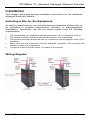
As with any electric device, you should place the equipment where it will not
be subjected to extreme temperatures, humidity, or electromagnetic
interference. Specifically, the site you select should meet the following
requirements:
•
•
•
•
•
The Surrounding Air temperature should be between -34 to 60 degrees Celsius.
The relative humidity should be less than 95 percent, non-condensing.
Surrounding electrical devices should not exceed the electromagnetic field (RFC)
standards.
Make sure that the equipment receives adequate ventilation. Do not block the
ventilation holes of the equipment.
The power outlet should be within 1.8 meters of the product.
Wiring Diagram
User’s Manual
14
10/100Base-TX Hardened Managed Ethernet Extender
DIN Rail Mounting
Fix the DIN rail attachment plate to the back panel of the Hardened
Managed Ethernet Extender.
Installation: Place the Hardened Managed Ethernet Extender on the DIN
rail from above using the slot. Push the front of the Hardened Managed
Ethernet Extender toward the mounting surface until it audibly snaps into
place.
Removal: Pull out the lower edge and then remove the Hardened Managed
Ethernet Extender from the DIN rail.
User’s Manual
15
10/100Base-TX Hardened Managed Ethernet Extender
Connecting to Power
Redundant DC Terminal Block Power Inputs or 12VDC DC Jack:
12VDC DC Jack
Step 1: Connect the supplied AC to DC power adapter to the receptacle on the topside
of the Hardened Managed Ethernet Extender.
Step 2: Connect the power cord to the AC to DC power adapter and attach the plug into
a standard AC outlet with the appropriate AC voltage.
Redundant DC Terminal Block Power Inputs
There are two pairs of power inputs can be used to power up this device.
You only need to have one power input connected to run the Hardened
Managed Ethernet Extender.
Step 1: Connect the DC power cord to the plug-able terminal block on the Hardened
Managed Ethernet Extender, and then plug it into a standard DC outlet.
Step 2: Disconnect the power cord if you want to shut down the Hardened Managed
Ethernet Extender.
Power Input Assignment
Power1
12VDC
+ 12-32VDC
Power2
- Power Ground
+ 12-32VDC
Power3
- Power Ground
DC Jack
Terminal Block
Earth Ground
DIP Switch Assignment
Loc
The device operates in local mode
Rmt
The device operates in remote mode
User’s Manual
16
10/100Base-TX Hardened Managed Ethernet Extender
Web-Based Browser Management
The Hardened Managed Ethernet Extender provides a web-based browser
interface for configuring and managing the Hardened Managed Ethernet
Extender. This interface allows you to access the Hardened Managed
Ethernet Extender using a preferred web browser.
This chapter describes how to configure the Hardened Managed Ethernet
Extender using its web-based browser interface.
Logging on to The Hardened Managed Ethernet Extender
IP Address
In your web browser, specify the IP address of the Hardened Managed
Ethernet Extender. Default IP address is 192.168.1.10.
Password
Enter the factory default password (no password).
Or enter a user-defined password if you followed the instructions later and
changed the factory default password.
User’s Manual
17
10/100Base-TX Hardened Managed Ethernet Extender
Then click on the “Submit” button to log on to the Hardened Managed
Ethernet Extender.
Understanding the Browser Interface
The web browser interface provides groups of point-and-click buttons at the
left field of the screen for configuring and managing the Hardened Managed
Ethernet Extender.
Basic Settings
Network Settings, Server Name Settings, Time Server Settings
Advanced Settings
Lan Settings, VDSL Settings, SNMP Settings, Link-Fault-Pass-Through
Settings, Log Settings
System Management
Change Password, Accessible List, Restore Factory Default, Firmware
Update, Reset VDSL, Retrain VDSL
System Monitoring
System Log, VDSL Status
Restart
Restart System
User’s Manual
18
10/100Base-TX Hardened Managed Ethernet Extender
Basic Settings
Network Settings
1.
2.
3.
4.
5.
6.
7.
IP configuration: Click “IP configuration” drop-down menu to choose
“Static” or “DHCP” from the “IP configuration” drop-down list for the
Hardened Managed Ethernet Extender to use a static IP or dynamic IP
address (the IP address will be automatically assigned by DHCP server
over the network).
IP address: Click in “IP Address” text box and type a new address to
change the IP Address.
Netmask: Click in “Netmask” text box and type a new address to
change the Netmask.
Gateway 1, 2, 3, 4: Click the text box and type a new address to
change the Gateway.
DNS server 1, 2, 3, 4: Click the text box and type a new address to
change the DNS server.
Reload: Click “Reload” button to reload previous settings.
Submit: Click “Submit” button to apply new settings.
User’s Manual
19
10/100Base-TX Hardened Managed Ethernet Extender
Server Name Settings
1.
2.
3.
Server name: Click in “Server Name” text box. Type a server name if it
is blank, or replace the current server name with a new one.
Reload: Click “Reload” button to reload previous settings.
Submit: Click “Submit” button to apply new settings.
Time Server Settings
1.
2.
3.
4.
5.
Time zone (24-hour): Click “Time zone” drop-down menu to select a
different time zone from the “Time zone” drop-down list.
Local time: Click drop-down menu to select a different local time from
the drop-down list.
Time server: Click in “Time server” text box to enter Time server
address for the Hardened Managed Ethernet Extender. And check
“Enable” to enable this setting.
Reload: Click “Reload” button to reload previous settings.
Submit: Click “Submit” button to apply new settings.
User’s Manual
20
10/100Base-TX Hardened Managed Ethernet Extender
Advanced Settings
Lan Settings
1.
2.
3.
4.
5.
6.
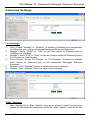
Auto: Check “Enable” or “Disable” to enable or disable auto negotiation
for Ethernet port of the Hardened Managed Ethernet Extender.
Speed: Check “100M” or “10M” to set the speed of Ethernet port to
100Mbps or 10Mbps.
Duplex: Check “Full” or “Half” to set the duplex mode of Ethernet port to
Full Duplex or Half Duplex.
Flow Control: Check “FC-Enable” or “FC-Disable” to enable or disable
flow control for Ethernet port of the Hardened Managed Ethernet
Extender.
Reload: Click “Reload” button to reload previous settings.
Submit: Click “Submit” button to apply new settings.
VDSL Settings
1.
Max. Speed: Click “Max. Speed” drop-down menu to select a maximum
speed for Ethernet Extender port from the “Max. Speed” drop-down list.
User’s Manual
21
10/100Base-TX Hardened Managed Ethernet Extender
2.
3.
4.
5.
Fixed Rate: Click “Fixed Rate” drop-down menu to disable or select a
fixed speed rate for Ethernet Extender port from the “Fixed Rate”
drop-down list.
Polling Interval: Click in “Polling Interval” text box to enter polling
interval for Ethernet Extender port.
Reload: Click “Reload” button to reload previous settings.
Submit: Click “Submit” button to apply new settings.
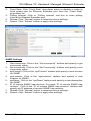
SNMP Settings
1.
2.
3.
4.
5.
6.
7.
8.
Get community: Click in the “Get community” textbox and specify a get
community name.
Set community: Click in the “Set Community” textbox and specify a set
community name.
sysContact: Click in the “sysContact” textbox and specify a new contact
for SNMP.
sysLocation: Click in the “sysLocation” textbox and specify a new
location for SNMP.
sysDescr: Click in the “sysDescr” textbox and specify a new description
for SNMP.
IP of remote SNMP trap receiver: For each “IP of remote SNMP trap
receiver”, Click in the “IP of remote SNMP trap receiver” textbox and
specify an IP address of remote SNMP trap receiver.
Reload: Click “Reload” button to reload previous settings.
Submit: Click “Submit” button to apply new settings.
User’s Manual
22
10/100Base-TX Hardened Managed Ethernet Extender
Link-Fault-Pass-Through Settings
1.
2.
3.
Link-Fault-Pass-Through: Check “Enable” or “Disable” to enable or
disable link-fault-pass-through for the Hardened Managed Ethernet
Extender.
Reload: Click “Reload” button to reload previous settings.
Submit: Click “Submit” button to apply new settings.
Log Settings
1.
2.
3.
Log: Check or uncheck “Enable” to enable or disable Data Log Setting
for the Hardened Managed Ethernet Extender.
Reload: Click “Reload” button to reload previous settings.
Submit: Click “Submit” button to apply new settings.
User’s Manual
23
10/100Base-TX Hardened Managed Ethernet Extender
System Management
Change Password
1.
2.
3.
4.
Old password: Click in “Old password” text box and type in the old
password.
New password: Click in “New password” text box and type in the new
password.
Confirm password: Click in “Confirm password” text box. Type the
same password in “New password” text box again to verify it.
Submit: Click “Submit” button to apply new settings.
User’s Manual
24
10/100Base-TX Hardened Managed Ethernet Extender
Accessible List
1.
2.
3.
4.
5.
Only packets with following enabled source IP/MAC will be responded:
Check this option to enable the following accessible source IP/MAC list.
Uncheck this option will allow all source IP/MAC’s connection request.
IP1 ~ 8: Click in “IP1 ~ 8” text box and specify IP addresses that can
access to the Ethernet port on the Hardened Managed Ethernet
Extender. Check this option to enable the IP addresses.
MAC1 ~ 8: Click in “MAC1 ~ 8” text box and specify MAC addresses
that can access to the Ethernet port on the Hardened Managed
Ethernet Extender. Check this option to enable the MAC addresses.
Reload: Click “Reload” button to reload previous settings.
Submit: Click “Submit” button to apply new settings.
Restore Factory Default
1.
2.
3.
4.
Restore Password Only: Check this option to restore the factory default
password.
Restore factory defaults (all): Check this option to restore the Hardened
Managed Ethernet Extender to the factory default values.
Restore factory defaults except networking settings: Check this option
to restore the Hardened Managed Ethernet Extender to the factory
default values but keep networking settings of the Hardened Managed
Ethernet Extender.
Submit: Click “Submit” button to apply new settings.
User’s Manual
25
10/100Base-TX Hardened Managed Ethernet Extender
Firmware Update
1.
2.
3.
Select file: Click in “Select file” text box and type the access directory
and name of the file that you intend to upgrade it to the Hardened
Managed Ethernet Extender.
Browse: Click the “Brower” button to select the firmware to be updated
to the Hardened Managed Ethernet Extender.
Submit: Click “Submit” button to apply new settings.
Reset VDSL
1.
Submit: Click “Submit” button to reset the settings and counters of the
Ethernet Extender port.
User’s Manual
26
10/100Base-TX Hardened Managed Ethernet Extender
Retrain VDSL
1.
Submit: Click “Submit” button to re-negotiate the speed of the Ethernet
Extender port.
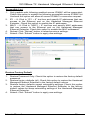
System Monitoring
System Log
1.
2.
Reload: Click the “Reload” button to reload the system log of the
Hardened Managed Ethernet Extender.
Reset / Clear: Click “Reset / Clear” button to reset and clean the system
log of the Hardened Managed Ethernet Extender.
User’s Manual
27
10/100Base-TX Hardened Managed Ethernet Extender
VDSL Status
1.
2.
Reload: Click the “Reload” button to reload the VDSL status of the
Hardened Managed Ethernet Extender.
Reset / Clear: Click “Reset / Clear” button to reset and clean the VDSL
status of the Hardened Managed Ethernet Extender.
Restart
Restart System
1.
Submit: Click “Submit” button to restart the Hardened Managed
Ethernet Extender.
User’s Manual
28
10/100Base-TX Hardened Managed Ethernet Extender
Command Line Console Management
The Hardened Managed Ethernet Extender provides a command line
console interface for configuration purposes. The Hardened Managed
Ethernet Extender can be configured either locally through its RS-232 port
or remotely via a Telnet session. For the later, you must specify an IP
address for the switch first.
This chapter describes how to configure the Hardened Managed Ethernet
Extender using its console by Commend Line.
Connect the DB9 null-modem or cross over cable to the RS-232 serial port
of the device to the RS-232 serial port of the terminal or computer running
the terminal emulation application.
Direct access to the administration console is achieved by directly
connecting a terminal or a PC equipped with a terminal-emulation program
(such as HyperTerminal) to the Hardened Managed Ethernet Extender
console port.
When using the management method, configure the terminal-emulation
program to use the following parameters (you can change these settings
after login):
[Default parameters]
115,200bps
8 data bits
No parity
1 stop bit
At the login: prompt just type in “root” and press <Enter>.
At the Password: prompt just press <Enter> to logon to the Hardened
Managed Ethernet Extender.
User’s Manual
29
10/100Base-TX Hardened Managed Ethernet Extender
The basic commands in the Command Line Interface (CLI) are listed in the
following table.
User’s Manual
30
10/100Base-TX Hardened Managed Ethernet Extender
System Management
Command
sys uptime
sys date
sys date –s MMDDhhmmYYYY.ss
MM: Month
DD: Day
hh: Hour
mm: minute
sys hostname
sys hostname hostname
sys snmp
sys snmp disp
sys snmp getcommunity
sys snmp getcommunity CommunityName
sys snmp setcommunity
sys snmp setcommunity CommunityName
sys snmp syslocation
sys snmp syslocation location
sys snmp syscontact
sys snmp syscontact contact
sys snmp sysdescr
sys snmp sysdescr description
sys snmp trapdest add IP
sys snmp trapdest delete IP
sys passwd
sys actl on
sys actl off
sys actl disp
sys actl add mac MAC
sys actl add mac IP
sys actl del mac index
sys actl del ip index
sys actl del mac all
sys actl del ip all
sys actl enable mac index
sys actl enable ip index
sys actl disable mac index
sys actl disable ip index
sys reboot
sys reset level1
sys reset level2
User’s Manual
Command Description
Display system uptime.
Display system date and time.
Set system date and time.
Display system name.
Set system name.
Display SNMP settings.
Display SNMP settings.
Display SNMP GetRequest community.
Set SNMP GetRequest community.
Display SNMP SetRequest community.
Set SNMP SetRequest community.
Display location of the device.
Set location of the device.
Display contact person for the device.
Set contact person for the device.
Display description of the device.
Set description for the device.
Add destination IP address of SNMP
trap.
Delete destination IP address of SNMP
trap.
Set new password.
Set access control ON to the device.
Set access control OFF to the device.
Display access control settings.
Add MAC address to accessible list.
Add IP address to accessible list.
Remove index_th MAC address from
accessible list.
Remove index_th IP address from
accessible list.
Remove all MAC addresses from
accessible list.
Remove all IP addresses from
accessible list.
Enable index_th MAC address from
accessible list.
Enable index_th IP address from
accessible list.
Disable index_th MAC address from
accessible list.
Disable index_th IP address from
accessible list.
Reboot system.
Restore default password.
Restore factory default.
31
10/100Base-TX Hardened Managed Ethernet Extender
sys reset level3
sys dhcp
sys dhcp on
sys dhcp off
sys dhcp renew
sys ntp
sys ntp on
sys ntp off
sys ntp server IP
sys ntp zone time_zone
time_zone: +12.0 ~ -12.0
sys ping IP
sys arp
sys log
sys log on
sys log off
sys log clear
sys log disp
sys upgrade filename
sys lfpt
sys lfpt on
sys lfpt off
User’s Manual
Restore factory default except network
settings.
Display DHCP settings.
Set the device to get IP address from
DHCP server.
Set IP address to the device manually.
Set the device to get new IP address
from DHCP server.
Display NTP settings.
Set NTP ON.
Set NTP OFF.
Set IP address of NTP time server to
the device.
Set NTP time zone to the device.
Send ICMP ECHO_REQUEST to
network hosts.
Display ARP table.
Display log settings.
Set log ON.
Set log OFF.
Clear content of log.
Display log settings.
Upgrade system with new firmware.
Display Link Fault Pass Through
settings.
Set Link Fault Pass Through ON.
Set Link Fault Pass Through OFF.
32
10/100Base-TX Hardened Managed Ethernet Extender
Ethernet Extender Management
Command
vdsl status
vdsl counter
vdsl disp
vdsl reset chip
vdsl reset counter
vdsl au
vdsl au disp
vdsl au level number
number: 0 ~ 9
vdsl pinterval
vdsl pinterval number
number: 2 ~ 256
vdsl retrain
User’s Manual
Command Description
Display link performance of Ethernet
Extender port.
Display statistic counter of Ethernet
Extender port.
Display settings of Ethernet Extender
port.
Reset chip of Ethernet Extender port.
Reset counter of Ethernet Extender
port.
Display auto upgrade settings of
Ethernet Extender port.
Display auto upgrade settings of
Ethernet Extender port.
Set auto upgrade level for Ethernet
Extender port.
Display polling interval of Ethernet
Extender port.
Set polling interval for Ethernet
Extender port.
Re-negotiate speed of Ethernet
Extender port.
33
10/100Base-TX Hardened Managed Ethernet Extender
Network Management
Command
net ifconfig
net ifconfig disp
net ifconfig ip IP
net ifconfig netmask IP
net ifconfig up
net ifconfig down
net ping IP
net netstat
net arp
net gateway
net gateway disp
net gateway add IP
net gateway del IP
net dns
net dns disp
net dns add IP
net dns del IP
net dhcp
net dhcp disp
net dhcp on
net dhcp off
net dhcp renew
net an
net an disp
net an on
net an off
net an speed speed
speed: 10 or 100
net an duplex duplex
duplex: half or full
net an flowctl flowcontrol
flowcontrol: on or off
net disp
User’s Manual
Command Description
Display network configuration.
Display network configuration.
Set IP address to the device.
Set netmask address to the device.
Activate network interface.
Shutdown network interface.
Send ICMP ECHO_REQUEST to
network hosts.
Display network connections, routing
table, interface statistics, masquerade
connections, and multicast
memberships.
Display ARP table.
Display gateway settings.
Display gateway settings.
Add gateway address to the device.
Remove gateway address from the
device.
Display DNS settings.
Display DNS settings.
Add DNS address to the device.
Remove DNS address from the device.
Display DHCP settings.
Display DHCP settings.
Set the device to get IP address from
DHCP server.
Set IP address to the device manually.
Set the device to get new IP address
from DHCP server.
Display auto negotiation settings.
Display auto negotiation settings.
Set auto negotiation ON.
Set auto negotiation OFF.
Set LAN speed.
Set LAN duplex mode.
Set flow control.
Display all settings.
34
10/100Base-TX Hardened Managed Ethernet Extender
Specifications
Applicable Standards
Fixed Ports
IEEE802.3 10Base-T, IEEE802.3u 100Base-TX,
Ethernet over VDSL
1 x 10/100Mbps Ethernet port with RJ-45 connector
1 x Ethernet Extender port with RJ-11 and Terminal
Block connectors
Speed
10Base-T
100Base-TX
Ethernet Extender
Switching Method
10/20Mbps for half/full-duplex
100/200Mbps for half/full-duplex
1, 3, 5, 10, 15, 20, 25, 30, 40, 50Mbps
Store-and-Forward
Forwarding rate
14,880/148,810pps for 10/100Mbps
Cable
10Base-T
100Base-TX
Ethernet Extender
LED Indicators
Dimensions
Weight
Power
Operating Voltage & Max.
Current Consumption
2-pair UTP/STP Cat. 3, 4, 5 up to 100m
2-pair UTP/STP Cat. 5 up to 100m
Telephone wires
Per Unit (3 LEDs)- Power1, Power2, Power3
Per PortRJ-45 (2 LEDs): Link/ACT, FDX
RJ-11, Terminal Block (9 LEDs): Remote, Local, Error,
Link, 1, 2, 3, 4, 5
50mm (W) × 110mm (D) x 135mm (H)
(1.97” (W) x 4.33” (D) x 5.31” (H))
0.8Kg (1.76lbs.)
Terminal Block: 12-32VDC
DC Jack: 12VDC, External AC/DC required
0.35A @ 12VDC, 0.175A @ 24VDC
Power Consumption
4.2W Max.
Operating Temperature
-40°C ~ 75°C (-40℉ ~ 167℉)
Tested for functional operation @
-40°C ~ 85°C (-40℉ ~ 185℉)
UL508 Industrial Control Equipment certified Operating
Surrounding Air Temperature @
-34℃ to 60℃ (-29℉ to 140℉)
Storage Temperature
-40°C ~ 85°C (-40°F ~ 185°F)
Humidity
5 ~ 95%, non-condensing
Safety
UL508, EN60950-1, IEC60950-1
EMI
FCC Part 15, Class A
EN61000-6-3: EN55022, EN61000-3-2, EN61000-3-3
EN61000-6-2:
EN61000-4-2 (ESD Standard)
EN61000-4-3 (Radiated RFI Standards)
EN61000-4-4 (Burst Standards)
EN61000-4-5 (Surge Standards)
EN61000-4-6 (Induced RFI Standards)
EN61000-4-8 (Magnetic Field Standards)
EN61000-4-11 (Voltage Dips Standards)
EMS
User’s Manual
35
10/100Base-TX Hardened Managed Ethernet Extender
Environmental Test
Compliance
IEC60068-2-6 Fc (Vibration Resistance)
IEC60068-2-27 Ea (Shock)
IEC60068-2-32 Ed (Free Fall)
NEMA TS1/2 Environmental requirements for traffic control equipment
User’s Manual
36