1
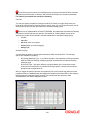
Alternatively, you can also choose to have a comma, a semi-colon, a hyphen etc.
Clearing Message Type Separator
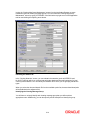
To recall, in this screen you are grouping clearing transaction/message types which share similar
attributes. You have the option of differentiating messages within a group with delimiters.
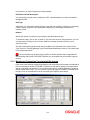
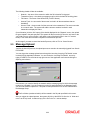
Session Timeout
The session timeout is the maximum time limit that Oracle FLEXCUBE will wait for a response to
a request sent to the external system. You can indicate in terms of minutes, the time within which
an outgoing file should be processed by the External System and sent back to Oracle
FLEXCUBE. Each time the external system fails to send a response to a request sent by Oracle
FLEXCUBE, within the maximum time limit maintained, Oracle FLEXCUBE will recreate the
message and send it to the external system again. You can maintain a count for the number of
times a message can be resent.
Resend Count
An outgoing message can be resent any number of times. You have to indicate the resend count
in this field. As a result, all messages for the given Network ID and Clearing Message Group
combination can be resent only the specified number of times. For instance, you have indicated 3
as the resend count. A specific message has failed to parse through all three times. Since the
resend count has been busted you will not be able to send the message one more time. The
message will be logged as an error message.
Specifying the Handoff Parameters
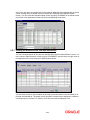
Since a single hand-off file can have multiple batches you can indicate the number of batches
that should be sent in a single file. Similarly, you have to indicate the number of
transactions/messages types, which should be sent within a batch.
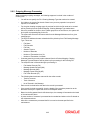
Additionally, you can also specify manner in which message/transaction types are to be sorted.
The options available are:
1. By Clearing Message Type
2. By Account Number
If you select the second option, the transactions/messages will be sorted by the Account Number
involved in the transaction. Else, the sorting will be based on the transactions themselves. For
instance, assume there are 12 transactions within a file. Out of these 12 transactions four involve
the same account number and the other eight involve a different account number. For the given
Clearing Group you have indicated that messages should be sorted as per the Account Number.
As a result the details of eight messages involving the same account will be listed first and the
details of the other four messages will be listed subsequently.
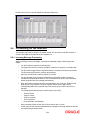
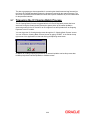
Restricting specific Clearing Transaction Type from a group
A list of all the transaction types you have maintained in the system are displayed in the Available
column. For each Clearing Group that you define you can choose to restrict or allow specific
transaction types in the form of allowed or disallowed lists.
2-17