1
PT-056_EN.book Page 24 Thursday, February 13, 2014 11:12 AM
How to select the shooting scene
EN
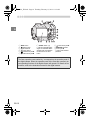
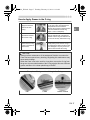
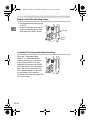
1 Set the camera’s shooting mode
to “SCN”.
2 Press the left/right arrow pad to
select the shooting scene, and
then press the OK/AFL button.
Arrow pad
OK/AFL
button
Locking AF during underwater shooting
When the “Underwater WideAngle 1” or “Underwater Macro”
mode is selected, you can easily
lock the focus position (AF lock
operation) by pressing the OK/AFL
button on the rear of the protector.
When the focus is locked, the AF
lock indicator appears on the LCD
monitor screen of the camera.
To cancel the AF lock, press the OK/
AFL button again.
EN 24