1
•
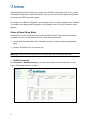
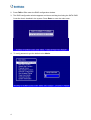
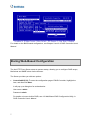
Cfg Assistant: To enter the configuration page of ArcHTTP Proxy Server, highlight the
item, and then click Start.
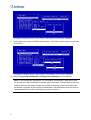
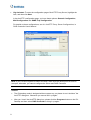
In the ArcHTTP configuration page, you have these options: General Configuration,
Mail Configuration and SNMP Trap Configuration.
For details on these configurations, see 4.1 ArcHTTP Proxy Server Configurations, in
RAID Controller User’s Manual.
Note: If your GV-DVR system is behind a firewall, make sure the default ports 81 and 82
are open; otherwise, you cannot configure the Server and RAID Controller.
Caution:
•
The GV-desktop mode is designed without system tray, so please do not “minimize” the
ArcHTTP dialog box. Otherwise you cannot call it up again.
•
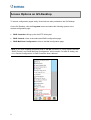
After you “close” the ArcHTTP dialog box, please click the Programs button on the GVDesktop and then select RAID Controller to bring it up again.
8