1
BA63161BB-Shape-F4-D_GB.qxd
16.05.2008
13:02 Uhr
Seite 21
GB
2.
Body Analysis
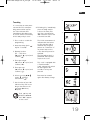
For most precise results,
please step on the scale while
unclothed.
1. Step on scale. The weight
and – for the duration of
the analysis (5 to 10
seconds) - a moving bar
indicator will be displayed.
Please stand still until the
analysis is complete.
2. After automatic recognition
of persons, the body
weight, body fat content
(
), body water content
( ) and muscle mass
(
) is displayed along
with the corresponding status bar. The respective
person’s average range of
values is located in the
median 3 segments of the
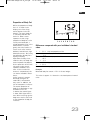
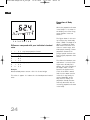
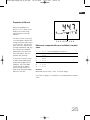
bar indicator.Interpretation
of measurement values:
see page 22.
3. Next, your personal action
recommendations are displayed.
4. Step away from the scale.
After display of your
memory slot, the scale will
switch off automatically.
2.
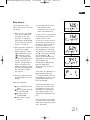
In rare cases it is not possible
to automatically allocate the
analysis results. If this
occurs, the scale will alternately display the memory slots
of persons coming closest to
the analysis result. Since
weight measurement is already completed, you may now
step off the scale and use the
key ”▼” (for the first memory
slot displayed) or ”▲”
(for the second memory slot
displayed) to select your individual memory slot.
Following this, body weight,
body fat, body water
content and muscle mass is
displayed.
2.
2.
3.
In the event of a difference in
body weight of more than
+/- 3 kg compared to the last
measurement, the user is not
recognized and data entry
must be repeated.
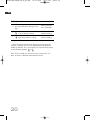
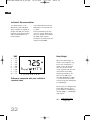
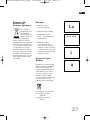
Meaning of symbols:
+
+
+
You should drink more
fluids
Muscle growth training
is recommended!
Change of diet is
recommended!
Your analysis values
are ok!
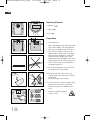
Please note that when stepping on the scale while wearing footwear or socks, only
the weight is being determined; a body analysis is not
performed or performed incorrectl
You will achieve continuously
accurate results if you always
stand at the same spot on the
scale, if possible.
21