1
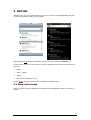
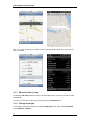
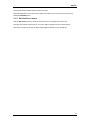
2 Unit list Following sign in you are presented with a list of your units. The list is sorted alphabetically and gives you the current location of each unit, for example: iOS xxx xxxx Android Note that the list is not updated automatically. This must be done by clicking the Refresh icon. The list will also tell you the current status of each unit, symbolized by the coloured square next to the unit name. Parked Speed > 15km/h Activity GPS position is older than 2 hours See the Settings section for details on how to configure the threshold values. 2.1 Show unit on map Select a unit from the list (by clicking it), and it's position will automatically be shown on the map, for example: 3