1
user manual
07
08
3- 4
user manual
INSERTING AND CONNECTING THE
CABLES
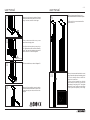
Once the anchoring system is fixed, you need
to insert the cables.
09
ELECTRIC CABLES
To insert the electric cables, perform the same
operation as for the data cables, but inserting
them in the larger channel.
10
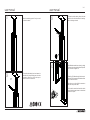
REMOVING THE VOICE AND
DATA LID
Use a flathead screwdriver as a lever by placing
it between the voice and data lid and the profile
joint, as shown in diagram 10.
DATA CABLES
To insert the data cables, there is a channel on
the inside left of the profile that goes to the data
connectors. Once there, follow the steps to
connect them to the connectors.
B
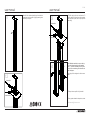
CONNECTING THE DATA AND ELECTRIC
CABLES
Thread the V/D cables through the bottom part.
Place the RJ45 connectors in the lid and connect
them as shown in detail A.
Place the cover on the rail with the connectors
and collect any excess cable.
A
For the electric connection, thread the cables
through the bottom and connect to the terminal
on the side of profile B.