1
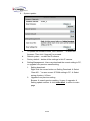
c.
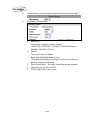
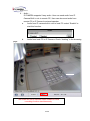
record mode.
1. AVI File (With Record File Setting )
2. Multi-JPEG (With Record File Setting), only with JPEG
compression format.
3. Single JPEG (Single File with Interval Setting)
Record Time Setting:
Pre Alarm and Post Alarm setups for video start and end time when
motion detected, I/O, or other devices got triggered.
Note: Pre/Post Alarm record time is base on record time setting and IP Cam
built-in Ram memory. Limited by IP Cam built-in Ram Memory, When information
is too much or video quality set too high, it will cause recording frame drop or
decrease on post alarm recording time.
d.
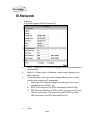
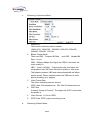
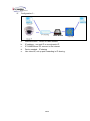
Network Dis-connected:
e.
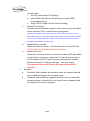
When the network is down, it will save the video to local SD card.
This function is only enabled in wire connection.
Network IP check
When the connection is down, it records the video to SD card. Make
sure the video recording is continuous. To use this function, key in
the IP address of the PC which has recording software installed.
Enable the function of “Save to SD card”, then click “Apply”.
The interval of two video files on SD card is fixed with 30
seconds.
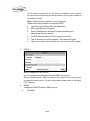
ii、 Schedule
a.
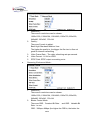
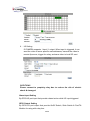
Schedule: After complete the schedule setup, the camera data will
be recorded according to the schedule setup.
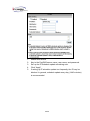
b.
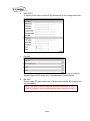
Snapshot: After enable the snapshot function, user can select the
storage position of snapshot file, the interval time of snapshot and
the reserved file name of snapshot.
33/40