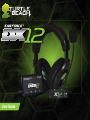
1
Table of Contents
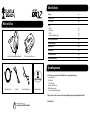
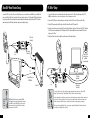
What’s in the Box
Ear Force X12 Headset with In-line Amplifier
DSS2 Surround Sound Processor
Overview
pg 1
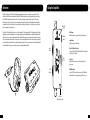
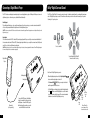
Using the Amplifier
pg 2
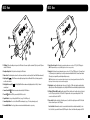
DSS2 Overview
pg 3
Setup
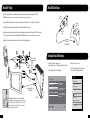
Xbox 360® Home Theater
PC/Mac®
Connecting a Digital Music Player
pg 5
pg 7
pg 8
pg 9
Dolby® Digital Surround Sound
pg 10
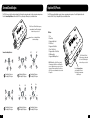
Surround Sound Angles
pg 11
Equalizer Presets
pg 12
Troubleshooting
pg 13
Technical Specifications
pg 14
Important Safety Information
pg 14
System Requirements
TURTLEBEACH.COM
Digital Optical Cable
USB Cable
Xbox 360® Talkback Cable
Turtle Beach Sticker
Xbox 360® game console with one of the following Xbox® cables to support digital audio output:
• Component A/V cable
• VGA A/V cable
• S-Video A/V cable
• Advanced SCART A/V cable
• HDMI audio adapter cable
• Composite A/V cable with digital output
PC/laptop or Mac® with either on-board or external sound card with digital optical output and Dolby Digital Live installed.
watch DX12 training videos at:
www.youtube.com/TurtleBeachVideos
Available USB port