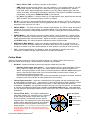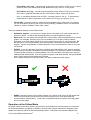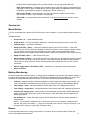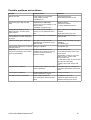
1
GUI Blocks The GUI contains different functional blocks: 1. Configuration block in the central part of the window, organized by ‘tab’: Basic – Basic gimbal stabilization settings. Adjusting these settings is usually adequate to achieve good camera stabilization. Advanced — More precise tuning options. RC Settings – settings to control the gimbal roll/pitch/yaw orientation with RC inputs. Service – Specify the behavior of the MENU button (located on the controller board or mounted externally) and tune the battery monitoring service. Follow Mode – settings related to special mode of the camera control. Real-time Data — real-time sensor data monitoring. This screen is extremely helpful in tuning your gimbal performance. Firmware Update — Firmware and GUI software versions and update options. Firmware Upgrade – lets you to check the fresh version of firmware and upgrade if necessary. 2. Connection — COM-port selection and connection status. 3. Profile — Profile selection, loading, re-naming, and saving. 4. Control Panel — graphic visualization of gimbal orientation angles in three axes. Black arrows are displaying the angles, blue arrows are a 10x time magnification to provide higher precision. Red marks show target angles that gimbal should keep. Thin blue lines shows the maximum (peak) deflection from the central, neutral point. © 2013-2014 Basecamelectronics® 3