1
Troubleshooting
5-6
ERROR AND
STATUS
MESSAGES
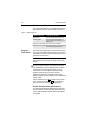
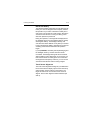
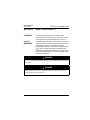
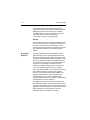
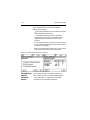
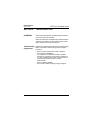
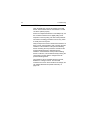
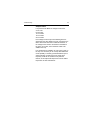
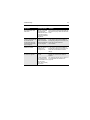
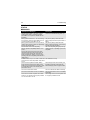
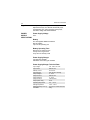
General Error Messages
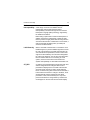
Description
License file check failed - error code x. Please
contact service center to resolve this problem.
Press OK to turn off. (Where x indicates the test
that failed.)
License file check failed during power- up.
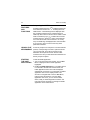
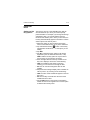
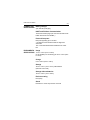
Battery power is less than 5%. You must recharge
the 375 battery, switch to a spare battery pack, or
use external power. Press OK to turn off.
The power-up battery check detects the
battery charge is below five percent while on
battery.
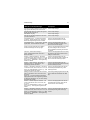
Battery power is less than 20%. You may need to The power-up battery check detects the
recharge the 375 battery, switch to a spare battery battery charge is below 20%, and more than
pack, or use external power.
or equal to 5% while on battery.
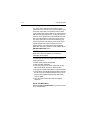
Communication circuit is not responding.
CDC is not responding during the power-up
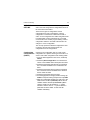
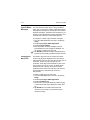
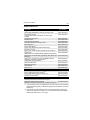
Warning: System incompatibility detected - error
code x.
You may start Listen for PC and use the Easy
Upgrade Programming Utility to resolve this. Or
you may turn off your 375 and contact service
center to resolve this. (Where x is an error code
indicating what the incompatibility detected was or
related errors.)
Hardware version or operating system is not
compatible.
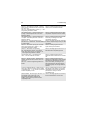
Installation file is corrupt - error code x. Please call The installation is corrupt.
service center to resolve this problem. Press OK to
turn off.
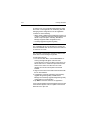
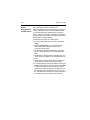
The 375 needs to update its software. Battery
power must be more than 20% to allow for this
update. You must recharge the 375 battery, switch
to a spare battery pack, or use external power.
Press OK to turn off.
This message occurs when on battery, and
the battery percentage is less than 20%
before attempting to launch program loader.
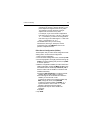
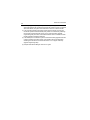
This 375 is not licensed for HART.
You are not licensed for HART functionality.
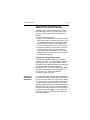
This 375 is not licensed for FOUNDATION Fieldbus.
You are not licensed for FOUNDATION fieldbus
functionality.
The 375 does not detect a System Card. Please
make sure your System Card is properly installed
in its slot. Press OK to turn off.
This message occurs when the System Card
is not properly installed in its slot.