1
PC SETUP
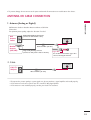
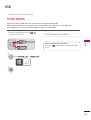
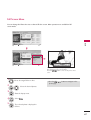
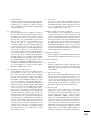
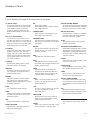
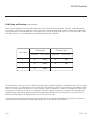
This TV provides Plug and Play capability, meaning that the PC adjusts automatically to the TV's settings.
RESET
UPDATE
O
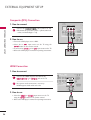
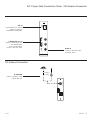
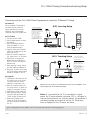
VGA (D-Sub 15 pin) Connection
RGB IN (PC)
R
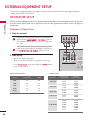
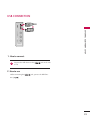
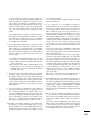
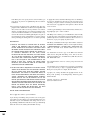
1. How to connect
2
AUDIO IN
1
(RGB/DVI)
O
1
2
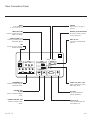
Connect the VGA output of the PC to the R G B I N
( P C ) jack on the TV.
Connect the PC audio output to the
( R G B / D V I) jack on the TV.
EXTERNAL EQUIPMENT SETUP
R
/DVI IN
RS-232C IN
(SERVICE ONLY)
SPEAKER OUT REMOTE
CONTROL OUT
(8 )
AUDIO IN
2
1
AUDIO
RGB OUTPUT
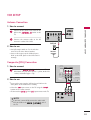
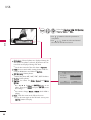
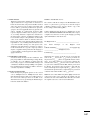
2. How to use
■
■
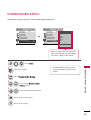
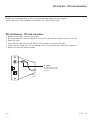
Turn on the PC and the TV.
Select the R G B - P C input source on the TV using the
I N P U T button on the remote control.
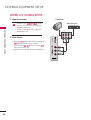
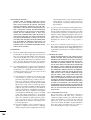
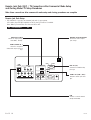
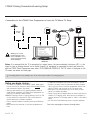
DVI to HDMI Connection
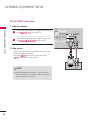
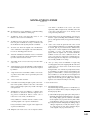
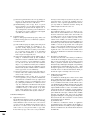
1. How to connect
1
UPDATE
RESET
AV IN 1
VIDEO
AUDIO
RGB IN (PC)
L(MONO) R
Connect the DVI output of the PC to the H D M I / D V I I N
1 jack on the TV.
AUDIO IN
2
L
VIDEO
R
AUDIO
(RGB/DVI)
1
COMPONENT IN
2
Connect the PC audio output to the A U D I O I N
( R G B / D V I ) jack on the TV.
/DVI IN
RS-232C IN
(SERVICE ONLY)
SPEAKER OUT REMOTE
(8 ) CONTROL OUT
1
2
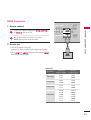
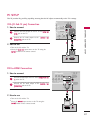
2. How to use
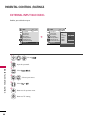
Turn on the PC and the TV.
■ Select the HDMI1 input source on the TV using the
I N P U T button on the remote control.
■
DVI OUTPUT
AUDIO
27