1
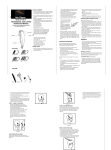
CONTROLS
ROTATION BUTTON
Direction Switch
3 Rotation Settings
“R” rotates the barrel to the
right. “L” rotates the barrel to
the left. “A” will automatically
switch rotation from left to right
after each completed curl.
Power/Heat Select
Powers unit on and allows you
to select heat setting (See chart
on p7).
TANGLES & JAMS
In the unlikely event of a tangle,
slide the Power/Heat Select
button to “O,” untangle the hair.
Then, turn the unit back on to
reset and re-load your hair.
6
Tap and immediately release
to start rotation. Unit will
automatically rotate until
the timer beeps.
TIMER SWITCH
3 Timer Settings
Slide switch up to select
desired amount of time (see
chart on p7).
Power Indicator Light
When the light stops blinking,
the unit is ready for use.