1
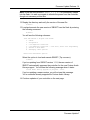
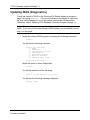
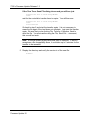
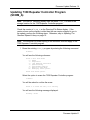
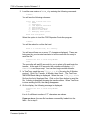
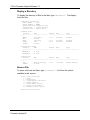
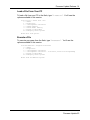
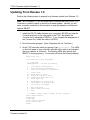
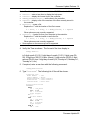
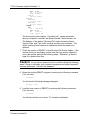
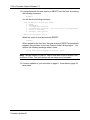
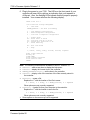
7330 Firmware Update Release 1.3 Ver : 3.0.5 DT : 3/23/2008 Type: Program SCOM_B No File Loaded RESTORE RESTORE_A No File Loaded RESTORE_B No File Loaded SPEECH LIB FN : 7XXX Words Ver : 0.0.1 DT : 12/28/05 Type: Speech Lib The first section of the display, “Controller Info”, shows information about your specific controller: the Model Number, Serial Number, etc. The balance of the display “Directory/File” status shows the Name, Version, Date, and Type of file currently stored in your controller. We will be checking these versions to determine which files need to be updated. 7. Check the version of SBOOT on the Directory/File Status display. If the version shown on the display is older than the new version shipped to you in the update, perform the following steps. Otherwise, go back to page 8 to update other files. Caution: do not remove power from the controller during the following steps! Doing so will make your controller inoperative and require a special recovery procedure. Call us if this happens! 8. Erase the existing SBOOT program by entering the following command (Tip: use zero): E0<enter> You will see the following message displayed: Erasing...Done. 9. Load the new version of SBOOT by entering the following command (Tip: use zero): L0<enter> You will see will see one or more “C” characters displayed. Firmware Update-26