1
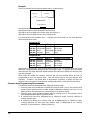
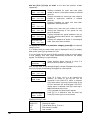
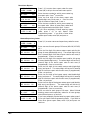
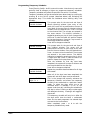
System Group 1 Codes
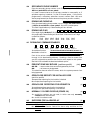
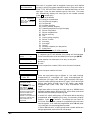
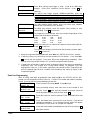
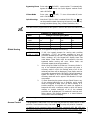
SYSTEM GROUP #1?
1 = YES 0 = NO 0
To enter System Group #1 codes, press 1 (Y).
CLOSE
1st 00
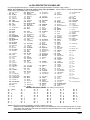
Enter the first digit of the Closing (Arm-Away) report. Press
✴. Enter the second digit of the report. If the user number
is desired as the second digit, enter 01 (not necessary for
Contact ID or High Speed formats). Press ✴to continue.
2nd 00
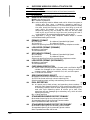
Enter the rest of the codes in the same manner. Other codes in
System Group #1 are:
• Opening (Disarm)
• Periodic Test
• System Low Battery
• Power
• Low Battery Restore
• Cancel
• AC Mains Loss
• Programme Tamper
• AC Mains Restore
• Callback Request
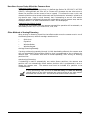
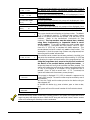
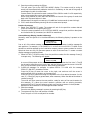
Once you have entered these report codes, the system will prompt:
QUIT REPORT MENU
1 = YES 0 = NO 0
If you have completely finished entering report codes, press 1 (Y)
to quit Report Code Programming mode. If you wish to enter
other system report codes, enter 0 (N) and press ✴.
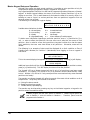
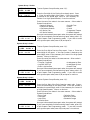
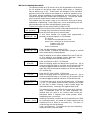
System Group 2 Codes
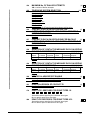
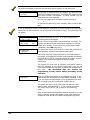
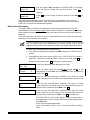
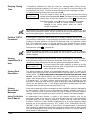
SYSTEM GROUP #2 ?
1 = YES 0 = NO 0
To enter System Group #2 codes, press 1 (Y).
STAY
1st 00
Enter the first digit of the Arm-Stay report. Press ✴. Enter the
second digit of the report. If the user number is desired as the
second digit, enter 01 (not necessary for Contact ID or High Speed
formats). Press ✴ to continue.
2nd 00
Enter the rest of the codes in the same manner. Other codes in
System Group #2 are:
• Time Set, Log Reset
• Autobypass by Zone
• Log 50%, 90% Full
• Autobypass by User
• Event Log Overflow
• Recent Close
Once you have entered these report codes, the system will prompt:
QUIT REPORT MENU
1 = YES 0 = NO
0
If you have completely finished entering report codes, press 1 (Y)
to quit Report Code Programming mode. If you wish to enter
other system report codes, enter 0 (N) and press ✴ continue.
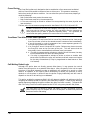
System Group 3 Codes
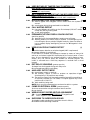
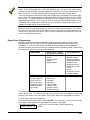
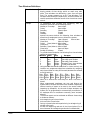
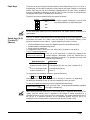
SYSTEM GROUP #3 ?
1 = YES 0 = NO 0
To enter System Group #3 codes, press 1 (Y).
EARLY OPEN
1st 00 2nd 00
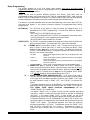
Enter the first digit of the Early Opening report code. Press ✴.
Enter the second digit of the report Code. If the user number is
desired as the second digit, enter 01 (not necessary for Contact ID
or High Speed formats). Press ✴ to continue.
Enter the rest of the codes in the same manner. Other codes in
System Group #2 are:
• Early Close
• Failed to Close
• Late Open
• Auto-Arm Failed
• Late Close
• Schedule Change
• Failed to Open
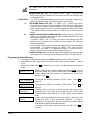
Once you have entered these report codes, the system will prompt:
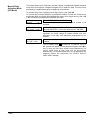
QUIT REPORT MENU
1 = YES 0 = NO
0
If you have completely finished entering report codes, press 1(Y)
to quit Report Code Programming mode. If you wish to enter
other system report codes, enter 0(N) and press ✴ to continue.
– 97 –