1
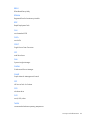
General DIMM slot population guidelines ........................................................................................... 32
Installing a DIMM............................................................................................................................. 33
Hot-plug hard drive guidelines ..................................................................................................................... 34
Removing the hard drive blank .......................................................................................................... 35
Installing a hot-plug SAS hard drive ................................................................................................... 35
Controller options ....................................................................................................................................... 36
Installing the cache module ............................................................................................................... 37
Installing the FBWC capacitor pack ................................................................................................... 37
Expansion board options ............................................................................................................................ 39
Installing an expansion board ........................................................................................................... 39
Installing a PCI riser board assembly .................................................................................................. 40
Installing a FlexibleLOM riser assembly .............................................................................................. 41
Redundant hot-plug power supply option ...................................................................................................... 42
SFF quick-release hard drive cages .............................................................................................................. 44
Mini-SAS cable to a controller card .............................................................................................................. 49
Connecting the SUV cable .......................................................................................................................... 54
HP Trusted Platform Module option .............................................................................................................. 55
Installing the Trusted Platform Module board ....................................................................................... 56
Retaining the recovery key/password................................................................................................. 57
Enabling the Trusted Platform Module ................................................................................................. 57
Cabling ..................................................................................................................................... 59
Cabling overview ....................................................................................................................................... 59
FBWC capacitor pack cabling..................................................................................................................... 59
Front GPU cabling ...................................................................................................................................... 60
Software and configuration utilities ............................................................................................... 62
Server mode .............................................................................................................................................. 62
Server QuickSpecs ..................................................................................................................................... 62
HP iLO Management Engine ....................................................................................................................... 62
HP iLO ............................................................................................................................................ 62
Intelligent Provisioning ...................................................................................................................... 64
Scripting Toolkit ............................................................................................................................... 66
HP Service Pack for ProLiant ........................................................................................................................ 66
HP Smart Update Manager ............................................................................................................... 66
HP ROM-Based Setup Utility ........................................................................................................................ 67
Using RBSU ..................................................................................................................................... 67
Auto-configuration process ................................................................................................................ 67
Boot options .................................................................................................................................... 68
Configuring AMP modes ................................................................................................................... 68
Re-entering the server serial number and product ID ............................................................................. 68
Utilities and features ................................................................................................................................... 69
Array Configuration Utility ................................................................................................................ 69
Option ROM Configuration for Arrays................................................................................................ 70
ROMPaq utility................................................................................................................................. 70
Automatic Server Recovery ................................................................................................................ 71
USB support .................................................................................................................................... 71
Redundant ROM support ................................................................................................................... 71
Keeping the system current .......................................................................................................................... 72
Drivers ............................................................................................................................................ 72
Software and firmware ..................................................................................................................... 72
Version control ................................................................................................................................. 72
HP Operating Systems and Virtualization Software Support for ProLiant Servers ..................................... 73
HP Technology Service Portfolio ......................................................................................................... 73
Contents
4