1
■■No signal Power off
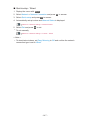
1. Display the menu with MENU.
2.Select Timer > No signal Power off and press OK to access.
3.Select On / Off and press OK to set.
No signal Power off
(On / Off)
Automatically turns the TV to Standby mode to prevent unnecessary power
consumption when no signal is received and no operation is performed for 10
minutes.
●●
A notification message will appear 3 minutes before going into Standby
mode.
■■Eco Navigation
Automatically sets the TV to the most suitable energy-saving mode.
The concerned items and their current settings are displayed. Select Set to
Eco to set them to the energy-saving settings at once.
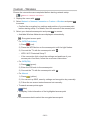
1. Display the menu with MENU.
2.Select Setup > Eco Navigation and press OK to access.
3.Select Set to Eco and press OK to set.
●●
Auto Standby and No signal Power off are active when Eco Navigation is
set to Set to Eco.
■■Radio Mode
Sets the timer for turning off the screen automatically when a radio channel is
selected.
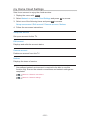
1. Display the menu with MENU.
2.Select Setup > Display Settings > Radio Mode and press OK to access.
3. Select the time and press OK to set.
20 / 15 / 10 / 5 / Off (seconds)
●●
The sound is active even if the screen turns off. This function is effective in
reducing power consumption when listening to a radio channel.
●●
Press any buttons except Standby On / Off switch, Volume Up / Down and
MUTE to turn the screen on.
●●
Not valid in Analogue
- 42 -