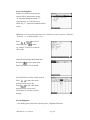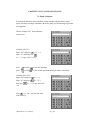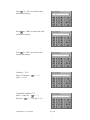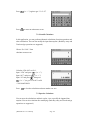
1
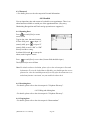
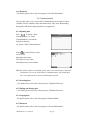
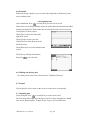
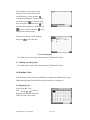
Forward
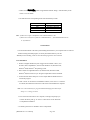
Thank you for your purchasing our product. For best results and ensure that you are
able to employ the features and functions of this product to their fullest, please read
this manual carefully and keep it on hand for future reference.
Important
You are strongly recommended to keep a separate record of all-important data by
other means to protect against its loss. We assume no responsibility for any damages
or losses caused by deletion of data as a result of malfunction, repair or battery
replacement. We also assume no responsibility for any loss or claim by the third
parties, which may arise from the use of this product.
[MD8200Color User Manual]
Page 1
CONTENT
CHAPTER 1 OPERATION GUIDE
1.1 Brief of Function
1.2 General Operation Guide
1.2.1 Unit On/Off
1.2.2 About Power Supply
1.2.3 Keyboard Layout
1.2.4 Touch-and-go Icons
1.2.5 Input Methods
1.2.6 Categories of Contents
1.2.7 Cautions
1.2.8 System Initialization
1.2.9 Auto-power-off / Backlight Function
1.2.10 Trouble-shooting
1.2.11 General Principles
1.2.12 Specification Parameters
CHAPTER 2 Dictionary
2.1 E-C Dictionary
2.1.1 General Search
2.1.2 Nearest Word & Spelling Alternative
2.1.3
2.1.4
2.1.5
2.1.6
User’s Dictionary
Wild-card Search
Cross-search
Saving Record
2.1.7
2.1.8
2.1.9
2.1.10
Dictionary History List
Function Key
Repeat & Follow
Fonts Zoom-in
2.2 Oxford Dictionary
2.2.1 General Search
[MD8200Color User Manual]
Page 2
2.2.2 Nearest Word, Spelling Alternative and Enter E-C Dict Directly.
2.2.3 User’s Dictionary
2.2.4 Wild-card Search
2.2.5
2.2.6
2.2.7
2.2.8
Computer & New Technology Glossary
Cross-search
Saving Record
Dictionary History List
2.2.9
2.2.10
2.2.11
2.2.12
Function Key
Repeat & Follow
Oxford Paradigm
Fonts Zoom-in
2.3 C-E Dictionary
2.3.1 General Search
2.3.2 Nearest Word
2.3.3
2.3.4
2.3.5
2.3.6
Wild-card Search
User’s Dictionary
Cross-search
Saving Record
2.3.7
2.3.8
2.3.9
2.3.10
Dictionary History List
Function Key
Repeat & Follow
Fonts Zoom-in
2.4 E-E Dictionary
2.4.1 General Search
2.4.2 Nearest Word & Spelling Alternative
2.4.3
2.4.4
2.4.5
2.4.6
Wild-card Search
User’s Dictionary
Cross-search
Dictionary History List
2.4.7 Function Key
2.4.8 Repeat & Follow
2.4.9 Fonts Zoom-in
2.5 Network Dictionary
2.5.1 General Search
2.5.2 Nearest Word & Spelling Alternative
[MD8200Color User Manual]
Page 3
2.5.3 Wild-card Search
2.5.4 Cross-search
2.5.5 Dictionary History List
2.5.6 Function Key
2.5.7 Repeat & Follow
2.5.8 Fonts Zoom-in
2.6 IELTS Dictionary
2.6.1 General Search
2.6.2 Spelling Alternative & Nearest Word
2.6.3 Wild-card Search
2.6.4
2.6.5
2.6.6
2.6.7
Cross-search
Dictionary History List
Function Key
Repeat & Follow
2.6.8 Fonts Zoom-in
2.7 Slang
2.7.1 General Search
2.7.2
2.7.3
2.7.4
2.7.5
Spelling Alternative & Nearest Word
Wild-card Search
Cross-search
Dictionary History List
2.7.6 Function Key
2.7.7 Fonts Zoom-in
2.8 Proverb
2.8.1 General Search
2.8.2 Nearest Word
2.8.3 Cross-search
2.8.4 Repeat & Follow
2.8.5 Fonts Zoom-in
2.9 Conversation
2.9.1 General Search
2.9.2 Cross-search
2.9.3 Saving Record
2.9.4 Repeat & Follow
[MD8200Color User Manual]
Page 4
2.9.5 Fonts Zoom-in
2.10 Vocabulary
2.10.1 General Search
2.10.2
2.10.3
2.10.4
2.10.5
Cross-search
Saving Record
Repeat & Follow
Fonts Zoom-in
2.11 Sentence Repository
2.11.1 General Search
2.11.2 Cross-search
2.11.3 Repeat & Follow
2.11.4 Fonts Zoom-in
CHAPTER 3 LEARNING
3.1
3.2
3.3
Recognize Through Picture
Guess Through Picture
Interactive Dialogue
3.4
3.5
3.6
3.7
Listen & Learn
English Rules
Chinese Knowledge
Sentence Making
3.8 User’s Dictionary
3.9 Revision
3.10 Test
CHAPTER 4 PHOTO ALBUM
CHAPTER 5 REFERENCE
5.1 Past Dynasty
5.1.1 Rise and Fall of Dynasty
5.1.2 Past Dynasty
5.1.3 Gregorian Calendar to Dynasty
5.2 Travel Guide
5.2.1 Airlines
[MD8200Color User Manual]
Page 5
5.2.2 Airports
5.2.3 Temperature
5.2.4 General Information
5.2.5 Voltage & Frequency
5.3 Size Equivalent
5.4 Telephone Information
5.5 Health Guide
5.5.1 First Aid Knowledge
5.5.2 Vitamin Guide
5.5.3 Standard Weight
5.5.4 Cholesterin
5.6 World Festival
5.7 Science Knowledge
5.7.1 Mathematics Formula
5.7.2 Physics Formula
5.7.3 Chemistry Formula
5.7.4 Element
5.8 Calorie
5.9 Olympic Information
CHAPTER 6 ORGANIZER
6.1 Personal Information
6.1.1 Inputting Data
6.1.2 Editing and Deleting Data
6.1.3 Password
6.1.4 Picture
6.2 Telephone Directory
6.2.1 Inputting Data
[MD8200Color User Manual]
Page 6
6.2.2 Searching Data
6.2.3 Editing and Deleting Data
6.2.4 Password
6.2.5 Picture
6.3 Memorandum
6.3.1 Inputting Data
6.3.2
6.3.3
6.3.4
6.3.5
Searching Data
Editing and Deleting Data
Copying Data
Password
6.4 Schedule
6.4.1 Inputting Data
6.4.2 Searching Data
6.4.3 Editing and Deleting Data
6.4.4 Copying Data
6.4.5 Password
6.5 Commemoration
6.5.1 Inputting Data
6.5.2 Searching Data
6.5.3 Editing and Deleting Data
6.5.4 Copying Data
6.5.5 Password
6.6 Shorthand
6.6.1 Inputting Data
6.6.2 Editing and Deleting Data
6.7 Notepad
6.7.1 Inputting Data
6.7.2 Searching Data
6.7.3 Editing and Deleting Data
6.8 Schedule Class
6.8.1 Inputting Data
6.8.2 Searching Data
[MD8200Color User Manual]
Page 7
6.8.3 Editing and Deleting Data
6.8.4 Copying Data
6.9 Voice Memo
6.10 To Do List
6.10.1 Inputting Data
6.10.2
6.10.3
6.10.4
6.10.5
Searching Data
Editing and Deleting Data
Copying Data
Password
6.11 Scheduler
6.11.1 Searching Data
6.11.2 Editing Data
6.11.3 Copying Data
CHAPTER 7 CALCULATOR AND FINANCE
7.1 Simple Calculator
7.2 Scientific Calculator
7.3 Paperless Calculator
7.4 Metric Conversion
7.5 Unit Conversion
7.6 Currency Conversion
7.7 Financial Management
7.7.1 Inputting Data
7.7.2 Searching Data
7.7.3 Editing and Deleting Data
[MD8200Color User Manual]
Page 8
7.8 Loan Interest
7.9 Fixed Deposit
7.9.1 Periodically-Deposit Account
7.9.2 Fixed Deposit Account
7.9.3 Ordinary Account
7.10 Loan Bidding
7.10.1 Simple Bidding Calculation
7.10.2 Complex Bidding Calculation
CHAPTER 8 TIME
8.1 Local Time
8.2 World Time
8.3 Timer
CHAPTER 9 CALENDAR
CHAPTER 10 GAMES
10.1
Brick Game
10.2
Apple Chess
10.3
Mine Hunt
10.4
Pairs
10.5
Plot
10.6
5-Tile
10.7
Wisdom Chess
[MD8200Color User Manual]
Page 9
10.8
Pipe
10.9
Fireman
10.10
Racing Car
CHAPTER 11 SYSTEM
11.1 System Setting
11.1.1 Character Display
11.1.2 Contrast / Brightness
11.1.3 Time / Date Format
11.1.4 Touch Panel Sound
11.1.5
11.1.6
11.1.7
11.1.8
Speech Level
Game Password
Repeat Time
Power Saving Mode
11.1.9 Wallpaper
11.1.10 Recognition
11.1.11 Keytone
11.1.12 Password
11.1.13
11.1.14
11.1.15
11.1.16
11.2
Opening Melody
Color Setup
Calibration
Opening Screen
Data Deletion
11.3 Memory Check
11.4 Brief of Function
11.5 PC Sync.
[MD8200Color User Manual]
Page 10
CHAPTER 12 LEARNER
12.1
Methods for Downloading Data
12.2
Viewing Data
12.3
Deleting Data
12.4
Functions of Repeat & Follow
12.5
Functions of Bookmark
CHAPTER 13 DOWNLOAD
13.1
Methods for Downloading Files
13.2
Viewing Data
13.3
Deleting Data
13.4
Functions of Bookmark
CHAPTER 14 APPENDIX
14.1 PC Sync.
14.1.1 Installation
14.1.2 Uninstallation
14.1.3 Start-up
14.1.4 Operation Guide
14.1.5 Synchronization
14.1.6 Corresponding Table of the Unit & Outlook
14.2 Download
14.2.1 Installation
14.2.2 Uninstallation
14.2.3 Start-up
[MD8200Color User Manual]
Page 11
14.2.4 Operations in Download
14.3
Important
14.4
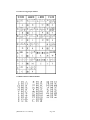
Chart of Cangjie Input Method
14.5
Radical Table for Difficult Radicals
14.6
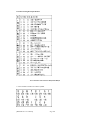
Chart of WangMa-5 Input Method
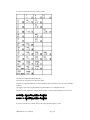
14.7
Contrastive Chart between Pinyin and Zhuyin
[MD8200Color User Manual]
Page 12
CHAPTER 1 OPERATION GUIDE
1. Brief of Function
This unit is a high-technology product suiting for the improvement of the society and
meeting the demand of customers. It builds in the New Oxford English-Chinese
Dictionary authorized by Oxford Publishing House, there are up to 120,000 words and
phrases with specific definition stored. In addition, it includes Chinese-English
Dictionary, English-English and English-Chinese Dictionary, and the four dictionaries
can be cross searched to each other, which enables convenient inquiry. The photo
function available in the New Oxford English-Chinese Dictionary, English-English
Dictionary and English-Chinese Dictionary is helpful for you to master the words.
The unit uses “TruVoice™” and Voxware, two top pronunciation systems of USA.
The articulate and accurate pronunciation is of great help to improve your English. To
solidify your groundwork of Chinese, the unit is equipped with Mandarin and
Cantonese pronunciation system. Besides dictionaries, the unit also includes powerful
organizer, such as Schedule Class, Voice Memo and Schedule, etc.. In addition, quick
search function and added copy function enables you to deal with daily life with ease
and thus to improve efficiency on your study or work. The unit is mainly
characterized by its color LCD, Handwriting Recognition and Touch-and-go operation
as well as Key-entry operation, which makes it very easy for you to use. Furthermore,
the unit also supports other useful functions, including Interactive Dialogue,
Recognize through Pictures, Photo Album and Games. So, it is a powerful and
necessary device for everyone.
8 most important and useful new functions are listed as follows:
(1) The New Oxford English-Chinese Dictionary
(2) TruVoiceTM
(3) Photo Album
(4)
(5)
(6)
(7)
Voice Memo
Interactive Dialogue
Schedule Class
Sentence Making
(8) Q9 Chinese Inputting System.
Besides the special functions above mentioned, it includes Dictionary, Learning,
Photo Album, Reference, Organizer, Calculator, Time, Calendar, Games, System,
Learner and Download, etc.. Hereunder is the brief of these functions.
1 . DICTIONARY
a. E-C Dictionary
-- Pronunciation of English, Mandarin and Cantonese.
[MD8200Color User Manual]
Page 13
-- Voxware pronunciation system.
-- Relative pictures are provided to deepen the impression on the words.
-- Wisdom input method.
-- Search for grammar, examples and others ( including antonym and
other relative words).
-- Can be cross-searched with E-E Dictionary.
-- Spelling alternative and Nearest Word.
-- Wild card and User’s Dictionary.
-- Cross-search function is available.
-- Store important words for Learn & Listen, Revision and Test.
b. Oxford Dictionary
-- Pronunciation of English, Mandarin and Cantonese.
-- Voxware Pronunciation system.
-- All English words, phrases and examples can be pronounced.
-- TruVoiceTM, the top pronunciation system of USA, the pronunciation is clear and
accurate.
-- Relevant pictures are provided to deepen the impression on the words.
-- Wisdom input method.
-- Inquiry of phrase, compound ,derivative and example and others (including
antonym and
other relative words).
-- Spelling alternative and Nearest Word Search.
-- Wild card search and User’s Dictionary.
-- Can be cross-searched with the Eng-Eng Dictionary.
-- The latest computer and new technology glossary are included.
-- Cross-search function is available.
-- Store important words for Learn & Learn, Revision and Test.
c. C-E Dictionary
-- Pronunciation of English, Mandarin and Cantonese.
-- Wisdom input method.
-- English proverbs and Chinese idioms can be searched.
-- Nearest word inquiry.
-- Wild card and User’s Dictionary.
-- Cross-search function is available.
-- Store important words for Listen & Learn, Revision and Test.
[MD8200Color User Manual]
Page 14
d. E-E Dictionary
-- English word or phrases with specific English definition.
-- English pronunciation.
– Voxware pronunciation system.
-- Pictures are provided to better understand the words.
-- Wisdom input method.
-- Spelling alternative and Nearest word.
-- Wild card and User’s Dictionary.
-- Cross-search function is available.
e. Network Dictionary
-- More than one thousand of daily network-related words collected.
-- Pronunciation of English, Mandarin and Cantonese.
-- Wisdom input method.
-- Spelling check and Nearest word.
f. IELTS
-- Pronunciation of English, Mandarin and Cantonese.
-- Voxware Pronunciation system
-- Grammar information can be viewed.
-- Wisdom input method.
-- Spelling alternative and Nearest word.
-- Wild card search.
-- Cross-search function is available
g. Slang
-- Pronunciation of English, Mandarin and Cantonese.
-- Typical examples for slang are given in this section.
-- Wisdom input method.
-- Nearest word.
-- Wild card search.
-- Cross-search function is available
h. Proverb
-- Pronunciation of English, Mandarin and Cantonese.
-- Typical examples for some English words are given in this section.
-- Wisdom input method.
-- Cross-search function is available
[MD8200Color User Manual]
Page 15
i. Conversation
-- Collection of 8 languages: Chinese, English, Japanese, French, Spanish, German,
Italian
and Dutch, divided into nine categories of daily conversation.
-- All of these languages can be pronounced.
-- Cross- search function is available.
-- The important conversations can be stored for Listen & Learn, Revision and Test.
j. Vocabulary
-- A great volume of various words is stored, which contains 17 categories.
-- Pronunciation of English, Mandarin and Cantonese.
-- Cross-search function is available.
-- The important words can be stored for Listen & Learn, Revision and Test.
k. Sentence Repository
-- Typical examples for some English words are given in this section.
-- Vocabulary of each group can be pronounced in English, Mandarin and Cantonese.
2. LISENTING & LEARNING
a. Recognize through picture
-- It provides abundant pictures of various objects and its English and Chinese name
of its structure.
-- Pronunciation of English, Mandarin and Cantonese.
b. Guess through picture
-- With vivid pictures of various matter including world-wide historical places, plants,
animals and other common things, and its corresponding English name and
Chinese definition.
-- Pronunciation of English, Mandarin and Cantonese.
c. Interactive dialogue
-- User can listen to the Chinese and English pronunciation of the paragraph
or single sentence.
-- Role playing function is provided.
-- Sentence can be selected to perform repeat and follow function.
--Cross-search function is also available.
[MD8200Color User Manual]
Page 16
d. Listen & Learn
-- Records can be saved in Oxford E-C Dictionary, E-C Dictionary, C-E Dictionary,
Conversation and Vocabulary.
-- Set the play mode.
-- Listen to the relevant pronunciation.
e. English Rules
-- Two parts: Stress Rules and Grammar Notes.
-- Many rules in Stress Rules listed with examples.
-- Grammar Notes collects the important essentials of grammar.
-- Cross-search function is available.
f. Chinese Knowledge
--“ Past Poems”, “Rhetoric”, “Quantifier” and “Punctuation” are available in this
part.
g. Sentence Making
-- With five levels.
-- It is helpful for you to master the structure of English sentences
h. User’s Dictionary
-- Eng-Chi User’s Dictionary, Chi-Eng User’s Dictionary and Eng-Eng User’s
Dictionary
are included.
-- You can create and expand its vocabulary.
-- Directly search the user-defined words in Oxford Dictionary, E-C Dictionary, E-E
Dictionary and C-E Dictionary.
i. Revision
-- Data can be saved at any time for revision when you look up in Oxford Dictionary,
Eng-Chi Dictionary, Chi-Eng Dictionary, Eng-Eng Dictionary, Conversation and
Vocabulary.
-- Oxford Dictionary Review, Eng-Chi Dictionary Review, Chi-Eng Review,
Conversation Review and Vocabulary Review are included.
-- Available to inquire relevant records.
-- You can delete the records.
[MD8200Color User Manual]
Page 17
j. Test
-- Data can be saved at any time for revision test when you look up in Oxford
Dictionary, Eng-Chi Dictionary and Vocabulary.
-- Eng-Chi Dictionary Test, Oxford Dictionary Test, Vocabulary Test, Oxford
Listening Test are included.
-- Available to inquire relevant records.
-- You can delete the records.
3. PHOTO ALBUM
-- You can search a picture in list mode and view it.
-- Slide show function enables you to play the selected pictures at certain speed
randomly or repeatedly.
-- You can view, delete a picture and make a partial change to the picture information.
4. REFERENCE
a. Past Dynasty
-- It includes three parts: Rise and Fall of Dynasty, Past Dynasty and Gregorian
Calendar to Dynasty.
-- In Rise and Fall of Dynasty, you can inquire information about the first and the last
emperor of every dynasty, its capital and the period.
-- In Past Dynasty, you can search for information about the period during which an
emperor was on the throne.
-- In Gregorian Calendar to Dynasty, you can search for information about the
corresponding dynasty during a certain time of Gregorian Calendar (BC2591AD1911) and the emperor at that time.
b. Travel Guide
-- Airlines, Airports, Temperature, General Information and Voltage & Frequency are
included.
c. Size Equivalent
-- The size of Men’s shirts and Shoes, Women’s Blouses and Shoes are listed for
your reference.
d. Telephone Information
-- International codes and area codes of different cities all over the world are
collected.
[MD8200Color User Manual]
Page 18
e. Health Guide
-- First Aid Knowledge, Vitamin Guide and Standard Weight are included.
-- In Standard Weight, you can enter the height to check the standard weight.
f. World Festival
-- Festivals all over the world are introduced.
g. Science Knowledge
-- Maths formula, physics formula, chemistry formula and element are collected.
h. Calorie
-- The calorie content of various food are provided.
i. Olympic Information
-- It introduces you the detailed information about Olympics.
5. ORGANIZER
a. Personal Information
-- Personal information can be inputted in Chinese, English, numbers or symbols.
-- You can enter name, sex, birthday, home address telephone no., mobile phone no.,
email address, company name, company address, company telephone no., company
fax no., ID card no., passport and its expire date, driving license no. and its
expire date, credit card no. and its expire date, saving account no., cheque account
no., contact person, relation and his/her address, blood type, doctor’s name,
doctor’s address, doctor’s telephone no., dentist’s name, dentist’s address, dentist’s
telephone no. and remarks.
– Personal photo can be kept here.
-- You can edit and delete data.
-- It is easy to edit and view.
-- Record can be locked for security purpose.
b. Telephone Directory
-- Data can be input in Chinese, English, numbers and symbols.
-- You can keep a photo for one record.
--You can enter photo name, category, e-mail address, mobile phone no., pager, home
telephone no., home fax no., home address, company name, title, direct line,
[MD8200Color User Manual]
Page 19
company telephone no., company fax no., company email, company address and
notes.
-- Total 8 main categories: Relative, Friend, Classmate, Colleague, Customer,
Emergency, Company and Others.
-- Two ways to search: keyword search and family name list search.
-- You can view, search, edit, save and delete record.
-- Record can be locked for security purpose.
c. Memorandum
-- Data can be inputted in Chinese, English, numbers and symbols.
-- Two ways to search: date search and search by keyword.
-- You can view, search, edit, copy and delete record.
-- Record can be locked for security purpose.
d. Schedule
-- Data can be inputted in Chinese, English, numbers and symbols.
-- You can enter the date, time and details of the appointment.
-- Two ways to search: date search and search by keyword.
-- Alarm function is available. When the set time is due, the alarm will ring
automatically.
-- You can view, search, edit, copy and delete data.
-- Record can be locked for security purpose.
e. Commemoration
-- Data can be inputted in Chinese, English, numbers and symbols.
-- Two ways to access Commemoration: Solar and Lunar Commemoration.
-- You can enter the date and content.
-- There are two ways to search: date search and search by keyword.
-- You can view, search, edit, copy and delete the records
-- Record can be locked for security purpose.
f. Shorthand
-- In this application, you can write down the events or the notes on the screen
directly.
-- it is very easy to search, view, edit, save and delete record.
g. Notepad
-- Write or draw directly on the screen.
[MD8200Color User Manual]
Page 20
-- You can view, edit, save and delete data.
h. Schedule Class
-- “Abbreviation” and “Color” are supported for quick search.
-- Data can be inputted in Chinese, English, numbers and symbols.
-- You can enter the time, lesson, abbreviation, teacher, place, remark and color.
-- Two ways to search: search by keyword and weekday search.
-- You can search, view, edit, copy and delete record.
i. Voice Memo
-- Can record and play.
-- Play mode: Non-stop, New, and Selected.
-- You can rename and delete the data.
j. To Do List
-- Data can be inputted in Chinese, English, numbers and symbols.
-- You can enter due date, category, priority, status and content.
-- Status falls into three sections: To be done, done or pending.
-- Two ways to search: date search and keyword search.
-- You can search, view, edit, copy and delete record.
-- Record can be locked for security purpose.
k. Scheduler
-- You can view the daily or weekly records in Schedule, To Do List or
Commemoration.
-- Records can be searched by date.
-- You can view, search, edit, copy and delete the records
6. CALCULATOR
a. Simple Calculator
-- Basic memory functions are available.
-- Four operations: addition, subtraction, multiplication and division.
-- Switch between plus and minus.
-- Percentage (%) computation.
b. Scientific Calculator
-- Four operations.
[MD8200Color User Manual]
Page 21
-- Functions computation.
c. Paperless Calculator
-- You can enter many values to perform four operations.
-- You can inqire the series number and edit data.
d. Metric Conversion
--Common metric units are available.
-- Two-way conversion between different units.
-- View the exchange rate anytime.
e. Unit Conversion
-- 6 kinds of common units.
-- Two-way conversion between different units.
-- View the exchange rate at any time.
f. Currency Conversion
-- Various currencies stored for conversion.
-- Different currencies are convertible in accordance with the rate.
-- You can choose any currency to set the exchange rate.
-- You can create eight currencies for conversion.
g. Financial Management
-- You can store several accounts, handling credit and debit for calculating balance.
-- You can create, edit, delete, transfer accounts and view reports.
h. Loan Interest
-- Calculations on monthly payment and total interest.
-- Inquiry for interest paid, principal paid, total amount paid and loan left of
particular year and month.
-- You can edit and renew the data.
i. Fixed Deposit
-- Include periodically-deposit account, fixed deposit account and ordinary
account.
-- Calculations on interest, interest rate, term of annuity, principal, total
amount and periodical payment.
[MD8200Color User Manual]
Page 22
-- You can edit and renew data.
j. Loan Bidding
-- Include simple Bidding Calculation and Complex Bidding Calculation.
-- You can enter number of loan raiser, number of bidders, principal and bidding
offer to calculate the total gain, total gain, the annual interest rate and return rate.
-- You can edit and renew data.
7. TIME
a. Local Time
-- It displays the name, current date and time of the local city.
-- Switch time format between 12 hours and 24 hours.
-- You can set Daylight Saving Time.
-- The time and date can be set.
-- You can set the alarm time according to the local time.
b. World Time
-- It displays the name, current date and time of the world city.
-- It shows Daylight Saving Time.
-- Switch time format between 12 hours and 24 hours.
c. Timer
-- It is used to count down.
8. CALENDAR
-- You can search for dates in solar calendar from 1901 to 2059 and its corresponding
dates in lunar calendar.
-- If a date is marked with a Schedule record or Commemoration record, the
corresponding icon will be shown on the right of the date.
-- It displays an entire month on each page with marks of Commemoration and
Schedule records, you can check them easily.
-- Date search.
9. GAMES
-- Brick game, apple chess, mine hunt, pairs, plot, 5-tile, wisdom chess, pipe, fireman
[MD8200Color User Manual]
Page 23
and racing car are available in this section.
10. SYSTEM
a. System Setting
-- Character Display: set display mode as English, Traditional and Simplified Chinese
fonts.
-- Contrast / Brightness: adjust the contrast and brightness of the screen
-- Time /Date Format: set time/date format
-- Touch Panel Sound: set touch panel sound on/off
-- Speech Level: set the rate and frequency of speech
-- Game Password: install, set on/off or clear game password
-- Repeat Time: set the repeat time
-- Save Power Mode: set “Auto Power Off” or “Screen Dim Mode”
-- Wallpaper: set a picture as the wallpaper
-- Recognition: set “Recognition Glossary”, “Fonts Recognition” or “Recognition
Rate”
-- Keytone: set keytone on or off
-- Password: set password, set password on/off or clear password for data
-- Opening Melody: set opening melody on/off
-- Color Setup: set the color for “Title bar of screen”, “Title bar of pop up window” or
“Scroll bar”
-- Calibration: calibrate the location of the stylus
-- Opening Screen: set Entry Screen or Opening Screen
b. Data Deletion
-- You can select to remove the data of E-C User’s Dictionary, C-E User’s Dictionary,
E-E User’s Dictionary, Oxford Revision, E-C Revision, C-E Revision, Conv.
Revision, Vocab. Revision, Personal Information, Telephone Directory, Memo,
Schedule, Solar Commemoration, Lunar Commemoration, Shorthand, Notepad,
Schedule Class, To Do List, Voice Memo, Financial Management, Photo, All
unmarked data, All marked data and all download files.
c. Memory Check
-- The percentage of occupied and remaining memory is displayed.
-- You can enter the data deletion function.
d. Brief of Function
[MD8200Color User Manual]
Page 24
-- Functions of this unit are introduced briefly.
e. PC Sync.
-- You can connect the unit with PC to synchronize data freely between them.
11. LEARNER
-- The Truvoice files that are downloaded from your computer are saved in the
Learner of the unit. You can transmit new files including daily conversation,
vocabulary and exercise, to the unit at any time. Repeat and follow function are
supported in this section.
12. DOWNLOAD
-- The files that are downloaded from your computer are saved in the Download of the
unit. You can transmit new files to the unit to expand its utility at any time.
13. OTHERS
Chinese Input Method
-- There are 12 input methods: Handwrite, Taiwan, Mandarin, Canton, Total Strokes,
5-Strokes, CangJie, Simple, DaYi, Q9, Wang Ma and Radical.
English input method
-- Touch-and-go operation, Handwriting Recognition and Key-entry.
1.2 General Operation Guide
1.2.1 Unit On/Off
Press the button in the front of the unit tenderly to open it. When you close the unit,
just fold it softly and there will be a click that indicates it is closed well.
1.2.2 About Power Supply
The unit is powered by a rechargeable lithium battery. When the message “Low
voltage! Turn off machine!” appears on the screen, it indicates the power supply is
weak, please turn off the machine and recharge it.
Note: Never replace the battery by yourself. If necessary, please send it to your
[MD8200Color User Manual]
Page 25
nearest Customers Service Center.
Steps of recharging the battery:
--A built-in lithium battery is provided in the unit. New battery or the battery that has
been not used for a long time requires to be charged for a period of 3 hours.
--After the adapter is securely connected to the outlet, the red indicator represents the
unit is being charged. When the charge indicator turns green, the unit is completely
charged.
--The charge period varies with the adapter and the battery.
About using adapter:
1. Press
to turn off the unit before plugging in the adapter.
2. Press
to turn off the unit before unplugging the adapter. If the unit hangs
because of improper use, just re-plug the adapter. If necessary, use
.
3. Adapter Specification
Hong Kong:
Taiwan
:
Input :
Output:
Input :
AC220V-240V
DC6V
AC100V-120V
50Hz
450mA
60Hz
Output:
DC6V
500mA
U.S.A
:
Input :
AC100V-120V 60Hz
Output:
DC6V
500mA
4. You are highly recommended to use the AC adapter provided by our agency or
other
qualified brands. We assume no responsibility for any damage to the unit arising
from the use of AC adapters, which do not comply with the national standard.
2.3 Keyboard Layout
[MD8200Color User Manual]
Page 26
(1) LCD
(2)
(3)
(4)
(5)
Auto repeat / Play
Speech level / Record
Mandarin pronunciation
Microphone
(6)
(7)
(8)
(9)
Download / Hot key of Learner
Power on / off
Speaker
Switch display mode between Chinese and English / Switch between Chinese
and English input method
(10) Menu / Help
(11) Save records of Dict. / Mark records of Organizer
(12) Cantonese pronunciation
(13)
(14)
(15)
(16)
Fonts size / New
Function / Input Method key
SHIFT
Exit
(17)
(18)
(19)
(20)
Space / Dict. search history
Enter / = / First tone of Taiwan &Mandarin input method
Linefeed
Backspace
(21)
(22)
(23)
(24)
RESET
Down arrow / Edit records of Organizer
Page down
Right / Character insert
(25)
(26)
(27)
(28)
Page up
Up arrow/ Switch between the upper case and lower letter
Left / Delete
Charge indicator
(29)
(30)
(31)
(32)
Repeat key
English pronunciation
Follow key
Touch icon
(33) Earphone jack
(34) Volume control
(35) Record hot key
[MD8200Color User Manual]
Page 27
(36) Unfold button
(37) Stylus jack
(38) Adapter jack
(39) Data link jack
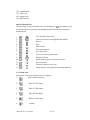
Special Function Keys
The followings are special function keys. You should press
first and then press
special function key to perform corresponding function instead of pressing them
simultaneously.
+
View operation instruction
+
+
Selection of Chinese and English Input method
Record
Play
Enter Learner
PC Synchronization
View the picture
1.
2.
3.
4.
5.
6.
7.
+
+
+
+
8.
9.
10.
11.
+
+
+
+
12.
13.
+
+
Listen to Voxware pronunciation
Display local time
Switch between upper case and lower letter
Enter edit mode
Delete the character at the icon
Switch between inserting and overwriting characters
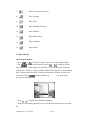
1.2.4 Touch icons
The function of on-screen touch icons are as follows:
1.
Enter Oxford Dictionary
2.
Enter E-C Dictionary
3.
Enter C-E Dictionary
4.
Enter E-E Dictionary
5.
Return to main menu
6.
Confirm
[MD8200Color User Manual]
Page 28
7.
Return to the previous screen
8.
Enter Calendar
9.
Enter Time
10.
Enter Telephone Directory
11.
Enter Schedule
12.
Enter Photo Album
13.
Enter Calculator
14.
Enter Games
2.5 Input Methods
Chinese input methods
-- Press
or
to switch to Chinese input mode, and then input Chinese.
-- Tap
on on-screen keyboard or press
to display Chinese
+
input methods (12 input methods are provided, i.e. Taiwan, Mandarin, Cantonese,
Total Strokes, 5-Strokes, CangJie, Simple, Radical, DaYi, Handwrite, Q9 and Wang
Ma) , an icon, which represents a Chinese input method, will show on lower left
screen after choosing a desired input method (e.g.
) , so select one by
key-entry or touching screen.
-- Press
to display more candidate characters
-- Press the corresponding numeric key to select the desired character or tap it with
the
[MD8200Color User Manual]
Page 29
stylus slightly to choose it.
-- You can also tap
to switch to Handwriting Recognition mode. In this mode,
write
on the screen and then tap the desired character at the selection field to choose it.
Taiwan
Input characters by Taiwanese phonetic alphabets.
e.g. input “ㄑㄧㄥ” and then press
to
input the first tone, press
,
,
for the
second, the third, the fourth tone respectively,
press
for soft tone.
Mandarin
Input Mandarin phonetic alphabets.
e.g. input “QING”, then press
.
(It’s the same as Taiwan to input tone.)
Cantonese
Input Cantonese phonetic alphabets,
e.g. input “CHING”, then press
to confirm.
Total Strokes
Input characters by inputting total number
of strokes. e.g. input “8”, and then press
to confirm.
[MD8200Color User Manual]
Page 30
5-strokes
5-strokes is an input method through which input the codes of the first four strokes of
the character and the last stroke. If a character has less than five strokes, just input the
codes of the strokes it has accordingly.
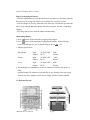
Code
1
2
3
4
5
Chart of 5-strokes code
Stroke
Strokes
horizontal
leftÆright
vertical
upperÆlower
left-falling
upper rightÆlower left
right-falling
upper leftÆlower right
turning
with turning
e.g. input “11211”, and then press
to confirm.
CangJie (only exists in traditional Chinese and English mode)
Input the Cangjie codes of a character,
e.g. input “手一月”, and press
or
to confirm.
(Please refer to Chart of Cangjie Input Method )
Simple (only exists in traditional Chinese and English mode)
It is similar to CangJie, but only needs to
input the first and the last code of the
Chinese character.
e.g. input “手月”.
[MD8200Color User Manual]
Page 31
Description
— ˊ
∣亅
ㄟ
、
乙ㄋ亅
Radical
Firstly input the number of strokes of the radical,
then input number of remaining strokes after
choosing the desired radical.
e.g. input “5” and press
to confirm.
Choose “玄” and input the remaining Strokes
“6”, press
to confirm.
DaYi
Input character by DaYi codes.
e.g. input “日月”, and then press
to confirm.
Wang Ma ( only exists in simplified Chinese mode)
Usually, to find a character, input the codes of first three roots and the last root. If the
character has less than 4 roots, just input the codes of its roots plus a recognition code
to make it 4 codes. If this still cannot make 4 codes, use SPACE key to make the
balance.
e.g. input “QGTY” to find “穌”.
(Please refer to Chart of Wang
Ma 5-strokes Input Method.)
Q9
Chinese character is composed of various strokes. There are five fundamental
strokes in the pictograph system. These basic strokes are “horizon”, “vertical”,
“left-falling” , “dot” and “turning”. Q9 Stroke Input takes these basic strokes and
another 24 additional radicals to input every Chinese character. Before operating this
input method, we should distinguish the kind of character by the structures first. They
[MD8200Color User Manual]
Page 32
are categorized as isolated characters and divisible characters. The latter can be
differed from the former just by the possibility of left to right dividing the
components.
The input rules:
* Taking two strokes as input codes from the top to the bottom, if meeting isolated
characters.
* Taking two strokes on the left in sequence and then the first stroke on the right as
input codes, if meeting divisible characters.
* Taking first the radicals ,if suitable.
Note: Besides the basic strokes, "right-rising" is regarded as a “horizon” and “rightfalling” as a “point”.
Examples:
天: taking two “horizon” strokes and selecting.
香: first taking a “left-falling” stroke , then finding a radical「禾」and selecting 香.
津: taking two “point” strokes on the left and than taking a “turning” stroke on the
right.
湖: taking two “point” strokes on the left, omitting the middle part「古」and taking a
“left-falling” stroke on the right.
Note: Like the character divided into three parts, the middle part should be omitted.
e.g. to input “港”, just tap the first two codes
of left part and the first code of right part
sequentially.
“ Dot ( ) → Dot ( ) → radical ( ) ”
You can view the help of Q9 input method by
tapping [說明].
Handwriting Recognition
Tap
to switch to Handwriting Recognition.
Write down the characters in the square on
the screen. (The program will recognize the
characters automatically.)
Tap the desired character at selection field.
English Input Method
-- Press
to switch to English input mode.
-- Press
to switch between uppercase and lowercase.
+
-- Press
to switch to capitalization temporarily.
[MD8200Color User Manual]
Page 33
-- You can also tap
to switch to Handwriting Recognition and write on the
square, and then choose the letter with stylus at selection field.
Special Symbols
-- In Chinese or English input mode, press
or tap
, then tap the
+
desired symbol at selection field to choose it.
-- The following symbols will be provided for selection:
!@ # $ % & / ( ) ’ < > [ ] - ? * ^ { } ” | = \ , . ; : + − × ÷ ο ∼ “
1.2.6 Categories of Contents
There are total 12 categories in the unit: Dictionary, Learning, Photo Album,
Reference, Organizer, Calculator, Time, Calendar, Games, System, Learner and
Download.
Main menu:
-- Press
to choose a desired item.
-- After you choose a category, press
to move the cursor and then
press
to enter the application or tap the desired application to choose it
directly.
1.2.7 Cautions
Please pay attention to the following items while you use the unit, otherwise we will
charge the cost of materials for maintenance.
-- Avoid humidity, never let water or other liquid flow into the unit.
-- Don’t place the unit under direct sunlight or near heat.
-- Do not repair the unit by yourself, please contact our Customers Service Center for
repair.
-- Prevent the unit from falling down on the ground, bending or strong impact which
may
result in LCD crack.
-- Don’t apply strong detergent cleaning agents to clean the unit.
-- Don’t touch the screen with sharp-headed objects.
-- Charge the unit in time when the battery is flat.
-- Before doing reset or sending the unit for repair, please keep a copy of all important
data so as to re-input them later.
System Initialization
If the unit malfunctions, the message “時間和其他設定可能已變. 如有需要, 請重
新設定. 确定(Time and other settings may have been changed. Reset them if
necessary. Enter)” will appear on the screen. Tap [确定] to enter main menu screen.
Press
, the message “系統重新設定? 是(Y)/ 否(N)(Initializing System?
Y/N)” will appear on the screen. Press
to reset the system, the screen will show a
message “系統重新設定時用戶資料將被刪除! 是否繼續? 是(Y)/ 否(N)(The data
may be deleted while initializing system! Continue? Y/N)”. Press
[MD8200Color User Manual]
Page 34
to delete the
data, press
to keep it. After you press
to confirm initialization, a alert
message “所有用戶資料將被刪除! 是(Y)/ 否(N)(User’s data will be deleted!
Initialize System? Y/N)” will be displayed on the screen. If you press
, the data
will be deleted and you are requested to renew the data; press
to keep the data.
After the system is reset and data is deleted, the system will prompt you to set the
calibration. Once calibration is OK, a relevant message will be displayed on the
screen. Following on-screen instructions, user can reset time and other settings.
Keeping record copy of important data
We strongly recommend that you keep separate written records of all important data,
we assume no responsibility for any damage or loss caused by deletion of data as a
result of improper use, repair or battery replacement. We also assume no
responsibility for any loss or claim by the third parties, which may arise from the use
of this product, e.g. the number of the credit card is stolen or data has been revised,
etc..
1.2.8 Default System Setting
Language Setting: Traditional Chinese
Time Format: 12:00Hours
Date Format: D/M/Y
Local City: Hong Kong
Local Date: 01/01/2003
Local Time: 12:00AM
Alarm: Off
DST: Off
Keytone: On
Touch Panel Sound: On
Auto Off Period: 3 minutes
First Screen: Main Menu
Memory Check: 100%
Set Password: None
1.2.9 Auto-Power-Off / Backlight Function
1. If no key operation is made within the auto power-off period, the unit will be
automatically switched off or the backlight will be turned on. While the unit is off,
press
to restart it. While the backlight is on, press any key or touch any part of the
screen
with the stylus to return to normal.
2. If automatic power-off takes place while inputting or editing, the data you are
working on will not be saved.
3. The alarm will still function upon the set time even if the unit is powered off.
Note: The automatic power-off time / backlight function can be set in System Setting.
[MD8200Color User Manual]
Page 35
1.2.10 Trouble-shooting
Q: The unit can not be switched on, why?
A: The possible cause is that the battery is out of supply.
So users are requested to charge the unit or use adapter.
Q: The pronunciation is too weak /loud, the speed is too slow /fast, and the tone is too
low / high, why?
A: It’s likely to set the volume too high / low, the speed too slow / fast, and the tone
too
low / high, please adjust the volume, the rate and the frequency in Speech Level.
In addition, you can adjust volume by using the volume button on the left side of
unit.
Q: Why is the screen not clear?
A: The screen contrast or brightness is probably not adjusted well, user can adjust it
in Contrast / Brightness or by pressing
or
in any
modes.
Q: Why does the calibration fail?
A: It’s possible to calibrate improperly, please make the calibration again. You are
highly recommended to use stylus instead of finger to avoid error that may lead to
failure of touching the screen.
Q: Why is the unit often off automatically?
A: The auto-off period is too short. So, please set the Auto Off Period in System
Setting again. The auto-off function helps you save electricity of battery. The
longer is the auto off period, the more electricity is used.
Q: If the password is forgotten, what to do?
A: Please contact our Customer Service Center, we would remove the password as
soon as possible, but you are requested to show the own certificate. And you are
strongly recommended to keep a separate record of your password.
1.2.11 General Principles
Display: Color LCD
Power Supply: Battery (Built-in) – A rechargeable lithium battery
Adapter – Please refer to the part of About Power Supply
1.2.12 Specification Parameters
1. Flash Memory Size : 8MBytes (64Mbits)
2. Maskrom Size
3. Color LCD Size
:
:
[MD8200Color User Manual]
72 MBytes (576Mbits)
320(W)x240(H)dots
Page 36
CHAPTER 2 DICTIONARY
2.1 E-C Dictionary
The dictionary offers phonetic symbols and Chinese definitions of English words and
phrases, which can be searched out by inputting them or by sequential search. You can
also view the grammar information, such as Synonym, Antonym, Example and so on.
Cross-search to Oxford Dictionary, E-C Dictionary, C-E Dictionary is available in this
dictionary. And you can also listen to the English, Mandarin, and Cantonese
pronunciation. (Key-entry, Handwriting Recognition and Touch-and-go operations are
supported)
Note: This dictionary covers vocabulary in Eng-Chi Dictionary and Oxford
Dictionary. The symbol “>” before the headword represents E-C Dictionary,
otherwise, it refers to Oxford Dictionary. The picture corresponding to some
words can be viewed.
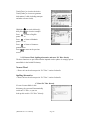
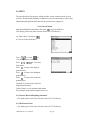
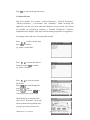
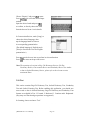
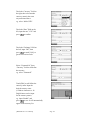
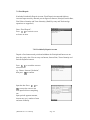
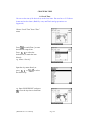
2.1.1 General Search
Wisdom input method is available in this application. Input the first letter of desired
word, a list of nearest words will be automatically displayed on the screen.
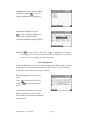
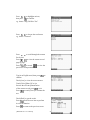
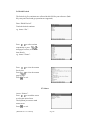
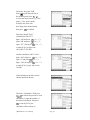
Press
or touch
to turn
pages to search.
Press
to search sequentially
or continue to input the desired word.
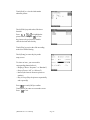
e.g. Input “earth”, the word will be
automatically shown on the screen.
While inputting the English letters,
press
to delete the letter
on the left of the cursor; Press
to insert a space.
Press
to search the phonetic
symbols and Chinese definitions of
the English word.(or directly double click
[MD8200Color User Manual]
Page 37
the desired word from the browse list.)
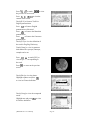
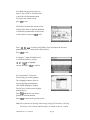
Press
or touch
to
view the previous or next record.
Press
to view the
content of the record.
Touch [R.V.] to listen to TruVoice
English pronunciation.
Press
to listen to English
pronunciation of the word.
Press
to listen to the Mandarin
pronunciation.
Press
to listen to the Cantonese
pronunciation.
Press
or touch [PIC.] to view
the picture corresponding to the word.
Press
to return to the previous screen.
Touch [E-E] to view the definition
of the word in Eng-Eng Dictionary.
In [E-E] dictionary mode, touch
[E-C] to return to the Eng-Chi
Dictionary screen.
Touch [Gram.] to view its grammar
information like synonym, antonym,
example and so on.
[MD8200Color User Manual]
Page 38
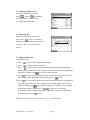
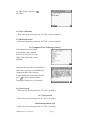
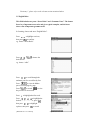
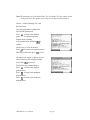
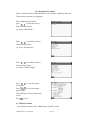
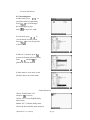
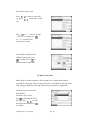
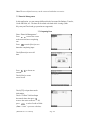
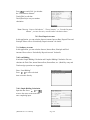
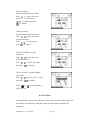
2.1.2 Nearest Word and Spelling Alternative
The two functions are supported when the input word or phrase is wrongly spelt or
unavailable in E-C Dictionary.
A. Nearest Word
The nearest words will be listed alphabetically according to the input word.
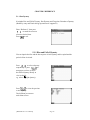
e.g. Input “Proscrib” ( wrong
spelling of “Proscribe”)
and press
to confirm.
Choose “Nearest Word” and press
to view the nearest word.
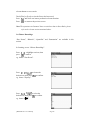
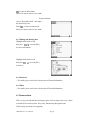
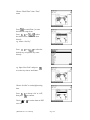
B. Spelling Alternative
Correct words or phrases proofread by the program according to the inputted word or
phrase will be listed.
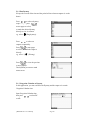
e.g. Input “flowar” (wrong spelling
of “flower”) and press
to
confirm.
Choose “Spelling Alternative” and
press
to enter.
Press
to select the desired
word, then press
to confirm.
[MD8200Color User Manual]
Page 39
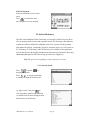
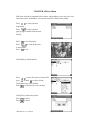
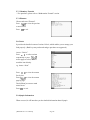
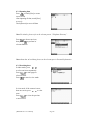
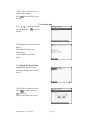
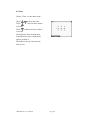
2.1.3 User’s Dictionary
If the inputted word, which exists both in Eng-Chi Dictionary and User’s Dictionary,
you can choose either of them to view its definition.
Note: It will go to Eng-Chi Dictionary or User’s Dictionary directly if the word exists
only in either of them.
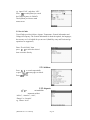
Input “apple”, then press
to
confirm. (This word has been created
in User’s Dictionary and exists in
Eng-Chi Dictionary simultaneously.)
Choose “User’s Dictionary” and
press
to confirm. (For details about
User’s Dict. operations, please refer
to User’s Dict.)
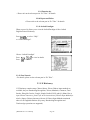
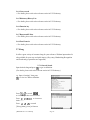
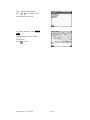
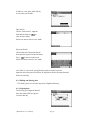
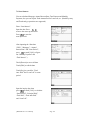
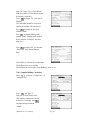
2.1.4 Wild-card Search
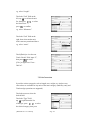
If part of word or phrase is uncertain, input “?” and “*” to perform wild-card search,
the dictionary will suggest some words or phrases for your choice. (“?” represents one
uncertain letter and “*” represents none of letters or more than one letter.)
Access Eng-Chi Dictionary.
Input “bab?”( “?” represents one
uncertain letter), then press
to confirm.
Press
to continue the search until
the message “End of the list!” is
shown on the screen.
[MD8200Color User Manual]
Page 40
e.g. Input “ac*n” (* represents none of
letters or more than one letter.), then
press
to confirm.
Press
to continue the search until
the message “End of the list!” appears
on the screen.
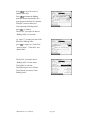
2.1.5 Cross-Search
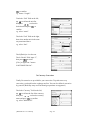
In Eng-Chi Dictionary, you can highlight an English word or a Chinese character to
look up its Chinese or English definition by cross-searching to Eng-Chi Dictionary,
Oxford Dictionary, Eng-Eng Dictionary, and Chi-Eng Dictionary. Cross-search
function can be performed unlimitedly. (Note: This function is also applicable to
other dictionaries of the unit.)
Enter the explanation screen of some
word.
e.g. “go”.
Press
to highlight the first
word, then press
to
highlight the desired Chinese character
or English word, you may also touch
the word directly.
[MD8200Color User Manual]
Page 41
Highlight one Chinese character/phrase,
touch [C-E] or press
to view its
English explanation in Chi-Eng Dict..
Highlight an English word, press
to view its Chinese definition in
Oxford Dict. and Eng-Chi Dict
or English explanation in Eng-Eng Dict..
Note: Hold
or touch [Scope], then press
to highlight more than one
word to apply to cross-search function (or touch and drag on screen with the
stylus directly). Touch [Quit] to cancel the setting ..
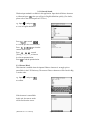
2.1.6 Saving Record
In Eng-Chi Dictionary, you can save some important and difficult words as records
for purpose of revision, test and listen & learn. (For Revision , Test and Listen &
Learn, please refer to the relevant parts for details.)
Enter the explanation screen of some
word.
Press
or press
save it.
or touch [Save] to save it,
, then choose [Save] to
If you’d like to clear the saved record,
find it out in Revision, Test or Listen
& Learn, then press the relevant function
key to delete it.
[MD8200Color User Manual]
Page 42
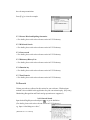
2.1.7 Dictionary History List
In input or definition view mode,
press
, or press
in definition
mode, then choose “History List”
to view the latest 20 records.
2.1.8 Function Key
Enter the definition screen of some
word, press
to select “Dictionary
History List” to view the latest 20 records
or choose “Save” to save the current
record.
2.1.9 Repeat and Follow
In definition mode,
1. Press
to listen to the English pronunciation.
2. Press
to adjust the speed of speech.
3. Press
to perform the auto-repeat function, the system will automatically
speak out the pronunciation of all records in selected file. (repeat times depending
upon user’s setting) Press
to end auto-repeat function.
4. Press
to apply to the repeat function, the record will be pronounced for 1-99
times. (repeat times depending upon the setting) Press
to exit.
5. Press
, the system will speak out the original pronunciation once and then start
recording after the message “Recording after beep sound” appears on the screen.
While recording, press
to stop. After recording, you will listen to the original
pronunciation and recording once. If
are pressed , the original
pronunciation and recording will be played repeatedly. (repeat times depending
upon the setting). Press
to exit.
Note: Repeat times can be set in “Repeat Time” in “System Setting”.
[MD8200Color User Manual]
Page 43
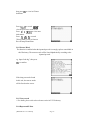
2.10 Font Zoom-in
Enter the definition screen of some
word.
Press
to zoom in the font,
press it again to revert to original.
2.2 Oxford Dictionary
The New Oxford English-Chinese Dictionary is licensed by Oxford University Press.
You can perform general search and sequential search. The dictionary offers phonetic
symbols and Chinese definitions of English words. You can also view the grammar
information like phrases, compounds, derivative, antonyms and so on. Cross-search to
E-C Dictionary, C-E Dictionary and E-E Dictionary are available in this application.
You can also listen to the English, Mandarin and Cantonese pronunciation. (Key-entry,
Handwriting Recognition and Touch-and-go operations are supported.)
Note: The picture corresponding to some words can be viewed.
2.2.1 General Search
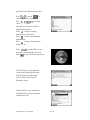
Press
or touch
to
turn pages to search.
Press
to search sequentially
or continue to input the desired word.
e.g. Input “moon” and press
to
view its phonetic notation and definition
( or double click the desired English word
from the browse list directly.).
[MD8200Color User Manual]
Page 44
Press
or touch
to view
the previous or next record.
Press
to view the
content of the record.
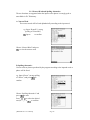
Touch [R.V.] to listen to TruVoice
English pronunciation.
Press
to listen to English
pronunciation of the word.
Press
to listen to the Mandarin
pronunciation.
Press
to listen to the Cantonese
pronunciation.
Touch [E-E] to view the definition of
the word in Eng-Eng Dictionary.
Touch [Gram.] to view its grammar
information like synonym, antonym,
example and so on.
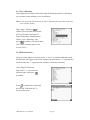
Press
or touch [PIC.] to
view the picture corresponding to
the word.
Press
to return to the previous
screen.
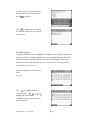
Touch [Phr.] to view the phrase.
Highlight a phrase and press
to view its Chinese definition.
Touch [Comp] to view the compound
words.
Highlight one and press
to view
its Chinese definition.
[MD8200Color User Manual]
Page 45
Touch [Deriv] to view the derivative.
Touch [Other] to view more grammar
information if valid (including antonym
and other relevant words).
Highlight “例” (or touch it directly),
then press
to view the example.
Press
to listen to English
pronunciation.
Press
to listen to Mandarin
pronunciation.
Press
to listen to Cantonese
pronunciation.
Press
screen.
to return to the previous
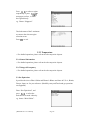
2.2.2 Nearest Word, Spelling Alternative and enter E-C Dict. directly
The three functions are provided when the inputted word or phrase is wrongly spelt or
unavailable in the Oxford Dictionary.
Nearest Word
-- Please refer to the relevant part in “E-C Dict.” section for details.
Spelling Alternative
-- Please refer to the relevant part in “E-C Dict.” section for details.
C. Enter E-C Dict. directly
If a word is unavailable in this
dictionary, the system will automatically
switch to E-C Dict., so you can
look up this word in “E-C Dict.” directly.
[MD8200Color User Manual]
Page 46
e.g. Input “B-girl” and press
to confirm.
2.2.3 User’s Dictionary
-- Please refer to the relevant part in “E-C Dict.” section for details.
2.2.4 Wild-card Search
-- Please refer to the relevant part in “E-C Dict.” section for details.
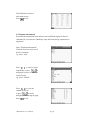
2.2.5 Computer & New Technology Glossary
If the inputted word exists both
in Oxford Dict. and Computer
& New Tech. Glossary, you can
choose either of them to view its
definition.
Choose the first word to enter Oxford Dict.;
choose the second to view its definition in
Computer & New Tech. Glossary.
In the explanation screen of the first word,
press
to enter Computer & New
Technology Glossary to view its details.
2.2.6 Cross-search
-- Please refer to the relevant part in “E-C Dict.” for details.
2.2.7 Saving record
-- Please refer to the relevant part in “E-C Dict.” for details.
2.2.8 Dictionary History List
-- Please refer to the relevant part in “E-C Dict.” for details.
[MD8200Color User Manual]
Page 47
2.2.9 Function key
-- Please refer to the relevant part in “E-C Dict.” for details.
2.2.10 Repeat and Follow
-- Please refer to the relevant part in “E-C Dict.” for details.
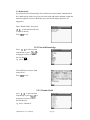
2.2.11 Oxford Paradigm
When accessed, it allows you to view the Oxford Paradigm in New Oxford
English-Chinese Dictionary.
Press
to select “ Help”
or “Oxford Paradigm”.
Choose “Oxford Paradigm”.
Press
to view its details.
Press
to exit.
2.2.12 Font Zoom-in
--For details, please see the relevant part in “E-C Dict.”.
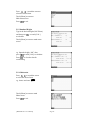
2.3 C-E Dictionary
C-E Dictionary contains many Chinese idioms. Eleven Chinese input methods are
available, they are Handwriting Recognition, Taiwan, Mandarin, Cantonese, Total
Strokes, Wang Ma 5-stroke, Cangjie, Simple, Radical, DaYi, and Q9. (Note: How to
input Chinese characters, please refer to the instructions of Chinese Input Method for
details.) Input a Chinese character with one of Chinese Input Methods mentioned
above for its English definition. (Key-entry, Handwriting Recognition and
Touch-and-go operations are supported.)
[MD8200Color User Manual]
Page 48
2.3.1 General Search
Wisdom input method is available in this application. Input desired Chinese character
or idiom and press
, then you will get its English definition quickly. (For details,
please refer to the relevant parts in E-C Dict..)
e.g. Input “田” and press
to view its English definition.
Press
or touch
to view the previous or next record.
Press
to view the
content of the record.
Press
or touch
[Voice]/[Man.]/[Can.] to listen to
its relevant pronunciation;
Press
to end the pronunciation.
2.3.2 Nearest Word
This function is enabled when the inputted Chinese character is wrongly spelt or
unavailable in the C-E Dictionary. The nearest Chinese characters will be listed in Big
5 strokes order.
e.g. Input “葭” and press
to confirm.
If the character is unavailable
in this unit, the nearest words
will be listed on the screen.
[MD8200Color User Manual]
Page 49
2.3.3 Wild-card Search
If part of Chinese character or phrase is uncertain, you can input the certain part and
replace the uncertain with “?” or “*”. (“?” represents one uncertain character, while
“*” represents none of letters or more than one character)
e.g. Input “水?”and press
to confirm.
Press
to view the next record
until the message “End of the list!”
appears.
2.3.4 User’s Dictionary
If the inputted Chinese character exists both in C-E Dictionary and User’s Dictionary,
you can select either of them to view its definition. (If the inputted character exists
only in C-E Dictionary or User’s Dictionary, it will enter C-E Dictionary or User’s
Dictionary directly.)
e.g. input “水”, then press
to confirm.
(Note: “水” has been created in
User's Dictionary and exists in
C-E Dictionary simultaneously.)
Choose “User's Dictionary” and
press
to confirm.
(Note: For further instruction, please
refer to User's Dictionary)
2.3.5 Cross-search
-- Please refer to the relevant part in E-C Dictionary for details.
2.3.6 Saving Record
-- Please refer to the relevant part in E-C Dictionary for details.
2.3.7 Dictionary History List
-- Please refer to the relevant part in E-C Dictionary for details.
[MD8200Color User Manual]
Page 50
2.3.8 Function key
-- For details, see the relevant section in E-C Dictionary.
2.3.9 Repeat and Follow
-- For details, see the relevant section in E-C Dictionary.
2.3.10 Font Zoom-in
-- For details, see the relevant section in E-C Dictionary.
2.4 E-E Dictionary
This dictionary has a very large vocabulary. You can perform general search and
sequential search. The dictionary offers phonetic symbols and English definitions of
English words. In this application, you can also cross-search to E-C Dictionary and
listen to the English pronunciation. (Key-entry, Handwriting Recognition and
Touch-and-go operations are supported.)
Note: For some words, you can view its corresponding picture.
2.4.1 General Search
Input desired English word/phrase and press
to get its definition.
(For details, please refer to the relevant section in E-C Dictionary.)
e.g. Input “moon”, then press
to view its phonetic notation
and English definition.
Press
or touch
to view the previous or next record.
Press
to view more information.
Press
to listen to the English
pronunciation.
Touch [R.V] to listen to the TruVoice
English pronunciation.
[MD8200Color User Manual]
Page 51
Touch [PIC.] to view its picture.
Touch [E-C] to cross-search to E-C
Dictionary.
2.4.2 Nearest Word and Spelling Alternative
-- For details, please refer to the relevant section in E-C Dictionary.
2.4.3 Wild-card Search
-- For details, please refer to the relevant section in E-C Dictionary.
2.4.4 User’s Dictionary
--For details, please refer to the relevant section in E-C Dictionary.
2.4.5 Cross-search
-- For details, please refer to the relevant section in E-C Dictionary.
2.4.6 Dictionary History List
-- For details, please refer to the relevant section in E-C Dictionary.
2.4.7 Function key
-- For details, please refer to the relevant section in E-C Dictionary.
2.4.8 Repeat and Follow
-- For details, please refer to the relevant section in E-C Dictionary.
2.4.9 Font Zoom-in
-- For details, please refer to the relevant section in E-C Dictionary.
2.5 Network Dictionary
It provides various common words about network for your reference. Wisdom input
method is available, which enables your convenient inquiry. (Key-entry, Handwriting
Recognition and Touch-and-go operations are supported.)
2.5.1 General Search
Input the desired word, then press
to get its Chinese definition.
(For details, please refer to the relevant section in E-C Dictionary.)
[MD8200Color User Manual]
Page 52
e.g. Input “LCD”, then press
to view its Chinese definition.
Press
or touch
to view the previous or next record.
Press
to view more
information.
Touch [R.V] to listen to the TruVoice
English pronunciation.
Press
or touch
[Voice]/[Man.]/[Can.] to listen to
the relevant pronunciation.
2.5.2 Nearest Word and Spelling Alternative
-- For details, please refer to the relevant section in E-C Dictionary.
2.5.3 Wild-card Search
-- For details, please refer to the relevant section in E-C Dictionary.
2.5.4 Cross-search
-- For details, please refer to the relevant section in E-C Dictionary.
2.5.5 Dictionary History List
-- For details, please refer to the relevant section in E-C Dictionary.
2.5.6 Function key
-- For details, please refer to the relevant section in E-C Dictionary.
2.5.7 Repeat and Follow
-- For details, please refer to the relevant section in E-C Dictionary.
2.5.8 Font Zoom-in
-- For details, please refer to the relevant section in E-C Dictionary.
[MD8200Color User Manual]
Page 53
2.6 IELTS
The unit also offers Ielts glossary, which provides various common words for your
reference. Wisdom input method is available for your convenient inquiry. (Key-entry,
Handwriting Recognition and Touch-and-go operations are supported.)
2.6.1 General Search
Input desired English word/phrase, then press
to get its definition.
(For details, please refer to the relevant section in E-C Dictionary.)
e.g. Input “abase”, then press
to view its Chinese definition.
Press
or touch
to
view the previous or next record.
Press
to view more
information.
Press
to listen to the English
pronunciation.
Press
to listen to the Mandarin
pronunciation.
Press
to listen to the Cantonese
pronunciation.
Touch [R.V] to listen to the TruVoice
English pronunciation.
Touch [Gram.] to view grammar information
like synonym, antonym and example and so on.
2.6.2 Nearest Word and Spelling Alternative
-- For details, please refer to the relevant section in E-C Dictionary.
2.6.3 Wild-card Search
-- For details, please refer to the relevant section in E-C Dictionary.
[MD8200Color User Manual]
Page 54
2.6.4 Cross-search
-- For details, please refer to the relevant section in E-C Dictionary.
2.6.5 Dictionary History List
-- For details, please refer to the relevant section in E-C Dictionary.
2.6.6 Function key
-- For details, please refer to the relevant section in E-C Dictionary.
2.6.7 Repeat and Follow
-- For details, please refer to the relevant section in E-C Dictionary.
2.6.8 Font Zoom-in
-- For details, please refer to the relevant section in E-C Dictionary.
2.7 Slang
It offers a great variety of common slang for your reference. Wisdom input method is
also available for your easy and quick inquiry. (Key-entry, Handwriting Recognition
and Touch-and-go operations are supported.)
Input desired slang and press
2.7.1 General Search
to get its definition.
(For details, please refer to the relevant section in E-C Dictionary.)
e.g. Input “a beating”, then press
to view its Chinese definition.
Press
or touch
to view the previous or next record.
Press
to view more
information.
Press
or touch
[Voice]/[Man.]/[Can.] to listen to
[MD8200Color User Manual]
Page 55
the relevant pronunciation.
Press [E.g.] to view the example.
2.7.2 Nearest Word and Spelling Alternative
-- For details, please refer to the relevant section in E-C Dictionary.
2.7.3 Wild-card Search
-- For details, please refer to the relevant section in E-C Dictionary.
2.7.4 Cross-search
-- For details, please refer to the relevant section in E-C Dictionary.
2.7.5 Dictionary History List
-- For details, please refer to the relevant section in E-C Dictionary.
2.7.6 Function key
-- For details, please refer to the relevant section in E-C Dictionary.
2.7.7 Font Zoom-in
-- For details, please refer to the relevant section in E-C Dictionary.
2.8 Proverb
Various proverbs are collected in this section for your reference. Wisdom input
method is also available in this application for your convenient inquiry. (Key-entry,
Handwriting Recognition and Touch-and-go operations are supported.)
2.8.1 General Search
Input desired English proverb and press
to get its definition.
(For details, please refer to the relevant section in E-C Dictionary.)
e.g. Input “A bad thing never dies.”,
[MD8200Color User Manual]
Page 56
then press
definition.
to view its Chinese
Press
or touch
to
view the previous or next record.
Press
to view more
information.
Press
or touch
[Voice]/[Man.]/[Can.] to listen to
the relevant pronunciation.
2.8.2 Nearest Word
The function is enabled when the inputted proverb is wrongly spelt or unavailable in
this Dictionary. The nearest words will be listed alphabetically according to the
inputted proverb.
e.g. Input “bad dog”, then press
to confirm.
If the slang can not be found
in this unit, the nearest words
will be listed on the screen.
2.8.3 Cross-search
-- For details, please refer to the relevant section in E-C Dictionary.
2.8.4 Repeat and Follow
[MD8200Color User Manual]
Page 57
-- For details, please refer to the relevant section in E-C Dictionary.
2.8.5 Font Zoom-in
-- For details, please refer to the relevant section in E-C Dictionary.
2.9 Conversation
Various kinds of daily conversation classified into 9 groups are provided for travelling
and daily life. You can search the equivalents in 9 different languages, namely English,
Cantonese, Mandarin, Japanese, French, German, Spanish, Italian, and Dutch, and
each of languages mentioned above can be pronounced. (Key-entry and Touch-and-go
operations are supported.)
2.9.1 General Search
Access “Conversation”.
Press
to select an item,
then press
to confirm, or
double click the desired item directly.
Press
to select an item,
then press
to view the
conversation or double click the
desired item directly.
e.g. choose “Basic Conversation”.
Press
or touch
to
view the previous or next record.
Press
or touch [Voice] to listen
to the English pronunciation.
Press
or touch [Man.] to listen
to the Mandarin pronunciation.
Touch [Lang.] to choose other language.
[MD8200Color User Manual]
Page 58
Press
to select the desired
language, then press
to confirm,
or double click it directly.
Touch a language button to listen to
its corresponding pronunciation.
e.g. choose “Japanese”.
Press
or touch [Jap.] to listen
to the Japanese pronunciation.
2.9.2 Cross-search
-- For details, please refer to the relevant part in E-C Dictionary.
2.9.3 Saving record
-- For details, please refer to the relevant part in E-C Dictionary.
2.9.4 Repeat and Follow
-- For details, please refer to the relevant part in E-C Dictionary.
2.9.5 Font Zoom-in
-- For details, please refer to the relevant section in E-C Dictionary.
2.10 Vocabulary
It stored 17 kinds of vocabularies for your reference. (Both Key-entry and
Touch-and-go operations are supported.)
2.10.1 General Search
Access “Vocabulary”.
Press
to select
the desired item and then
press
to confirm,
or double click the item directly.
e.g. choose “ANIMALS”.
Press
to select the desired
[MD8200Color User Manual]
Page 59
item, then press
to
confirm, or touch the item
directly.
e.g. choose “HEAD”.
Press
or touch
to view the previous or next record.
Press
or touch
[Voice]/[Man.]/[Can.] to listen to
the English, Mandarin and Cantonese
pronunciation respectively.
2.10.2 Cross-search
-- For details, please refer to the relevant part in E-C Dictionary.
2.10.3 Saving record
-- For details, please refer to the relevant part in E-C Dictionary.
2.10.4 Repeat and Follow
-- For details, please refer to the relevant part in E-C Dictionary.
2.10.5 Font Zoom-in
-- For details, please refer to the relevant section in E-C Dictionary.
2.11 Sentence Repository
Examples for some words are collected in this section for reference purpose. Wisdom
input method is available for your convenient inquiry. (Key-entry, Handwriting
Recognition and Touch-and-go operations are supported.)
Access “Sentence Repository”.
Input the desired word, then
[MD8200Color User Manual]
Page 60
press
to confirm.
Press
or touch
to turn pages to search
or press
to search one
by one.
e.g. Input “abandon” and press
to confirm.
Press
or touch
to
view the previous or next record.
Press
or touch
[Voice]/[Man.]/[Can.] to listen to
the English, Mandarin and Cantonese
pronunciation respectively.
2.11.2 Cross-search
-- For details, please refer to the relevant part in E-C Dictionary.
2.11.3 Repeat and Follow
-- For details, please refer to the relevant part in E-C Dictionary.
2.11.4 Font Zoom-in
-- For details, please refer to the relevant section in E-C Dictionary.
[MD8200Color User Manual]
Page 61
CHAPTER 3 LEARNING
3.1 Recognize Through Picture
A great variety of vivid pictures are provided in this section for recognition purpose.
When enabled, it allows you to better understand the structure of various matters as
well as learn English much easier so that you can achieve impressive and satisfactory
results.
In Learning, choose and enter “Recognition through Picture”
Press
press
to select an item, then
to confirm.
e.g. choose “Apple”.
Press
or touch
to view
the previous or next record.
Touch the letter directly or press
the alphabetic key on the keypad to view
the corresponding Chinese and English
name.
e.g. press
or touch [A].
Press
or touch
the previous or next item.
to view
Press
or touch
[Voice]/[Man.]/[Can.] to listen to the
relevant pronunciation.
[MD8200Color User Manual]
Page 62
Touch [Ans.] to view the answer.
Press
to scroll through
the content line by line.
Press
to view the content
page by page.
Press
and choose one item to
perform its relevant function.
Press
to return to the previous
screen.
3.2 Guess Through Picture
There are abundant pictures available in this field for guess purpose. Four kinds
of formats are provided for Guess: 1.Forward, 2.Backward, 3.Continue and
4.Haphazard.
Access “Guess through Picture”
Press
to choose the desired format,
then press
to confirm.
e.g. choose “Forward”.
After scanning the picture, touch [Chi.]
to view its Chinese name.
Press
or touch [Voice] to listen to its
pronunciation.
Touch [Pic.] to view the picture.
Touch [Ans.] to view the answer.
Touch [Relt.] to get the result.
[MD8200Color User Manual]
Page 63
Press
or touch
to
guess the previous or next word.
Input the answer and press
, the
screen will show the correct one.
Press
or touch [Cont.] to continue
the guess.
Press
and choose an item to perform
its relevant function.
Press
to return to the previous screen.
Note: Repeat and Follow functions are supported here. For details, please refer to
the relevant section in “Eng-Chi Dictionary”.
3.3 Interactive Dialogue
This part offers basic English/ Chinese/ Cantonese dialogue in daily life and
supports role-playing function. When it is enabled, you can make a dialogue with
the unit.
Choose and enter “Interactive Dialogue”.
Press
to move the
highlight bar on an item,
then press
to confirm.
e.g. Highlight and enter “Asking the
way ”, then choose “To the Bank ”.
Press
to scroll through the
content line by line.
Press
to view the screen
page by page.
[MD8200Color User Manual]
Page 64
Press
or touch [Voice]
to listen to the relevant pronunciation
of the current record.
Press
to highlight the first word. Press
to highlight the desired
character or word, then press
or
touch [Srch.] to cross-search to the relevant
dictionary.
Touch [Voice] or press
to
listen to the corresponding pronunciation
of the highlighted sentence or word.
Touch [Sent.] to choose a sentence, then
perform repeat and follow function.
Touch [Voice]/[Man.]/[Can.] or press
to listen to the relevant
pronunciation.
Press [Sent.] again to return to the
dialogue screen.
Press
to highlight the previous
or next sentence.
Touch [Role] to choose a role and language,
the unit starts recording. After user records
the dialogue between the role and the unit,
the system will automatically speak out
speech of the non-user-selected part until
the conversation completes.
e.g. Choose “Lee” and “English”.
Touch the screen or press
to stop
recording.
Press [Play] to play the recorded dialogue.
Touch the screen or press
to stop
recording.
Press
and choose one item to perform
its relevant function.
[MD8200Color User Manual]
Page 65
Press
to return to the previous screen.
3.4 Listen & Learn
This field includes five sections: “Oxford Dictionary”, “Eng-Chi Dictionary”,
“Chi-Eng Dictionary”, “Conversation” and “Vocabulary”. Before accessing this
application, you must save some words and characters in every section. Five formats
are available for Listening & Learning: 1. Forward, 2.Backward, 3.Continue,
4.Haphazard and 5.Enquiry. (Key-entry and Touch-and-go operations are supported.)
In Learning, choose and enter “Listening and Learning”.
Press
to select an item, then
press
to confirm.
e.g. choose “Oxford Dict.”
Press
to choose the desired
format, then press
to confirm.
e.g. choose “Forward”.
Press
to view the content
line by line.
Press
to scroll through the
screen page by page.
Press
or touch
to
view the previous or next record.
Touch [Setup] to set the play mode
(If it is set as “all records”, all records
will be pronounced sequentially after
you tap or press the relevant voice
[MD8200Color User Manual]
Page 66
key. While playing, press any key to
stop; if “one record” is selected, touch
or press the relevant pronunciation
key to play the current record;
press
to exit ).
Touch [Del.] to delete the current record.
Touch [All] to listen to English, Mandarin
or Cantonese pronunciation of all records
or the current record; press
to exit.
Press
or touch [voice]/[Man.]/[Can.] to listen to the relevant
pronunciation of all records or the current record.
Press
to exit.
In “Enquiry”, input an English word
or a Chinese character, or press
to highlight
an item, then press
to confirm.
In “Conversation” view mode,
Touch [Lang.] to set the language.
Tap a language button to listen to
its corresponding pronunciation.
(The default language is English.
Touch [Voice] to listen to the English
pronunciation.)
Press
and choose one item to
perform its relevant function.
Press
to return to the previous screen.
Note: The operations of listening and learning in Eng-Chi Dictionary, Chi-Eng
Dictionary, Conversation and Vocabulary are similar to that in “Oxford
[MD8200Color User Manual]
Page 67
Dictionary”, please refer to the relevant section mentioned above.
3.5 English Rules
This field includes two parts: “Stress Rules” and “Grammar Notes”. The former
lists a lot of important stress rules and gives typical examples, and the latter
shows a list of important grammar notes.
In Learning, choose and enter “English Rules”.
Press
to highlight one item,
then press
to confirm.
e.g. choose “Stress Rules”.
Press
to choose the
desired item.
e.g. choose “-able”.
Press
to scroll through the
unshown part of a record line by line.
Press
to view the hidden
part of a record page by page.
Press
or touch
to view
the previous or next record.
Press
Press
to highlight the first word.
to highlight the
desired word or character; press
then press
to highlight
a phrase, then press
or touch
[MD8200Color User Manual]
,
Page 68
relevant button to cross-search.
Touch [First] or [Last] to view the first or the last record.
Press
Press
and select one item to perform its relevant function.
to return to the previous screen.
Note: The operations in Grammar Notes are similar to that in Stress Rules, please
refer to the relevant section mentioned above.
3.6 Chinese Knowledge
“Past Poems”, “Rhetoric”, “Quantifier” and “Punctuation” are available in this
section.
In Learning, access “Chinese Knowledge”.
Press
to highlight one item, then
press
to confirm.
e.g. choose “Past Poems”.
Press
to choose the
desired item, then press
to confirm.
e.g. choose “Dynasty”.
Press
to select the
desired item, then press
to confirm.
e.g. choose “春秋”.
[MD8200Color User Manual]
Page 69
Press
or touch
icon to view
the previous or next record.
Touch [Menu] to return to the main menu
screen.
Press
to return to the previous screen.
Note: The operations in Rhetoric, Quantifier and Punctuation are similar
to that in “Past Poems”, please refer to the relevant section mentioned above.
3.7 Sentence Making
There are five levels in this application, it is helpful for you to master the
structure of English sentences step by step. (Key-entry and Touch-and-go
operations are supported.)
Access “Sentence Making”.
Press
press
to select the level, then
to confirm.
Highlight an English word and
touch [Copy], then move the cursor to
the desired position, and touch [Paste]
to paste it.
Touch [Ans.] to get the answer.
Touch [Chi.] to view its Chinese definition.
Touch [Hint] to obtain the hint.
Note: Three chances are provided for hint. Once you touch [Chi.] or [Hint], one
chance will be automatically reduced.
[MD8200Color User Manual]
Page 70
Highlight an English word, then touch
[Srch.] to cross-search to E-C Dictionary,
Oxford Dictionary and E-E Dictionary.
Press
to listen to the English
pronunciation.
3.8 User’s Dictionary
This field consists of E-C User’s Dictionary, C-E User’s Dictionary and E-E User’s
Dictionary. When enabled, you can expand the storage of dictionaries.
Access “User’s Dictionary”.
Press
to choose the desired
item, and press
to confirm.
e.g. choose “Eng-Chi User’s Dict.”.
Press
or touch
icon to view
the previous or next record.
Touch [New] to enter input mode.
Input an English word and its Chinese
definiton. Press
to choose
the desired input method.
[MD8200Color User Manual]
Page 71
Press [Renew] to renew data, then press
or touch [Save] to save it.
Press
or touch [Edit] to edit
the record.
Touch [Del.] or press
to
delete the record.
Touch [Voice] or press
to
listen to the English pronunciation.
Touch [Srch.] to search record by keyword.
Type in the word, then press
touch [OK] to view its details.
Press
or
and choose one item to perform
its relevant function.
Press
to return to the previous screen.
Note: About the operation in Chi-Eng User’s Dictionary and Eng-Eng User’s
Dictionary, please refer to the relevant section in Eng-Chi User’s Dictionary.
3.9 Revision
There are Oxford Dictionary Review, Eng -Chi Dictionary Review, Chi-Eng
Dictionary Review, Conversation Review and Vocabulary Review in this section.
Before accessing this application, you should save records in Oxford Dictionary, E-C
Dictionary, C-E Dictionary, Conversation and Vocabulary. Five formats are provided
[MD8200Color User Manual]
Page 72
for Revision: 1. Forward, 2. Backward, 3. Continue, 4. Haphazard, 5. Enquiry.
(Key-entry and Touch-and-go operations are supported.)
Access “Revision”.
Press
or touch screen to
choose the desired item,
then press
to confirm.
e.g. choose “Oxford Dict. Review”.
Press
to select the desired
revision format.
e.g. choose “Forward”.
Press
to scroll through the
content line by line.
Press
to view the current record
page by page.
Press
or touch
to view the
previous or next record.
Press
or touch
[Voice]/[Man.]/[Can.] to listen
to the relevant pronunciation ;
press
to exit.
Touch [Del.] to delete the record.
[MD8200Color User Manual]
Page 73
Choose “Enquiry” and press
to enter.
Press
to select the desired input
method.
Input the desired word and press
to confirm, or directly choose the word
from the browse list to view its details.
In Conversation Review, touch [Lang.] to
choose the desired language, then
tap the language button to listen to
its corresponding pronunciation.
(The default language is English, touch
[Voice] to listen to the Truvoice English
pronunciation.)
Press
and select one item to perform its relevant function.
Press
to return to the previous screen.
Note: The operation of revision in Eng -Chi Dictionary Review, Chi-Eng
Dictionary Review, Conversation Review and Vocabulary Review are similar
to that in Oxford Dictionary Review, please refer to the relevant section
mentioned above.
3.10 Test
This section contains Eng-Chi Dictionary Test, Oxford Dictionary Test, Vocabulary
Test and Oxford Listening Test. Before enabling this application, you should save
some words or data in Oxford Dictionary, Eng-Chi Dictionary and Vocabulary. Four
formats are available in Test: 1. Forward, 2. Backward, 3. Continue and 4. Haphazard.
(Key-entry and Touch-and-go operations are supported.)
In Learning, choose and enter “Test”.
[MD8200Color User Manual]
Page 74
Press
to highlight an item,
then press
to confirm.
e.g. choose “Eng-Chi Dict. Test”
Press
to choose the test format.
e.g. choose “Forward”.
Press
line by line.
to scroll through the content
Press
to view the current record
page by page.
Press
or touch
to view the
previous or next question.
Type in an English word, then press
confirm.
to
Touch [Ans.] to view the correct answer.
Touch [Voice]/[Man.]/[Can.] to
listen to the relevant pronunciation
of the current record; press
to exit.
Press
test.
or touch [Cont.] to continue the
Touch [Relt.] to get the result.
Press
and select one item to perform
its relevant function.
Press
to return to the previous screen.
[MD8200Color User Manual]
Page 75
Note: The operations of test in Oxford Dict. Test, Vocabulary Test are similar to that
in Eng-Chi Dict. Test, please refer to the relevant part mentioned above.
Choose “ Oxford Listening Test” and
the test format.
Once this application is enabled, the
word will be pronounced.
Press
to listen to the English
pronunciation, and then input the
English word according
to its pronunciation, and press
to
confirm.
Touch [Ans.] to view the answer.
Press
to view the next question; touch
[Relt.] to get the result, press
to exit.
No matter your answer is right or not, the
correct answer will be displayed on the
screen after
is pressed.
Touch [Cont.] to continue the test.
Press
to listen to the English
pronunciation.
Press
to listen to the Mandarin
pronunciation.
Press
to listen to the Cantonese
pronunciation.
[MD8200Color User Manual]
Page 76
CHAPTER 4 Photo Album
Slide show function is supported in this section, which enables you to enjoy the vivid
and clear pictures. Furthermore, you can also customize a frame on the picture.
Press
sequentially.
to select a picture
Press
to select a picture
page by page or double click the item
directly.
Press
to view the picture.
Press
to view the previous
or next picture.
Press
to exit.
Touch [Edit] to edit the picture.
Press
to move the cursor to Frame field,
press
or touch
to select a frame.
Touch [Renew] to renew all data.
Press
or touch [Save] to save the data.
Touch [Del.] to delete the picture.
Press
to delete;
Press
to cancel.
[MD8200Color User Manual]
Page 77
Touch [Info.] to view the information
about the picture.
Touch [Slide] to perform the slide show
function.
Press
to highlight the
picture name, then press
to view
the picture to be projected, or double
click the desired item directly.
Touch [Play] to project the slide according
to the user-defined setting.
Touch [Setup] to enter the play mode
setup screen.
To select an item , you can touch its
corresponding button before it.
-- Display (Choose “Sequence” or “Random”)
-- Scope (Choose “All” or “Selected”)
-- Interval (the interval from one picture to
another)
-- Play in Loop (Play the pictures sequentially
and repeatedly)
Press
or touch [OK] to confirm.
Touch [Reset] to return to reset mode screen.
Press
to exit.
[MD8200Color User Manual]
Page 78
CHAPTER 5 REFERENCE
5.1.1 Past Dynasty
It includes Rise and Fall of Dynasty, Past Dynasty and Gregorian Calendar to Dynasty.
(Both Key-entry and Touch-and-go operations are supported.)
Enter “Reference”, then press
to touch the screen to
select the desired item.
Press
to exit.
5.1.1 Rise and Fall of Dynasty
You can inquire the first and the last emperor of each dynasty and its capital and the
period of time it existed.
Press
to select a dynasty
sequentially or press
to
turn pages to select, or touch
the desired dynasty directly to
view its details.
e.g. select “秦”(Qin dynasty).
Press
to view the previous
or next dynasty.
Touch [Menu] to return to
main menu screen.
[MD8200Color User Manual]
Page 79
5.1.2 Past Dynasty
It keeps the records of the time and the period of time when an emperor is on the
throne.
Press
to select a dynasty
sequentially or press
to turn pages to select,
or touch the desired dynasty
directly to view its content.
e.g. select “唐”(Tang dynasty).
Press
to select an
emperor sequentially.
Press
to turn pages
to select , or touch the emperor
directly.
e.g. select “太宗” (Taizong).
Press
to view the previous
or next emperor.
Touch [Menu] to return to main
menu screen.
5.1.3 Gregorian Calendar to Dynasty
In this application, you can search for the Dynasty and the emperor in certain
Gregorian Calendar time.
Input Gregorian Calendar time,
then press
to select BC
or AD.
[MD8200Color User Manual]
Page 80
e.g. input “1368”, and select “AD”.
Press
or touch [Enter] to search
the Chinese dynasty in 1368AD.
Touch [Menu] to return to main
menu screen.
5.2 Travel Guide
Travel Guide provides Airlines, Airports, Temperature, General information and
Voltage & Frequency. The General Information is about the capitals, the languages,
the currency etc. It is helpful for you to travel. (Both Key-entry and Touch-and-go
operations are supported.)
Enter “Travel Guide”, then
press
to select the desired
item or touch it directly.
5.2.1 Airlines
Press
or press
Press
to search sequentially
to turn pages to search.
to exit.
5.2.2 Airports
Press
or touch the
screen to select
“Africa”, “America”, “Asia”,
“Europe” or “Oceania”.
e.g. Choose “Asia”.
[MD8200Color User Manual]
Page 81
Press
to select a region
sequentially or press
to
turn pages to select , or touch
the region directly.
e.g. Choose “Singapore”.
Touch the name of the 5 continents
to return to the relevant region
selection screen.
Press
to exit.
5.2.3 Temperature
-- For detailed operations, please refer to the relevant part in Airports.
5.2.4 General Information
-- For detailed operations, please refer to the relevant part in Airports.
5.2.5 Voltage & Frenquency
-- For detailed operations, please refer to the relevant part in Airports.
5.3 Size Equivalent
It provides the sizes of Men’s Shirts and Women’s Blouse and shoes in U.S.A., Britain,
Europe, Japan, etc. for your reference. (Both Key-entry and Touch-and-go operations
are supported.)
Enter “Size Equivalent”, and
press
to select the
desired item or touch it directly.
e.g. choose “Men’s Shirts”.
[MD8200Color User Manual]
Page 82
Touch [Menu] to return to
main menu screen.
Press
to exit.
5.4 Telephone Information
It provides the international code and area code of different regions in the five
continents for your reference. (Both Key-entry and Touch-and-go operations are
supported.)
Enter “Telephone Information”.
Touch the screen to select one of
the five continents.
e.g. select “Asia”.
Press
to select a region
sequentially or press
to
turn pages to select, or touch the
region directly.
e.g. select “JAPAN”.
Press
to view the
content one by one
or press
to scroll
through the content page by page.
Press
to exit.
[MD8200Color User Manual]
Page 83
5.5 Health Guide
It provides the first aid knowledge of several diseases and accidents, introduction of
the vitamin and its relative food; you can check male and female standard weight and
normal weight for reference. (Both Key-entry and Touch-and-go operations are
supported.)
Enter “Health Guide”, then press
to select the desired item
or touch it directly.
Press
to exit.
5.5.1 First Aid Knowledge
Press
to select an item
sequentially or press
to
turn pages to select, or touch
the item directly.
e.g. select “中風”.
Touch [Menu] to return to main
menu screen.
Press
to exit.
5.5.2 Vitamin Guide
press
to select an item
sequentially or press
to
turn pages to select, or touch
the item directly.
e.g. select “Vitamin A”.
[MD8200Color User Manual]
Page 84
Press
or touch the screen to
select the desired item.
Touch [Menu] to return to
Main menu screen.
Press
to exit.
5.5.3 Standard Weight
Type in the desired height (100-250cm),
and then press
or touch [Calc.]
to calculate.
Touch [Menu] to return to main menu
screen.
e.g. Input the height “160”, then
press
or touch [Calc.] to calculate.
Press
to clear the data for
recalculating.
5.5.4 Cholesterin
Press
or touch the screen
to select the desired item.
e.g. choose and enter “蛋類”.
Touch [Menu] to return to main
Menu screen.
Press
to exit.
[MD8200Color User Manual]
Page 85
5.6 World Festival
The festivals in five continents are collected in this field for your reference. (Both
Key-entry and Touch-and-go operations are supported.)
Enter “World Festival”.
Touch the desired continent.
e.g. choose “Eur.”.
Press
to select an item
sequentially or press
to
turn pages to select, or touch the
item directly.
e.g. choose “France”.
Press
to view the content
line by line.
Press
to view the content
page by page.
Press
to exit.
5.7 Science
Access “Science”.
Press
or touch the screen
to select the desired item.
Touch [Menu] to return to main
menu screen.
Press
to exit.
[MD8200Color User Manual]
Page 86
5.7.1 Mathematics Formula
There are diferent kinds of maths formula for your reference. (Both Key-entry and
Touch-and-go operations are supported.)
Enter “Mathematics Formula”,
press
to select the desired
item or touch it directly.
e.g. choose “Mid. Maths”.
Press
or touch the screen to
select the desired item.
e.g. select “Trigonometry”.
Press
or touch the screen to
select the desired item.
e.g. choose “Double Angles”.
Press
line by line.
Press
to view the content
to view the content
page by page.
Touch [Menu] to return to main menu
screen.
Press
to exit.
5.7.2 Physics Formula
-- For operations, please refer to “Mathematics Formula” section.
[MD8200Color User Manual]
Page 87
5.7.3 Chemistry Formula
-- For operations, please refer to “Mathematics Formula” section.
5.7.4 Elements
Choose and enter “Element”.
Press
to view the previous
or next record.
Press
to exit.
5.8 Calorie
It provides the detailed content of various Calorie, which enables you to arrange your
food properly. ( Both key-entry and touch-and-go operations are supported.)
Access “Calorie”.
Press
to select an item
sequentially or press
to turn pages to select, or
touch the item directly.
e.g. choose “fruits”
Press
line by line.
Press
to view the content
to view the content
page by page.
Touch [Menu] to return to main
menu screen.
Press
to exit.
5.9 Olympic Information
When accessed, it will introduce you the detailed information about Olympic.
[MD8200Color User Manual]
Page 88
Enter “Olympic Information”.
Press
or touch the screen
to select the desired item.
e.g. choose and enter “2008 年北京
奧運”.
Touch [Menu] to return to main
menu screen.
Press
to exit.
[MD8200Color User Manual]
Page 89
CHAPTER 6 ORGANIZER
Various items available in this section are necessary for your daily life and business.
This chapter gives a brief description of operation instructions of various organizers.
6.1 Personal Information
You can keep the general personal information for your further reference. (Key-entry,
Handwriting Recognition and Touch-and-go operations are supported.)
6.1.1Inputting Data
Access input mode.
(Press
to switch Chinese
and English input mode.
press
to select one
input method. )
Press
or
select an input field.
Press
to
to highlight the “Photo”
field, then press
or touch
to enter the E-Album.
Choose one picture and touch [View]
to view it; press
to confirm;
press
to exit.
Touch one of the items and select the
desired input field in the pop-up box,
then press
to confirm,
the cursor will automatically skip to
the selected item.
After you move the cursor to the “Lock”
field, touch
or press
to lock the
data.
[MD8200Color User Manual]
Page 90
Touch [Renew] to renew all data.
Press
to discard all data and
input new data.
Press
to keep the data.
After inputting data, press
touch [Save] to save it.
Press
or
more information.
or
to view
Press
to enter the function
selection screen.
Choose one to perform its relevant
function.
Note: The record can be locked only when the password has been preset in
Organizer or System. To view the marked record in this application, you
should type in the correct password.
In view mode, press
6.1.2 Editing and Deleting Data
or
touch [Edit] to edit a record,
press
or touch [Del.] to
delete a record.
[MD8200Color User Manual]
Page 91
6.1.3 Password
Press
or touch [Pass.] to
enter the password input mode.
Press
to save after you input
and confirm the password.
Press
or touch [Pass.] to
set password off or clear password.
Input the correct password, then
press
to set password off or
clear password.
If you’d like to reset password on or
clear password, you are requested to
press
again or touch [Pass.]
Choose “Password On” to reset password
On; choose “Clear Password” and input the
installed password, then press
to
clear it.
6.1.4 Photo
Touch [Photo] to view the picture if
there is a picture available in this
section.
Press
to exit.
6.2 Telephone Directory
You can make the records of the telephone address, and sort them by Relative, Friend,
Classmate, etc., which enables you to edit, revise, search and delete more freely.
Furthermore, you can import the photo in this option. (Key-entry, Handwriting
Recognition and Touch-and-go operations are supported.)
[MD8200Color User Manual]
Page 92
6.2.1 Inputting data
Press
or touch [New] to
create a new record.
Note: For details, please refer to the relevant part in “Personal Information”.
Press
to move the cursor
at “Category” input field, touch
and a list
of selection will be shown on the screen.
Press
to select one and then
press
to confirm.
Touch one of the items and select the
desired input field in the pop-up box,
then press
to confirm,
the cursor will automatically skip to
the selected item.
Touch [Renew] to renew all data.
Press
to discard all data and
input new data.
Press
to keep the data.
After you input the data, press
or touch [Save] to save it. (Only
after you type in the Name field,
can the record be saved.)
Press
to enter the function selection screen.
Choose one to perform its relevant function.
Note: For details on how to lock a record, please refer to the relevant part in
[MD8200Color User Manual]
Page 93
Personal Information.
6.2.2 Searching data
In index mode, press
to
search the index list sequentially.
Press
to scroll through
the content page by page.
Press
to enter view mode.
In view mode, press
to
view the details of some record.
Press
to view the previous
or next record.
In index or view mode, press
to enter the function selection screen.
Press
and then
to
perform its relevant function.
In index mode or view mode, touch
[Srch] to choose one search mode.
Family Name List
Choose “Family Name List”
and press
to access.
Choose “AZ” to enter English family
name search.
Behind “AZ” is Chinese family name.
Choose the desired family name and press
[MD8200Color User Manual]
Page 94
to enter its index mode.
Select one item to enter its view mode.
Keyword Search
Access “Keyword Search”, then input
the desired keyword.
Press
to enter its index mode.
Select one item to enter its view mode.
6.2.3 Editing and deleting data
Highlight the desired record,
then press
or touch [Edit]
to edit its information.
Highlight the desired record,
then press
or touch [Del.]
to delete it.
6.2.4 Password
-- For details, please refer to the relevant part of Personal Information.
6.2.5 Photo
-- For details, please refer to the relevant part of Personal Information.
6.3 Memorandum
This is a very powerful function for keeping notes. You can input, edit, revise, delete
or search the record at any time. (Key-entry, Handwriting Recognition and
Touch-and-go operations are supported.)
[MD8200Color User Manual]
Page 95
6.3.1 Inputting data
Press
or touch [New] to create
a new record.
After inputting all data, touch [Save]
to save it.
Touch [Renew] to renew all data.
Note: For details, please refer to the relevant part in “Telephone Directory”.
Press
to choose one item,
then press
to perform its
relevant function.
Note: About how to lock data, please see the relevant part in Personal Information.
6.3.2 Searching data
In index mode, press
to select one item sequentially.
Press
to turn pages to
select one item.
Press
to enter its view mode.
In view mode, if the content is more
than one screen, press
to view
more.
Press
to view the previous
or next record.
[MD8200Color User Manual]
Page 96
In index or view mode, touch [Srch]
to select the search mode.
Date Search
Choose “Date Search”, input the
desired date and press
to
enter its index mode.
Select one item to enter its view mode.
Keyword Search
Choose and enter “Keyword Search”,
then input the keyword of desired name.
Press
to enter its index mode.
Select one item to enter its view mode.
Or in index or view mode, touch [Srch] to search record by keyword.
Input the desired keyword (in Chinese or English) or choose the name from the
browse list directly.
6.3.3 Editing and deleting data
-- For details, please see the relevant part in Telephone Directory.
6.3.4 Copying data
Touch [Copy] and input the desired
date, then touch [OK] to copy the
record to that day.
[MD8200Color User Manual]
Page 97
6.3.5 Password
-- For details, please see the relevant part in Personal Information.
6.4 Schedule
You can input data, time and content of a schedule or an appointment. There is an
alarm function available to remind you of the appointment time. (Key-entry,
Handwriting Recognition and Touch-and-go operations are supported.)
6.4.1 Inputting Data
Press
or touch [New] to create
a new record.
Type in date, time, alarm and content.
In Time field, press
to input “A”
(namely AM); press
to input “P”
(namely PM), or touch “AM” or “PM”
directly to make a setting.
In Alarm field, touch
to start up the
alarm, touch it again to cancel.
Press
or touch [Save] to save data (Content field should be input ).
Touch [Renew] to renew all data.
Note: For details on how to lock data, please refer to the relevant part in Personal
Information. To view the locked data in Schedule, you should input the correct
password or clear the installed password first. Only after the alarm time is set
and alarm function is activated, can you enable the alarm clock.
6.4.2 Searching data
--For details, please refer to the relevant part in “Telephone Directory”.
6.4.3 Editing and deleting data
--For details, please refer to the relevant part in “Telephone Directory”.
6.4.4 Copying data
--For details, please refer to the relevant part in “Memorandum”.
[MD8200Color User Manual]
Page 98
6.4.5 Password
--For details, please refer to the relevant part in “Personal Information”.
6.5 Commemoration
You can input, edit, revise, copy or delete commemorative date (either in Lunar
Calendar or Solar Calendar), topic and content freely. (Key-entry, Handwriting
Recognition and Touch-and-go operations are supported.)
6.5.1 Inputting data
Press
to choose “Solar
Commemoration” or “Lunar
Commemoration” or touch the
desired one directly.
e.g. choose “Solar Commemoration”.
Press
or touch [New] to create
a new record.
Input date and content.
Touch [Save] to save data.
Touch [Renew] to renew all data.
Note: For details on how to lock data, please refer to the relevant part in Personal
Information. To view the locked data in Commemoration, you should input
the correct password or clear the installed password first.
6.5.2 Searching data
-- For details, please refer to the relevant part in “Telephone Directory”.
6.5.3 Editing and deleting data
-- For details, please refer to the relevant part in “Telephone Directory”.
6.5.4 Copying data
--For details, please refer to the relevant part in “Memorandum”.
6.5.5 Password
--For details, please refer to the relevant part in “Personal Information”.
[MD8200Color User Manual]
Page 99
6.6 Shorthand
With touch-and-go operation, you can write down important events directly on the
screen with the stylus.
6.6.1 Inputting data
Access Shorthand. Press
or touch [New] to create a new record.
Write on the screen directly with the stylus, the written data will automatically added
into the data input field. Touch color block to select the desired color for the stylus.
Touch [Space] to insert a space.
Touch [Del.] to delete the data on the
right of the cursor.
Touch [Feed] to create a new line.
Touch [Clear] to delete the data on the
left of the cursor.
Touch [Renew] to clear all written data and
rewrite.
Touch [Save] and input the filename,
then press
to save the data.
6.6.2 Editing and deleting data
-- For details, please refer to the relevant part in “Telephone Directory”.
6.7 Notepad
You can directly write or draw on the screen to create a new record quickly.
6.7.1 Inputting data
Access Notepad. Press
or touch [New] to create a new record.
The icons from left to right represent Select Tool, Free Draw, Straight Line, Dotted
Line, Arrow, Round, Square, Triangle, Eraser, Copy, Cut, Paste and Delete.
[MD8200Color User Manual]
Page 100
You can draw or write on the screen
directly. If you are not satisfied, just
touch [Renew] to renew or touch
to make partial changes. To make a copy,
you need to touch
to select the scope
that you want to copy, then touch
to
select the desired position, and then touch
to paste. You also can touch
and paste the selected scope.
to cut
Touch [Save] and type in the filename,
then press
to save the data.
6.7.2 Searching data
-- For details, please refer to the relevant part in “Telephone Directory”.
6.7.3 Editing and deleting data
-- For details, please refer to the relevant part in “Telephone Directory”.
6.8 Schedule Class
You can keep records of day class schedule or evening class schedule. (Key-entry,
Handwriting Recognition and Touch-and-go operations are supported.)
6.8.1Inputting data
Access Schedule Class.
Press
to select a
desired period of time, then touch
[Edit] to create a new record.
[MD8200Color User Manual]
Page 101
Move the cursor to the color field,
Press
to customize the color.
Touch [Save] to save data.
The color and abbreviation you set will
be displayed in the corresponding time
table after you save the record.
Touch [Renew] to renew all data.
6.8.2 Searching Data
Press
to select a period
field, then press
to enter the daily class.
Press
period, then press
to select a time
to confirm.
In daily or weekly mode, touch [Srch]
to select search mode.
Weekday Search
Choose “Weekday Search” and press
to select a day, then press
to confirm. Or touch
to select a
day in the pop-up list to view its
record.
[MD8200Color User Manual]
Page 102
Press
press
to select a record, then
to view its details.
Keyword Search
-- For details, please refer to the relevant part in “Memorandum”.
6.8.3 Editing and deleting data
-- For details, please refer to the relevant part in “Memorandum”.
6.8.4 Copying data
In week or weekday mode, highlight
a record and touch [Copy], then
type in the desired weekday and section to
copy it.
6.9 Voice memo
Digital recording function is provided in this section. You can record, play and delete
the data more freely and easily. (Key-entry, handwriting recognition and touch-and-go
operations are supported.)
Press
or touch [Rec.] to
start recording.
[MD8200Color User Manual]
Page 103
Press any key to stop and type in the
file name, then press
to save it.
Press
press
to choose a record,
or touch [Play] to play
the record.
Touch [Mode] to select the play mode.
Press
to select “Current file”,
“Non-stop” or “New file”.
Note: If you choose “ Non-stop”, the system will play all records continuously; if
you choose “New file”, you will listen to the newest record; if “Current file”
is selected, the highlighted record will be played.
Press
to select a record,
then touch [Ren.] to rename the
file.
Touch [Del.] to delete the record.
[MD8200Color User Manual]
Page 104
6.10 To do list
It allows you to arrange your to-do list in date and priorities sequence.
6.10.1 Inputting data
Access To do list. Press
or touch
[New] to create a new record.
Input Due Date, Category, Priority, Status
and Content.
While inputting Category, touch
to select “Personal”, “Business” or
“Others”; while inputting Priority,
touch
to select “1”, “2”, “3” or “n”
and while typing in Status, touch
to select “To be done”, “Done” or
“Pending”.
After you finish inputting, touch [Save] to save the data.
Note: For details, please refer to the relevant part in “Telephone Directory”.
6.10.2 Searching data
-- For details, please refer to the relevant part in “Telephone Directory”.
6.10.3 Editing and deleting data
-- For details, please refer to the relevant part in “Telephone Directory”.
6.10.4 Copying data
-- For details, please refer to the relevant part in “Memorandum”.
6.10.5 Password
-- For details, please refer to the relevant part in “Telephone Directory”.
6.11 Scheduler
It contains daily scheduler and weekly scheduler. When enabled, the records in
Scheduler, To do list and Commemoration will be listed in this application for your
quick search and easy view.
[MD8200Color User Manual]
Page 105
6.11.1 Searching data
If there are records on some day, the
records will be shown on the screen.
“S” represents Schedule record; “T”
represents there is To-do list record
on the day; “C” represents Commemoration
record..
Note: Before accessing this application, user should save some records in “Schedule”,
“To do list” or “Commemoration” first.
Press
to select a
record and press
to enter.
e.g. Choose “To do list” to enter its
view mode.
Touch [Srch] and input the desired date,
then press
to enter index mode.
Select one item to view its details.
Touch [Week] to view the weekly records.
Press
to move the cursor
to the previous or next day.
Press
to move the cursor
to the previous or next week.
Touch [Day] to view the record in
that day.
6.11.2 Editing data
-- For details, please refer to the relevant part in “Telephone Directory”.
[MD8200Color User Manual]
Page 106
6.11.3 Copying data
-- For details, please refer to the relevant part in “Memorandum”.
[MD8200Color User Manual]
Page 107
CHAPTER7 CALCULATOR AND FINANCE
7.1 Simple Calculator
It contains the functions of the calculator, which includes four operations, square,
square root and percentage calculation. (Both Key-entry and Touch-and-go operations
are supported.)
Choose “Simple Calc.” from calculator
menu screen.
Calculate 126+12=?.
Input “126” and press
(i.e. “+”),
input “12” and then press
(i.e. “=”) to get: 126+12=138.
Press
or touch
to clear the input data.
Press
or touch
to clear all the input data and begin another calculation.
Calculate 200×10%=?.
Input “200” and press
(i.e. “×”),
input “10” and press
(i.e. “%”),
then press
(i.e. “=”) to get: 200×10%
=20.
Press
(i.e. “M+”) to store the value
to the memory.
[MD8200Color User Manual]
Page 108
Press
(i.e. “M-“) to clear the value
stored in the memory.
Press
(i.e. “MR”) to retrieve the value
stored in the memory.
Press
(i.e. “MC”) to clear the value
saved in the memory.
Calculate √81 =?.
Input “81” and press
to get: √81 =9.
(i.e. “√”)
Calculate the multiple of “3”.
Input “3” and press
(i.e. “×”),
then press
(i.e. “=”) to get: 3×3=9.
[MD8200Color User Manual]
Page 109
Press
(i.e. “=”) again to get: 3×3×3=27.
Press
to return to main menu screen.
7.2 Scientific Calculator
In this application, you can perform arithmetic calculations, function operations and
other calculations. You can also modify the input data anytime. (Both Key-entry and
Touch-and-go operations are supported.)
Choose “Sci. Calc.” from
calculator menu screen.
Calculate 1234+867+cos30=?.
Input “1234” and press
(i.e. “+”).
Input “867” and press
(i.e. “+”).
Input “30” and press
, then press
(i.e. “=”) to get: 1234+867+cos30
= 2101.8660254038.
Press
to clear the calculation and start another new one.
7.3 Paperless Calculator
You can store the calculations and their results, view or modify the inputted data
anytime. You can also calculate after modifying. (Both Key-entry and Touch-and-go
operations are supported.)
[MD8200Color User Manual]
Page 110
Touch the “dec point” field.
Press
to pull down the list of
the decimal point. Press
to select the desired item, e.g. “3 dec
point” (“3 dec point” means
to display the value with
three digits after decimal point),
then press
to confirm.
Touch the “Result” field.
Calculate160+240-157=?.
Input “160”and press
(i.e. “+”),
input “240”and press
(i.e. “-”),
input “157”, then press
(i.e. “=”)
or touch [Calc.] to figure out:
160+240-157=243.000.
Another calculation: 240×2-144=?.
Input “240” and press
(i.e. “×”),
input “2” and press
(i.e. “-”).
Input “144”, then press
(i.e. “=”)
or touch [Calc.] to get: 240×2-144=
336.000.
Touch formula on the left screen to
edit the input data directly.
Touch the “Calculation” field, press
to choose the previous or next
calculation, or input the number of
the desired calculation, then press
or touch [Go To], the
calculation will be shown on
[MD8200Color User Manual]
Page 111
the left side of the screen.
Press
e.g. press
row.
to select a row to edit.
to select the second
Press
(i.e. “÷”) and “8”, change
“+240” to “÷8”, then press
(i.e. “=”) or touch [Calc.]
to get the new result.
Touch [All] or [This] to clear
all data or single data, press
to retain or press
to
delete all data or single data.
7.4 Metric Conversion
Metric units of various categories, such as length, area, volume and weight are
provided for conversion. And two-way conversions are available for any unit of the
same category. (Both Key-entry and Touch-and-go operations are supported.)
Touch the screen to select the
desired field.
Touch the “Type” field.
Tap
to pull down the list of
the type, press
to select
the desired item, then press
to confirm.
[MD8200Color User Manual]
Page 112
e.g. select “Length”.
Touch the “Unit” field on the
left, tap
to call out the unit
list, then press
to select
the desired unit and
press
to confirm.
e.g. select “kilometers”.
Touch the “Unit” field on the
right, then select another unit
in the same way mentioned above.
e.g. select “metre”.
Touch [Ratio] to view the rate.
Touch “Result” field, input “5”,
then press
or touch
[Calc.] to figure out “5 km =
5000 m”.
7.5 Unit Conversion
It provides various categories, such as length, area, weight, etc. And two-way
conversions are available for any units of the same category. (Both Key-entry and
Touch-and-go operations are supported.)
Touch the screen to select the
desired field.
Touch the “Type” field,
tap
to pull down the list
of the type, press
to select
the desired category, then press
[MD8200Color User Manual]
Page 113
to confirm.
e.g. choose “Length”.
Touch the “Unit” field on the left,
tap
to call out the unit list,
then press
to select the
desired unit and press
to
confirm.
e.g. select “metre”.
Touch the “Unit” field on the right,
then select another unit in the same
way mentioned above.
e.g. select “foot”.
Touch [Ratio] to view the rate.
Touch “Result” field, input “3”,
then press
or touch
[Calc.] to figure out “3metre=
9.8425196850394 foot”.
7.6 Currency Conversion
Totally 24 currencies are provided for your conversion. To perform two-way
conversion, you should set the exchange rate first. You can also define 8 currencies
by yourself. (Both Key-entry and Touch-and-go operations are supported.)
Touch the “Currency” field on the left,
tap
to call out the list of the currency,
then press
to select the currency
name and press
to confirm.
e.g. select “dollar AUD”.
[MD8200Color User Manual]
Page 114
Touch the “Currency” field on
the right, then select another
currency name in the same
way mentioned above.
e.g. select “dollar USD”.
Touch the “Rate” field on the
left, input the rate”1.315” and
press
to confirm.
Touch the “Exchange” field on
the left, input “200”, then
press
or touch [Calc.] to
get the conversion result.
Select “Unnamed1-8” from
“Currency” field to self-define
the currency.
e.g. select “Unnamed1”
Touch [Edit] to self-define the
currency name. Input the
desired currency name
(9 Chinese characters or 18
English letters can be input
for the currency name).
e.g. input “Rouble” and
press
to save. It will automatically
appear in the currency list.
[MD8200Color User Manual]
Page 115
Note: The user-defined currency can be converted with other currencies.
7.7 Financial Management
In this application, you can manage different kinds of accounts like Balance, Transfer,
Credit and Debit, etc.. The data can be edited or deleted while viewing. (Both
Key-entry and Touch-and-go operations are supported.)
7.7.1 Inputting Data
Enter “Financial Management”.
to move the cursor
Press
to the next field once completing
one.
or touch [Save] to save
Press
data after completing input.
Touch [Renew] to renew all
data.
Press
to choose an
account.
Touch [New] to create
a new record.
Touch [TX] to input the transfer
information.
Touch “TX Date” field and input
the transfer date, then press
to move the cursor to the next field;
press
to select Credit or Debit.
(Note: “Credit” represents withdraw;
[MD8200Color User Manual]
Page 116
“Debit”represents deposit), and
input transfer amount.
Press
or touch [Save] to save
the data.
Press
7.7.2 Searching Data
to choose the desired
account, then press
details.
to view its
Touch [Repr.] to view the Financial
Report.
Then touch [Credit] to view
Credit report;
Touch [Debit] to view Debit
report.
7.7.3 Editing and Deleting Data
Highlight the desired account,
then touch [Edit] to enter its edit
screen.
Touch [This] to delete the record;
press
to retain it and press
to delete it.
Touch [All] to delete all records.
[MD8200Color User Manual]
Page 117
7.8 Loan Interest
You can calculate Mortgage, Annual Interest Rate, Total Interest and Monthly
Payment, also you can request Total Amount Paid or Loan Left, etc.. (Both Key-entry
and Touch-and-go operations are supported.)
Enter “Loan Interest”.
Input the data. Press
to move the cursor up and down.
Press
to enter the
next input field.
After inputting the “Start date
(Y/M)”, “Mortgage”, “Annual
Interest Rate” and “Loan Period”,
press
or touch [Calc.] to figure
out “Monthly Payment” and
“Total Interest”.)
Touch [Renew] to renew all data.
Touch [Edit] to edit the data.
Touch [Inq.] to search for “Total
Amt. Paid” and “Loan Left” in some
period.
Input the inquiry date, then
press
or touch [Calc.] to calculate
“Interest Paid”, “Principal Paid”,
“Total Paid”, “Total Amt Paid”
and “Loan Left”.
[MD8200Color User Manual]
Page 118
7.9 Fixed Deposit
It includes Periodically-Deposit Account, Fixed Deposit Account and Ordinary
Account. Input necessary data and you can figure out Interest, Principal, Interest Rate,
Final Value of Annuity and Term of Annuity. (Both Key-entry and Touch-and-go
operations are supported.)
Enter “Fixed Deposit”.
Press
or touch the screen
to choose an item.
7.9.1 Periodically-Deposit Account
Deposit a fixed amount each period and withdraw the Principal and Interest at one
time after expiry date. You can carry out Interest, Interest Rate, Term of Annuity and
Periodic Payment Amount.
Press
or touch the screen to
select an item.
e.g. Choose “Interest Calculation”,
then press
to confirm.
Input the data. Press
or
to move the cursor to the
next input field once completing
one.
Input periodic payment amount,
interest rate (p.a.), number of term
and term of annuity.
[MD8200Color User Manual]
Page 119
Press
or touch [Calc.] to calculate
the “Total Interest Amount”.
Touch [Edit] to edit data.
Touch [Renew] to carry out another
calculation.
Note: Choosing “Interest Calculation”, “Term of Annuity” or “Periodic Payment
Amount”, you can also carry out the similar calculation above.
7.9.2 Fixed Deposit Account
In this application, you can calculate Interest Amount, Interest Rate, Deposit Time and
Principal. Please refer to “Periodically-Deposit Account” for details.
7.9.3 Ordinary Account
In this application, you can calculate Interest, Interest Rate, Principal and Final
Amount. Please refer to “Periodically-Deposit Account” for details.
7.10 Loan Bidding
It includes Simple Bidding Calculation and Complex Bidding Calculation. You can
calculate the Total Gain, Annual Interest Rate, Return Rate, etc.. (Both Key-entry and
Touch-and-go operations are supported.)
Enter “Loan Bidding”.
Press
to select a desired
item or touch it directly.
7.10.1 Simple Bidding Calculation
Input the data. Press
or
to move the cursor to the next field
once completing input.
[MD8200Color User Manual]
Page 120
Input “80” in the “No. of Loan Raiser”
field( the number of Loan Raiser should
be between 3 and 100.).
Press
and input “20” in the No of
Bidders.
(No. of bidders should be less than or
equal to the number of Loan Raiser.)
Press
and input the Principal
amount “10000”.
Press
and input Bidding Offer
amount “1000” (Bidding Offer should
be less than the “Principal”, but more
than zero.)
Press
or touch [Calc.] to calculate
“Total Gain” and “Annual Interest
Rate”.
Touch [Edit] to edit data for recalculating.
Touch [Renew] to renew all data.
Touch [Menu] to return to the “Loan Bidding” menu screen.
7.10.2 Complex Bidding Calculation
Press
to choose “Complex Int.” or
“Complex Ext.”.
Press
and input “5”
in the No. of Loan Raiser field.
(The number of loan raiser should
be between 3 and 100). Press
and input Principal amount
“10000”.
[MD8200Color User Manual]
Page 121
Press
to move the cursor to
Bidding offer field.
Press
and input the bidding
principal amount sequentially (The
input principal should be less than the
Principal”, but more than zero.).
After inputting all bidding offers,
press
to confirm.
Touch [Calc.] to inquire the data of
“Bidding Offer” of each time.
e.g. input “3” to inquire the data of the
third time “Bidding Offer”,
press
to figure out “Total Gain”,
“Ann. Int. Rate”, “Total Offer” and
“Return Rate”.
Touch [Calc.] to inquire data of
“Bidding Offer” of other times.
Touch [Edit] to edit data.
Touch [Renew] to renew all data.
Touch [Menu] to return to Loan
Bidding screen.
[MD8200Color User Manual]
Page 122
CHAPTER 8 TIME
8.1 Local Time
You can set the time of the desired city as the local time. You can also set 12/24 hours
format and set the alarm. (Both Key-entry and Touch-and-go operations are
supported.)
Choose “Local Time” from “Time”
menu.
Press
or touch [Func.] to enter
the function setup screen.
Press
to select the
desired item, or touch the item
directly.
e.g. choose “Set city”.
Input the city name directly or
press
or
the desired city.
to select
e.g. Input “HONGKONG” and press
to set the city time as local time.
[MD8200Color User Manual]
Page 123
Choose “Set date”.
Touch the date directly to set date.
Press
to move the cursor
to the desired field and press
to set date, then press
to confirm.
Choose “Set time”.
Touch the time directly to set time.
Press
to move the cursor
to the desired item.
Press
to set time, then
press
to confirm.
Choose “Set Alarm” to set the
alarm time.
Press
to move the cursor
to the desired field.
Press
to set the alarm time,
then press
to confirm.
Choose “Set Dst” to set the daylight
saving time.
Press
to choose “On” or “Off”,
then press
Touch
or
DST on or off.
to confirm.
to set the alarm or
8.2 World Time
In this application, you can check the time of cities of the world according to the local
time and the zone difference. (Both Key-entry and Touch-and-go operations are
supported.)
[MD8200Color User Manual]
Page 124
Choose “World Time” from “Time”
menu.
Press
or touch [Func.] to enter
the function setup screen.
Press
or
to select
the desired item, or touch the item
directly.
e.g. choose “Set City”
Press
or
to select the
desired city, or input the city name
directly.
e.g. Input “New York” and press
to set the city time as world time.
Choose “Set Dst” to set daylight saving
time.
Press
then press
Touch
or
on or off.
to choose “On” or “Off”,
to confirm.
to set the alarm or DST
[MD8200Color User Manual]
Page 125
8.3 Timer
Choose “Timer” to enter timer mode.
Touch
to adjust the timer.
Touch
to increase one hour, minute
or second;
Touch
to subtract one hour, minute
or second.
Touch [Start] to start counting down.
Touch [Pause] to pause; touch [Start]
again to continue it.
Touch [Reset] to stop it and reset the
timer to zero.
[MD8200Color User Manual]
Page 126
CHAPTER 9 CALENDAR
Calendar from 1901to 2059 is provided for your reference. You can also enter
commemoration or schedule to view data.
Press
to choose “Calendar” from
main menu screen, then
press
to confirm.
Touch the arrow key on the left/right
of “year” to enter the previous or next year.
Touch the arrow key on the left/right
of “month” to enter the previous or next month.
Press
to move the highlight
bar.
Press
to enter the previous/next
month.
Touch [Today] to move the highlight bar
on today.
If there is a record of “Schedule” or
“Commemoration” on a date,
or
will appear on that date. (
represents “Schedule” and
represents
“Commemoration”.)
Choose the date to view its relevant
record.
e.g. Choose “Schedule”.
If a date is marked with
and
,
you can choose either “Commemoration”
or “Schedule” to view its record.
[MD8200Color User Manual]
Page 127
Touch [Srch.] to search a date.
Input the date in the pop-up window
and touch [OK] to move the highlight
bar on that date; touch [Cancel] to cancel.
Press
and select one item to perform
its relevant function.
Press
to return to the previous screen.
[MD8200Color User Manual]
Page 128
CHAPTER 10 GAMES
Ten intellectual games are available for your amusement.
10.1 Brick Game
This game can bring you a entertainment world.
Choose “Brick Game”.
Press
to select a level, then
press
or touch [Start] to enter
the game.
1.
2.
Press
or touch the left/right arrow key to adjust the speed.
Press
to rotate the brick, press
to move the brick left, press
to make the brick move downward faster.
it right, press
3.
When a line is filled with bricks, it will disappear and the score will increase
automatically. One line represents 10 points. If you can fill two, three or four
4.
to move
lines at one time, you can get 30, 60 or 100 points respectively.
Press
or touch [Pause] to pause, press it again to resume the game; press
or touch [Renew] to restart the game; press
or touch [Menu] to return to the
game main menu; touch [Top10] to view the top10;
5.
6.
The game will automatically enter the next level every time 20 lines disappear.
After you successfully pass 15 levels, you will win the game
When the game is over, input your name, then press
to enter Top 10.
7.
Press
to exit.
10.2 Apple Chess
It is an interesting and challenging chess game.
Choose and enter “Apple Chess”.
Press
to select the level or Top 10,
then press
to confirm.
[MD8200Color User Manual]
Page 129
1. Press
to move the cursor to the desired place and press
to
place a checker.
2. The alert message “Invalid!” will be displayed on the screen if you select a pane
that cannot trap the opponent’s checkers or has been occupied. The checkers
trapped by the opponents’ checkers in horizontal, vertical or diagonal direction will
become the opponent’s checkers. When the chessboard is fully occupied, the party
who has more checkers will be the winner.
3. If there is no valid pane for you, “by computer” will appear and the system places
the checker automatically. If there is no valid pane for the unit, it will show “by
you”.
4. If your score is enough to be listed on Top10, press
to view Top 10.
to exit.
5. Press
10.3 Mine Hunt
It is a challenging and intellectual game, which is designed to test your intelligence
and analysis.
Choose and enter “Mine Hunt”.
Press
to select Low Level, Mid Level,
to
High Level or Quickest, then press
confirm.
1. If you can mark all the mines hidden in the blocks within the shortest time, you
will win the game. The limited playing time is 999 seconds.
2. The number of mines is shown on the upper left screen.
3. Press
and then
to select “OPEN”, “MARK” or “UNSU”, or touch
the
desired button directly.
4. Press
and then
, or touch the screen to open, mark the mine
with a flag or mark it as Unsure. Or press
directly to open, press
to mark
the block. Meanwhile, the number of mines in the upper left corner of the screen
will be reduced correspondingly.
5. If the uncovered is not a mine, a number, which represents the number of linking
mines in 8 directions will appear. With it, you can guess where the surrounding
mines are distributed.
[MD8200Color User Manual]
Page 130
6. If a block is marked with a flag, press
to cancel the mark.
7. When the game is over, press
or touch [Yes] to restart the game.
8. If you can win the game within the permissible shortest time, input your name and
to view “Quickest”.
press
9. Press
to exit.
10.4 Pairs
It is a pastime game. To win the unit, you are requested to uncover all the same cards
within the shortest time.
Choose and enter “Pairs”.
Press
to select the level and press
to confirm.
1. When the game starts, all cards are bare on the screen. After 5-7 seconds, all cards
will be automatically covered and time begins counting.
2. Press
to select one card and then press
to uncover it. You can
turn another card open in the same way until all pairs are uncovered. You can also
use the stylus to select the desired card directly.
3. The score will automatically be increased by 20 points every time two same cards
are uncovered; If two uncovered cards are not the same, 10 points will be
automatically deducted from the score and the bare cards will be automatically
covered.
4. If you cannot uncover all pairs and obtain 120 points within the specified time,
you will lose the game.
5. Press
to exit.
10.5 Plot
It is an intellectual and entertaining game. To win the game, you need to move the car
to the entrance to the plot with the quickest steps.
Choose and enter “Plot”.
to select a level and
Press
press
to enter the game.
[MD8200Color User Manual]
Page 131
1. Press
to move the cursor to the selected car, press
car upward or left, press
to move the
to move the car downward or right. Or use the stylus
to touch the desired car directly and drag it to move the selected car. The car in the
horizontal direction can only be moved horizontally and the car in vertical direction
can only be moved vertically.
2. Touch [Renew] to restart the game.
3. “Step” shown on the lower right corner of the screen represents the steps that you
have moved. If you can successfully move the car to the entrance to the plot within
200 steps, the system will automatically enter the next level. Otherwise, the game
will be over.
4. Press
to exit.
10.6 5-Tile
It is a pastime game which is good for your intelligence. You can compete with the
unit or with your friends, with convenience and benefits.
Choose and enter “5-Tile”.
to select “Single” or
Press
to confirm.
“Double”, then press
1. If “Single” is chosen, press
game.
2. Press
to select a level, then press
to start the
to move the cursor to the desired pane and press
to
place
a checker.
3. Touch [Top10] to view the Top10; touch [Demo] and the unit will play
automatically; touch [Hint] to get the hint; touch [Renew] to restart the game; touch
[Resume] to undo one step; touch [Top10] to view Top 10.
4. The one who gets 5-in-one-line tiles first is the winner.
5. Press
to exit.
10.7 Wisdom Chess
It is a very interesting pastime game that is also helpful to improve your analysis
[MD8200Color User Manual]
Page 132
ability.
Choose and enter “Wisdom Chess”.
to select “Low Level”
Press
to
or “High Level”, then press
enter the game.
1. Press
to move the cursor and input four numbers from 0-9, then press
to confirm and the result will be displayed:
n indicates both the number and the position
are correct;
{ indicates the number is right but the position
is wrong.
2. If you can not get the correct answer within ten chances, you will lose the game.
3. Touch [Ans.] to view the answer.
4. Press
to exit.
10.8 Pipe
There are three levels in the game, the difficulty is different at each level. To play the
game, touch a brick to link with a pipe and make the water flow through a certain
amount of pipes.
Choose and enter “Pipes”, press
or touch the screen to select a level, then
press
to start the game.
1. Press
2. Press
, or touch a brick directly to link with a pipe.
and then
or touch [Cont.] to resume the
or touch [Pause] to pause, and press
game.
3. Select “Top 10” in level selection screen and press
or touch [Top 10] in game
mode to view Top 10.
4. There are five pipes shown on the screen as hints. The top pipe will be displayed
[MD8200Color User Manual]
Page 133
after you press
, then pipes beneath will move upward.
5. There are 5 sub-levels in level 1 and you must pass the 5 sub-levels before entering
level 2. In the first sub-level, you should make the water flow through 20 pipes,
otherwise you will lose a chance; and by referring to that, after you make the water
flow through 24 pipes, the system will enter Level 2. Like Level 1, the water should
flow through 25-29 pipes before you pass the relative sub-levels to enter Level 3. In
Level 3, there are no sub-levels, if the water can not flow through 30 pipes you will
lose a chance, and you can play the game continuously until the game is over when
3 chances are used up.
6. Once the water flows through a pipe, you will get 50 points. Move the cursor to a
pipe without water and press
or tap the pipe directly to replace it with new
one,but 50 points will be deducted every time.
7. There are three chances in the game. If 3 chances are used up or the score reaches –
9550, the game will be over.
8. If your score is high enough to be listed on Top 10, the name you input will enter
Top 10. If your score is too low to be listed on Top 10, you can enter Top 10 to view
its details.
10.9 Fireman
Choose and enter “Fireman”.
Press
to select the level, then
press
to confirm.
1. Press
to move the stretcher to catch the falling person, and send them on
the ambulance.
2. Press
to restart the game; press
to stop the game, press it again to resume
the game.
3. You can get 10 points after you successfully rescue a person. In Low Level, the
system will enter the next level once your score reaches to 500 points; and in
High Level, if your score comes to 1000 points, you can win the game.
4. In every round, the game will be over if the number of the persons who fall on the
floor reaches up to five.
5. If your score is enough to be listed on Top 10, input your name to view the Top 10.
6. Press
to exit.
[MD8200Color User Manual]
Page 134
10.10 Racing Car
It is an interesting and exciting game.
Choose and enter “Racing Car”.
Press
press
1. Press
2. Press
to select the level, then
to confirm.
to move the racing car up/down.
or touch [Pause] to pause, press
or touch [Pause] again to resume
the game.
3. 2 points will be automatically added to the score every time the racing car passes
one-screen distance. If your score reaches to 100 points, the system will enter the
next level. You can not win the game until you pass the tenth level.
4. There are four chances available in each level. Once the racing car touches the
obstruction, one chance will be deducted automatically. If four chances are used up,
the game will be over.
5. If three chances are not used up in some level, the game will automatically enter
the next level and the system will redeem you another chance.
6. Press
to exit.
[MD8200Color User Manual]
Page 135
CHAPTER11 SYSTEM
11.1 System Setting
There are total 16 settings for you to personalize your unit, you can follow the
on-screen instructions to finish the setting. (Both Key-entry and Touch-and-go
operations are supported.)
Select “System Setting” in system menu,
press
or touch the item
directly to perform the different setting.
11.1.1 Character Display
Enables you to set the display mode between Traditional / Simplified Chinese and
English.
Choose “Character Display”.
Press
to select “Traditional”,
“Simplified” or “English”
then press
to confirm.
Press
to exit.
11.1.2 Contrast/Brightness
This option is designed to adjust the contrast and brightness of the screen.
Choose “Contrast/Brightness”.
Press
to choose “Contrast” or
“Brightness”.
Press
to move the cursor or drag the
[MD8200Color User Manual]
Page 136
cursor
directly to the desired position, then press
[OK] to confirm.
Press
or touch
to exit.
Note: You can also press
mode.
or
to adjust the brightness in any
11.1.3 Time/Date Format
To adjust time or date format.
Press
to select “Time Format” or
“Date Format”.
If choose “Time Format”, press
to select “12 hours” or
“24 hours”, then press
to confirm.
If choose “Date Format”, press
to select “D/M/Y” or “M/D/Y”,
then press
to confirm.
Press
to exit.
11.1.4 Touch Panel Sound
To set “Touch Panel Sound” On or Off. If it is on, it will sound when you touch the
screen.
[MD8200Color User Manual]
Page 137
Choose “Touch Panel Sound”.
Press
to select “On” or “Off”,
then press
to confirm.
Press
to exit.
11.1.5 Speech Level
This option is used to set the Rate, Frequency and Volume of speech. After you set it,
you can touch [Test] to test it.
Choose “Speech Level”.
Touch screen to select “Rate”
or “Frequency”.
Touch
to adjust the setting,
touch [Test] to test it, then press
to confirm.
Press
to exit.
11.1.6 Game Password
Can be formed by up to eight numbers, letters or symbols. Before accessing the games,
you should type in the password.
Choose “Game Password”.
Input up to eight numbers, letters
or symbols, and press
to
move the cursor to the confirmation
box, then type in the password
again and press
to confirm.
e.g. Input “123456”, then press
to confirm.
To set password Off or clear password,
you should enter “Game Password” again.
[MD8200Color User Manual]
Page 138
Choose “Password Off” or “Clear
Password”, input the password
and press
to set it off or clear it.
To reset the password on or clear the
password, you can access “Game
Password” again.
Choose “Password On” to reset it
On; choose “Clear Password”, input
the password and press
to clear it.
11.1.7 Repeat Time
Can be set as “1-99”. (The default setting of repeat time is 3.)
Choose “Repeat Time”.
Touch
or numeric key to
set repeat time, press [Test]
to test it, then press
confirm.
to
11.1.8 Save Power Mode
If no key operation is made within a period of idle time, the unit will be turned off
automatically so as to save the power.
Enter “Save Power Mode”
to set “Auto Power Off”
or “Screen Dim Mode”.
[MD8200Color User Manual]
Page 139
Press
to set the auto power
off or screen dim mode,
then press
to confirm.
11.1.9 Wallpaper
To personalize the unit, you can set the built-in pictures as the wallpaper. A
picture should be downloaded to your unit before you make this setting.
Press
or
to select the
desired item, or touch it directly.
Touch [View] to view the selected wallpaper.
Touch [Dload] to select the downloaded wallpaper.
Press
Press
or touch [OK] to confirm.
or touch [Can.] to exit.
Note: User should download the picture first before setting the downloaded picture
as the wallpaper.
11.1.10 Recognition
It is designed to set Recognition Glossary, Fonts Recognition and Recognition Rate.
“Common Glossary” and “All Glossary” can be set in Recognition Glossary, they
differentiate between the amount of the words in the short list. When Font
Recognition is enabled, you can set the font of the handwriting recognition---Simple
or Traditional Chinese. Accessing Recognition Rate, you can set the recognition rate
in the handwriting recognition mode.
Choose “Recognition”.
Press
to select
“Recognition Glossary”,
“Fonts Recognition” or
“Recognition Rate”,
or touch the desired item directly.
Choose “Recognition Glossary”.
[MD8200Color User Manual]
Page 140
Press
to select “Common”
or “All”, then press
to confirm.
Choose “Fonts Recognition”.
Press
to select “Traditional”
or “Simple ”, then press
to confirm.
Choose “Recognition Rate”.
Press
to select the desired
rate, then press
to confirm.
Press
to exit.
11.1.11 Keytone
To set the keytone on or off. If it is on, it will sound when you press any key.
Choose “Keytone”.
Press
to select “On” or “Off”,
and press
Press
to confirm.
to exit.
11.1.12 Password
Setting password to keep data secure. The password can be formed by up to eight
numbers, letters or symbols. Only when the password is set , can you touch
to lock data. The data hidden can be viewed unless the password is cleared.
[MD8200Color User Manual]
Page 141
Note: If the password is set but the data is not locked, the data still can be viewed.
Only the password is set and the data is locked, can the data be hidden. If the
password is forgotten or lost, you can take the unit to our Service Center for
clearing it. For details on how to set off or clear password, please refer to
“Game Password”.
11.1.13 Opening Melody
To set opening melody on or off. If it is on, it will sound when you power on the
system.
Choose “Opening Melody”.
Press
to choose “On” or “Off”.
If choosing “On”, you are requested
to select a kind of opening melody,
then press
to confirm.
Press
to exit.
Note: Before setting this option, user should download opening melody to the unit
first.
11.1.14 Color Setup
Enter “Color Setup”.
Choose the desired item and
touch a color box shown
on the screen to set it for
the current item, then press
or touch [OK] to confirm.
Touch [Reset] to return to the system
default color.
Press
to exit.
11.1.15 Calibration
To calibrate the location of the stylus.
[MD8200Color User Manual]
Page 142
Choose “Calibration”.
Follow on-screen instructions
to hit the center of the target until
calibration is OK.
11.1.16 Opening Screen
To set Entry Screen and Opening Screen.
Choose “Opening Screen Setting”.
Press
to select “Entry Screen”
or “Opening Screen”.
Choose and enter “Entry Screen”.
Press
to select “Main menu”,
“Resume”, “Oxford E-C Dict”,
“E-C Dict.” or “Scheduler”,
then press
to confirm. The unit
will directly access to Main menu,
Resume, Oxford E-C Dict, E-C Dict.
or Scheduler next time when you turn it on.
Choose and enter “Opening Screen”.
Press
to select “None”, “Built-in”
or “Download”.
[MD8200Color User Manual]
Page 143
If “None” is selected, no picture will display every time you power on the unit.
If choose “Built-in”, click it to preview
the built-in pictures.
Press
to choose one picture,
touch [Greet] to input greeting words;
touch [View.] to preview the picture;
press
to confirm.
If choosing “Download”, you can configure a downloaded picture as the opening
screen provided that there is some record available in the unit. (User should download
the picture to the unit first.)
Press
to exit.
11.2 Data Deletion
In this application, you can delete the data in E-C User’s Dict., C-E User’s Dict., E-E
User’s Dict., Oxford Revision, E-C Revision, C-E Revision, Conv. Revsion, Vocab.
Revision, Per. Information, Tele. Directory, Memorandum, Schedule, Solar Commem.,
Lunar Commem., Shorthand, Notepad, Schedule Class, To Do List, Voice Memo,
Photo, Financial Mangt., All unmarked data, All marked data and All downloaded
files etc.. ( Both Key-entry and Touch-and-go operations are supported.)
Choose “Data Deletion”.
Press
to select the desired
item or touch the item directly, then
press
or touch [Del.] to delete
its all records.
[MD8200Color User Manual]
Page 144
e.g. select “Tele. Directory”.
Press
to keep the records.
Press
to delete all the records.
Press
Press
to confirm delete.
to abort.
11.3 Memory Check
To check the occupied memory and free memory. (Both Key-entry and Touch-and-go
operations are supported.)
Choose “Memory Check” to
display the occupied and
free memory.
Touch [Data Deletion] to enter
its index mode.
Press
to exit.
11.4 Brief of Function
With this application, you will master the brief of functions of the unit easily and
quickly.
[MD8200Color User Manual]
Page 145
Choose “Brief of Function”.
Press
to scroll
through the content.
Press
to exit.
11.5 PC Sync.
The unit can be linked with a personal computer to synchronize the information.
Note: Please make sure the connection is secure before launching PC Sync.
Choose “PC Sync.” in System menu, touch [Start] to start synchronizing.
Press
to exit.
[MD8200Color User Manual]
Page 146
CHAPTER 12 LEARNER
The TruVoice files that are downloaded from your computer are saved in the Learner
of the unit. You can transmit new files including daily conversation, vocabulary and
exercises, to the unit at any time. Below is a basic description of general operations in
Learner.
12.1 Methods for downloading data
You can synchronize data in your computer with the unit by connecting to the web
site http://www.instant-dict.com.hk and then downloading the relevant files suitable
for use with MD8200.
Note: For installations of download program and operations of downloading, please
refer to Chapter14.1 and Chapter14.2.
If downloaded TruVoice files fail to be transferred to the unit, no data will be
displayed in the Learner. If files are successfully transmitted, they will automatically
fall into categories and be saved in the corresponding folder. Various categories are
included in the unit. Only after a file is successfully downloaded can the relevant
category appear on the screen.
e.g. After a file named “職業英語詞彙(卷一)” is transferred to the unit, the unit will
auto-judge which category the file is classified into. If it belongs to “Say with me”,
the screen will display “Say with me”.
In Learner menu, press
to select a category,
e.g. “脫口說英文(Say with me)”,
then press
to select the desired
file.
The selected category can be deleted
by pressing
.
In a category mode, press
to select a file, then press
to confirm.
e.g. Choose “職業英語詞彙(卷一)”
[MD8200Color User Manual]
Page 147
12.2 Viewing Data
In View mode, press
to view its details.
Press
to view the previous
or next record.
Press
or touch [R.V.] to listen
to the TruVoice pronunciation.
Highlight an English word or a
Chinese character, then press
to listen to the relevant
pronunciation.
Note: In View mode, highlighting an English word or a Chinese character can
perform cross-search function unlimitedly. For details, refer to the relevant
operations in Dictionary section.
12.3 Deleting Data
After a file is highlighted, you can
delete it by pressing
.
Press
or touch [YES] to delete;
Press
or touch [NO] to cancel.
12.4 Functions of Repeat & Follow
In View mode, press
to listen to the English pronunciation; press
to
perform repeat function, you can listen to the English pronunciation for 1-99 times
(depending upon user’s setting). Press
to exit; press
to apply to the
auto-repeat function, all records in selected files will be pronounced
repeatedly (repeat times depending on your setting). Press
to exit; press
to
set the speed of speech.
Press
, the system will speak out the original pronunciation once, and then start
recording after a message “Record after a beep” appears. While recording, press
to stop. After recording completes, the system will speak out the original
pronunciation and play recording once.
[MD8200Color User Manual]
Page 148
Press
to play the TruVoice pronunciation and recording repeatedly (repeat
times depends upon your setting), press
to exit.
Note: While recording, the system will automatically stop recording and start
following provided recording continues so that the timeouts period elapses.
12.5 Functions of Bookmark
In Data View mode, press
or touch [BMark] to bring up the
Bookmark screen.
Press
then press
to select the desired item,
to confirm.
After highlight “Set bookmark”,
press
to add the bookmark on a
record.
Choose “View bookmark”
to enter bookmark view mode.
Press
to move the highlight
bar on a bookmark, then press
or
touch the selected bookmark to view its details.
Choose “Delete bookmark”
to enter bookmark view mode.
Press
to move the highlight bar
on a bookmark, then press
, a dialogue
box that prompts you to confirm delete will
appear.
Press
or touch [YES] to remove the
highlighted bookmark.
Press
or touch [NO] to cancel.
[MD8200Color User Manual]
Page 149
CHAPTER 13 Download
The files that are downloaded from your computer are saved in the Download of the
unit. To expand the utility of the unit, you can transmit new files to the unit at any
time. Below is a basic description of general operations in Download.
13.1 Methods for downloading data
You can synchronize data in your computer with the unit by connecting to the web
site http://www.instant-dict.com.hk and then downloading the relevant files suitable
for use with MD8200.
Note: For installations of download program and operations of downloading, please
refer to Chapter14.1 and Chapter14.2.
If downloaded TruVoice files fail to be transferred to the unit, no data will be
displayed in the Download. If files are successfully transmitted, they will
automatically sort by categories and be saved in the corresponding folder. Various
categories are included in the unit. Only after a file is successfully downloaded can
the relevant category appear on the screen.
e.g. After a file named “職業英語詞彙(卷一)” is transferred to the unit, the unit will
auto-judge which category the file is classified into. If it belongs to “Say with me”,
the screen will display “Say with me”.
In Download menu, press
to select a category,
e.g. “Say with me”,
then press
Press
to select the desired file.
to delete the selected
category.
[MD8200Color User Manual]
Page 150
In a category mode, press
to select a file, then press
to confirm.
e.g. Choose “職業英語詞彙(卷一)”.
Note: If a file that can be executed is selected, the system will automatically execute
its relevant application once
is pressed . If opening screen is selected,
you
can preview the opening screen after you press
. After you start up the
unit,
you can access “System Setting” in “System” to make relevant settings.
13.2 Viewing Data
In Data View mode, press
to view the detail line by line.
Press
to view the previous
or next record.
Press
or touch [R.V.] to listen to
the TruVoice pronunciation.
Highlight an English word or a Chinese
character, then press
to
listen to the relevant pronunciation.
Note: In View mode, highlighting an English word or a Chinese character can
perform
cross-search function unlimitedly. For details, refer to the relevant operations
in
Dictionary section.
[MD8200Color User Manual]
Page 151
13.3 Deleting Data
After a file is highlighted, you can delete
it by pressing
Press
or touch [YES] to delete;
Press
or touch [NO] to cancel.
.
13.4 Functions of Bookmark
In View mode, press
or touch [Bmark] to bring up the
Bookmark screen.
Press
then press
to select the desired item,
to confirm.
After highlight “Set bookmark”,
press
to add the bookmark
to a record.
Choose “View bookmark”
to enter bookmark view mode.
Press
then press
to select a bookmark,
or touch the selected bookmark
to view its details.
[MD8200Color User Manual]
Page 152
Choose “Delete bookmark”
to enter bookmark view mode.
Press
then press
to select a bookmark,
, a dialogue box that prompts
you to confirm delete will appear.
Press
or touch [YES] to remove the
highlighted bookmark.
Press
or touch [NO] to cancel.
[MD8200Color User Manual]
Page 153
CHAPTER 14 APPENDIX
14.1 PC Sync.
When enabled, it allows you to transfer data between the electronic dictionary and your computer by
connecting them.
Note: Before launching synchronization, make sure that PC Sync program has been installed.
14.1.1 Installation
1. System Requirements: Suggest to use Pentium or above, or to use other 100%
compatible PC, and run under Windows® 98, Windows® Me,
Windows® 2000, Windows® XP operating system.
2. Enter Chinese or English Windows® 98, Windows® Me, Windows® 2000 operating
system, Windows® XP, then insert PC Sync. Program compact disk into the CD-ROM.
3. Look for the file named “Setup.exe” in the compact disk and double-click it to
execute the installation program.
4. Click “Cancel” to cancel and exit program installation screen; Press “Next” or “Continue” to
continue, then follow the instructions on the screen until the installation is complete and restart
the computer.
Note: User can install PC Sync. program and download program when the file named “Setup. exe”
is being executed.
5.
Turn on the unit and connect it to a computer, a message will prompt you to search the driver
path, e.g. “E: \driver”. Follow the on-screen directions to complete the installation.
-- For details, please refer to “Readme” file in Compact Disk.
14.1.2 Uninstallation
If you are sure to remove the program from your computer, just run “Uninstall” to remove it. The
screen is as below:
14.1.3 Start-up
[MD8200Color User Manual]
Page 154
When the installation is completed, you can find the PC Sync. program files in the
“Program” menu. Click “PC Sync. icon”, which appears on the taskbar to run the
program.
PC Sync. Icon
14.1.4 General Operation
1. Function Table
Click “PC Sync.icon”, a screen similar to the following will appear:
a. Setup Synchronization: refer to “2. Setup Synchronization” for details.
b. Exit: close PC Sync. program
2. Setup Synchronization
Click “Setup Synchronization”, the following screen will appear:
a. Show confirm delete dialog box:
During synchronizing, it will show a dialog box for you to confirm the deletion if
a certain record was deleted in either side of the unit or PC, but was not modified
in another side.
b. Auto-sync:
Set PC Sync. to auto-detect the unit to enter synchronization or not, and autohandle it; if not confirmed, the synchronization can not be launched.
[MD8200Color User Manual]
Page 155
c. Please click the items for synchronization.
Note: Only the selected objects can be synchronized.
Advance
[General]
Data Source:
Microsoft Outlook
a. Method:
-- Synchronize
When the same record is modified on both PC and Dictionary, you can select
either one of them, but there will be the following conflict items:
(1) Replaced with INSTANT-DICT data
(2) Replaced with PC data
(3) Duplicated both records
(4) Show dialog
Note: Since last synchronization, if records are added, deleted, modified on either
one of INSTANT-DICT or PC, when synchronizing, new data will be added to the
other side, or the relevant data on the other side will be deleted or overwritten
(Records on the other side haven’t been modified). If the same record is
modified on both sides, the conflicts will be displayed.
-- PC write to INSTANT-DICT:
When transmitting data from PC to INSTANT DICT, there are two items as below:
(1) PC data join to
INSTANT-DICT
(2) Clear
INSTANT-DICT data first,
then copy PC data.
[MD8200Color User Manual]
Page 156
-- INSTANT-DICT write to PC
When transmitting data from Dictionary to PC, there are two items as below:
(1) INSTANT-DICT data join to PC
(2) Clear PC data first, then copy INSTANT-DICT data.
Note: When choosing one-way transfer, e.g. transfer data from INSTANT-DICT to PC,
there are two items for choosing (see the two graphics above). If there is no data in
INSTANT-DICT, and “Clear PC data first, then copy INSTANT-DICT data” is selected,
all of the data will be deleted.
14.1.5 Synchronization
1. Before the synchronization, you should connect both terminals of the transmission cable to the
unit, one is for data link jack and the other is for USB port in PC.
2. Run PC Sync. program and enter “PC Sync.” in System menu. Click
“Start”, the following screen will be shown on the PC:
3. The appearance of dialogue box “Completed transmission!” indicates that synchronization is
complete.
14.1.6 Corresponding Table of the Unit & Outlook
The table shows the corresponding names used in Dictionary and PC.
Unit
Telephone
Memo
Schedule
OUTLOOK
Contacts
Notes
Calendar
Note: You are strongly recommended to use Outlook97/98/2000 versions.
1. Telephone
[MD8200Color User Manual]
Page 157
a. Operations in the unit
-- Enter Telephone Directory, input data and save it.
-- Click “INSTANT-DICT Sync.” icon on the taskbar of PC, and select “Setup Synchronization”,
click the item “Telephone”, and select the method and the conflict in “Advance”.
-- Choose “PC Sync.” from System menu of the unit, then press or touch [Start]
to start it.
b. Corresponding operations in Outlook:
-- Enter Outlook, and move the mouse to the place indicated as below, then click the left key of
the mouse.
-- Click “Contacts”.
-- If you have transferred or input data before, please click the pull-down arrow in the following
screen, and choose “Phone List”.
[MD8200Color User Manual]
Page 158
After choosing, the following screen will appear:
Double click “王大明( DaMing Wang)” with the left key of the mouse to view
its details.
c. The table shows the corresponding names used in INSTANT-DICT and PC.
Name
Category
Email
Mobile
Pager
H. Tel
H. Fax
H. Adr.
Company
Title
D. Line
Co. Tel
Co. Fax
Co. Email
Co. Adr.
Notes
Full Name
File as
E-mail
Mobile
Pager
Home
Home Fax
Home Address
Company
Job Title
Business 2
Business
Business Fax
Business E-mail
Business Address
Notes
Note: 1) Data can be input or modified in either INSTANT-DICT or PC.
2) Data can be transferred “from PC to INSTANT-DICT”, “from INSTANT-DICT to PC” or
“Synchronization”.
2. Memo
[MD8200Color User Manual]
Page 159
a. Operations in the unit:
-- Enter Memo, input data and save it.
-- Click “INSTANT-DICT” icon on the taskbar of PC, and select “Setup Synchronization”, click
the item “Memo”, and select the method and the conflict in “Advance ”.
-- Choose “PC Sync.” from System menu of the unit, then press or touch [Start]
to start it.
b. Corresponding operations in Outlook:
-- Enter Outlook, and move the mouse to the place indicated as follows, then click the left key
of the mouse.
-- Click “Notes”.
-- Or click the icon of left hand indicated as follows.
-- If you have transferred
[MD8200Color User Manual]
or input data before, the
Page 160
following screen will appear:
-- Open Notes, the following screen will appear:
Note: 1) Data can be input or modified in either INSTANT-DICT or PC.
2) Data can be transferred “from PC to INSTANT-DICT”, “from INSTANT-DICT to PC”
or “Synchronize”.
3. Schedule
a. Operations in the unit:
-- Enter Schedule, input data and save it.
-- Click “INSATANT-DICT Synchronization” icon on the taskbar of PC, and select “Setup
Synchronization”, click the item “Schedule”, and select the method and the conflicts in
“Advance”.
-- Choose “PC Sync.” from System menu of the unit, then press or touch [Start] to start it.
b. Corresponding operations in Outlook:
-- Enter Outlook, and move the mouse to the place indicated as follows, then
click the left key of the mouse.
[MD8200Color User Manual]
Page 161
-- Click “Calendar”
-- Select “Active appointments” as the following screen.
-- If you have transferred or inputted data before, the following window will appear:
[MD8200Color User Manual]
Page 162
-- Double click “與王先生有約(Make an appointment with Mr. Wang) ” with the left key of the
mouse to view its details.
c. The table shows the corresponding names used in Dictionary and PC.
Unit
Date
Time
Alarm
Content
Outlook
Start date & Due date
Start date & Due date
Reminder
Notes Field
Note: 1) Data can be input or modified in either INSTANT-DICT or PC.
2) Data can be transferred “from PC to INSTANT-DICT”, “from INSTANT-DICT to PC”
or “Synchronize”.
14.2 Download
You can transmit it/them to the unit by downloading desired files to your computer from our web site
and then running download program, or directly download it/them to your unit.
Note: Before downloading, make sure that download program has been installed.
14.2.1 Installation
1. Chinese or English Windows System: Suggest to use Pentium or above, or to
use other 100% compatible PC, and run under Windows® 98, Windows® Me,
Windows® 2000, Windows® XP operating system.
2. Enter Chinese or English Windows® 98, Windows® Me, Windows® 2000,
Windows® XP, then insert PC Sync. Program compact disk into the CD-ROM.
3. Look for the file named “Setup.exe” in the compact disk and double-click it to
execute the program.
4. Click “Cancel” to cancel and exit installation window; Click “Next” or “Continue”
to confirm, then follow the instructions on the screen until installation is complete.
Note: User can install PC Sync. program and download program when the file
“Setup. exe” is being executed.
5. Turn on the unit and connect it to a computer, a message will prompt you
to search the driver path, eg. “E: \driver”. Follow the on-screen directions
to complete the installation.
-- For details, please refer to “Readme” file in Compact Disk.
[MD8200Color User Manual]
Page 163
14.2.2 Uninstallation
If you are sure to remove the program from your computer, just run “Uninstall” to remove it. The
screen is displayed as follows:
14.2.3 Start-up
When the installation is complete, you can find download program in the
“Programs” menu. Click “MD8200 Color” to run the program.
14.2.4 Operations in Download
The option enables you to transfer the data in Download to electronic dictionary to
expand its utility.
1. In Download window, click “Download” button, the following screen will appear.
a. Text files can be previewed in “Preview” area, located on the right part of the screen.
b. On the left part of the screen displays file list. User can view the desired files and its attributes.
c. Click “Search File”, “Delete File”, “Delete All”, “Language ”and “Download” to add, delete
and set a transfer parameter respectively.
2. The following functions are supported in the Download:
a. Add File
Click “Search File”, the following screen will appear:
[MD8200Color User Manual]
Page 164
After a downloaded file(*.gsl or *.txt file) is selected, click “Open” to add it to the file list. The
name, size and download date of the file will be shown on the screen.
Note: The files can be downloaded from our web site http://www.instant-dict.com.hk or
opened in the add-on compact disk coming with MD8200.
b. Delete File
Click “Select”(The symbol “*”will appear when an item is selected, click again to cancel it.) to
select the file that you want to delete (More than one file can be selected), then click “Delete
File” button, a confirmation dialogue box will appear on the screen:
Click “Y” to delete the selected file from the file list; click “No” to cancel.
c. Delete All
No matter whether all files are selected or not, click “Delete All” button, then a confirmation
message will appear:
[MD8200Color User Manual]
Page 165
Click “Y” to delete all files; click “N” to cancel.
d. Language setting
Click “Language ”, “Chinese” and “English” will be shown on the upper left corner of the screen.
Choose “English” to switch to English display mode, Otherwise, the display is in Chinese mode.
e. Transfer data
Click “Select”(The symbol “*”will appear when an item is selected, click again to cancel it.) to
select the file that you want to transmit (More than one file can be selected), then click
“ download” button to start downloading.
Note: Before downloading, access “PC Sync.” System menu in the unit and click
“Start”, then click “ Download” button in download program to download.
i) To break transmission, just click the “Stop” button either in the download program or in the
unit.
ii) If a file is successfully transferred, a relevant message that indicates that transmission is
successful will appear on the unit and your computer. If it fails to transmit, you will see a
message that indicates that transmission failed.
Note: 1.The long latency time between clicking “Download” and pressing
(or clicking “Start”) may lead to transmission failure.
2. After a file is downloaded, “Y” will be shown in the “Downloaded” column.
[MD8200Color User Manual]
Page 166
(For operations in “Photo”, please refer to Chapter 14.2.4 “Operations in
Download”. All downloaded pictures are saved in the “Photo Album” of
the electronic dictionary and can be configured as wallpaper and opening
screen. To view them, enable the “Photo Album” function. )
14.3 Important
Congratulations on purchasing our PC Sync. and download software. Our
company is dedicated to improving the software quality and releasing upgraded
versions continuously. therefore, some features in the User’s Manual are subject
to change without notice. If you require any product support, please contact our
Customer Service Center.
[MD8200Color User Manual]
Page 167
14.4 Chart of Cangjie Input Method
14.5 Radical Table for Difficult Radicals
[MD8200Color User Manual]
Page 168
14.6 Chart of WangMa-5 Input Method
14.7 Contrastive Chart between Pinyin and Zhuyin
1. Chart of Initial Consonant of a Chinese syllable
[MD8200Color User Manual]
Page 169
2. Chart of Compound Vowel of a Chinese syllable
The New Oxford English-Chinese Dictionary
© Oxford University Press 1989,1993,1997,2000.
TruVoice is a registered trademark of Lernout & Hauspie Speech Products N.V. in the U.S.A and other
countries.
Copyright © 1996-1998 Lernout & Hauspie Speech Products N.V., All Rights reserved.
The ULC15 voice compression software in this product is owned by and proprietary to Voxware, Inc.
中文手寫輸入法由北京漢王科技有限公司授權使用
九方中文入字法由快碼資訊科技有限公司授權使用
If you have read the user’s manual, but you still require product support, you can:
[MD8200Color User Manual]
Page 170
Visit our web site:
http://www.gsl.com.hk
Send an E-mail to:
[email protected]
Addresses and telephone numbers of GSL branches, please refer to the appendix of the warranty card.
Manufacturer: Group Sense Ltd.
Address:
Caiwu Industrial Park, Wusha, Changan Township, Dongguan City,
Guangdong Province, People’s Republic of China
Due to a huge database, mistakes are inevitable despite the great effort we have made
to minimize them while we apologize for any defects. Your invaluable comments are therefore highly
appreciated.
We continuously strive for the improvement of product quality and release upgrade versions constantly,
so all upgraded versions are subject to changes in their features, specification and design without
further notice.
[MD8200Color User Manual]
Page 171
[MD8200Color User Manual]
Page 172