1
VER.1.3
PULSE OXIMETER OPERATOR'
S MANUAL
4.1 Date & Time Setting
Press the menu key three times under the interface of initial display
mode to enter time setup, and then press the left or the right button to
select different data & time parameters, parameter will be displayed in
the following order.
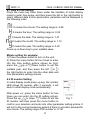
: It means the minute. The setting range is: 0-59
: It means the hour. The setting range is: 0-23
: It means the date. The setting range is: 1-31
: It means the month. The setting range is: 1-12
: It means the year. The setting range is: 0-20
Press up or down key to your suitable value.
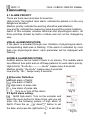
Minute setting for example:
1) Press the power button to turn on the unit.
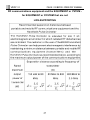
2) Press the menu button for four times to enter
into the time setting picture shown as fig.6:
press the
up or
down button to set the
suitable year, and then press the left
or
the right button to enter into the other date and
time parameters setting pictures.
4.2 ID number Setting
In initial display mode press up key, the number
LED shows ID number, after 3 seconds, it will
back to initial display mode automatically.
After power on, press the menu button for two
times you can enter into the ID setting picture.
Fig. 7
Press the up
or down
button to set the
ID number and then press the menu button to
confirm your selection and enter into other parameter setting picture. It
will turn to the normal measuring picture if there is no button pressed for
one minute. The setting range of ID number is: 0-127
11