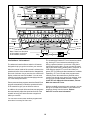
1
3
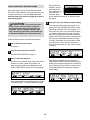
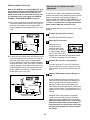
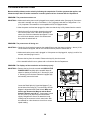
CAUTION: Before operating the
Make sure the on/off circuit breaker is in the on
position.
console, read the following precautions.
Locate the on/off circuit
breaker on the treadmill
near the power cord.
Make sure the on/off circuit breaker is in the on
position.
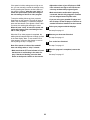
• Do not stand on the walking belt when turning on the power.
• Always wear the clip (see the drawing below)
whilst operating the treadmill.
• Adjust the speed in small increments to
avoid sudden jumps in speed.
4
• To reduce the possibility of electric shock,
keep the console dry. Avoid spilling liquids
on the console and place only a sealed water
bottle in the water bottle holder.
5
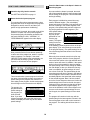
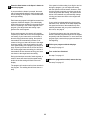
Enter your weight.
Although you can use the console without entering your weight, the console will count your calorie
expenditure more accurately if you enter your
weight. To enter your weight, press either of the
Age/Weight Set buttons. The words “ENTER
WEIGHT” and the current weight setting will appear in the main display. Press the Age/Weight
Set buttons again to enter your weight. The buttons can be held down to enter your weight
quickly. Your weight will then be saved in memory.
GETTING STARTED
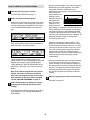
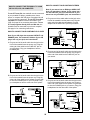
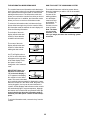
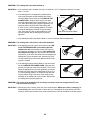
Attach the clip to the waistband of your clothes.
Stand on the foot rails
of the treadmill. Find
Clip
the clip attached to the
key and slide the clip
onto the waistband of
your clothes. Next, insert the key into the
console. Test the clip by carefully taking a few
steps backward until the key is pulled from the
console. If the key is not pulled from the console, adjust the position of the clip as needed.
Then, remove the key from the console.
2
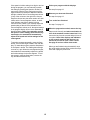
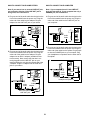
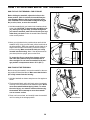
Insert the key fully into the console.
Stand on the foot rails of the treadmill. Attach the
clip securely to the waistband of your clothes.
Next, insert the key into the console. After a
moment, the program display and the main display
will light. Note: When the key is inserted, the
treadmill incline system may automatically
calibrate itself—the treadmill will rise to the highest
incline level and then return to the lowest incline
level. During calibration, the left side of the main
display will show two dashes (– –) and the segment time indicator will flash.
• The pulse sensors are not medical devices.
Various factors, including the user’s movement, may affect the accuracy of heart rate
readings. The pulse sensors are intended
only as an exercise aid in determining heart
rate trends in general.
1
On
Position
To use the manual mode of the console, follow the
steps beginning on page 12. To use a preset program,
see page 14. To create and use a custom program,
see pages 16 and 17. To use a heart rate program,
see page 18. To use an iFIT.com CD or video program, see page 22. To use an iFIT.com program directly from our Web site, see page 24.
Plug in the power cord.
See HOW TO PLUG IN THE POWER CORD on
page 9.
11