1
ASSEMBLING AND PREPARING
ENGLISH
ENG
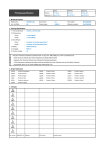
Parts and buttons
13
(Only LB56**, LB55**, LB62**-TA)
Screen
Joystick button
( *This button is located below the TV
screen.)
Speakers
Remote control sensor
Power Indicator
(Only LB62**-TF)
Screen
Joystick button
( *This button is located below the TV
screen.)
Speakers
Remote control sensor
Power Indicator
NOTE
yy You can set the power indicator light to on or off by selecting OPTION in the main menus.