1
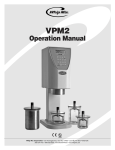
VPM2 Operation Manual
Troubleshooting
Start Button Does Not Start the Program – Reset the
unit (cycle the power off then back on) and try again. If the
problem persists the button is probably bad and needs to
be replaced. Call technical support.
Unit Will Not Turn On – Check the power cord to make
sure the unit is plugged into a working outlet. Make sure
the power switch is in the on position. Check the fuse in
the fuseholder of the power connector. The unit is shipped
with a spare fuse in the fuseholder. Note: Use only a 5
amp fast acting fuse.
Maintenance/Cleaning
Painted Surface – The VPM2 has been painted with
special epoxy based powder coat paint. To clean the
surface, use Windex® or water and a clean cloth. Never
use Windex® on the display screen as this may cause the
screen to become dry and easy to scratch.
Motor Will Not Start – Check for vacuum, by looking at
the vacuum display bars >>>>. If the bars do not go all
the way across the screen, vacuum is low. If the unit does
not sense enough vacuum the motor will not start. Make
sure all seals are in place and are clean and free of debris.
Make sure the vacuum filter is not clogged. Make sure
the paddle is engaged properly. Try a different paddle
and bowl. If they work, order a replacement for the size
that does not work. If a loud clicking noise is heard
when the paddle is supposed to begin turning call
technical support.
Bowls – Keep bowls clean. Residual materials, set
gypsum or investment, can create contamination issues.
Replace bowls when they show signs of wear. Worn
bowls can reduce reactions of phosphate investments
resulting in casting inconsistency. For a list of solvents
that will harm the bowls call technical support.
O-Ring Maintenance – Lubriplate has been applied to
the O-Rings of the VPM2 to maintain suppleness. If the
O-Rings dry they may not seal properly. Apply Lubriplate
monthly to maintain the O-Rings on both the lids and
VPM2.
Program Restarts – If the vacuum drops in the middle of
a program, the program will play a warning sound and
bowl will drop. The program will stop and go back to the
program selection screen. Check to make sure the correct
program is selected. Reposition the bowl and ensure a
good seal before leaving the bowl.
Vacuum Filter – An extra filter has been supplied with the
VPM2. Replace the filter when the vacuum is clogged or
the filter is soiled. Preventing the vacuum pump becoming
contaminated will extend the life of the VPM2.
Display Is Not Working – Check to see if the unit is on.
Reset (cycle the power off then back on) the unit; if the
start-up tune is played but the display is still blank call
technical support.
Warranty
Replacement Parts
The VPM2 is covered by a standard Whip Mix three year
warranty. All parts and labor for three years on purchases
made after 9/1/05.
Part #
Description
4485
300 mL Vac-U-Mixer
6585
500 mL Vac-U-Mixer
Service
6685
875 mL Vac-U-Mixer
7685
1,200 mL Vac-U-Mixer
5515
Inlet Filter
5516
O-Ring
Contact Information:
800-626-5651 or 502-637-1451
361 Farmington Ave.
P.O. Box 17183
Louisville, KY 40217 USA
5550
5 Amp Fuse (Package of 2)
5520
Control Pad Overlay
MPL30485 6/07
15705 VPM2 Manual.indd 8
6/29/07 2:40:23 PM