1
Operation
Setting colour temperature and colours
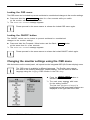
Call the Colour setting window
Select the colour temperature
The "warmth" of the screen colours is set using the colour temperature. The
colour temperature is measured in K (= Kelvin). You can choose between
sRGB, 6500 K, 9300 K, Native and Custom Colour.
The options sRGB, Native and Custom colour are only available in the Office
setting mode.
In the user-defined setting you can change the colour ratios of the basic
colours (red, green, blue) as required.
Adjusting the display of the OSD menu
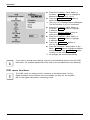
Calling the OSD Setup adjustment window
Language
Selecting the language for the OSD menu
OSDH position
With this function you choose between English (default setting), French,
German, Italian and Spanish as the language for the OSD menu.
Setting the horizontal position of the OSD menu
OSDV position
With this function you can move the OSD menu to the left or to the right.
Setting the vertical position of the OSD menu
OSDTimeout
With this function you can move the OSD menu up or down.
Setting the display duration of the OSD menu
With this function you can select a value from 10 to 120 seconds.
OSD Rotation
If the set time expires without a setting being made, the OSD menu is
automatically hidden.
With this function you switch the OSD menu from portrait mode to landscape
mode and vice versa.
Off = The OSD menu is displayed in portrait mode.
On = The OSD menu is displayed in landscape mode.
20
A26361-K1255-Z120-1-7619, edition 1