1
AS2000 AS SETUP
____________________________________________________________________ _______________________
1.4 Setting Up Injection Event Parameters
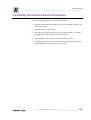
Use the following procedure to set up injection events.
1. Open the Instrument Setup window.Choose one (AS2000, AS 800, AS
9000) setup button.
2. Select the Injection Events tab.
3. In the Injector Control group, specify the sample volume , air volume ,
injection delay, pull-out delay, and injection speed.
4. In the Sample Cleans group, specify the number of cleans.
5. In the Pull-Ups group, specify the number of pull-ups, the volume to be
pulled up, and how much time between pull-ups.
___________________________________________AS 2000 Autosampler User’s Manual ______________________________
1-13