1
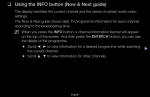
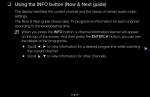
❑❑ Using the INFO button (Now & Next guide)
The display identifies the current channel and the status of certain audio-video
settings.
The Now & Next guide shows daily TV programme information for each channel
according to the broadcasting time.
NN When you press the INFO button, a channel information banner will appear
on the top of the screen. And then press the ENTERE button, you can see
the details of the programme.
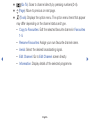
●● Scroll ◄, ► to view information for a desired programme while watching
the current channel.
●● Scroll ▲, ▼ to view information for other channels.
English
▶
❑❑ Memorising channels
■■ Aerial
OO MENUm → Broadcasting → Aerial → ENTERE
Before your television can begin memorising the available channels, you must
specify the type of signal source that is connected to the TV.
◀
▶
English
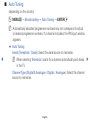
■■ Auto Tuning
(depending on the country)
OO MENUm → Broadcasting → Auto Tuning → ENTERE
NN Automatically allocated programme numbers may not correspond to actual
or desired programme numbers. If a channel is locked, the PIN input window
appears.
●● Auto Tuning
Aerial (Terrestrial / Cable): Select the aerial source to memorise.
◀
NN When selecting Terrestrial, scans for a channel automatically and stores ▶
in the TV.
Channel Type (Digital & Analogue / Digital / Analogue): Select the channel
source to memorise.
English
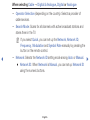
When selecting Cable → Digital & Analogue, Digital or Analogue
–– Operator Selection (depending on the country): Selects a provider of
cable services.
–– Search Mode: Scans for all channels with active broadcast stations and
stores them in the TV.
NN If you select Quick, you can set up the Network, Network ID,
Frequency, Modulation and Symbol Rate manually by pressing the
button on the remote control.
◀
–– Network: Selects the Network ID setting mode among Auto or Manual.
●● Network ID: When Network is Manual, you can set up Network ID
using the numeric buttons.
English
▶
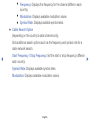
●● Frequency: Displays the frequency for the channel (differs in each
country).
●● Modulation: Displays available modulation values.
●● Symbol Rate: Displays available symbol rates.
●● Cable Search Option
(depending on the country & cable channels only)
Sets additional search options such as the frequency and symbol rate for a
cable network search.
◀
Start Frequency / Stop Frequency: Set the start or stop frequency (differs in
each country).
Symbol Rate: Displays available symbol rates.
Modulation: Displays available modulation values.
English
▶
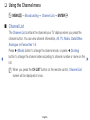
❑❑ Using the Channel menu
OO MENUm → Broadcasting → Channel List → ENTERE
■■ Channel List
◀
The Channel List contains the channels your TV displays when you press the
channel button. You can view channel information, All, TV, Radio, Data/Other,
Analogue or Favourites 1-5.
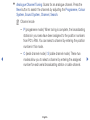
Press ► (Mode) button to change the channel mode, or press ◄ (Sorting)
button to change the channel order according to channel number or name on the
list.
NN When you press the CH LIST button on the remote control, Channel List
screen will be displayed at once.
English
▶
Channel Sorting
●● Number / Name: Arranges the channel order according to channel number
or name on the list.
Channel Mode
●● Aerial: Switches to Terrestrial or Cable.
●● Edit Favourites: Set channels you watch frequently as favourites.
NN For detailed information about using Edit Favourites, refer to “Edit
Favourites”.
◀
●● Favourites 1-5: Shows all favourite channels, arranged in up to five groups.
Each group has a separate screen.
NN The TV displays Favourites 1-5 only if you have added favourites using
Edit Favourites.
English
▶
●●
●●
●●
●●
All: Shows all currently available channels.
TV: Shows all currently available TV channels.
Radio: Shows all currently radio channels.
Data/Other: Shows all currently available MHP (Multimedia Home Platform) or
other channels.
●● Analogue: Shows all currently available analogue channels.
◀
▶
English
■■ Guide
OO MENUm → Broadcasting → Guide → ENTERE
The EPG (Electronic Programme Guide) information is provided by broadcasters.
Using programme schedules provided by broadcasters, you can specify
programmes you want to watch in advance so that the channel automatically
changes to the selected programme channel at the specified time. Programme
entries may appear blank or out of date depending on a channel status.
●● a Red (Quick Nav): Viewing the TV programmes on the list quickly using
◀
▲/▼/◄/► buttons.
●● b Green (Channel Category): Select the type of channels you want to
display.
●● { Yellow (Schedule Manager): Moves to the reserved programmes in
Schedule Manager.
English
▶
■■ Schedule Manager
OO MENUm → Broadcasting → Schedule Manager → ENTERE
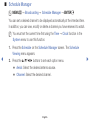
You can set a desired channel to be displayed automatically at the intended time.
In addition, you can view, modify or delete a channel you have reserved to watch.
NN You must set the current time first using the Time → Clock function in the
System menu to use this function.
1. Press the Schedule on the Schedule Manager screen. The Schedule
Viewing menu appears.
◀
2. Press the ▲/▼/◄/► buttons to set each option menu.
●● Aerial: Select the desired antenna source.
●● Channel: Select the desired channel.
English
▶
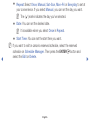
●● Repeat: Select Once, Manual, Sat~Sun, Mon~Fri or Everyday to set at
your convenience. If you select Manual, you can set the day you want.
NN The (c) mark indicates the day you’ve selected.
●● Date: You can set the desired date.
NN It is available when you select Once in Repeat.
●● Start Time: You can set the start time you want.
NN If you want to edit or cancel a reserved schedule, select the reserved
◀
schedule on Schedule Manager. Then press the ENTERE button and
select the Edit or Delete.
English
▶
■■ Edit Channel
OO MENUm → Broadcasting → Edit Channel → ENTERE
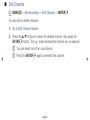
You can edit or delete channels.
1. Go to Edit Channel screen.
2. Press the ▲/▼ buttons to select the desired channel, then press the
ENTERE button. The (c) mark indicates the channel you’ve selected.
NN You can select more than one channel.
◀
NN Press the ENTERE again to deselect the channel.
English
▶
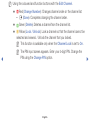
NN Using the coloured and function buttons with the Edit Channel.
●● a Red (Change Number): Changes channel order on the channel list.
–– E (Done): Completes changing the channel order.
●● b Green (Delete): Deletes a channel from the channel list.
●● { Yellow (Lock / Unlock): Lock a channel so that the channel cannot be
selected and viewed. / Unlock the channel that you locked.
◀
NN This function is available only when the Channel Lock is set to On.
NN The PIN input screen appears. Enter your 4-digit PIN. Change the
PIN using the Change PIN option.
English
▶
●● } Blue (Select All / Deselect All): Selects or deselects all channels at
once.
●●
(Go To): Goes to channel directly by pressing numbers (0~9).
●● k (Page): Move to previous or next page.
●● T (Tools): Displays the option menu. The option menu items that appear
may differ depending on the channel status and type.
–– Sorting (digital channels only): Changes the list ordered by channel
number or channel name.
◀
–– Aerial: Select the desired broadcasting signal.
English
▶
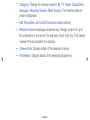
–– Category: Change the channel mode to All, TV, Radio, Data/Other,
Analogue, Recently Viewed, Most Viewed. The selected channel
mode is displayed.
–– Edit Favourites: Go to Edit Favourites screen directly.
–– Rename channel (analogue channels only): Assign a name of up to
five characters to a channel. For example, Food, Golf, etc. This makes
it easier to find and select the channel.
◀
–– Channel Info: Display details of the selected channel.
–– Information: Display details of the selected programme.
English
▶
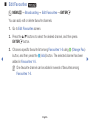
■■ Edit Favourites t
OO MENUm → Broadcasting → Edit Favourites → ENTERE
You can add, edit or delete favourite channels.
1. Go to Edit Favourites screen.
2. Press the ▲/▼ buttons to select the desired channel, and then press
ENTERE button.
◀
3. Choose a specific favourite list among Favourites 1-5 using b (Change Fav.)
button, and then press the } (Add) button. The selected channel has been
added in Favourites 1-5.
NN One favourite channel can be added in several of favourites among
Favourites 1-5.
English
▶
NN Using the coloured and function buttons with the Edit Favourites.
●● a Red (Category / Change order)
–– Category: Changes the channel mode to All, TV, Radio, Analogue,
Data/Other, Recently Viewed, Most Viewed. The selected channel
mode is displayed.
–– Change order: Changes the favourite channel order.
–– E (Done): Completes changing the channel order.
◀
▶
English
●● b Green (Change Fav.): Changes favourite list among Favourites 1-5.
●● { Yellow (Select All / Deselect All): Selects or deselects all channels at
once.
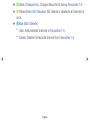
●● } Blue (Add / Delete)
–– Add: Adds selected channels to Favourites 1-5.
–– Delete: Deletes the favourite channel from Favourites 1-5.
◀
▶
English
●●
(Go To): Goes to channel directly by pressing numbers (0~9).
●● k (Page): Move to previous or next page.
●● T (Tools): Displays the option menu. The option menu items that appear
may differ depending on the channel status and type.
–– Copy to Favourites: Edit the selected favourite channel in Favourites
1-5.
◀
––
––
––
––
Rename Favourites: Assign your own favourite channel name.
Aerial: Select the desired broadcasting signal.
Edit Channel: Go to Edit Channel screen directly.
Information: Display details of the selected programme.
English
▶
❑❑ Locking Programme
■■ Programme Rating Lock
(depending on the country)
OO MENUm → Broadcasting → Programme Rating Lock → ENTERE
Prevent unauthorised users, such as children, from watching unsuitable
programme with a user-defined 4-digit PIN code. If the selected channel is
locked, the “\” symbol will be displayed.
◀
NN The items of Programme Rating Lock differs depending on the country.
English
▶
■■ Channel Lock
OO MENUm → Broadcasting → Channel Lock → ENTERE
Lock channels in Channel menu to prevent unauthorised users, such as children,
from watching unsuitable programme.
NN Available only when the Source is set to TV.
◀
▶
English
❑❑ Other Features
■■ Channel Settings
OO MENUm → Broadcasting → Channel Settings → ENTERE
●● Country (Area)
(depending on the country)
The PIN input screen appears. Enter your 4 digit PIN number.
◀
Digital Channel: Change the country for digital channels.
Analogue Channel: Change the country for analogue channels.
English
▶
●● Manual Tuning
Scans for a channel manually and stores in the TV.
NN If a channel is locked, the PIN input window appears.
NN According to the channel source, Manual Tuning may be supported.
●● Digital Channel Tuning: Scans for a digital channel manually and stores
◀
in the TV. Press the New button to search the digital channels. When
scanning has finished, a channel is updated in the channel list.
–– When selecting Aerial → Terrestrial: Channel, Frequency,
Bandwidth
–– When selecting Aerial → Cable: Frequency, Modulation, Symbol
Rate
English
▶
●● Analogue Channel Tuning: Scans for an analogue channel. Press the
New button to search the channels by adjusting the Programme, Colour
System, Sound System, Channel, Search.
NN Channel mode
–– P (programme mode): When tuning is complete, the broadcasting
stations in your area have been assigned to the position numbers
from P0 to P99. You can select a channel by entering the position
number in this mode.
◀
–– C (aerial channel mode) / S (cable channel mode): These two
modes allow you to select a channel by entering the assigned
number for each aerial broadcasting station or cable channel.
English
▶
●● Fine Tune
(analogue channels only)
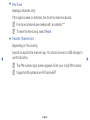
If the signal is weak or distorted, fine tune the channel manually.
NN Fine tuned channels are marked with an asterisk “*”.
NN To reset the fine-tuning, select Reset.
●● Transfer Channel List
(depending on the country)
◀
Imports or exports the channel map. You should connect a USB storage to
use this function.
NN The PIN number input screen appears. Enter your 4 digit PIN number.
NN Supported file systems are FAT and exFAT.
English
▶
■■ Subtitle t
OO MENUm → Broadcasting → Subtitle → ENTERE
Use this menu to set the Subtitle mode.
●● Subtitle: Switches subtitles on or off.
●● Subtitle Mode: Sets the subtitle mode.
NN If the programme you are watching does not support the Hearing
Impaired function, Normal automatically activates even if the Hearing
Impaired mode is selected.
◀
●● Subtitle Language: Sets the subtitle language.
English
▶
NN The available language may differ depending on the broadcast.
NN English is the default in cases where the selected language is unavailable
in the broadcast.
●● Primary Subtitle: Sets the primary subtitle.
●● Secondary Subtitle: Sets the secondary subtitle.
◀
▶
English
■■ Audio Options
(digital channels only)
OO MENUm → Broadcasting → Audio Options → ENTERE
●● Audio Language t
Change the default value for audio languages.
Primary Audio / Secondary Audio: You can set the primary or secondary
audio.
◀
NN The available language may differ depending on the broadcast.
English
▶
●● Audio Format
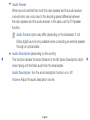
When sound is emitted from both the main speaker and the audio receiver,
a sound echo may occur due to the decoding speed difference between
the main speaker and the audio receiver. In this case, use the TV Speaker
function.
NN Audio Format option may differ depending on the broadcast. 5.1ch
Dolby digital sound is only available when connecting an external speaker
through an optical cable.
◀
●● Audio Description (depending on the country)
This function handles the Audio Stream for the AD (Audio Description) which
is sent along with the Main audio from the broadcaster.
Audio Description: Turn the audio description function on or off.
Volume: Adjust the audio description volume.
English
▶
■■ Teletext Language
(depending on the country)
OO MENUm → Broadcasting → Teletext Language → ENTERE
●● Teletext Language
NN English is the default in cases where the selected language is unavailable
in the broadcast.
●● Primary Teletext / Secondary Teletext
◀
NN Primary Teletext and Secondary Teletext may not be supported in
some locations.
English
▶
■■ Digital Text
(UK only)
OO MENUm → Broadcasting → Digital Text → ENTERE
If the programme broadcasts with digital text, this feature is enabled.
NN MHEG (Multimedia and Hypermedia Information Coding Experts Group)
◀
An International standard for data encoding systems used in multimedia and
hypermedia. This is at a higher level than the MPEG system which includes
data-linking hypermedia such as still images, character service, animation,
graphic and video files as well as multimedia data. MHEG is user runtime
interaction technology and is being applied to various fields including VOD
(Video-On-Demand), ITV (Interactive TV), EC (Electronic Commerce), tele
education, teleconferencing, digital libraries and network games.
English
▶
■■ Common Interface
OO MENUm → Broadcasting → Common Interface → ENTERE
●● CI Menu: This enables the user to select from the CAM-provided menu.
Select the CI Menu based on the menu CI Card.
●● CAM video transcoding: You can configure the setting to transcode the
video codec from the CAM automatically. Turn it Off if you do not want to use
it.
NN You must use a CAM that supports transcoding the video codec.
◀
▶
English
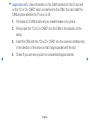
●● Application Info: View information on the CAM inserted into the CI slot and
on the “CI or CI+ CARD” which is inserted into the CAM. You can install the
CAM anytime whether the TV is on or off.
1. Purchase a CI CAM module at your nearest dealer or by phone.
2. Firmly insert the “CI or CI+ CARD” into the CAM in the direction of the
arrow.
3. Insert the CAM with the “CI or CI+ CARD” into the common interface slot,
in the direction of the arrow so that it aligns parallel with the slot.
◀
4. Check if you can see a picture on a scrambled signal channel.
English
▶
❑❑ Changing the Preset Picture Mode
■■ Picture Mode t
OO MENUm → Picture → Picture Mode → ENTERE
Select your preferred picture type.
NN When connecting a PC, you can only make changes to the Entertain and
Standard.
◀
●●
●●
●●
●●
Dynamic: Suitable for a bright room.
Standard: Suitable for a normal environment.
Movie: Suitable for watching movies in a dark room.
Entertain: Suitable for watching movies and games.
NN It is only available when connecting a PC.
English
▶
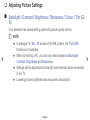
❑❑ Adjusting Picture Settings
■■ Backlight / Contrast / Brightness / Sharpness / Colour / Tint (G/
R)
Your television has several setting options for picture quality control.
NN NOTE
●● In analogue TV, Ext., AV modes of the PAL system, the Tint (G/R)
◀
function is not available.
●● When connecting a PC, you can only make changes to Backlight,
Contrast, Brightness and Sharpness.
●● Settings can be adjusted and stored for each external device connected
to the TV.
●● Lowering picture brightness reduces power consumption.
English
▶
■■ Picture Size
OO MENUm → Picture → Picture Size → ENTERE
Set the various picture options such as picture size and aspect ratio.
NN The available items may differ depending on the selected mode.
NN Depending on the input source, the picture size options may vary.
●● Picture Size t: Your cable box/satellite receiver may have its own set
◀
of screen sizes as well. However, we highly recommend you use 16:9 mode
most of the time.
Auto Wide: Automatically adjusts the picture size to the 16:9 aspect ratio.
16:9: Sets the picture to 16:9 wide mode.
English
▶
Wide Zoom: Magnifies the picture size more than 4:3.
NN Adjusts the Position by using ▲, ▼ buttons.
Zoom: Magnifies the 16:9 wide pictures vertically to fit the screen size.
NN Adjusts the Zoom or Position by using ▲, ▼ button.
4:3: Sets the picture to basic (4:3) mode.
NN Do not watch in 4:3 format for a long time. Traces of borders displayed
◀
on the left, right and centre of the screen may cause image retention
(screen burn) which are not covered by the warranty.
Screen Fit: Displays the full image without any cut-off when HDMI (720p /
1080i / 1080p) or Component (1080i / 1080p) signals are inputted.
English
▶
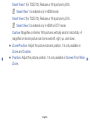
Smart View 1 (for T32E310): Reduces a 16:9 picture by 50%.
NN Smart View 1 is enabled only in HDMI mode.
Smart View 2 (for T32E310): Reduces a 16:9 picture by 25%.
NN Smart View 2 is enabled only in HDMI or DTV mode.
Custom: Magnifies or shrinks 16:9 pictures vertically and/or horizontally. A
magnified or shrunk picture can be moved left, right, up, and down.
●● Zoom/Position: Adjust the picture size and position. It is only available in
◀
Zoom and Custom.
●● Position: Adjust the picture position. It is only available in Screen Fit or Wide
Zoom.
English
▶
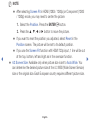
NN NOTE
●● After selecting Screen Fit in HDMI (1080i / 1080p) or Component (1080i
/ 1080p) mode, you may need to centre the picture:
1. Select the Position. Press the ENTERE button.
2. Press the ▲, ▼, ◄ or ► button to move the picture.
●● If you want to reset the position you adjusted, select Reset in the
◀
Position screen. The picture will be set to its default position.
●● If you use the Screen Fit function with HDMI 720p input, 1 line will be cut
at the top, bottom, left and right as in the overscan function.
●● 4:3 Screen Size: Available only when picture size is set to Auto Wide. You
can determine the desired picture size at the 4:3 WSS (Wide Screen Service)
size or the original size. Each European country requires different picture size.
English
▶
■■ PIP t
OO MENUm → Picture → PIP → ENTERE
You can watch the TV tuner and one external video source simultaneously. For
example, if you have a cable box connected to the Cable In jack, you can use
PIP to watch programmes from the cable box and watch a movie from a Blu-ray
player attached to the HDMI In jack. PIP does not function in the same mode.
NN NOTE
◀
●● If you turn the TV off while watching in PIP mode, the PIP window will
disappear.
●● You may notice that the picture in the PIP window becomes slightly
unnatural when you use the main screen to view a game or karaoke.
English
▶
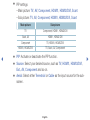
●● PIP settings
– Main picture: TV, AV, Component, HDMI1, HDMI2/DVI, Scart
– Sub picture: TV, AV, Component, HDMI1, HDMI2/DVI, Scart
◀
Main picture
Sub picture
TV
Component, HDMI1, HDMI2/DVI
Scart, AV
HDMI1, HDMI2/DVI
Component
TV, HDMI1, HDMI2/DVI
HDMI1, HDMI2/DVI
TV, Scart, AV, Component
●● PIP: Activate or deactivate the PIP function.
●● Source: Select your desired source, such as TV, HDMI1, HDMI2/DVI,
Ext., AV, Component and so on.
●● Aerial: Select either Terrestrial or Cable as the input source for the subscreen.
English
▶
●●
●●
●●
●●
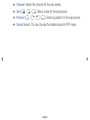
Channel: Select the channel for the sub-screen.
Size (õ / ä / ã): Select a size for the sub-picture.
Position (ã / – / — / œ): Select a position for the sub-picture.
Sound Select: You can choose the desired sound in PIP mode.
◀
▶
English
❑❑ Changing the Picture Options
■■ Advanced Settings
OO MENUm → Picture → Advanced Settings → ENTERE
(available in Standard / Movie mode)
You can adjust the detailed setting for the screen including colour and contrast.
NN When connecting a PC, you can only make changes to the White Balance
and Gamma.
◀
●● Dynamic Contrast: Adjust the screen contrast.
●● Black Tone: Select the black level to adjust the screen depth.
●● Flesh Tone: Adjust the flesh tone colour.
English
▶
●● RGB Only Mode: Displays the Red, Green and Blue colour for making fine
◀
adjustments to the hue and saturation.
●● Colour Space: Adjust the range of colours available to create the image.
●● White Balance: You can adjust the colour temperature of the picture to make
white objects look white, and the overall picture appear natural.
●● R-Offset / G-Offset / B-Offset: Adjusts each colour’s (red, green, blue)
darkness.
●● R-Gain / G-Gain / B-Gain: Adjusts each colour’s (red, green, blue)
brightness.
●● Reset: Resets the White Balance to its default settings.
English
▶
●● Gamma: Adjust the primary colour intensity.
●● Motion Lighting: Reduce power consumption by brightness control adapted
motion.
NN Only available in Standard mode.
NN When changing a setting value of Backlight, Brightness or Contrast,
Motion Lighting will be set to Off.
◀
▶
English
■■ Picture Options
OO MENUm → Picture → Picture Options → ENTERE
NN When connecting a PC, you can only make changes to the Colour Tone.
●● Colour Tone
NN Warm1 or Warm2 will be deactivated when the picture mode is
◀
Dynamic.
NN Settings can be adjusted and stored for each external device connected
to an input on the TV.
●● Digital Clean View: If the broadcast signal received by your TV is weak, you
can activate the Digital Clean View feature to reduce any static and ghosting
that may appear on the screen.
NN When the signal is weak, try other options until the best picture is
displayed.
English
▶
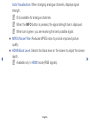
Auto Visualisation: When changing analogue channels, displays signal
strength.
NN Only available for analogue channels.
NN When the INFO button is pressed, the signal strength bar is displayed.
NN When bar is green, you are receiving the best possible signal.
●● MPEG Noise Filter: Reduces MPEG noise to provide improved picture
◀
quality.
●● HDMI Black Level: Selects the black level on the screen to adjust the screen
depth.
NN Available only in HDMI mode (RGB signals).
English
▶
●● Film Mode: Sets the TV to automatically sense and process film signals from
all sources and adjust the picture for optimum quality.
NN Available in TV mode and external input mode which supports SD (480i /
576i) and HD (1080i) except in PC mode.
NN If the screen does not seem natural, change its option to Off / Auto1 /
Auto2 in Film Mode.
●● LED Clear Motion: Removes drag from fast scenes with a lot of movement
◀
to provide a clear picture.
NN The screen may become slightly darker when you play LED Clear
Motion.
English
▶
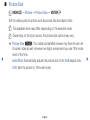
■■ Picture Off t
OO MENUm → Picture → Picture Off → ENTERE
The screen is turned off but the sound remains on. Press any button except
power and volume button to turn on the screen.
■■ Reset Picture
OO MENUm → Picture → Reset Picture → ENTERE
Resets your current picture mode to its default settings.
◀
▶
English
❑❑ Changing the Preset Sound Mode
■■ Sound Mode
OO MENUm → Sound → Sound Mode → ENTERE
◀
●●
●●
●●
●●
●●
Standard: Selects the normal sound mode.
Music: Emphasises music over voices.
Movie: Provides the best sound for movies.
Clear Voice: Emphasises voices over other sounds.
Amplify: Increase the intensity of high-frequency sound to allow a better
listening experience for the hearing impaired.
NN If Speaker Select is set to External Speaker, Sound Mode is disabled.
English
▶
❑❑ Adjusting Sound Settings
■■ Sound Effect
(standard sound mode only)
OO MENUm → Sound → Sound Effect → ENTERE
●● DTS TruSurround HD
◀
This function provides a virtual 5.1 channel surround sound experience
through a pair of speakers using HRTF (Head Related Transfer Function)
technology.
●● DTS TruDialog
This function allows you to increase the intensity of a voice over background
music or sound effects so that dialogue can be heard more clearly.
English
▶
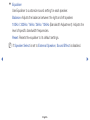
●● Equaliser
Use Equaliser to customize sound setting for each speaker.
Balance: Adjusts the balance between the right and left speaker.
100Hz / 300Hz / 1kHz / 3kHz / 10kHz (Bandwidth Adjustment): Adjusts the
level of specific bandwidth frequencies.
Reset: Resets the equaliser to its default settings.
NN If Speaker Select is set to External Speaker, Sound Effect is disabled.
◀
▶
English
■■ Speaker Settings
OO MENUm → Sound → Speaker Settings → ENTERE
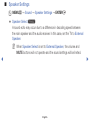
●● Speaker Select t
A sound echo may occur due to a difference in decoding speed between
the main speaker and the audio receiver. In this case, set the TV to External
Speaker.
NN When Speaker Select is set to External Speaker, the volume and
MUTE buttons will not operate and the sound settings will be limited.
◀
▶
English
NN When Speaker Select is set to External Speaker.
●● TV Speaker: Off, External Speaker: On
NN When Speaker Select is set to TV Speaker.
●● TV Speaker: On, External Speaker: On
NN If there is no video signal, both speakers will be mute.
◀
▶
English
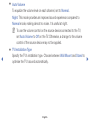
●● Auto Volume
To equalize the volume level on each channel, set to Normal.
Night: This mode provides an improved sound experience compared to
Normal mode, making almost no noise. It is useful at night.
NN To use the volume control on the source device connected to the TV,
set Auto Volume to Off on the TV. Otherwise, a change to the volume
control of the source device may not be applied.
●● TV Installation Type
◀
Specify the TV's installation type. Choose between Wall Mount and Stand to
optimise the TV's sound automatically.
English
▶
■■ Additional Settings
OO MENUm → Sound → Additional Settings → ENTERE
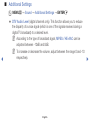
●● DTV Audio Level (digital channels only): This function allows you to reduce
◀
the disparity of a voice signal (which is one of the signals received during a
digital TV broadcast) to a desired level.
NN According to the type of broadcast signal, MPEG / HE-AAC can be
adjusted between -10dB and 0dB.
NN To increase or decrease the volume, adjust between the range 0 and -10
respectively.
English
▶
●● Digital Audio Out: Digital Audio out is used to provide digital sound, reducing
interference going to speakers and various digital devices such as a DVD
player.
Audio Format: You can select the Digital Audio output format. The available
Digital Audio output format may differ depending on the input source.
NN By connecting to 5.1ch speakers in a Dolby Digital setup, maximize your
◀
interactive 3D sound experience.
Audio Delay: Correct audio-video sync problems, when watching TV or
video, and when listening to digital audio output using an external device such
as an AV receiver (0ms ~ 250ms).
English
▶
●● Dolby Digital Comp: This function minimizes signal disparity between a dolby
digital signal and a voice signal (i.e. MPEG Audio, HE-AAC, ATV Sound).
NN Select Line to obtain dynamic sound, and RF to reduce the difference
between loud and soft sounds at night time.
Line: Set the output level for signals greater or less than -31dB (reference) to
either -20dB or -31dB.
RF: Set the output level for signals greater or less than -20dB (reference) to
either -10dB or -20dB.
◀
■■ Reset Sound
OO MENUm → Sound → Reset Sound → ENTERE
Reset all sound settings to the factory defaults.
English
▶
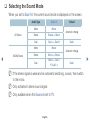
❑❑ Selecting the Sound Mode
When you set to Dual I-II, the current sound mode is displayed on the screen.
A2 Stereo
◀
NICAM Stereo
Audio Type
Dual I-II
Mono
Mono
Stereo
Stereo ↔ Mono
Dual
Dual I ↔ Dual II
Mono
Mono
Stereo
Mono ↔ Stereo
Dual
Mono → Dual I
Dual II
Default
Automatic change
Dual I
Automatic change
Dual I
NN If the stereo signal is weak and an automatic switching, occurs, then switch
to the mono.
NN Only activated in stereo sound signal.
NN Only available when the Source is set to TV.
English
▶
❑❑ Executing initial setup
■■ Setup
OO MENUm → System → Setup → ENTERE
Configure the channels and the time when setting up the TV for the first time or
when resetting the unit.
NN Execute the initial setup following instructions that the TV guides.
◀
▶
English
❑❑ Setting the Time
■■ Time
OO MENUm → System → Time → ENTERE
The current time will appear every time you press the INFO button.
●● Clock: Setting the clock is for using various timer features of the TV.
NN If you disconnect the power cord, you have to set the clock again.
Clock Mode: Set up the current time manually or automatically.
◀
–– Auto: Set the current time automatically using the time from a digital
channel.
English
▶
NN The aerial must be connected in order to set the time automatically.
–– Manual: Set the current time manually.
NN Depending on the broadcast station and signal, the auto time set up may
not be correct. In this case, set the time manually.
◀
▶
English
Clock Set: Set the Date and Time.
NN Available only when Clock Mode is set to Manual.
NN You can set the Date and Time directly by pressing the number buttons
on the remote control.
Time Zone (depending on the country): Select your time zone.
NN This function is only available when the Clock Mode is set to Auto.
NN When selecting Manual in Time Zone, GMT and DST will be activated.
◀
▶
English
❑❑ Using the Sleep Timer
OO MENUm → System → Time → Sleep Timer → ENTERE
●● Sleep Timer t: Automatically shuts off the TV after a preset period of
time. (30, 60, 90, 120, 150 and 180 minutes)
NN Use the ▲/▼ buttons to select a period of time, and then press
ENTERE. To cancel the Sleep Timer, select Off.
◀
▶
English
❑❑ Setting the On / Off Timer
OO MENUm → System → Time → On Timer <or> Off Timer → ENTERE
●● On Timer: You can set up three separate On Timer configurations. (On Timer
1, On Timer 2, On Timer 3)
Setup: Select Off, Once, Everyday, Mon~Fri, Mon~Sat, Sat~Sun or
Manual to set at your convenience. If you select Manual, you can set up the
day you want to activate the timer.
◀
NN The c mark indicates the day you’ve selected.
Time: Set the hour and minute.
Volume: Set the desired volume level.
English
▶
Source: To select the source of the content that will play when the TV turns
on. You can:
–– Select TV and have the TV display a specific air or cable channel.
–– Select USB and have the TV play back photo or audio files from a USB
device.
–– Select a source on your TV (HDMI1, HDMI2/DVI, AV, Component, etc.)
◀
that you have connected a set-top box to, and have the TV display a
channel from the set-top box.
NN The USB device must be connected to your TV before you can select
USB.
English
▶
NN If you select a source other than TV or USB, you must:
●● Have a cable or satellite set-top box attached to that source
●● Set the set-top box to the channel you want to watch when the TV
goes on
●● Leave the set-top box turned on.
NN When you select a source other than TV, the Aerial and Channel options
will disappear.
Aerial (when the Source is set to TV): Select ATV or DTV.
◀
Channel (when the Source is set to TV): Select the desired channel.
English
▶
Music / Photo (when the Source is set to USB): Select a folder in the USB
device containing music or photo files to be played when the TV is turned on
automatically.
–– If there is no music file on the USB device or the folder containing a music
file is not selected, the timer function does not operate correctly.
–– When there is only one photo file in the USB device, the slide show will not
play.
◀
–– If a folder name is too long, the folder cannot be selected.
–– Each USB you use is assigned its own folder. When using more than one
of the same type of USB, make sure the folders assigned to each USB
have different names.
English
▶
–– It is recommended that you use a USB memory stick and a multi card
reader when using On Timer.
–– The On Timer function may not work with USB devices with a built-in
battery, MP3 players, or PMPs made by some manufacturers because
these devices take a long time to be recognised.
●● Off Timer: You can set up three separate Off Timer configurations. (Off Timer
◀
1, Off Timer 2, Off Timer 3)
Setup: Select Off, Once, Everyday, Mon~Fri, Mon~Sat, Sat~Sun or
Manual to set at your convenience. If you select Manual, you can set up the
day you want to activate the timer.
NN The c mark indicates the day you’ve selected.
Time: Set the hour and minute.
English
▶
❑❑ Economical Solutions
■■ Eco Solution
OO MENUm → System → Eco Solution → ENTERE
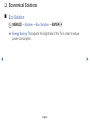
●● Energy Saving: This adjusts the brightness of the TV in order to reduce
power consumption.
◀
▶
English
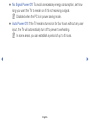
●● No Signal Power Off: To avoid unnecessary energy consumption, set how
long you want the TV to remain on if it’s not receiving a signal.
NN Disabled when the PC is in power saving mode.
●● Auto Power Off: If the TV remains turned on for four hours without any user
input, the TV will automatically turn off to prevent overheating.
NN In some areas, you can establish a period of up to 8 hours.
◀
▶
English
❑❑ Other Features
■■ Menu Language
OO MENUm → System → Menu Language → ENTERE
Set the menu language.
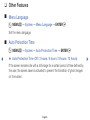
■■ Auto Protection Time
OO MENUm → System → Auto Protection Time → ENTERE
◀
●● Auto Protection Time (Off / 2 hours / 4 hours / 8 hours / 10 hours):
If the screen remains idle with a still image for a certain period of time defined by
the user, the screen saver is activated to prevent the formation of ghost images
on the screen.
English
▶
■■ General
OO MENUm → System → General → ENTERE
●● Game Mode: When connecting to a game console such as PlayStation™ or
Xbox™, you can enjoy a more realistic gaming experience by selecting game
mode.
NN NOTE
●● Precautions and limitations for game mode
–– To disconnect the game console and connect another external
◀
device, set Game Mode to Off in the setup menu.
–– If you display the TV menu in Game Mode, the screen shakes
slightly.
English
▶
●● Game Mode is not available in TV mode.
●● After connecting the game console, set Game Mode to On.
Unfortunately, you may notice reduced picture quality.
●● If Game Mode is On:
–– Picture Mode is set to Standard and Sound Mode is set to
Movie.
●● Panel Lock: Lock or unlock all the keys on the panel at once. when Panel
◀
Lock is on, none of the keys on the panel will work.
●● Boot Logo: Display Samsung logo when the TV is turned on.
English
▶
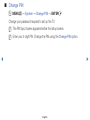
■■ Change PIN
OO MENUm → System → Change PIN → ENTERE
Change your password required to set up the TV.
NN The PIN input screen appears before the setup screen.
NN Enter your 4-digit PIN. Change the PIN using the Change PIN option.
◀
▶
English
■■ DivX® Video On Demand
OO MENUm → System → DivX® Video On Demand → ENTERE
Shows the registration code authorised for the TV. If you connect to the DivX
web site and register with 10-digit registration code, you can download the VOD
activation file.
Once you play it using Videos, the registration is completed.
NN For more information on DivX® VOD, visit http://vod.divx.com.
◀
▶
English
❑❑ Using the Source List
■■ Source List
OO MENUm → Applications → Source List → ENTERE
NN When you press the SOURCE button, Source screen will be displayed at
once.
NN You can only choose external devices that are connected to the TV. In
Source, connected inputs are highlighted.
◀
NN For the detailed information, refer to User Manual.
English
▶
❑❑ Connecting a USB Device
1. Turn on your TV.
2. Connect a USB device containing photo, music and movie files to the USB
port on the side of the TV.
3. When USB is connected to the TV, popup window appears. You can select
the Photos, Videos or Music directly.
◀
▶
English
NN It might not work properly with unlicenced multimedia files.
NN Need-to-Know List before using Media Contents
●● MTP (Media Transfer Protocol) is not supported.
●● Supported file systems are FAT,exFAT and NTFS.
●● Certain types of USB Digital camera and audio devices may not be
◀
compatible with this TV.
●● Media Play only supports sequential jpeg format.
●● Media Play only supports USB Mass Storage Class (MSC) devices. MSC
is a Mass Storage Class Bulk-Only Transport device. Examples of MSC
are Thumb drives, Flash Card Readers (USB HUB are not supported).
Devices should be connected directly to the TV’s USB port.
English
▶
●● Before connecting your device to the TV, please back up your files to
●●
●●
●●
●●
◀
●●
prevent them from damage or loss of data. SAMSUNG is not responsible
for any data file damage or data loss.
Do not disconnect the USB device while it is loading.
The higher the resolution of the image, the longer it takes to display on
the screen.
The maximum supported JPEG resolution is 15360 x 8640 pixels.
For unsupported or corrupted files, the “Not Supported File Format”
message is displayed.
The scene search and thumbnail functions are not supported in the
Videos.
English
▶
●● MP3 files with DRM that have been downloaded from a non-free site
◀
cannot be played. Digital Rights Management (DRM) is a technology that
supports the creation, distribution and management of the content in an
integrated and comprehensive way, including the protection of the rights
and interests of the content providers, the prevention of the illegal copying
of contents, as well as managing billings and settlements.
●● PTP connection mode is fully available only with digital cameras. When
connecting a smartphone or tablet to the TV using PTP mode, it may not
be recognised.
●● A USB device that requires high power (more than 500mA or 5V) may
not be supported. The HDD (Hard Disk Drive) connected to USB is not
supported.
●● If the TV has been no input during time set in Auto Protection Time, the
screen saver will run.
English
▶
●● If a USB extension cable is used, the USB device may not be recognised
◀
or the files on the device may not be read.
●● If a USB device connected to the TV is not recognised, the list of files on
the device is corrupted or a file in the list is not played, connect the USB
device to the PC, format the device and check the connection.
●● If a file deleted from the PC is still found when Media Contents is run, use
the “Empty the Recycle Bin” function on the PC to permanently delete the
file.
●● If the number of files and folders saved on a USB storage device is
approximately over 4000, the files and folders may not appear and some
folders may not be opened.
English
▶
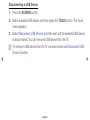
Disconnecting a USB Device
1. Press the SOURCE button.
2. Select a desired USB device, and then press the TOOLS button. The Tools
menu appears.
3.Select Disconnect USB Device, and then wait until the selected USB device
is disconnected. You can remove a USB device from the TV.
NN To remove a USB device from the TV, we recommend use Disconnect USB
Device function.
◀
▶
English
❑❑ Using the Media Contents
OO MENUm → Applications → Media Play → ENTERE
Enjoy photos, music and movie files saved on a USB Mass Storage Class (MSC)
device.
1. Press the MEDIA.P button.
2.Press ◄/► button to select desired menu (Photos, Videos, Music), then
press the ENTERE button.
◀
3.Press ◄/► button to select desired device, then press the ENTERE button
again.
4. Press the ▲/▼/◄/► button to select the desired file in the list, then press the
ENTERE button or ∂ (Play) button.
English
▶
Playing the selected files
1. Press the ▲ button to select Options at the top of each main screen and
select Play Selected.
2. Select the desired files.
NN The check box appears to the left of the selected files.
NN Press ENTERE button again to deselect the file.
◀
3. Press the ▲ button to select Play.
NN You can select or deselect all files pressing the Select All / Deselect All.
English
▶
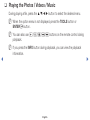
❑❑ Playing the Photos / Videos / Music
During playing a file, press the ▲/▼/◄/► button to select the desired menu.
NN When the option menu is not displayed, press the TOOLS button or
ENTERE button.
NN You can also use ∂/∑/∫/π/µ buttons on the remote control during
playback.
NN If you press the INFO button during playback, you can view the playback
information.
◀
▶
English
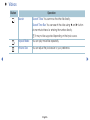
Playback menu
Button
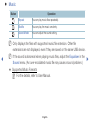
Operation
Photos
/
Previous / Next
●
Start Slide Show / Stop Slide Show
●
Play / Pause
/
Previous / Next
/
Rewind / Fast Forward
/
◀
Videos
Music
Mini Player*
●
●
Mini Player*
●
●
●
●
* When setting the Background Music to Mini Player in Photos, these buttons appear.
English
▶
Setting menu
●● Photos
Button
◀
Operation
Slideshow Settings
You can set the Speed and Effects during the slide show.
Zoom
You can zoom the image.
Rotate
You can rotate images in full screen mode.
Background Music /
Mini Player
You can set background music when watching a slide show. /
You can control simple playback menus.
Settings
Picture Mode / Sound Mode: You can adjust the picture or
sound setting.
Information: You can see detailed information about the played
file.
English
▶
NN During the slide show, all files in the file list will be displayed in order.
NN When you press the ∂ (Play) button (or ▲ button → Options → Slide
Show) in the file list, slide show will be started immediately.
NN During the slide show, you can adjust the slide show speed using π (REW)
or µ (FF) button.
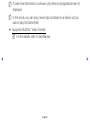
●● Supported Photo Formats
NN For the details, refer to User Manual.
◀
▶
English
●● Videos
Button
Operation
Search
Search Titles: You can move the other file directly.
Search Time Bar: You can search the video using ◄ and ► button
at one minute interval or entering the number directly.
NN It may not be supported depending on the input source.
Repeat Mode
You can play movie files repeatedly.
Picture Size
You can adjust the picture size to your preference.
◀
▶
English
Button
Operation
Settings
Subtitle Settings: You can play the video with subtitles. This function
only works if the subtitles are the same file name as the video.
Picture Mode / Sound Mode: You can adjust the picture or sound
setting.
Audio Language: You can change the audio language if the video
has more than one language.
Information: You can see detailed information about the played file.
◀
▶
English
NN If video time information is unknown, play time and progress bar are not
displayed.
NN In this mode, you can enjoy movie clips contained on a Game, but you
cannot play the Game itself.
●● Supported Subtitle / Video Formats
NN For the details, refer to User Manual.
◀
▶
English
●● Music
Button
Operation
Repeat
You can play music files repeatedly.
Shuffle
You can play the music randomly.
Sound Mode
You can adjust the sound setting.
NN Only displays the files with supported music file extension. Other file
extensions are not displayed, even if they are saved on the same USB device.
◀
NN If the sound is abnormal when playing music files, adjust the Equaliser in the
Sound menu. (An over-modulated music file may cause a sound problem.)
●● Supported Music Formats
NN For the details, refer to User Manual.
English
▶
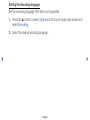
Setting the Encoding language
Set the encoding language if the text is not supported.
1. Press the ▲ button to select Options at the top of music main screen and
select Encoding.
2. Select the desired encoding language.
◀
▶
English
❑❑ Viewing the e-Manual
■■ e-Manual
OO MENUm → Support → e-Manual → ENTERE
You can read the introduction and instructions about the TV features stored in
your TV.
NN For the detailed information about e-Manual Screen, refer to “How to use the
e-Manual” in User Manual.
◀
▶
English
❑❑ Using the Self Diagnosis
■■ Self Diagnosis
OO MENUm → Support → Self Diagnosis → ENTERE
NN Self Diagnosis might take few seconds, this is part of the normal operation
of the TV.
◀
●● Picture Test: Use to check for picture problems.
●● Sound Test: Use the built-in melody sound to check for sound problems.
NN If you hear no sound from the TV’s speakers, before performing the
sound test, make sure Speaker Select is set to TV Speaker in the
Sound menu.
English
▶
NN The melody will be heard during the test even if Speaker Select is set to
External Speaker or the sound is muted by pressing the MUTE button.
●● Signal Information (digital channels only): HDTV channel’s reception quality
is either perfect or the channels are unavailable. Adjust your aerial to increase
signal strength.
●● Reset: Reset all settings to the factory defaults.
NN The PIN input screen appears before the setup screen.
NN Enter your 4-digit PIN. Change the PIN using the Change PIN option.
◀
▶
English
❑❑ Updating the Software
■■ Software Update
OO MENUm → Support → Software Update → ENTERE
The Software Update menu lets you upgrade your TV’s software to the latest
version.
NN When software is upgraded, video and audio settings you have made will
◀
return to their default settings. We advise you to write down your settings so
that you can easily reset them after the upgrade.
English
▶
●● Update now
The TV's firmware can be updated through either USB connection or broadcast
signal.
–– By USB: Insert a USB drive containing the firmware upgrade file,
downloaded from “www.samsung.com” into the TV.
NN Please be careful not to disconnect the power or remove the USB
drive until upgrades are complete. The TV will be turned off and on
automatically after completing the firmware upgrade.
◀
▶
English
–– By Channel: Upgrade the software using the broadcasting signal.
NN If the function is selected during the software transmission period,
software will be automatically searched and downloaded.
NN The time required to download the software is determined by the
signal status.
●● Auto update: This option upgrades the TV while it is in Standby Mode. This
◀
allows the TV to upgrade itself automatically while it is not in use. Because
the TV’s internal processes are operating, the screen may emit a faint glow,
and this may continue for more than 1 hour until the software download is
complete.
English
▶
❑❑ Changing the Use Mode
■■ Use Mode
OO MENUm → Support → Use Mode → ENTERE
Select the Use Mode suitable for your place. We strongly recommend you select
Home Use.
●● Home Use: Home Use is the default setting.
●● Store Demo: Store Demo is for retail environments only. If you select Store
◀
Demo, some functions will not work, and the picture settings will be reset
every 5 minutes.
English
▶
❑❑ Viewing the Contact Samsung
■■ Contact Samsung
OO MENUm → Support → Contact Samsung → ENTERE
View this information when your TV does not work properly or when you want to
upgrade the software. You can find information regarding our call centres, and
how to download products and software.
◀
▶
English
❑❑ Using the Sports Mode Settings (for Russia)
■■ Sports Mode Settings t
OO MENUm → Applications → Sports Mode Settings → ENTERE
You can use Sports Mode to get optimal picture and sound settings for sports
events, making them appear and sound as if you are there.
●● Sports Mode
◀
You can set Sports Mode to On to optimize the picture and sound modes of
the TV automatically for sporting events.
●● a (Zoom): Pause playback and divide the picture into 9 parts. Select a
part to zoom it in. Press this button again to resume.
NN Enabling Sports Mode changes Picture Mode to Stadium and Sound
Mode to Stadium, and disables some Picture and Sound menus.
English
▶
●● Sports Type
You can enjoy optimal picture and sound settings for a selected sports type.
Select from FOOTBALL and Ice Hockey.
NN If you turn the TV off while watching Sports Mode, the Sports Mode will
be disable.
NN Zoom doesn't operate in the following modes:
–– PIP On
–– Media play videos
◀
▶
English
❑❑ Using the Sports Mode (for Nordic)
■■ Sports Mode t
OO MENUm → Applications → Sports Mode → ENTERE
This mode provides optimized condition for watching sports games.
●● a (Zoom): Pause playback and divide the picture into 9 parts. Select a part
to zoom it in. Press this button again to resume.
◀
NN When the Sports Mode is On, the picture and sound modes are set to
Stadium automatically.
NN If you turn the TV off while watching Sports Mode, the Sports Mode will be
disable.
NN When the Data Service is running, the Zoom is not available.
English
▶
NN Zoom doesn't operate in the following modes:
–– PIP On
–– Media play videos
◀
English