1
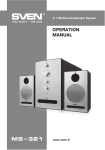
2.1 Multimedia Speaker System
OPERATION
MANUAL
MS-2050
www.sven.fi
ENG
Operation Manual
MS-2050
Congratulations on your purchase of the Sven speaker system!
COPYRIGHT
© 2015. SVEN PTE. LTD. Version 1.0 (V 1.0).
This Manual and information contained in it are copyrighted. All rights reserved.
TRADEMARKS
All trademarks are the property of their legal holders.
NOTICE OF RESPONSIBILITY RESTRICTION
Despite the exerted efforts to make this Manual more exact, some discrepancies may occur. The
information in this Manual is given on “as is” terms. The author and the publisher do not bear any
liability to a person or an organization for loss or damage which has arisen from the information
contained in this Manual.
CONTENTS
1. BUYER RECOMMENDATIONS ...............................................................
2. PACKAGE CONTENTS.........................................................................
3. SAFETY PRECAUTIONS .....................................................................
4. TECHNICAL DESCRIPTION ....................................................................
5. PREPARATION AND OPERATION ................................................................
6. OPERATION MODES ...........................................................................
7. TROUBLESHOOTING................................................................................
8. TECHNICAL SPECIFICATIONS ...............................................................
1
2
2
2
5
7
9
9
1. BUYER RECOMMENDATIONS
• Unpack the device carefully. Make sure there are no accessories left in the box. Check up the device for damage; if the product was damaged during transportation, address the firm which carried
out the delivery; if the product functions incorrectly, address the dealer at once.
• Check up the package contents and availability of the warranty card. Make sure the warranty card
has a shop stamp, a legible signature or the seller’s stamp and purchase date, and the goods number corresponds to that in the warranty card. Remember: in case of warranty card loss or discrepancy of numbers you forfeit the right for warranty repairs.
• Do not switch on the speaker system immediately after you bring it into a room from environment
with negative temperature! After unpacking, the speaker system should be kept in conditions of
room temperature for at least 4 hours.
• Before installing and using the speaker system, read this Manual carefully and keep it for future
reference.
Technical support is on www.sven.fi.
1
ENG
2.1 Multimedia Speaker System
2. PACKAGE CONTENTS
• Subwoofer – 1 pc
• Satellites – 2 pcs
• Remote control (RC) – 1 pc
• AAA type batteries – 2 pcs
• Audio cables – 2 pcs
• Signal cable – 1 pc
• Antenna wire – 1 pc
• Satellite wall-mounting set – 2 pcs
• Operation manual – 1 pc
• Warranty card – 1 pc
3. SAFETY PRECAUTIONS
Caution! High voltage inside! To avoid the risk of electric
shock do not open or touch elements inside.
• To avoid electric shock, do not open the MSS and do not perform repairs by yourself. Service and
repairs should be performed only by qualified specialists in an authorized service center. The list of
authorized service centers is available on www.sven.fi.
• Do not allow the circuit of wires (including the grounded ones) between the speakers, on the
power amplifier or the ground, for it causes damage to the power amplifier output stage.
• Do not touch the MSS power cord plug pins for 2 seconds after unplugging it from the mains.
• Do not put foreign objects inside the holes of the MSS.
• Protect the MSS from high humidity, water and dust.
• Protect the MSS from heating: do not place it closer than 1 m from a heat source. Do not expose
it to direct sunlight.
• Do not place any open flame sources on or close to MSS.
• Do not place the MSS in poorly ventilated areas. Leave an air gap of 10 cm or more. When operating the MSS, do not put any devices on it, do not cover it with cloth or other objects preventing it
from cooling.
• Do not use any chemical agents for cleaning. Clean it with dry soft cloth only.
4. TECHNICAL DESCRIPTION
MS-2050 2.1 Multimedia Speaker System (MSS) is designed to play music and sound games,
movies, etc. The MSS has a built-in power amplifier and audio cables due to which it can be connected to virtually any audio source (CD/DVD-player, TV, PC, etc.) without using an additional
power amplifier. The MSS has a built-in FM radio, Bluetooth midule, audio files player and clock.
Remote control is included.
Features
• Speaker system is compatible with PCs, DVD/Media-players, mobile devices and other sound
sources
• Built-in Bluetooth midule
• Built-in audio files player from external storage devices
2
ENG
Operation Manual
FM
MHz
a
g
h
i
Fig. 1. Subwoofer control panel
l
RA DIO A NT
FM
ANT
POWER SWITCH
ON
j
OFF
AUDIO INPUT
b
Subwoofer control panels
c
a LED display
b MODE: shift button of timbre control modes
c /AUTO: Play/Pause (pressed short in the
d
Player mode);
e
Start/Stop auto scan (pressed short in the
Radio mode)
d INPUT/VOLUME -/+: the device switching on
(the knob rotation to any side from OFF mode);
the device switching off (the knob pressed long);
volume level control (the knob rotation to the
f
right/left);
switching of inputs and PC/AUX/FM/ MP3/
Bluetooth modes (the knob pressed short)
e LED backlight
f USB: port for a USB flash device* containing
МР3 and WAV audio files
g
/СН+: next track (pressed short in the Player
mode);
next station** (pressed short in the Radio mode)
h /СН-: previous track (pressed short in the
Player mode);
previous station** (pressed short in the Radio mode)
i SD/MMC CARD: slot for SD/MMC cards*
containing МР3, WAV audio files
j ON/OFF: power switch
k Power cord
l RADIO ANT: radio antenna input jack
AU D IO O U TP U T
• Built-in FM radio and built-in clock
• Alphanumeric LED display
• USB flash port and SD card slot
• Two switchable inputs
• Remote control
• MUTE, SLEEP and ST-BY modes
• Wall mountable satellites
• Wooden (MDF) cabinets of the subwoofer
and satellites
MS-2050
PC L
R
A UX L
R
m
n
L
o
R
k
Fig. 2. Subwoofer rear panel
3
ENG
2.1 Multimedia Speaker System
m PC AUDIO INPUT: jack to connect PC
n AUX AUDIO INPUT: jack to connect linear input
o AUDIO OUTPUT: jack to connect satellites
Remote control
a INPUT: the MSS mode selection
b TREBLE-/+: treble level up/down
c TUNE+/-: manual band scanning (in the Radio mode)
d CH-/ : previous track (pressed short in the Player mode)
previous station** (pressed short in the Radio mode)
e BASS-/+: bass level up/down
f SW+/-: subwoofer volume level control
g 0-9: numeric pad
h REPEAT: player operation mode selection
i RESET: return to default settings
j CLOCK: current time display
k VOL+/-: volume level control
l SET: current time setting
m CH+/ : next track (pressed short in the Player mode)
next station** (pressed short in the Radio mode)
n /AUTO: Play/Pause ( pressed short in the Player mode);
auto scan start/stop (pressed short in the Radio mode);
o MUTE: sound on/off button
p SLEEP: Sleep mode selection
q : On/Off button
r SAVE: memorize selected frequency (in the Radio mode)
r q p
a
INPUT
SAVE
SLE EP
MUTE
TREBLE
b
c
b
n
TUNE+
d
CH-
c
e
AUTO
m
CH+
T U NE-
e
BASS
SET
f
+
+
SW
CL OCK
o
V OL
l
k
-
-
j
1
2
3
g
4
5
6
7
8
9
h
REPEAT
0
RESET
i
Battery Installation
• Open the battery compartment on the back of the remote control.
• Insert the included AAA batteries.
• Close the battery compartment.
Fig. 3. Remote
Notes:
control
• Use the RC at an angle no more than 30° at a distance of no more
than 7 meters.
• If the remote control does not operate, check the batteries or
replace the discharged batteries with new ones.
• Remove the batteries from the RC if you don’t intend to use it for a long time (more than one
week).
* The storage device must be formatted as FAT, FAT32. Memory cards SDHC class 10 or less can be used.
Connection of external hard disks other than USB flash drive is not recommended, otherwise it can cause
the MSS damage.
** The frequencies are switched if stations have been preset in the memory.
4
ENG
Operation Manual
MS-2050
5. PREPARATION AND OPERATION
Speaker placement
• Place the speakers symmetrically to the listener at least one meter away. The subwoofer emits
non-directional sound, therefore it can be located in any place of the room where it so unds the best.
• Place MSS far away from monitors and TV sets, as insignificant image distortion in these supersensitive devices is possible.
SD
2RCA to mini-jack
signal cable
PC
FM antenna
RA DIO A NT
ON
Player
OFF
DVD
Right
speaker
FM
ANT
POWER SWITCH
AUDIO INPUT
2RCA to 2RCA
signal cable
AU D IO O U TP U T
CD
PC L
R
A UX L
R
SD/MMC
CARD
USB
Installation and operation
MS-2050 speaker system can be connected to virtually any audio devices: DVD/CD players, PCs,
laptops, etc. (see connection diagram in Fig. 4).
• Before making any connections, make sure the MSS is off and unplugged. Then connect speakers
to the subwoofer AUDIO OUTPUT L/R o terminals with the help of included audio cables. Observing the
polarity connect the right speaker to the subwoofer AUDIO OUTPUT R with the audio cable and the left
speaker – to the AUDIO OUTPUT L. Pay attention that the plus (red) cable wires of speakers must be
connected to the subwoofer plus terminals (+ → +) and the minus (black) cable wires of speakers – to the
subwoofer minus terminals (– → –) (see connection diagram in Fig. 4).
Note. Check the reliable fixation of wires in the terminals, polarity of connection and absence of contact of the bared wires with each other and the metal parts of the hardware.
USB
USB flash/SD card
connection
L
R
Left
speaker
CD player
Fig. 4. Connection diagram
5
ENG
SD
USB
2.1 Multimedia Speaker System
FM antenna
SD/MMC
CARD
USB
RA DIO A NT
FM
ANT
OFF
Right
speaker
AU D IO O U TP U T
PC
ON
AUDIO INPUT
POWER SWITCH
Phone
PC L
R
A UX L
R
USB flash/SD card
connection
L
R
Left
speaker
Fig. 5. Bluetooth module connection diagram
• To connect the MSS to a PC, МР3/CD player, use 2RCA to mini-jack signal cable (included). Connect the RCA jacks of the signal cable to the L and R jacks of the PC AUDIO INPUT m, and the
mini-jack (Ø 3.5 mm) of the signal cable – to the LINE OUT port of your PC sound card or to the
audio output (OUTPUT) of your МР3/CD player, as shown in Fig. 4.
• To connect the MSS to a TV set or DVD/CD players, use 2RCA to 2RCA signal cable (not included).
Connect at first the RCA jacks of the signal cable to the L and R jacks of AUX AUDIO INPUT n and
then connect RCA jacks to your TV set or DVD/CD player audio output jacks, as shown in Fig. 4.
• Connect the subwoofer to the mains outlet with the power cord k.
• Turn on the MSS power supply using ON/OFF switch (j, ON) on the subwoofer rear panel.
• Turn on the MSS using VOLUME knob d on the front panel or button q on the remote control,
LED backlight e will light.
• Select a desired signal source pressing short INPUT button d on the control panel or pressing
INPUT button a on the remote control.
• Adjust the master volume as desired with VOLUME knob d on the control panel or with the VOL+/buttons k on the remote control.
• Adjust the bass and timbre level using BASS+/- e and TREBLE+/- b buttons on the re mote
control. The timbre level of the system can be also adjusted using knob d on the control panel
preselecting this option with MODE button b.
• Use SW+/- buttons f on the remote control to adjust the subwoofer volume level. The volume
level of the subwoofer can be also adjusted using knob d on the control panel preselecting this
option with MODE button b.
• In order to have the high-fidelity reception direct the antenna to a required direction when listening
to the radio, first connecting the antenna to RADIO ANT jack l (see Fig. 4).
• When the MSS operation is over, mind to switch it off using ON/OFF switch (j, OFF position) and
unplug the power cord k from the socket.
6
ENG
Operation Manual
MS-2050
6. OPERATION MODES
Player Mode
• The system will enter the Player mode automatically when a carrier (USB flash or SD/MMC card)*
is connected to corresponding ports f or i; or press INPUT button d on the front panel of the
subwoofer or INPUT button a on the remote control. The LED display a will show the selected
mode, then the number of the tracks found and a sequence number of the track played and then
the playback time elapsed. The playback will start automatically.
• To select a track, you can directly enter its number on the remote control using the numeric pad
buttons g or select it using buttons g and h on the front panel of the subwoofer. The display a
will show the track number for a short time and then the playback time elapsed.
• You can select the playback mode using REPEAT button h on the remote control (ONE – the
playing track replay; RND – playback random tracks; ALL – playback all tracks available).
* The operation may be incorrect if a SD card of 512 Mb capacity or lower is used. If a USB flash device of 8
Gb capacity or more is used, command processing time may be extended.
Bluetooth mode
• In order to transmit signal in this mode it is necessary by first to connect the device with a signal
source (see Fig. 2). For this purpose select the Bluetooth mode using INPUT button d on the front
panel of the subwoofer or INPUT button a on the remote control. After 2-3 seconds the speaker
system will enter the search mode, BLU mode is shown on the display a.
• It is necessary to select the search mode of devices with Bluetooth on a signal source (telephone,
notebook, smartphone, etc.). “MS-2050” message will be displayed on the screen which it should
be connected with*.
• The BLU indicator lights continuously when connection is successful. If there is no any connection,
the lighting of the BLU indicator is intermittent. In this case the system should be switch over to the
search mode once again (to turn off and turn on anew)**.
• It is possible to control the player of a signal source from the remote control or using the button
on the front panel of the subwoofer when connecting to a signal source.
* You might have to enter “0000” code to connect some models of devices via Bluetooth.
** If an item has been already registered in the device list of a source, then the second search mode
activation is not obligatory. Choose only the item name and the “connect” command on the source.
Tuner Mode
• Use INPUT button d on the front panel of the subwoofer or INPUT button a on the remote
control to enter the Tuner mode. The display a will backlight the FM inscription and the current
adjustment frequency.
• Press short AUTO button d on the front panel of the subwoofer or AUTO button n on the remote
control short to auto scan and memorize the found stations. The second pressing of this button
before the scanning is over will stop the auto scanning process. The display a shows the frequency
being scanned, when a radio station is being memorized, the display shows its assigned sequence
number for a short moment.
7
ENG
2.1 Multimedia Speaker System
• For manual scanning, use buttons TUNE-/+ c on the remote control (up/down the frequency
range). To save a selected frequency, press SAVE button r on the remote control, then using buttons g and h on the front panel of the subwoofer or buttons d and m on the remote control select
a cell number to save and press the SAVE button once again. When saving, the display a will show
the message “Good”.
• If preset radio stations are available in the memory, you can switch from one to another by short
pressing buttons g and h on the front panel of the subwoofer or buttons d and m on the remote
control. You can also enter the frequency or the number of the preset station using numeric pad
buttons g on the remote control. The display a will show the station number for a short moment
and then its frequency. The radio will tune to the set frequency within 2-3 seconds.
AUX/PC Mode
• Press INPUT button d on the front panel of the subwoofer or INPUT button a on the remote
control to switch to the AUX/PC mode. The display a will show AUX or PC inscription.
Clock Mode
• When the MSS is in the ST-BY mode, the display a shows the current time. When the system is in
anotrher mode, use the CLOCK button j on the remote control to see the time. The current time
will be displayed for 3-5 seconds.
• To set the current time, enter the ST-BY mode by pressing long INPUT button d on the front panel
of the subwoofer or button q on the remote control. To enter the time setting mode, press SET
button l on the remote control (the corresponding position will start blinking on the display a).
Set the required value of hours and minutes directly from the remote control numeric pad or using
buttons g, h on the front panel of the subwoofer or d and m on the remote control. To switch
over between setting hours/minutes and to exit the setting mode, press SET button l on the
remote control.
ST-BY Mode
• To enter/exit this mode, press and hold down INPUT button d on the front panel of the subwoofer
or button q on the remote control. The current time is shown on the display a when entering this
mode.
SLEEP Mode
• The SLEEP mode enables to switch over the device in the ST-BY mode after a lapse of time chosen
by a user. Press button p on the remote control to enter the SLEEP mode. To leave the SLEEP mode,
press button p on the remote control once again, while there is “0” character on the display.
MUTE Mode
• To enter the MUTE mode, press button o on the remote control. To exit the MUTE mode, press
this button o once again.
Note. Due to the constant development of the software, the actual MSS operation may
differ from described in this Manual. The most recent version of the Manual is available on
www.sven.fi.
8
ENG
Operation Manual
MS-2050
7. TROUBLESHOOTING
Problem
Cause
The MSS does not
turn on.
The MSS isn’t connected to a mains Check the connection.
outlet.
No sound or the
sound is too quiet.
Solution
The power switch is off.
Turn on the switch.
Volume level is set at minimum value.
Adjust the volume control knob.
Improperly connected audio source.
Connect the audio sources correctly.
Distortion of sound. Large amplitude of the input signal.
The remote control The batteries are discharged.
is not working.
Turn down the source volume
and the MSS volume.
Replace the batteries with new ones.
If none of the above methods can solve the problem, please seek professional advice at your
nearest service center. Never attempt to repair the product yourself.
8. TECHNICAL SPECIFICATIONS
Parameter, measurement unit
Output power (RMS), W:
subwoofer
satellites
Frequency response, Hz:
subwoofer
satellites
Speakers diameter, mm:
subwoofer
satellites
Power supply, V/Hz
Dimensions, mm:
subwoofer
satellites (one speаker)
Weight, kg
Value
55 (30 + 2 × 12.5)
30
2 × 12.5
45 – 150
150 – 20,000
Ø 134
Ø 37 + Ø 80
~220/50
165 × 325 × 282
104 × 180 × 92
6.2
Notes:
• Technical specifications given in this table are supplemental information and cannot give
occasion to claims.
• Technical specifications and package contents are subject to change without notice due to
the improvement of SVEN production.
9
2.1 Multimedia Speaker System Стабилизатор
напряжения
2.0 Multimedia
Speaker
System
Automatic
Voltage
Regulator
Модель: MS-2050
Импортер в России: ООО «СКАНДИТРЕЛ», 111024,
РФ, г. Москва, ул. Авиамоторная, д. 65, стр. 1.
Уполномоченная организация в России: ООО «РТ-Ф»,
105082, г. Москва, ул. Фридриха Энгельса, д. 75,
стр. 5. Условия гарантийного обслуживания смотрите в гарантийном талоне или на сайте www.sven.fi.
Гарантийный срок: 12 мес.
Срок службы:
5 лет.
Производитель: «СВЕН ПТЕ. Лимитед», 176 Джу Чиат
Роуд, № 02-02, Сингапур, 427447. Произведено
под контролем «Свен Скандинавия Лимитед»,
48310, Финляндия, Котка, Котолахдентие, 15.
Сделано в Китае.
Manufacturer: SVEN PTE. LTD, 176 Joo Chiat Road,
№ 02-02, Singapore, 427447. Produced under the
control of Oy Sven Scandinavia Ltd. 15, Kotolahdentie,
Kotka, Finland, 48310. Made in China.
® Registered Trademark of Oy SVEN
Scandinavia Ltd. Finland.
MS-2050
SPS-619