1
BCGMG - User Manual
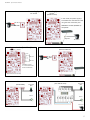
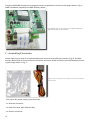
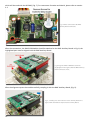
Connect the biometric reader flat cable to the correspondent terminal in the GMG 120 Module; (Fig. 10).
Fig.10: Connect the other end of the flat cable,
from the biometric reader, to the corresponding
terminal in the GMG 120 Module.
With the set properly connected to the biometric reader, the BCGMG is ready to be installed in the standard 4X2 box where it will operate. Please refer to section 3.2.7 for power supply connection.
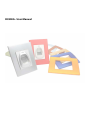
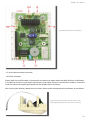
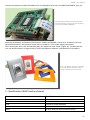
After securing the unit in the 4X2 standard box, just attach the outer frame; (Figure 11). The BTcino enclosure can be purchased in a large variety of colors and different materials; (standard BTcino 4X2 plate).
Fig.11: The BTcino enclosure is available
in several different colors for perfect
fitting in any kind of environment.
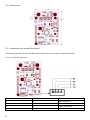
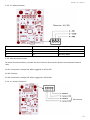
3 - Specifications (BMC Auxiliary Board)
Item
Specification
Network Communication Speed
Serial Ports
Leds
Buzzer
Relay
10/100 Mbits
02 RS-232 or TTL ports. 01 RS-485 port
03 Leds for visual indication
01 Buzzer for audible general signaling
01 SPDT Relay for external device control
21