1
CONTENTS
X.1
Unpacking the carton.............................................................................................................................. 5
X.2
Safety Warnings ...................................................................................................................................... 5
X.3
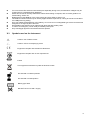
Symbols used on the instrument........................................................................................................... 6
1.
Instrument Layout............................................................................................................................................ 7
1.1
Overview of the PAT400 ......................................................................................................................... 7
1.2
Instrument layout .................................................................................................................................... 8
1.3
Button functions...................................................................................................................................... 9
1.4
HOT KEY descriptions ............................................................................................................................ 9
1.5
Display information................................................................................................................................. 9
2.
Getting started ............................................................................................................................................... 10
2.1
Switching ON the PAT400 .................................................................................................................... 10
2.2
HOME screen explained ....................................................................................................................... 12
2.3
Switching off the PAT400 ..................................................................................................................... 12
3.
Testing with a PAT400................................................................................................................................... 13
3.1
Connecting an asset to the PAT400 .................................................................................................... 13
3.2
Testing an asset .................................................................................................................................... 14
3.3
Test progress ........................................................................................................................................ 18
3.4
Remote probe and clip.......................................................................................................................... 18
3.5
Short circuit assets ............................................................................................................................... 19
3.6
Aborting a test ....................................................................................................................................... 19
3.7
Completion of testing ........................................................................................................................... 19
3.8
Test fail screen ...................................................................................................................................... 20
3.9
WARNING - Power On tests ................................................................................................................. 20
4.
Using the memory.......................................................................................................................................... 21
5
Adding assets to memory ............................................................................................................................. 23
5.1
Adding assets to memory before testing ........................................................................................... 23
5.2
Copying the previously added asset................................................................................................... 24
6.
Editing and deleting assets and results ...................................................................................................... 25
6.1
Editing asset data.................................................................................................................................. 25
6.2
Deleting assets ...................................................................................................................................... 25
7.
DATA – Test results and data transfer......................................................................................................... 26
7.1
Backup to USB memory stick .............................................................................................................. 26
7.2
Importing / restoring data from USB memory stick ........................................................................... 27
7.3
Export results to CSV ........................................................................................................................... 28
7.4
Accessing test results .......................................................................................................................... 29
8.
Test groups .................................................................................................................................................... 30
8.1
Creating a test group ............................................................................................................................ 30
8.2
Allocating test groups to HOTKEYS.................................................................................................... 32
8.3
Editing a test group............................................................................................................................... 33
8.4
Deleting a test group............................................................................................................................. 34
9.
Quick test - QT .............................................................................................................................................. 35
9.1
Running a quick test ............................................................................................................................. 35
10.
SETUP menu options ................................................................................................................................ 36
10.1
Client settings........................................................................................................................................ 36
10.2
Location settings................................................................................................................................... 36
10.3
Quick test configuration ....................................................................................................................... 37
10.4
Date/time settings ................................................................................................................................. 37
10.5
Changing language selection .............................................................................................................. 38
10.6
Restoring default settings .................................................................................................................... 38
10.7
ABOUT - PAT400 software version and Megger contact details .................................................... 39
11.
PAT4 compatibility .................................................................................................................................... 40
12.
Care and maintenance .............................................................................................................................. 40
Appendix A – Test types explained ...................................................................................................................... 41
A.1
Continuity & bond testing .................................................................................................................... 41
A.2
Insulation testing................................................................................................................................... 42
A.3
Leakage testing ..................................................................................................................................... 42
A.3.3 TOUCH current Test (IF). ...................................................................................................................... 42
A.4
Load (Operation) testing....................................................................................................................... 43
A.5
RCD testing............................................................................................................................................ 43
3