1
Troubleshooting
84
Basics
Paper Jam message
Copying
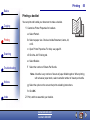
Remove the paper from the printer. If the paper is lodged too far into the printer and cannot
be removed:
1 Press Power to turn the printer off.
Printing
2 Pull firmly on the paper to remove it.
If you cannot reach the paper because it is too far into the printer:
a Open the cartridge door and pull the paper out.
Scanning
b Close the cartridge door.
3 Press Power to turn the printer on, and then send your document to print.
Troubleshooting
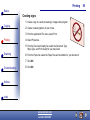
Paper Out message
1 If the printer is out of paper, load the paper. For help, see page 16.
Notices
2 Press Select.
3 Resend your document to print.
Index
www.lexmark.com
Lexmark X84-X85