1
1. Download driver files for the USB485 converter card
Go to www.linengineering.com and navigate to the USB485 converter card page by
going to: Accessories Æ USB to RS485 Converter card. Then click on “Download”, or
simply scroll to the bottom of the page.
Save the zip file called “USB485 Driver Files” and extract all files to your PC.
2. Connect the USB485 converter card to the Silverpak unit.
If using Lin Engineering’s USB485 converter card, simply take the 18-position cable and
plug one end to the converter card, and plug the other end to the Silverpak 23D.
3. Connect USB cable to the PC.
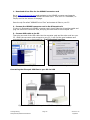
Then plug one end of the USB cable into the converter card and the other end into your
PC. When the converter card connects to your PC, it will find the new hardware and
automatically ask you to download files. It will download two files.
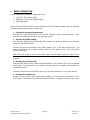
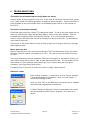
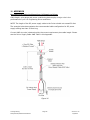
Figure 10: Extracting files
Figure 11: Downloading driver files
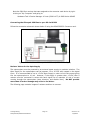
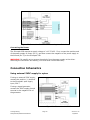
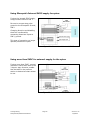
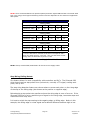
Connecting the Silverpak 23D Plus to your PC via USB
Figure 12: Connection of Silverpak to USB485 card, PC & Power Supply
Lin Engineering
Silverpak 23D/23DE PLUS Manual
Page 12
Version 1.04
8/4/2010