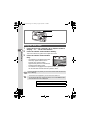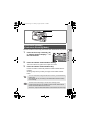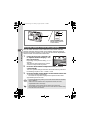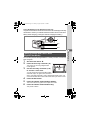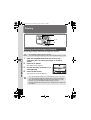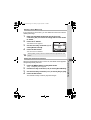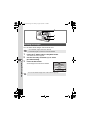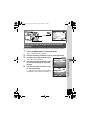
1
e_cover_kb376_7.fm Page 1 Tuesday, August 10, 2004 2:50 PM PENTAX Corporation 2-36-9,Maeno-cho, Itabashi-ku, Tokyo 174-8639, JAPAN (http://www.pentax.co.jp/) PENTAX Europe GmbH (European Headquarters) Julius-Vosseler-Strasse, 104, 22527 Hamburg, GERMANY (HQ - http://www.pentaxeurope.com) (Germany - http://www.pentax.de) PENTAX U.K. Limited PENTAX House, Heron Drive, Langley, Slough, Berks SL3 8PN, U.K. (http://www.pentax.co.uk) 12/14, rue Jean Poulmarch, 95106 Argenteuil Cedex, FRANCE PENTAX France S.A.S. PENTAX Benelux B.V. (for Netherlands) Spinveld 25, 4815 HR Breda, NETHERLANDS (http://www.pentax.nl) (for Belgium & Luxembourg) Weiveldlaan 3-5, 1930 Zaventem, BELGIUM (http://www.pentax.be) PENTAX (Schweiz) AG Widenholzstrasse 1 Postfach 367 8305 Dietlikon, SWITZERLAND (http://www.pentax.ch) PENTAX Scandinavia AB P.O. Box 650, 75127 Uppsala, SWEDEN (http://www.pentax.se) Digital Camera Operating Manual PENTAX Imaging Company A Division of PENTAX of America,Inc. (Headquarters) 600 12th Street, Suite 300 Golden, Colorado 80401, U.S.A. (Distribution & Service Center) 16163 West 45th Drive, Unit H Golden, Colorado 80403, U.S.A. (http://www.pentaximaging.com) PENTAX Canada Inc. 1770 Argentia Road Mississauga, Ontario L5N 3S7, CANADA (http://www.pentaxcanada.ca) http://www.digital.pentax.co.jp • Printed on recycled paper • Specifications and external dimensions are subject to change without notice. 57418 Copyright © PENTAX Corporation 2004 01-200408 Printed in the Philippines To ensure the best performance from your camera, please read the Operating Manual before using the camera. e_kb376.book Page 1 Tuesday, August 10, 2004 1:46 PM Thank you for purchasing the PENTAX Optio S50 Digital Camera. Please read this manual before using the camera in order to get the most out of all the features and functions. Keep this manual safe, as it can be a valuable tool in helping you to understand all the camera’s capabilities. Regarding copyrights Images taken using the Optio S50 that are for anything other than personal enjoyment cannot be used without permission according to the rights as specified in the Copyright Act. Please take care, as there are even cases where limitations are placed on taking pictures even for personal enjoyment during demonstrations, industrial enterprise or as items for display. Images taken with the purpose of obtaining copyrights also cannot be used outside the scope of use of the copyright as laid out in the Copyright Act, and care should be taken here also. To users of this camera • There is a possibility that recorded data may be erased or that the camera may not function correctly when used in surroundings such as installations generating strong electromagnetic radiation or magnetic fields. • The liquid crystal panel used in the LCD display is manufactured using extremely high precision technology. Although the level of functioning pixels is 99.99% or better, you should be aware that 0.01% or fewer of the pixels may not illuminate or may illuminate when they should not. However, this has no effect on the recorded image. Regarding trademarks • PENTAX, Optio and smc PENTAX are trademarks of PENTAX Corporation. • The SD logo is a trademark. • All other brands or product names are trademarks or registered trademarks of their respective companies. This product supports PRINT Image Matching III. PRINT Image Matching enabled digital still cameras, printers and software help photographers to produce images more faithful to their intentions. Some functions are not available on printers that are not PRINT Image Matching III compliant. Copyright 2001 Seiko Epson Corporation. All Rights Reserved. PRINT Image Matching is a trademark of Seiko Epson Corporation. The PRINT Image Matching logo is a trademark of Seiko Epson Corporation. Regarding PictBridge • PictBridge allows the user to connect the printer and digital camera directly, using the unified standard for the direct printout of images. You can print images directly from the camera through a few simple operations. • There is a possibility that the illustrations and the display screen of the LCD monitor in this manual are different form the actual product. e_kb376.book Page 1 Tuesday, August 10, 2004 1:46 PM FOR SAFE USE OF YOUR CAMERA Sufficient attention has been paid to the safety of this product but please pay particular attention to the warnings indicated by the following symbols during use. Warning These symbols indicate that it is possible that the user may experience serious difficulties if the warnings are not heeded. Caution These symbols indicate that it is possible that the user may experience minor or middling difficulties or physical difficulties if the warnings are not heeded. About the Camera Warning • Do not attempt to take the camera apart or remodel the camera. High voltages are present within the camera, and there is therefore a danger of electric shocks. • If the inside of the camera should become exposed as a result of, for example, the camera being dropped, please do not under any circumstances touch such exposed portions, as there is a danger of receiving an electric shock. • Wrapping the strap of the camera around your neck is also dangerous. Please take care that small children do not hang the strap around their necks. • To avoid the risk of it being swallowed by mistake, keep the SD Memory Card out of the reach of small children. Seek medical attention immediately if accidentally swallowed. • Use an AC adapter that is of the power and voltage specified for exclusive use with this product. The use of an AC adapter other than that specified exclusively for use with this product may cause fire or electric shocks. • If the camera emits smoke or a strange smell, or in the event of any other irregularity, stop using the camera immediately, remove the battery or disconnect the AC adapter and contact your nearest PENTAX service center. Continued use of the camera may result in fire or electric shock. 1 e_kb376.book Page 2 Tuesday, August 10, 2004 1:46 PM Caution • Never try to disassemble or short the battery. Also, do not dispose of the battery in fire, as it may explode. • Do not charge any batteries other than rechargeable Ni-MH batteries. The battery could explode or catch fire. Of the batteries that can be used in this camera, only the Ni-MH battery can be recharged. • Do not place your finger on the flash when it is discharging as there is a risk of burns. • Do not discharge the flash while it is touching your clothing as there is a risk of discoloring. • If any of the battery leakage should come in contact with your eyes, do not rub them. Flush your eyes with clean water and get medical attention immediately. • If any of the battery leakage should come in contact with skin or clothes, wash the affected areas thoroughly with water. • Remove the battery from the camera immediately if it becomes hot or begins to smoke. Be careful not to burn yourself during removal. • Some portions of the camera heat up during use, so please take care, as there is a risk of low temperature burns if such portions are held for long periods of time. • Should the LCD be damaged, be careful of glass fragments. Also, be careful not to allow the liquid crystal to get on your skin or eyes or in your mouth. 2 e_kb376.book Page 3 Tuesday, August 10, 2004 1:46 PM About the AC Adapter Caution • Do not place heavy objects on the AC plug cord, allow heavy objects to drop onto it or allow the AC plug cord to become damaged due to excessive bending. If the AC plug cord becomes damaged, consult a PENTAX Service Center. • Do not short or touch the output terminals of the product while it is still plugged in. • Do not plug in the AC plug cord with wet hands. This can cause an electrical shock. • Do not subject the product to strong impacts or allow it to drop onto a hard surface. This can cause a malfunction. 3 e_kb376.book Page 4 Tuesday, August 10, 2004 1:46 PM Care to be Taken During Handling • Take the international warranty card with you when you travel abroad. Also take the Worldwide Service Network that is included in the package. This will be useful if you experience problems abroad. • When the camera has not been used for a long time, confirm that it is still working properly, particularly prior to taking important pictures (such as at a wedding or during traveling). Contents of the recording cannot be guaranteed if recording, playback or transferring your data to a computer, etc. is not possible due to a malfunction of your camera or recording media (SD Memory Card), etc. • The lens on this camera is not exchangeable. The lens is not removable. • Do not clean the product with organic solvents such as thinner or alcohol benzene. • Places of high temperature and humidity should be avoided. Particular care should be taken regarding vehicles, which can become very hot inside. • Storing the camera where pesticides and chemicals are handled should be avoided. Remove from case and store in a well-ventilated place to prevent the camera from becoming moldy during storage. • Do not use the camera where it may come in contact with rain, water or any other liquid, because the camera is not weather, water, or liquid resistant. Should the camera get wet from rain, splashing water, or any other liquid, wipe it off immediately with a dry soft cloth. • Ensure that the camera is not subjected to substantial vibrations, shocks or pressure. Place the camera on a cushion for protection when the camera is subjected to the vibrations of a motorbike, car, or ship, etc. • The temperature range in which the camera can be used is 0°C to 40°C (32°F to 104°F). • The liquid crystal display will become black at temperatures of approximately 60°C (140°F) but will return to normal when normal temperatures are returned to. • The response speed of the liquid crystal display becomes slow at low temperatures. This is due to the properties of the liquid crystal and is not a fault. • Periodic checks are recommended every 1 to 2 years in order to maintain high performance. 4 e_kb376.book Page 5 Tuesday, August 10, 2004 1:46 PM • If the camera is subjected to rapid temperature changes, condensation may form on the inside and outside of the camera. Therefore put the camera in a bag or plastic bag, and take the camera out when the difference in temperature has subsided. • Avoid contact with garbage, dirt, sand, dust, water, toxic gases, salt, etc. as this may cause damage to the camera. If rain or drops of water get onto the camera, please wipe dry. • Refer to “Precautions when using an SD Memory Card” (p.18) regarding the SD Memory Card. • Please do not press forcefully on the LCD monitor. This could cause breakage or malfunction. • Be careful not to sit down with the camera in your back pocket as this may damage the exterior of the camera or the LCD monitor. • When using a tripod with the camera, be careful not to overtighten the screw in the tripod socket on the camera. 5 e_kb376.book Page 6 Tuesday, August 10, 2004 1:46 PM Contents FOR SAFE USE OF YOUR CAMERA .............................................1 Care to be Taken During Handling ...................................................4 Contents ...........................................................................................6 Contents of the Operating Manual....................................................9 Checking the Contents of the Package ..........................................10 Names of Parts...............................................................................11 Names of Operating Parts ..............................................................12 Getting Started 13 Attaching the Strap.............................................................................13 Powering the Camera .........................................................................14 Installing the Batteries ....................................................................14 Using the AC Adapter (optional).....................................................16 Installing the SD Memory Card..........................................................17 Recorded Pixels and Quality ..........................................................19 Turning the Camera On and Off ........................................................21 Playback Only Mode.......................................................................21 Voice Recording Only Mode...........................................................22 Initial Settings .....................................................................................23 Setting the Display Language.........................................................23 Setting the Date and Time..............................................................24 Quick Start 26 Taking Still Pictures............................................................................26 Playing Back Still Pictures.................................................................28 Playing Back Images ......................................................................28 Playing Back the Previous or Next Image ......................................28 Rotating the Displayed Image ........................................................29 Common Operations 30 Using the Button Functions...............................................................30 Capture Mode.................................................................................30 Playback Mode ...............................................................................31 Voice Recording Mode ...................................................................32 Using the Menus .................................................................................33 How to Use the Menus ...................................................................33 Example of Menu Operation...........................................................34 Enlarging a Menu Display...............................................................36 Menu List ........................................................................................37 Taking Pictures 40 Setting the Shooting Functions.........................................................40 Letting the Camera Set the Functions (Auto Select Mode) ............40 Using the Help Function .................................................................41 6 e_kb376.book Page 7 Tuesday, August 10, 2004 1:46 PM Setting the Functions (Program Mode)...........................................42 Selecting the Picture Mode According to the Shooting Scene (Picture Mode) ................................................................................43 Taking Pictures of Dark Scenes (Night-Scene Mode) ....................45 Taking Landscape Views (Landscape Mode).................................46 Taking Portrait Pictures (Portrait Mode) .........................................46 Taking Movies (Movie Mode) .........................................................47 Using the Zoom ..............................................................................50 Using the Self-Timer.......................................................................52 Continuous Shooting (Continuous Shooting Mode) .......................53 Using the Remote Control Unit (optional).......................................54 Taking Pictures with Color Filters (Digital Filter Mode)...................55 Taking Two-in-One Pictures (Two-in-One Mode) ...........................56 Taking Panorama Pictures (Panorama Assist Mode).....................57 Setting the Shooting Functions.........................................................59 Changing the Mode ........................................................................59 Selecting the Capture Mode ...........................................................59 Displaying Shooting Information in Capture Mode .........................60 Selecting the Focus Mode ..............................................................61 Selecting the Flash Mode ...............................................................63 Selecting the Recorded Pixels........................................................64 Selecting the Quality Level .............................................................65 Selecting the Image Quality............................................................66 Adjusting the White Balance...........................................................67 Changing the Focusing Area ..........................................................69 Setting the Light Metering Range to Determine the Exposure (AE Metering) .................................................................................70 Setting the Sensitivity .....................................................................71 Setting the Frame Rate ..................................................................72 Setting the Instant Review Time (Instant Review)..........................73 Setting the Image Sharpness (Sharpness).....................................74 Setting the Color Saturation (Saturation)........................................75 Setting the Image Contrast (Contrast)............................................76 Setting the Exposure (EV Compensation)......................................77 Saving the Settings.............................................................................78 Saving the Menu Items (Memory) ..................................................78 Recording and Playback 80 Recording Sound (Voice Recording Mode)......................................80 Playing Back Sound ...........................................................................81 Adding Sound (Voice Memo) to Images ...........................................82 Recording a Voice Memo ...............................................................82 Playing Back a Voice Memo...........................................................84 Playback/Deleting/Editing 86 Playing Back Images ..........................................................................86 Playing Back Still Pictures ..............................................................86 Zoom Display..................................................................................86 7 e_kb376.book Page 8 Tuesday, August 10, 2004 1:46 PM Playing Back Movies ......................................................................88 Displaying Shooting Information in Playback Mode .......................89 Nine Image Display ........................................................................90 Slideshow .......................................................................................91 Deleting................................................................................................92 Deleting Individual Images or Sounds ............................................92 Deleting All Images.........................................................................94 Protecting Images and Sounds from Deletion (Protect) .................95 Viewing Images on a TV .....................................................................97 Using the Remote Control Unit (optional) to View the Previous or the Next Image ......................................................98 Setting the Printing Service (DPOF)..................................................99 Printing Single Images....................................................................99 Printing All Images........................................................................101 Direct Printing Using PictBridge .....................................................102 Connecting the Camera to the Printer ..........................................102 Printing Single Images..................................................................103 Printing All Images........................................................................104 Printing Using the DPOF Settings ................................................104 Disconnecting the Camera from the Printer .................................105 Editing Images ..................................................................................106 Changing the Image Size and Quality ..........................................106 Editing Pictures with Digital Filters ...............................................108 Copying Files ....................................................................................110 Settings 112 Camera Settings................................................................................112 Formatting an SD Memory Card or the Built-in Memory ..............112 Changing the Sound Settings.......................................................113 Changing the Date and Time........................................................114 Setting the World Time .................................................................114 Changing the Start-up Screen, Background Color and Screen Effects ..............................................................................116 Changing the Display Language ..................................................118 Adjusting the Brightness of the LCD Monitor................................118 Changing the Video Output Format..............................................119 Changing the USB Connection Mode...........................................120 Setting Auto Power Off .................................................................121 Resetting to Default Settings (Reset) ...........................................121 Registering Functions...................................................................122 Appendix 124 List of City Codes .............................................................................124 Optional Accessories .......................................................................125 Messages...........................................................................................126 Troubleshooting................................................................................128 Main Specifications ..........................................................................130 WARRANTY POLICY.........................................................................132 8 e_kb376.book Page 9 Tuesday, August 10, 2004 1:46 PM Contents of the Operating Manual This operating manual contains the following chapters. 1 Getting Started ––––––––––––––––––––––––––––––––––––––––– This chapter explains what you need to do after purchasing the camera before you start taking pictures. Be sure to read it and follow the instructions. 2 Quick Start –––––––––––––––––––––––––––––––––––––––––––– This chapter explains the simplest way to take pictures and play back images. Use it if you want to start taking pictures straightaway. 3 Common Operations –––––––––––––––––––––––––––––––––––– This chapter explains common operations such as the functions of the buttons and how to use the menus. For more details, refer to the respective “Taking Pictures”, “Recording and Playback”, “Playback/Deleting/Editing” and “Settings” chapters. 4 Taking Pictures –––––––––––––––––––––––––––––––––––––––– This chapter explains the various ways of capturing images and how to set the relevant functions, including how to change the Capture mode. 5 Recording and Playback ––––––––––––––––––––––––––––––––– This chapter explains how to record sound only or add a sound (voice memo) to an image, and how to play back voice memos. 6 Playback/Deleting/Editing –––––––––––––––––––––––––––––––– This chapter explains how to view images on the camera or on a TV, how to delete and resize images, and how to print images by connecting the camera directly to a printer. 7 Settings ––––––––––––––––––––––––––––––––––––––––––––––– This chapter explains how to set the camera-related functions. 1 2 3 4 5 6 7 8 Appendix–––––––––––––––––––––––––––––––––––––––––––––– This tells you about the messages displayed on the LCD monitor and what to do in the event of trouble. 8 The meanings of the symbols used in this operating manual are explained below. 1 indicates the reference page number for an explanation of the related operation. indicates information that is useful to know. indicates precautions to be taken when operating the camera. The icons above the title show the Capture modes that can R, d, -, =, activate the function. H, ., C, O, + Ex.) R+. Setting the Image Sharpness (Sharpness) 9 e_kb376.book Page 10 Tuesday, August 10, 2004 1:46 PM Checking the Contents of the Package Camera Optio S50 Strap O-ST20 (∗) Software (CD-ROM) S-SW26 AV cable I-AVC7 (∗) USB cable I-USB7 (∗) Two AA batteries Digital Camera (PC Connection Manual) Operating Manual Enjoying Your Digital Camera Images On Your PC To ensure the best performance from your camera, please read the Operating Manual before using the camera. Operating Manual (this manual) Operating Manual (PC Connection Manual) Items marked with an asterisk (∗) are also available as optional accessories. For other optional accessories, refer to “Optional Accessories” (p.125). 10 e_kb376.book Page 11 Tuesday, August 10, 2004 1:46 PM Names of Parts Front Shutter release button Remote control receiver Self-timer lamp Power switch Flash Speaker Viewfinder Microphone Lens Terminal cover PC/AV terminal DC input terminal Back Viewfinder Focus status lamp (green) Mode dial Flash status lamp (red) Strap lug Card cover Battery cover LCD monitor Tripod socket 11 e_kb376.book Page 12 Tuesday, August 10, 2004 1:46 PM Names of Operating Parts i button Power switch Shutter release button Zoom /w/x/f/y button Q Playback button OK button Four-way controller 4 (b) 5 (zqs) 2 (gj) 3 DISPLAY button MENU button 0 button Guide Indications A guide to available button operations appears on the LCD monitor during operation. The buttons are indicated as shown below. Four-way controller (2) Four-way controller (3) Four-way controller (4) Four-way controller (5) MENU button 12 2 3 4 5 MENU Zoom /f/y button When digital zoom is enabled DISPLAY button i button OK button 0 button y DISP OK ?/FN e_kb376.book Page 13 Tuesday, August 10, 2004 1:46 PM Getting Started Attaching the Strap 1 Getting Started Pass the narrow end of the strap through the strap lug and pass the other end through the loop. 13 e_kb376.book Page 14 Tuesday, August 10, 2004 1:46 PM Powering the Camera 1 1 Getting Started 2 1 2 2 (when using AA batteries) (when using a CR-V3 battery) Installing the Batteries Insert the batteries in the camera. Use two AA alkaline, AA lithium, AA Ni-MH, or AA nickel manganese batteries or one CR-V3 battery. 1 2 3 Open the battery cover. Slide the battery cover in the direction indicated by the arrow 1 and flip the cover open 2 . Insert the batteries according to the (+) and (–) indicators on the battery chamber. Close the battery cover and slide it back into place to lock it. If you intend to use the camera continuously for a long period, use of the AC adapter D-AC5 (optional) is recommended. (p.16) • AA alkaline, AA lithium, AA nickel manganese and CR-V3 batteries are not rechargeable. • Do not open the battery cover or remove the batteries when the camera is turned on. • If you do not intend to use the camera for a long time, remove the batteries, otherwise the batteries may leak. • If the date and time settings have been reset when you insert new batteries after the camera has been left for a long time without batteries, follow the procedure for “Setting the Date and Time”. (p.24) • Insert the batteries correctly. If the batteries are incorrectly oriented, malfunction may result. 14 e_kb376.book Page 15 Tuesday, August 10, 2004 1:46 PM • Number of Recordable Images and Playback Time (at 23°C with new batteries) CR-V3 AA Ni-MH batteries AA nickel manganese batteries AA alkaline batteries Playback Time Approx. 420 pictures Approx. 230 pictures Approx. 100 pictures Approx. 30 pictures Approx. 500 minutes Approx. 300 minutes Approx. 200 minutes Approx. 70 minutes • The still picture storage capacity is based on measuring conditions in accordance with CIPA standards and the playback time is based on PENTAX measuring conditions. Some deviation from the above figures may occur in actual use depending on shooting conditions. 1 Getting Started Image Storage Capacity (using the flash for 50% of shots) • In general, battery performance temporarily deteriorates as the temperature decreases. When using the camera in a cold environment, keep it warm by putting it in your pocket or inside your coat. Battery performance that has deteriorated due to low temperature will be restored when the battery is returned to room temperature. • Due to the characteristics of AA alkaline batteries, camera performance may deteriorate at low temperatures. Use of other batteries (such as CR-V3) is recommended when using the camera at low temperatures. • Be sure to take spare batteries with you when traveling abroad or to a cold region, or if you intend to take a lot of pictures. • You can maximize battery life by turning the LCD monitor off and using the viewfinder to take pictures. • Battery Level Indicator You can check the battery level by the # symbol on the LCD monitor. # (lit green) : Adequate power remains. (lit yellow) : Battery is running very low. (lit red) : Battery is exhausted. ↓ $ ↓ % ↓ [Battery Depleted] : The camera will turn off after the message appears. 15 e_kb376.book Page 16 Tuesday, August 10, 2004 1:46 PM DC terminal AC adapter To power outlet 1 1 Getting Started 3 2 ∗ AC power cable Using the AC Adapter (optional) If you intend to use the LCD monitor for a long time or connect the camera to a PC, use of the AC adapter D-AC5 is recommended. 1 2 3 4 Make sure that the camera is turned off and open the terminal cover. Connect the DC terminal on the AC adapter to the DC input terminal on the camera. Connect the AC power cable to the AC adapter. Plug the AC power cable into the power outlet. • Make sure that the camera is turned off when connecting or disconnecting the AC adapter. • Make sure that the AC power cable and connecting cable are inserted securely. The data may be lost if the cable becomes disconnected while you are taking pictures. • If the terminal cover on the camera gets caught in the grooves of the DC terminal (indicated by ∗ in the illustration), the DC terminal may become disconnected. Take care that the grooves on the DC terminal are not in a position to catch on the terminal cover when using the AC adapter. • To avoid the risk of fire or electric shock when using the AC adapter, be sure to read “FOR SAFE USE OF YOUR CAMERA” (p.1). • Be sure to read the operation manual accompanying the AC adapter D-AC5 before using the adapter. • The batteries inside the camera cannot be recharged by connecting the AC adapter. 16 e_kb376.book Page 17 Tuesday, August 10, 2004 1:46 PM Installing the SD Memory Card 2 SD Memory Card 1 Getting Started 1 Card cover This camera uses an SD Memory Card. Captured images are recorded on the SD Memory Card if a card is inserted ( appears on the LCD monitor) or in the built-in memory if no card is inserted ( appears on the LCD monitor). Make sure that the camera is turned off before inserting or removing the SD Memory Card. 1 2 3 Open the card cover. Insert the SD Memory Card so the label is facing toward the LCD monitor and push the card in until it clicks. Close the card cover. To remove the card, eject the card by pressing it in the direction indicated by the arrow and pull it out. The number of recordable images varies depending on the capacity of the SD Memory Card or built-in memory and the selected image size and quality. (1p.19) Be sure to format unused cards or cards that have been used on another camera. Refer to “Formatting an SD Memory Card or the Built-in Memory” (p.112) for instructions on formatting. Data Backup Very occasionally, malfunction of the camera may cause data stored in the built-in memory to become unreadable. As a backup measure, we recommend that you download important data to a PC or store the data in a media other than the built-in memory. 17 e_kb376.book Page 18 Tuesday, August 10, 2004 1:46 PM Precautions When Using an SD Memory Card 1 Getting Started 18 • Make sure that the camera is turned off before opening the card cover. • The SD Memory Card is equipped with a write-protect switch. Setting the switch to [LOCK] protects the existing data by prohibiting recording of new data, deletion of existing data or formatting of the card. Write-protect switch Y appears on the LCD monitor when the card is write-protected. • Care should be taken if you remove the SD Memory Card immediately after using the camera, as the card may be hot. • Do not remove the SD Memory Card or turn the camera off while data is being recorded on the card, images or voice memos are being played back, or the camera is connected to a PC with the USB cable as this may cause the data to be lost or the card to be damaged. • Do not bend the SD Memory Card or subject it to violent impact. Keep it away from water and store away from high temperature. • Do not remove the SD Memory Card during formatting as this may damage the card and render it unusable. • The data on the SD Memory Card may be deleted in the following circumstances. PENTAX does not accept any liability for data that is deleted (1) when the SD Memory Card is mishandled by the user. (2) when the SD Memory Card is exposed to static electricity or electrical interference. (3) when the card has not been used for a long time. (4) when the card is ejected, the AC adapter is disconnected or the batteries are removed while the data on the card is being recorded or accessed. • The SD Memory Card has a limited service life. If it is not used for a long time, the data on the card may become unreadable. Be sure to make a backup of important data on a PC. • Avoid using or storing the card where it may be exposed to static electricity or electrical interference. • Avoid using or storing the card in direct sunlight or where it may be exposed to rapid changes in temperature or to condensation. • When using an SD Memory Card with a slow recording speed, recording may stop while you are taking movies even when there is adequate space in the memory, or shooting and playback may take a long time. • For information on compatible memory cards, visit the PENTAX website or contact your nearest PENTAX customer service center. e_kb376.book Page 19 Tuesday, August 10, 2004 1:46 PM Recorded Pixels and Quality Choose the appropriate number of recorded pixels and quality level on the [A Rec. Mode] menu. Selecting the Recorded Pixels 1p.64 Selecting the Quality Level 1p.65 1 Getting Started Choose the number of recorded pixels and quality best suited to your purpose. Higher quality levels and numbers of recorded pixels produce clearer images for printing, but the resulting increase in data volume reduces the total number of pictures that can be taken. Selecting the Image Quality 1p.66 Appropriate Number of Recorded Pixels According to Use Higher quality 2560×1920 High quality: for large prints or editing images 2304×1728 2048×1536 1600×1200 1024×7680 For postcard size prints For use on the Internet/e-mail 640×480 The default setting is 2560×1920. Appropriate Quality According to Use Lowest compression rate. Suitable for photo prints. Standard compression rate. Suitable for viewing the image D Better on a computer screen. Highest compression rate. Suitable for attaching to e-mails E Good or creating websites. The default setting is D (Better). C Best 19 e_kb376.book Page 20 Tuesday, August 10, 2004 1:46 PM Appropriate Quality According to Use (Auto Select Mode) High quality: for large prints or editing images Getting Started Higher quality 1 Superior (5MB: 2560×1920 C) Super (5MB: 2560×1920 D) Normal (3MB: 2048×1536 D) Economy (0.3MB: 640×480 D) The default setting is Super. For postcard size prints For use on the Internet/e-mail The number of recorded pixels and quality are set together in - (Auto Select) mode. (1p.66) The Number of Recordable Images by Size and Quality Quality Level Recorded Pixels 2560×1920 2304×1728 2048×1536 1600×1200 1024×7680 640×480 C Best D Better E Good Approx. 3 Approx. 6 Approx. 10 Approx. 4 Approx. 8 Approx. 12 Approx. 5 Approx. 9 Approx. 8 Approx. 15 Movie (320×240) Sound Approx. 19 Approx. 36 Approx. 49 sec. (15 fps) Approx. 11 min. Approx. 21 Approx. 25 sec. (30 fps) Approx. 48 Approx. 44 Approx. 69 Approx. 92 Approx. 14 • The above table indicates the approx. number of images when using the builtin memory (approx.11MB). • The above table is based on standard shooting conditions specified by PENTAX and may vary depending on the subject, shooting conditions, capture mode, SD Memory Card, etc. 20 e_kb376.book Page 21 Tuesday, August 10, 2004 1:46 PM Turning the Camera On and Off Power switch 1 Getting Started Q Playback button 1 Press the power switch. The camera turns on. The lens cover opens and the lens extends when the camera is turned on. 2 Press the power switch again. The camera turns off. Switching between Capture Mode and Playback Mode 1p.59 Taking Pictures 1p.40 Playback Only Mode When the camera is turned on in the Playback Only mode, the lens does not extend. Use this mode when you want to play back pictures one after another. 1 Press the power switch while pressing the Q Playback button. The camera turns on in the Playback Only mode. The lens does not extend. 21 e_kb376.book Page 22 Tuesday, August 10, 2004 1:46 PM • To switch from Playback Only mode to Capture mode, press the power switch to turn the camera off, then press it again to turn it on. • In the Playback Only mode, Q is displayed when playing back images. • In the Capture mode, pressing and holding the Playback button for two seconds or more switches the mode to the Playback mode, and the lens is retracted. The Playback mode is different from the Playback Only mode, pressing the Playback or shutter release buttons again, or turning the mode dial switches the mode to the Capture mode. ONLY 1 Getting Started Playing Back Still Pictures 1p.86 Power switch Mode Dial Voice Recording Only Mode Voice Recording Only mode is for recording sound only. The lens does not extend in this mode. You can use the camera as a voice recorder. 1 Set the mode dial to O and press the power switch. The camera turns on in Voice Recording Only mode. The lens does not extend. When the mode dial is turned in Voice Recording Only mode, the lens extends and the camera switches to capture status. Recording Sound 1p.80 22 e_kb376.book Page 23 Tuesday, August 10, 2004 1:46 PM Initial Settings Power switch 1 Getting Started Q Playback button Four-way controller OK button DISPLAY button MENU button If the Initial Settings screen or Date Adjust screen appears when you turn the camera on, follow the procedure below to set the display language and/or current date and time. If the Initial Settings screen appears 1p.23, 24 “Setting the Display Language”, “Setting the Date and Time” If the Date Adjust screen appears 1p.24 “Setting the Date and Time” If neither screen appears, setting is not required. Setting the Display Language You can choose the language in which the menus, error messages, etc. are displayed from the following: English, French, German, Spanish, Italian, Russian, Korean, Chinese (traditional and simplified) and Japanese. 1 2 Turn the camera on. Use the four-way controller (45) to choose the display language. Initial Settings English NYC City DST The default setting is English. 3 Press the OK button. MENU Exit OK OK The Date Adjust screen appears. 23 e_kb376.book Page 24 Tuesday, August 10, 2004 1:46 PM Setting the Date and Time Set the current date and time and the display style. 1 1 Getting Started Use the four-way controller (23) to choose the date and time display style. Date Adjust : m m / d d / y y 24H Date Style 01 / 01 / 2004 00 : 00 MENU 2 Press the four-way controller (5). 2 and 3 appear above and below [24H]. 3 4 Use the four-way controller (23) to select [24H] (24-hour display) or [12H] (12-hour display). Press the four-way controller (5). 2 and 3 appear above and below the month. 5 Use the four-way controller (23) to change the month. 6 Press the four-way controller (5). 2 and 3 appear above and below the day. Exit OK OK Date Adjust : m m / d d / y y 24H Date Style 01 / 01 / 2004 00 : 00 MENU Exit OK OK Date Adjust : m m / d d / y y 12H Date Style 01 / 01 / 2004 AM 00 : 00 MENU Exit OK OK Date Adjust : m m / d d / y y 12H Date Style 01 / 01 / 2004 AM 00 : 00 MENU 7 Use the four-way controller (23) to change the day and press the four-way controller (5). Exit OK Date Adjust Date Style : m m / d d / y y 12H 01 / 01 / 2004 2 and 3 appear above and below the year. AM 00 : 00 MENU 24 OK Exit OK OK e_kb376.book Page 25 Tuesday, August 10, 2004 1:46 PM 8 Repeat Step 7 to change the [year], [hour] and [minutes]. Choose AM or PM if you selected [12h] in Step 3. 9 The camera is ready to take pictures. If you set the date and time using the MENU button, you will return to the Menu screen. Press the OK button again. • When you finish the settings and press the OK button, the camera clock is reset to 00 seconds. • To set the exact time, press the OK button when the time signal (on the TV, radio, etc.) reaches 00 seconds. 1 Getting Started Press the OK button when you have finished the settings. • When the Initial Settings or Date Adjust screen is displayed, you can cancel the setting operation and switch to Capture mode by pressing the MENU button. In this case, the screen will appear next time you turn the camera on. • You can change the settings after they have been made. Refer to “Changing the Date and Time” (p.114). 25 e_kb376.book Page 26 Tuesday, August 10, 2004 1:46 PM Quick Start Taking Still Pictures Shutter release button Power switch 2 Quick Start Viewfinder LCD monitor Mode Dial Zoom/f/y button DISPLAY button The standard procedure for taking still pictures is described below. The flash fires automatically depending on the light conditions. 1 Press the power switch. 4 The camera turns on. 2 3 Set the mode dial to R. Check the image on the LCD monitor. 04/25/2004 The focus frame in the middle of the LCD 10:25 monitor indicates the zone of automatic Focus frame focusing. You can change the captured area by pressing the Zoom/w/x button. x : enlarges the subject. w: enlarges the area captured by the camera. You can check the captured area by looking through the viewfinder. As there is no focus frame in the viewfinder, be sure to check the focusing area on the LCD monitor. 4 Press the shutter release button halfway. The focus frame turns green if the subject is in focus. 5 Press the shutter release button fully. The image appears on the LCD monitor for 0.5 second (Instant Review) and is recorded on the SD Memory Card or in the built-in memory. The green and red lamps on the right of the viewfinder blink alternately while the image is being recorded. 26 e_kb376.book Page 27 Tuesday, August 10, 2004 1:46 PM Using the Shutter Release Button Lit Blinks Focus status lamp (green) Subject is in focus Subject is out of focus 2 Quick Start The shutter release button works in a two-step action as follows. Press halfway The focus and exposure are locked when the shutter release button is pressed lightly (halfway). The shutter speed and aperture settings only appear on the LCD monitor when the shutter release button is pressed halfway. The following information is indicated on the LCD monitor and by the focus status and flash status lamps when the shutter release button is pressed halfway. 1. Focus frame The focus frame lights green at the focus position if the subject is in focus. The frame does not appear if the subject is out of focus. 2. Status lamps Flash status lamp (red) Flash is charged Flash is charging Pictures cannot be taken while the flash is charging. Press down fully Press the shutter release button all the way down (fully) to take a picture. [Poor focusing conditions] The camera may not be able to focus under the following conditions. In this case, lock the focus on an object the same distance away as the subject (by pressing the shutter release button halfway), then aim the camera at your subject and press the shutter release button fully. • • • • • Objects that lack contrast such as a blue sky or white wall Dark places or objects, or conditions that prevent light being reflected back Horizontal lines or intricate patterns Fast moving objects When there is an object in the foreground and an object in the background in the same picture • Strongly reflected light or strong backlighting (bright background) Instant Review The Instant Review default setting is 0.5 second. When the display time is set to one second or longer, you can delete the image by pressing the i button in the instant review display, selecting [Delete] when the [Delete] menu appears and pressing the OK button. (1p.92) Setting the Instant Review Time 1p.73 27 e_kb376.book Page 28 Tuesday, August 10, 2004 1:46 PM Quick Start Playing Back Still Pictures Q Playback button 2 Quick Start LCD monitor Four-way controller Playing Back Images You can display the still picture you have just taken. 1 Press the Q Playback button after taking a picture. 100-0004 The mode changes to the Playback mode and the image appears on the LCD monitor. Pressing and holding the Playback button 04/25/2004 10:25 for two seconds or more switches the mode to the Playback mode, and the lens is retracted. After viewing the image, press the Playback or shutter release button again or turning the mode dial to take another picture. Playing Back the Previous or Next Image Still pictures can be played back one at a time, proceeding either forward or backward. 1 2 Press the Q Playback button after taking a picture. The image appears on the LCD monitor. Press the four-way controller (45). displays the previous image. displays the next image. 28 e_kb376.book Page 29 Tuesday, August 10, 2004 1:46 PM Rotating the Displayed Image 1 Press the Q Playback button after taking a picture. The image appears on the LCD monitor. 2 Press the four-way controller (3). 100-0004 04/25/2004 10:25 2 Quick Start The image is rotated 90° clockwise each time the button is pressed. • Only still images taken with this camera can be rotated. • Zoom display, nine-image display and voice memo recording/playing function can be used with rotated images. However, images rotated in zoom playback or nine image display are returned to their normal orientation. Deleting the Displayed Image You can delete the image displayed on the LCD monitor by pressing the i button, using the fourway controller (2) to select [Delete] and pressing the OK button. Press the Q Playback button again or press the shutter release button halfway to return to the Capture mode. Delete Cancel All Exit MENU OK OK • The last picture taken appears on the LCD monitor when you switch to the Playback mode. • You can enlarge the image by pressing the Zoom /f/y button. • If there are no images stored, the [No image & sound] message appears. Deleting 1p.92 29 e_kb376.book Page 30 Tuesday, August 10, 2004 1:46 PM Common Operations Using the Button Functions 1 2 10 3 9 7 Common Operations 8 Capture Mode 1 Q Playback button 2 Zoom button 3 4 5 6 7 8 9 10 30 3 4, 5 , 6 Switches to the Playback mode. Press it and hold it down to retract the lens. (1p.28) You can change the shooting area by pressing the Zoom button. (1p.26) 0 button Displays the Help screen in - mode. (1p.41) Activates the function assigned by [Fn Setting] on the [BSet-up] menu in any mode other than -, C or O mode. (1p.122) Four-way controller (452) b (4) zqs (5) Changes the flash mode. (1p.63) Changes the focus mode as follows. (1p.61) Macro mode Super Macro mode Infinity-Landscape mode Manual Focus mode grihj (2) Selects self-timer mode, remote control mode and continuous shooting mode (1p.52 - p.54) Four-way controller (3) Selects the shooting effect in + and d mode. (1p.43, 55 - 57) Four-way controller (23) Adjusts the focus in z mode. (1p.62) OK button Selects a menu item. (1p.33) DISPLAY button Changes the information displayed on the LCD monitor. (1p.60) MENU button Displays the [A Rec. Mode], [Q Playback] and [B Set-up] menus. (1p.33) i button Switches to X (Marine Movie mode) when pressed while U (Marine) is selected in d mode. (1p.44, p.48) e_kb376.book Page 31 Tuesday, August 10, 2004 1:46 PM 1 2 3 4 5 6 7 8 1 i button 2 Q Playback button 3 Zoom/f/y button 4 0 button Deletes the image displayed on the LCD monitor. (1p.92) Switches to the Capture mode. (1p.28) Press f during normal playback to display nine images at once. (1p.90) Press Zoom/f/y during zoom playback to change the size of the Zoom Display image displayed on the LCD monitor. Common Operations Playback Mode 3 Displays the Help screen in - mode. 5 Four-way controller 6 OK button (2) Plays back and pauses a movie. (1p.88) Starts playback of a voice memo. (1p.82) (45) Displays the previous or next image. (1p.28) (3) Rotates the image. (1p.29) Stops the movie during playback. (1p.88) Stops the voice memo during playback. (1p.84) Selects a menu item. (1p.33) Starts recording or playing back a voice memo. 7 DISPLAY button Changes the information displayed on the LCD monitor. (1p.89) Selects all images for printing or protecting on the DPOF screen and Protect screen. (1p.96, p.101) 8 MENU button Displays the [A Rec. Mode], [Q Playback] and [B Set-up] menus. (1p.33) Pressing the Q Playback button does not change the mode to the Capture mode when the camera was turned on in Playback Only mode. To switch from Playback Only mode to Capture mode, press the power switch to turn the camera off, then press it again to turn it on. 31 e_kb376.book Page 32 Tuesday, August 10, 2004 1:46 PM 1 2 3 4 3 Common Operations Voice Recording Mode 1 Shutter release button 2 Q Playback button When pressed, starts recording, and when pressed again, stops recording. (1p.80) Switches to the Playback mode. When pressed again, returns to Voice Recording mode. (1p.80) 3 Four-way controller (in Playback mode) (2) Starts playback. When pressed again, pauses playback. (1p.81) (45) Selects a file. (3) Stops playback. 4 MENU button When pressed during standby or before playback, displays the [Q Playback] and [B Set-up] menus. (1p.37) 32 e_kb376.book Page 33 Tuesday, August 10, 2004 1:46 PM Using the Menus When you press the MENU button, the menus appear on the LCD monitor. You can set functions, save the settings and change the camera settings on these menus. How to Use the Menus When you are making settings from a menu, a guide to operation appears on the LCD monitor. Ex.) To set the [Quality Level] on the [A Rec. Mode] menu Press the MENU button. The menu screen appears. The [A Rec. Mode] menu is selected. 2 3 Press the four-way controller (3). You can choose an item. Press the four-way controller (3). The frame moves to [Quality Level]. Rec. Mode Recorded Pixels Quality Level White Balance Focusing Area AE Metering Sensitivity MENU 5 Use the four-way controller (45) to change the setting. The quality changes each time the four-way controller is pressed. Press the OK button or the shutter release button. Exit 2560 AWB Multi Auto OK OK Rec. Mode Recorded Pixels Quality Level White Balance Focusing Area AE Metering Sensitivity MENU 4 3 Exit 2560 Common Operations 1 AWB Multi Auto OK OK Rec. Mode Recorded Pixels Quality Level White Balance Focusing Area AE Metering Sensitivity MENU Exit 2560 AWB Multi Auto OK OK The setting is saved and the screen returns to capture status. • If you press any buttons before pressing the OK button or the shutter release button to exit the menu, any changes you have made to the settings will not be saved. • Even after pressing the OK button or the shutter release button to exit the menu, if you turn the camera off incorrectly (such as by removing the batteries while the camera is turned on), any changes you have made to the settings will not be saved. 33 e_kb376.book Page 34 Tuesday, August 10, 2004 1:46 PM Example of Menu Operation [A Rec. Mode] Menu Rec. Mode MENU Recorded Pixels Quality Level White Balance Focusing Area AE Metering Sensitivity MENU 3 Exit 2560 AWB Multi Auto OK OK MENU button Common Operations Rec. Mode Recorded Pixels Quality Level White Balance Focusing Area AE Metering Sensitivity MENU Rec. Mode Recorded Pixels Quality Level White Balance Focusing Area AE Metering Sensitivity MENU Exit Exit 2560 AWB Multi Auto OK OK Rec. Mode 2560 AWB Multi 400 OK OK Recorded Pixels Quality Level White Balance Focusing Area AE Metering Sensitivity MENU Exit 2560 AWB Multi Auto OK OK To the next screen 34 e_kb376.book Page 35 Tuesday, August 10, 2004 1:46 PM [Q Playback] Menu [B Set-up] Menu Set-up Playback Protect DPOF Slideshow Resize Copy image/sound Digital Filter MENU Exit 3sec Format Sound Date Adjust World Time On mm/dd/yy Off English Screen Setting OK OK MENU Exit OK OK 3 MENU Exit 3sec Format Sound Date Adjust World Time On mm/dd/yy Off English Screen Setting OK OK To the next screen MENU Exit OK OK Common Operations Set-up Playback Protect DPOF Slideshow Resize Copy image/sound Digital Filter To the next screen The [A Rec. Mode] menu appears when you press the MENU button in Capture mode, and the [Q Playback] menu appears when you press the MENU button in Playback mode. 35 e_kb376.book Page 36 Tuesday, August 10, 2004 1:46 PM Enlarging a Menu Display Pressing the zoom button (x) while a menu is displayed enlarges the menu. Press w to return to the original display. Example of Menu Operation Rec. Mode 3 Common Operations Recorded Pixels Quality Level White Balance Focusing Area AE Metering Sensitivity MENU Exit 2560 MENU Exit Auto OK MENU Exit Quality Level w OK 2560 MENU x Auto OK w Auto OK OK AWB MENU x Exit OK OK Rec. Mode Focusing Area AWB Multi OK OK White Balance OK 2560 Exit Rec. Mode AWB Multi Rec. Mode Recorded Pixels Quality Level White Balance Focusing Area AE Metering Sensitivity Rec. Mode AWB Multi Rec. Mode Recorded Pixels Quality Level White Balance Focusing Area AE Metering Sensitivity x w Multi MENU Exit OK OK If you turn the camera off while still in enlarged display mode, the next time you turn the camera on and press the MENU button, the menu will be enlarged. 36 e_kb376.book Page 37 Tuesday, August 10, 2004 1:46 PM Menu List [A Rec. Mode] Menu Yes ... Adjustable # ... Any changes made are invalid in d, H and = modes. No ... Any changes made are invalid. You can change the setting on the menu, but any changes you make are invalid in actual operation. Description For selecting the Image Quality number of pixels and image compression rate Recorded For selecting the Pixels number of pixels For selecting the image Quality Level compression rate For adjusting the color White balance according to Balance lighting Focusing Area For changing the area of the autofocus Default Setting - Rd= H.+ C Page Super Yes — — p.66 3 2560×1920 — Yes 320×240 p.64 D — Yes No p.65 AWB (Auto) — # Yes p.67 Multi (Multiple) — Yes No p.69 — Yes Yes p.70 Common Operations Item — Yes No p.71 — No Yes p.72 — Yes Yes p.50 — Yes No p.73 — Yes Yes p.78 — # No p.74 — # No p.75 — # No p.76 — Yes Yes p.77 For setting the metering L method to determine the (Multi-segment) exposure For setting the Sensitivity Auto sensitivity For setting the frame Frame Rate 30 fps rate For taking digital zoom Digital Zoom pictures On Instant For setting the Instant 0.5 sec Review Review time For saving the shooting Memory function settings when ∗ the camera is turned off For setting the Sharpness Normal sharpness For setting the Saturation Normal saturation Contrast For setting the contrast Normal For adjusting the EV exposure between –2.0 ±0.0 Compensation and +2.0 AE Metering ∗ Only the flash, digital zoom and file number settings are saved. • There is no [A Rec. Mode] menu in O mode. • [Image Quality] is the only menu available in - mode. 37 e_kb376.book Page 38 Tuesday, August 10, 2004 1:46 PM [Q Playback] Menu Item 3 Page For protecting images from deletion p.95 DPOF For setting the printing service to print out images p.104 Slideshow For playing back recorded images successively p.91 Resize For changing the size of images p.106 Copy image/sound For copying files from the built-in memory to the SD Memory Card and vice versa p.110 Digital Filter For creating a filter effect using color filters (red, blue, green, etc.) p.108 For preventing the voice memo from being recorded while Record Voice Memo playing back still images, when OFF is selected p.82 Common Operations Quick Zoom For playing back images at the maximum zoom size by pressing the Zoom button only once p.87 Quick Delete For displaying the Delete screen with [Delete] highlighted when ON is selected p.93 [B Set-up] Menu Item Description Page Format For formatting the SD Memory Card or built-in memory p.112 Sound For adjusting the playback volume and setting the type and volume of start-up sound, shutter sound, key operation sound, etc. p.113 Date Adjust For adjusting the date, time and date style p.114 World Time For setting the world time p.114 Language/ For changing the language in which menus and messages appear p.118 Screen Setting For selecting the start-up screen, background color and screen effects p.116 Brightness Level For changing the brightness of the LCD monitor p.118 Video Out For setting the video output format p.119 USB Connection For changing the USB connection mode p.120 Auto Power Off For turning off the power automatically after a fixed time p.121 Fn Setting For registering a function on the four-way controller (2345) p.122 Reset For returning the camera settings to defaults p.121 ∗ ∗ 38 Description Protect The “Fn settings” is not available in the mode. e_kb376.book Page 39 Tuesday, August 10, 2004 1:46 PM Memo 39 e_kb376.book Page 40 Tuesday, August 10, 2004 1:46 PM Taking Pictures Setting the Shooting Functions 1 2, 3 4 Letting the Camera Set the Functions (Auto Select Mode) Taking Pictures - (Auto Select) mode is the simplest way to take pictures without having to set any functions. The camera automatically chooses the optimal settings for the shooting scene when the shutter release button is pressed halfway. 1 2 3 Set the mode dial to -. Press the shutter release button halfway. 4 The focus frame on the LCD monitor changes to green if the subject is in focus, the settings are selected for the shooting scene 04/25/2004 automatically recognized by the camera, and 10:25 one of the following icons appears. H : The camera chooses the optimal settings for a landscape view. = : The camera chooses the optimal settings for a portrait shot. . : The camera chooses the optimal settings for a night view. - : This icon appears in all other situations. Press the shutter release button down fully. The picture is taken. • [Image Quality] is the only item that can be changed on the [A Rec. Mode] menu in Auto Select Mode. • You are recommended to set the mode dial to . and secure the camera on a tripod etc. when taking night views. If the camera recognizes the scene as the . in the Auto Select Mode, pictures of night views may be dark because the shutter speed is controlled in a range to prevent camera shake. 40 e_kb376.book Page 41 Tuesday, August 10, 2004 1:46 PM 1 2 5, 6 3, 4 Using the Help Function 1 2 Set the mode dial to -. Press the 0 button. The Help screen appears on the LCD monitor. Mode Dial Auto Select ?/Fn 3 4 5 6 Use the four-way controller (45) to select [Mode Dial], [Four-way Controller] or [Buttons on Back Cover]. Only [Four-way Controller] and [Buttons on Back Cover] are available in Playback mode. Exit OK 4 Taking Pictures You can display the Help screen while taking or viewing pictures in Auto Select mode. The Help screen describes the function of each button, such as the four-way controller keys and zoom button. More Four-way Controller Right Up Left OK Button Down ?/Fn Exit OK More Use the four-way controller (23) to choose the button that you want to be explained. This step is omitted if you selected [Mode Dial] in Step 3. Press the OK button. The explanation of the button appears. Press the OK button. This button changes the Focus mode. AF Macro Super macro infinity Manual focus The camera is ready to take or play back pictures. ?/Fn Exit OK OK 41 e_kb376.book Page 42 Tuesday, August 10, 2004 1:46 PM 1 3, 4 Setting the Functions (Program Mode) 4 Taking Pictures In R (Program) mode, the camera automatically sets the shutter speed and aperture for taking still pictures. However, you can select other functions such as the flash mode or continuous shooting mode. 1 2 Set the mode dial to R. Set the functions you want to use. Refer to “Setting the Shooting Functions” (p.59 to p.77) for details of how to set the functions. 3 Press the shutter release button halfway. The focus frame turns green if the subject is in focus. 4 Press the shutter release button fully. The picture is taken. Taking Still Pictures 1p.26 42 4 04/25/2004 10:25 e_kb376.book Page 43 Tuesday, August 10, 2004 1:46 PM 1 5, 6 4 2, 3 Selecting the Picture Mode According to the Shooting Scene (Picture Mode) Flower (default setting) Lets you take brightly colored flower pictures. Self-portrait Surf ; Snow Sunset Museum W Text Lets you take clear pictures of text or writing. D Food Lets you take appetizing pictures of prepared food. Landscape Portrait U 1 2 Lets you take pictures of yourself or be included in pictures. Lets you take photos against dazzling backgrounds such as beaches. Lets you take photos against dazzling backgrounds such as snow-covered mountains. Lets you reproduce the beautiful colors of the sunrise or sunset. Lets you take pictures in art galleries and museums where flash photography is prohibited. Marine 4 Taking Pictures You can select the Picture mode according to the shooting scene. There are ten available modes in Picture mode. Lets you take pictures where both the person in the foreground and the scenery in the background are in focus. Lets you take clear pictures underwater using the waterproof case (optional). Set the mode dial to d. Press the four-way controller (3). The screen for choosing a Picture mode appears. 43 e_kb376.book Page 44 Tuesday, August 10, 2004 1:46 PM 3 Use the four-way controller (2345) to choose the Picture mode. Flower 4 OK Press the OK button. The Picture mode is selected. 5 Taking Pictures 44 6 8 Press the shutter release button halfway. The focus frame turns green if the subject is in focus. 4 OK 04/25/2004 10:25 Press the shutter release button fully. The picture is taken. • In Picture mode, the saturation, contrast, sharpness and white balance are automatically set to the optimal settings for each mode. (You cannot change the settings.) • You can switch to X (Marine Movie) mode, the best mode for taking movies underwater, by selecting U (Marine) mode, then pressing i. (1p.48) e_kb376.book Page 45 Tuesday, August 10, 2004 1:46 PM 1 2, 3 Taking Pictures of Dark Scenes (Night-Scene Mode) 4 The shutter speed is slower when taking pictures of dark scenes. To prevent camera shake, secure the camera on a tripod or other surface. 1 2 Set the mode dial to .. The focus frame turns green if the subject is in focus. 3 17 Press the shutter release button halfway. Taking Pictures You can take pictures of dark scenes, such as nightscapes, with the appropriate settings. 04/25/2004 10:25 Press the shutter release button fully. The picture is taken. Using the Shutter Release Button 1p.27 Total recording time will be longer when the picture is taken at slower shutter speed, because the noise reduction activates to reduce noise. 45 e_kb376.book Page 46 Tuesday, August 10, 2004 1:46 PM 1 2, 3 Taking Landscape Views (Landscape Mode) This mode lets you take landscape views using the optimal settings. 4 Taking Pictures 1 2 3 Set the mode dial to H. Press the shutter release button halfway. The focus frame turns green if the subject is in focus. Press the shutter release button fully. 4 04/25/2004 10:25 The picture is taken. Using the Shutter Release Button 1p.27 Taking Portrait Pictures (Portrait Mode) This mode lets you capture your subject in natural colors using the optimal settings. 1 2 3 Set the mode dial to =. Press the shutter release button halfway. The focus frame turns green if the subject is in focus. Press the shutter release button fully. The picture is taken. Using the Shutter Release Button 1p.27 46 9 04/25/2004 10:25 e_kb376.book Page 47 Tuesday, August 10, 2004 1:46 PM 1 2, 3 Taking Movies (Movie Mode) This mode lets you take movies. Sound can be recorded at the same time. 2 3 Set the mode dial to C. The following information appears on the LCD monitor. 1 Flash Off icon 2 Movie mode icon 3 Card/Built-in memory 4 Recordable time 1 2 Press the shutter release button. 3 4 00:01:23 4 Taking Pictures 1 04/25/2004 10:25 Recording starts. The flash status lamp flashes during recording. You can change the captured area by pressing the Zoom/w/x button. x : enlarges the subject. w: enlarges the area captured by the camera. Press the shutter release button. Recording stops and the flash status lamp goes off. • • • • • The flash will not discharge in Movie mode. Continuous shooting is not possible in Movie mode. The LCD monitor cannot be turned off in Movie mode. The focus is fixed while recording in Movie mode. You cannot use the optical zoom while recording in Movie mode. You should compose the picture on the LCD monitor when you use the digital zoom function. Playing Back Movies 1p.88 Enabling the Digital Zoom Function 1p.51 47 e_kb376.book Page 48 Tuesday, August 10, 2004 1:46 PM Keeping the Shutter Release Button Pressed Recording starts when you keep the shutter release button pressed for more than one second. Pictures will be taken for as long as you keep the button pressed. Recording stops when you take your finger off the shutter release button. Taking Movie Pictures Underwater (Marine Movie Mode) You can take movies underwater using the waterproof case (optional). Use Marine Movie mode to take movies underwater. 4 1 2 Set the mode dial to d. Press the four-way controller (3). The screen for choosing a Picture mode appears. Taking Pictures 3 4 Use the four-way controller (23) to select U. Press the OK button. The Marine mode screen appears. 04/25/2004 10:25 5 Press the i button. The camera switches to Marine Movie mode. 6 7 00:01:23 Press the shutter release button. Recording starts. You can change the captured area, with the digital zoom, by pressing the Zoom/w/x button. x : enlarges the subject. w: enlarges the area captured by the camera. Press the shutter release button. Recording stops. 48 11 04/25/2004 10:25 e_kb376.book Page 49 Tuesday, August 10, 2004 1:46 PM • Sound will not be recorded in Marine Movie mode. • The optical zoom is not available during shooting in Marine Movie mode. Only the digital zoom can be used during shooting. • The flash will not discharge in Marine Movie mode. • Self-timer mode, Continuous Shooting mode and Remote Control mode are not available in Marine Movie mode. • The LCD monitor cannot be turned off in Marine Movie mode. The histogram cannot be displayed. Displaying Shooting Information in Capture Mode 1p.60 4 Taking Pictures 49 e_kb376.book Page 50 Tuesday, August 10, 2004 1:46 PM 1 -dR+C.H= Using the Zoom You can use the zoom to change the shooting area. 4 Taking Pictures 1 Press the Zoom/w/x button in Capture mode. 4 x (Tele) : enlarges the subject. w (Wide) : enlarges the area captured by the camera. The digital zoom function is turned on in initial settings. When the digital zoom function is enabled, you can combine the digital zoom with the optical zoom to give a maximum zoom magnification equivalent to eight times. When you turn off the digital zoom in the “Rec. Mode” Menu, you can only take pictures at three times magnification with the optical zoom. Digital zoom range When digital zoom is enabled 4 Zoom bar When digital zoom is disabled Saving the Zoom Position 1p.78 You cannot use the optical zoom in Movie mode or Marine Movie mode. 50 e_kb376.book Page 51 Tuesday, August 10, 2004 1:46 PM Disabling the Digital Zoom Function 1 Press the MENU button in Capture mode. The [A Rec. Mode] menu appears. 2 Use the four-way controller (23) to select [Digital Zoom]. 3 Use the four-way controller (45) to select P(Off). 4 Press the OK button. Rec. Mode Frame Rate Digital Zoom Instant Review Memory Sharpness Saturation MENU E x i t 30fps 0.5sec OK OK The camera is ready to take pictures. The digital zoom is disabled when you turn the LCD monitor off, even if the digital zoom function is set to On. Saving the Digital Zoom Function Setting 1p.78 Taking Pictures • You should compose the picture on the LCD monitor when you use the digital zoom function. • The default setting for the digital zoom is O (On). 4 51 e_kb376.book Page 52 Tuesday, August 10, 2004 1:46 PM 2 1 -dR+C.H= Using the Self-Timer 1 Press the four-way controller (2) in Capture mode to display g or r on the LCD monitor. 2 Press the shutter release button halfway. 4 Taking Pictures The focus frame turns green if the subject is in focus. 3 Press the shutter release button fully. 4 g The self-timer is engaged and the selftimer lamp lights for about seven seconds. The picture is taken 04/25/2004 10:25 approximately three seconds after the self-timer lamp starts to blink. r The self-timer is engaged and the picture is taken approximately two seconds after the self-timer lamp starts to blink. Focusing position may shift if you move the camera while the self-timer lamp is blinking. • The second count appears if you turn the LCD monitor on. • To cancel the self-timer, press any button, such as the MENU button, while the second count is displayed. Taking Pictures of Yourself 1p.43 Troubleshooting: “Subject is not in focus” 1p.129 52 e_kb376.book Page 53 Tuesday, August 10, 2004 1:46 PM 2 1 -dR+.H= Continuous Shooting (Continuous Shooting Mode) Pictures are taken continuously while the shutter release button is pressed. Press the four-way controller (2) in Capture mode to display j on the LCD monitor. 4 04/25/2004 10:25 2 Taking Pictures 1 4 Press the shutter release button halfway. The focus frame turns green if the subject is in focus. 3 Press the shutter release button fully. Pictures are taken continuously while the shutter release button is pressed. Shooting stops when you take your finger off the shutter release button. • You can continue shooting until the built-in memory or the SD Memory Card is full. • The interval will vary according to the Recorded Pixels and Quality Level settings. • The flash will not discharge in Continuous Shooting mode. • Continuous shooting is not possible in Movie mode, Marine Movie mode, Panorama Assist or Two-in One. • The focus, exposure and white balance are locked with the first image. 53 e_kb376.book Page 54 Tuesday, August 10, 2004 1:46 PM 3 2 1 Remote control unit E (Remote control unit F has no zoom button.) -dR+C.H= Using the Remote Control Unit (optional) 4 Taking Pictures You can switch the Drive mode to Remote Control mode and take pictures using the remote control unit for Pentax cameras (optional). The remote control receiver is on the front of the camera. Operate the remote control unit toward the camera lens. 1 2 3 Press the four-way controller (2) in Capture mode to displayh on the LCD monitor. Depending on the previous setting, h or i appears. The self-timer lamp blinks slowly and the camera is ready to take the picture. 4 04/25/2004 10:25 Press the zoom button to adjust the zoom (for remote control unit E). The zoom position changes each time the zoom button is pressed in the following sequence: tele middle wide Press the shutter release button on the remote control unit. hThe picture is taken immediately. iThe self-timer lamp blinks rapidly and the picture is taken after approximately three seconds. • Focusing position may shift if you move the camera while the self-timer lamp is blinking. • When the Focus mode is set to Super Macro mode, the zoom magnification does not change. • The buttons on the camera can be used in the normal way. • Ensure that the remote control unit is no more than four meters away from the front of the camera. 54 e_kb376.book Page 55 Tuesday, August 10, 2004 1:46 PM Life of the Battery for the Remote Control Unit A signal can be sent from the remote control unit to the camera approximately 30,000 times. Contact your nearest PENTAX customer service center if the battery needs changing. (A charge is made for changing the battery.) 1 5, 6 4 2, 3 + You can take pictures with digital filters in a variety of colors, such as red, blue and green. 1 2 Set the mode dial to +. Taking Pictures Taking Pictures with Color Filters (Digital Filter Mode) 4 Press the four-way controller (3). The screen for choosing a digital effect mode appears. 3 Use the four-way controller (23) to choose a color filter. Filter B&W OK OK You can choose from eight color filters: blackand-white, sepia, red, green, blue, black-andwhite + red, black-and-white + green, and black-and-white + blue. You can check the filter effect on the LCD monitor when you choose a color. 4 5 Press the OK button. Press the shutter release button halfway. The focus frame turns green if the subject is in focus. 6 Press the shutter release button fully. The picture is taken. 55 e_kb376.book Page 56 Tuesday, August 10, 2004 1:46 PM 1 5, 6 4 2, 3 + Taking Two-in-One Pictures (Two-in-One Mode) 4 Taking Pictures You can take two images in succession and place them side by side to form a single picture. The first image is positioned in the left half of the picture and the second image in the right half. 1 2 3 4 Set the mode dial to +. Press the four-way controller (3). The screen for choosing a digital effect mode appears. Use the four-way controller (23) to select == (Two-in-One). Press the OK button. The screen for taking the first image appears. 5 6 OK OK Take the first image. 4 Make sure that the subject is positioned in the left half of the screen and press the shutter release button. When you have taken the first image, it appears semi-transparent in the left half of the picture. Shoot 1st half 04/25/2004 10:25 Take the second image. Make sure that the subject is positioned in the right half of the screen and press the shutter release button. When you have taken the second image, the two images are combined to form one picture and the screen returns to Step 5. To cancel Two-in-One mode, change to another mode. 56 Two-in-One Shoot area by halves & join 4 Shoot 2nd half 04/25/2004 10:25 e_kb376.book Page 57 Tuesday, August 10, 2004 1:46 PM 1 6, 7 4, 8 2, 3, 5 + Taking Panorama Pictures (Panorama Assist Mode) 1 2 Set the mode dial to +. Press the four-way controller (3). 4 Taking Pictures You can take a number of images and join them together to form a panorama picture. The software (ACDSee for PENTAX) on the CD-ROM (S-SW26) provided with the camera and a computer are necessary for joining the images. The Panorama Assist mode enables you to overlap the edges of the images so that they are easier to join together into a panorama picture. The screen for choosing a digital effect mode appears. 3 Use the four-way controller (45) to select F (Panorama Assist). Panorama Assist 4 5 OK OK Press the OK button. Use the four-way controller to choose the direction in which the images will be joined. Set shift direction 4 Joins the images at the left. 5 Joins the images at the right. 2 Joins the images at the top. 3 Joins the images at the bottom. The example shows the images when 5 is selected. 57 e_kb376.book Page 58 Tuesday, August 10, 2004 1:46 PM 6 Take the first image. 11 Press the shutter release button to take the first image. The right edge of the image appears in semi-transparent form on the left of the LCD monitor. OK 7 4 Taking Pictures 58 Move the camera to the right and take the second image. Move the camera until the semi-transparent image and the actual view overlap and press the shutter release button. Repeat Steps 6 and 7 to take the third and subsequent images. 8 10 OK Press the OK button. The screen returns to Step 5. To cancel Panorama Assist mode, change to another mode. • The camera cannot join the images. Use the panorama software supplied with the camera (ACDSee for PENTAX, ACD Photostitcher). Refer to “Enjoying Your Digital Camera Images On Your PC” for instructions on creating panorama pictures. • Continuous shooting is not possible in Panorama Assist. e_kb376.book Page 59 Tuesday, August 10, 2004 1:46 PM Setting the Shooting Functions Changing the Mode Capture mode is for taking pictures and Playback mode is for playing back or deleting images. Switching between Capture Mode and Playback Mode • To change from Capture mode to Playback mode, press the Q Playback button. • To change from Playback mode to Capture mode, press the Q Playback button or press the shutter release button halfway. Selecting the Capture Mode Capture Modes 1 R Program mode d Picture mode - Auto Select mode = H . C Portrait mode Landscape mode Night-Scene mode Movie mode + Digital Effect mode 4 Taking Pictures In Capture mode, pressing and holding the Q Playback button for two seconds or more switches the mode to the Playback mode, and the lens is retracted. p.42 The basic picture-taking mode. You can select the Picture mode according to p.43 the shooting scene.There are ten Picture modes to choose from. Lets the camera set the functions p.40 automatically. p.46 Lets you take portrait-type pictures. p.46 Lets you take landscape views. Lets you take dark scenes such as night views. p.45 p.47 Lets you take movies. Lets you take pictures with a variety of special p.55 58 effects. Turn the mode dial and match the indicator with one of the following: Rd-=.HC+. Indicator 59 e_kb376.book Page 60 Tuesday, August 10, 2004 1:46 PM Displaying Shooting Information in Capture Mode The LCD monitor display changes each time you press the DISPLAY button. Display On 1 2 3 4 5 6 7 Shooting information is displayed when the 11 power is turned on. 1 Flash mode 2 Drive mode 3 Focus mode 4 Capture mode 5 Focus frame 04/25/2004 6 Card/Built-in memory 10:25 7 Remaining number of recordable images 8 Date and time 9 8 9 Battery level indicator 4 Taking Pictures Histogram Display The brightness distribution of the image is displayed. The horizontal axis of the histogram shows the brightness (darkest at the left end and brightest at the right end) and the vertical axis shows the number of pixels. 1 White balance 2 Recorded pixels 3 Quality level 4 Sensitivity 5 Histogram 6 AE metering 2 3 1 11 2304 AWB AUTO 6 5 Grid Display A grid appears to help you compose your pictures. Display Off No shooting information is displayed. • The focus frame appears in Autofocus mode. • If any of the modes are changed, such as the flash mode, the mode you have changed appears for a few seconds. LCD Monitor Off The LCD monitor turns off. The LCD monitor cannot be turned off in C, + or X mode. Saving the Display Mode 1p.78 60 LCD Monitor Off Display On 4 e_kb376.book Page 61 Tuesday, August 10, 2004 1:46 PM 1 -dR+C.H= Selecting the Focus Mode Focus mode Autofocus mode The camera focuses on the object in the autofocus area when the shutter release button is pressed halfway. Use this mode when the distance to the subject is more than 40 cm (16 in.). This mode is used when the distance to the subject is approx. 18 cm - 50 cm (7 in. - 20 in.). The camera focuses on the object in the autofocus area when the shutter release button is pressed halfway. This mode is used when the distance to the subject is approx. 6 cm - 20 cm (2.4 in. - 8 in.). The camera focuses on the object in the autofocus area when the shutter release button is pressed halfway. q Macro mode r Super Macro mode s Infinity-Landscape mode z Manual Focus mode Adjust the focus manually with the four-way controller. 1 4 Taking Pictures (No icon) This mode is used for taking distant objects. Press the four-way controller (5) in Capture mode. The focus mode changes each time the button is pressed and the icon appears on the LCD monitor. The camera is ready to take pictures in the selected focus mode. • The default setting is Autofocus mode. • The zoom is fixed at the middle position and only the digital zoom can be used in Super Macro mode. If you take a picture while looking through the viewfinder when the focus mode is set to Macro or Super Macro, the range of the resulting picture will differ from what was seen in the viewfinder. Be sure to check the image on the LCD monitor. 61 e_kb376.book Page 62 Tuesday, August 10, 2004 1:46 PM Manual Focus When the mode is set to z (Manual Focus), the central portion of the picture is enlarged to full screen on the LCD monitor for focus adjustment. Pressing the four-way controller (23) displays the indicator on the LCD monitor. Use the indicator as a guide while adjusting the focus with the four-way controller (23). 4 For distant focus For closer focus 4 3m 1 0.3 .18 04/25/2004 10:25 Taking Pictures Indicator After the focus is set, press any button except the four-way controller (23) or take your finger off the four-way controller (23). The screen returns to the normal display about two seconds later. When focusing, hold down the four-way controller (23) to focus quickly. Saving the Focus Mode 1p.78 62 e_kb376.book Page 63 Tuesday, August 10, 2004 1:46 PM 1 -dR+.H= Selecting the Flash Mode Flash Modes (No Auto icon) Flash Off b Flash On c d The flash discharges regardless of the brightness. This mode reduces the phenomenon of red eyes caused by Auto + the light from the flash being reflected in the subject’s eyes. Red-eye reduction The flash discharges automatically. This mode reduces the phenomenon of red eyes caused by Flash On + the light from the flash being reflected in the subject’s eyes. Red-eye reduction The flash will discharge regardless of lighting conditions. 4 Taking Pictures a The flash discharges automatically depending on the light conditions. The flash will not discharge, regardless of the brightness. Use this mode to take pictures at dusk or in museums etc. where flash photography is prohibited. • The flash is off when the Capture mode is set to C or X, the Drive mode is set to Continuous Shooting or the Focus mode is set to H. • The flash discharges twice, first a pre-flash and then a second time to take the picture. (In the red-eye reduction modes, the interval between the pre-flash and the main flash is longer.) 1 Press the four-way controller (4) in Capture mode. The flash mode changes each time the button is pressed and the icon appears on the LCD monitor. The camera is ready to take pictures in the selected flash mode. Status of the Focus Status Lamp and Flash Status Lamp 1p.27 Saving the Flash Mode 1p.78 63 e_kb376.book Page 64 Tuesday, August 10, 2004 1:46 PM MENU 2, 3 4 1 Rec. Mode Recorded Pixels Quality Level White Balance Focusing Area AE Metering Sensitivity MENU Exit 2560 AWB Multi Auto OK OK dR+.H= Selecting the Recorded Pixels Taking Pictures You can choose the number of recorded pixels from [2560×1920], [2304×1728], [2048×1536], [1600×1200], [1024×768] and [640×480]. The more pixels there are, the larger the picture and the bigger the file size. The data volume also varies depending on the quality level setting (1p.65). Recorded Pixels 2560 ×1920 2304 ×1728 2048 ×1536 1600 ×1200 1024 ×768 640 ×480 1 Higher quality 4 High quality: for large prints or editing images For postcard size prints For use on the Internet/e-mail Press the MENU button in Capture mode. The [A Rec. Mode] menu appears. 2 3 4 Use the four-way controller (23) to select [Recorded Pixels]. Use the four-way controller (45) to change the size. Press the OK button. The camera is ready to take the picture. Rec. Mode Recorded Pixels Quality Level White Balance Focusing Area AE Metering Sensitivity MENU Exit 2560 AWB Multi Auto OK OK • The number of recorded pixels is fixed at [320×240] in Movie mode or Marine Movie mode. • Selecting a large size produces a clear picture when it is printed out. • The Recorded Pixels setting is saved when the camera is turned off. Recorded Pixels and Quality 1p.19 64 e_kb376.book Page 65 Tuesday, August 10, 2004 1:46 PM MENU 2, 3 4 1 Rec. Mode Recorded Pixels Quality Level White Balance Focusing Area AE Metering Sensitivity MENU Exit 2560 AWB Multi Auto OK OK dR+.H= Selecting the Quality Level Quality Levels C Best D Better E Good 1 Lowest compression rate. Suitable for photo prints. Standard compression rate. Suitable for viewing the image on a computer screen. Highest compression rate. Suitable for attaching to e-mails or creating websites. 4 Taking Pictures You can choose the image compression rate. The more stars, the clearer the quality and the larger the volume. The data volume also varies depending on the recorded pixels setting (1p.64). Press the MENU button in Capture mode. The [A Rec. Mode] menu appears. 2 Use the four-way controller (23) to select [Quality Level]. 3 Use the four-way controller (45) to change the quality level. 4 Press the OK button. Rec. Mode 2560 Recorded Pixels Quality Level White Balance Focusing Area AE Metering Sensitivity MENU Exit AWB Multi Auto OK OK The camera is ready to take the picture. The Quality Level setting is saved when the camera is turned off. Recorded Pixels and Quality 1p.19 65 e_kb376.book Page 66 Tuesday, August 10, 2004 1:46 PM 1 Rec. Mode Image Quality 3, 4 MENU Superior Recorded pixels: 2560x1920 (5M) Quality level: MENU Exit OK OK 5 2 - Selecting the Image Quality Taking Pictures You can set the recorded pixels and quality together in Auto Select Mode. The combination of recorded pixels and quality for each setting is shown below. Image Quality Recorded Pixels Quality Volume* Superior Super Normal Setting 2560×1920 2560×1920 2048×1536 C D D 5M 5M 3M Economy 640×480 D 0.3M Use Higher quality 4 For lage prints or editing images For postcard size prints For use on the Internet/e-mail * The letter M on screen indicates megabytes (MB). 1 MB is 1 million pixels. 1 2 3 Set the mode dial to -. Press the MENU button in Capture mode. The [A Rec. Mode] menu appears. Use the four-way controller (23) to select [Image Quality]. Image Quality 4 Use the four-way controller (45) to change the setting. Recorded pixels: 2560x1920 (5M) Quality level: 5 Press the OK button. Rec. Mode MENU Exit Superior OK OK The camera is ready to take the picture. The Image Quality function is only available in - (Auto Select) mode. In other modes, set the recorded pixels and quality level separately. (1p.64, 65) 66 e_kb376.book Page 67 Tuesday, August 10, 2004 1:46 PM MENU 2, 3, 4 5 1 Rec. Mode Recorded Pixels Quality Level White Balance Focusing Area AE Metering Sensitivity MENU Exit 2560 AWB Multi Auto OK OK R+C. Adjusting the White Balance You can take pictures in natural colors by adjusting the white balance according to the light conditions at the time of shooting. F G H I J K 1 Auto Daylight Shade The camera adjusts the white balance automatically. Use this mode when taking pictures outside in sunlight. Use this mode when taking pictures outside in the shade. Use this mode when taking pictures under electric or other Tungsten Light tungsten light. Fluorescent Use this mode when taking pictures under fluorescent light. Light Use this mode when taking pictures by adjusting the white Manual balance manually. Taking Pictures White Balance 4 Press the MENU button in Capture mode. The [A Rec. Mode] menu appears. 2 3 4 5 Use the four-way controller (23) to select [White Balance]. Press the four-way controller (5). W h i t e B a l a n c e The White Balance screen appears. AWB Use the four-way controller (23) to change the setting. Press the OK button twice. MENU Exit OK OK The camera is ready to take the picture. Saving the White Balance 1p.78 67 e_kb376.book Page 68 Tuesday, August 10, 2004 1:46 PM Manual Setting Have a blank sheet of white paper ready. 1 2 3 Point the camera at the blank sheet of paper so that it fills the frame of the LCD monitor. White Balance AWB Press the OK button. The white balance is automatically MENU E x i t OK A d j u s t adjusted. [Adjusting] appears on the LCD monitor during adjustment. [Complete] appears on the LCD monitor when adjustment is finished and the display returns to the menu screen. 4 Taking Pictures 68 Select [K] (manual) on the [White Balance] screen. 4 Press the OK button. The camera is ready to take the picture. Any changes made to the White Balance setting are invalid in d, H and = modes. e_kb376.book Page 69 Tuesday, August 10, 2004 1:46 PM MENU 2, 3 4 1 Rec. Mode Recorded Pixels Quality Level White Balance Focusing Area AE Metering Sensitivity MENU Exit 2560 AWB Multi Auto OK OK dR+.H= Changing the Focusing Area You can change the autofocus area (Focusing Area). 4 Focusing Area Spot 1 Normal range The autofocus range becomes smaller. Taking Pictures Multi Press the MENU button in Capture mode. The [A Rec. Mode] menu appears. 2 Use the four-way controller (23) to select [Focusing Area]. 3 Use the four-way controller (45) to change the setting. 4 Press the OK button. Rec. Mode Recorded Pixels Quality Level White Balance Focusing Area AE Metering Sensitivity MENU Exit 2560 AWB Multi Auto OK OK The camera is ready to take the picture. When the shutter release button is pressed while [Multi] is selected for the focusing area, the focus frame lights at the focus position. The autofocus area does not appear in the viewfinder. Always check the focusing area on the LCD monitor when using the autofocus area to focus on your subject. Saving the Focusing Area Setting 1p.78 69 e_kb376.book Page 70 Tuesday, August 10, 2004 1:46 PM MENU 2, 3 4 1 Rec. Mode Recorded Pixels Quality Level White Balance Focusing Area AE Metering Sensitivity MENU Exit 2560 AWB Multi Auto OK OK dR+C.H= Setting the Light Metering Range to Determine the Exposure (AE Metering) 4 Taking Pictures You can choose which part of the screen to use to measure the brightness and determine the exposure. AE Metering Modes 1 L Multi-segment M Center-weighted N Spot The exposure is determined by the entire screen. The exposure is determined mainly by the center of the screen. The exposure is determined by the small area in the center of the screen only. Press the MENU button in Capture mode. The [A Rec. Mode] menu appears. 2 Use the four-way controller (23) to select [AE Metering]. 3 Use the four-way controller (45) to change the AE Metering mode. 4 Press the OK button. Rec. Mode Recorded Pixels Quality Level White Balance Focusing Area AE Metering Sensitivity MENU Exit The camera is ready to take the picture. Saving the AE Metering Mode 1p.78 70 2560 AWB Multi Auto OK OK e_kb376.book Page 71 Tuesday, August 10, 2004 1:46 PM MENU 2, 3 4 1 Rec. Mode Recorded Pixels Quality Level White Balance Focusing Area AE Metering Sensitivity MENU Exit 2560 AWB Multi Auto OK OK dR+.H= Setting the Sensitivity You can select the sensitivity to suit the brightness of the surroundings. 4 Sensitivity 50 100 200 400 1 The camera sets the sensitivity automatically. • The lower the sensitivity, the sharper the image and the less noise. The shutter speed will be slower in low light conditions. • The higher the sensitivity, the faster the shutter speed in low light conditions to reduce camera shake, but the image may be affected by noise. Press the MENU button in Capture mode. Taking Pictures Auto The [A Rec. Mode] menu appears. 2 Use the four-way controller (23) to select [Sensitivity]. 3 Use the four-way controller (45) to change the sensitivity. 4 Press the OK button. Rec. Mode Recorded Pixels Quality Level White Balance Focusing Area AE Metering Sensitivity MENU Exit 2560 AWB Multi Auto OK OK The camera is ready to take the picture. Saving the Sensitivity 1p.78 71 e_kb376.book Page 72 Tuesday, August 10, 2004 1:46 PM MENU 2, 3 4 1 Rec. Mode 2560 Recorded Pixels Quality Level White Balance Focusing Area AE Metering Sensitivity MENU Exit AWB Multi Auto OK OK C Setting the Frame Rate You can choose 30 fps (frames per second) or 15 fps for the frame rate. 4 1 Press the MENU button in Capture mode. Taking Pictures The [A Rec. Mode] menu appears. 2 Use the four-way controller (23) to select [Frame Rate]. 3 Use the four-way controller (45) to change the frame rate. 4 Press the OK button. Rec. Mode Frame Rate Digital Zoom Instant Review Memory Sharpness Saturation MENU E x i t The camera is ready to take the picture. The Frame Rate setting is saved when the camera is turned off. 72 30fps 0.5sec OK OK e_kb376.book Page 73 Tuesday, August 10, 2004 1:46 PM MENU 2, 3 4 1 Rec. Mode Recorded Pixels Quality Level White Balance Focusing Area AE Metering Sensitivity MENU Exit 2560 AWB Multi Auto OK OK dR+.H= Setting the Instant Review Time (Instant Review) You can choose the Instant Review time from 0.5 sec., 1 sec., 2 sec., 3 sec., 5 sec. and Off (no display). Press the MENU button in Capture mode. The [A Rec. Mode] menu appears. 2 Use the four-way controller (23) to select [Instant Review]. 3 Use the four-way controller (45) to change the display time. 4 Press the OK button. Rec. Mode Frame Rate Digital Zoom Instant Review Memory Sharpness Saturation MENU E x i t 30fps 0.5sec OK 4 Taking Pictures 1 OK The camera is ready to take the picture. The Instant Review setting is saved when the camera is turned off. 73 e_kb376.book Page 74 Tuesday, August 10, 2004 1:46 PM MENU 2, 3 4 1 Rec. Mode Recorded Pixels Quality Level White Balance Focusing Area AE Metering Sensitivity MENU Exit 2560 AWB Multi Auto OK OK R+. Setting the Image Sharpness (Sharpness) 4 You can choose whether you want the image to have sharp or soft outlines. Taking Pictures 1 Press the MENU button in Capture mode. The [A Rec. Mode] menu appears. 2 3 4 Use the four-way controller (23) to select [Sharpness]. Use the four-way controller (45) to change the setting from x [Normal] to z [Hard (+)] or y [Soft (–)]. Rec. Mode Frame Rate Digital Zoom Instant Review Memory Sharpness Saturation MENU Exit 30fps 0.5sec OK OK Press the OK button. The camera is ready to take the picture. • Any changes made to the Sharpness setting are invalid in d, H and = modes. • The Sharpness setting is saved when the camera is turned off. 74 e_kb376.book Page 75 Tuesday, August 10, 2004 1:46 PM MENU 2, 3 4 1 Rec. Mode Recorded Pixels Quality Level White Balance Focusing Area AE Metering Sensitivity MENU Exit 2560 AWB Multi Auto OK OK R+. Setting the Color Saturation (Saturation) You can set the color saturation. 1 4 Press the MENU button in Capture mode. 3 4 Use the four-way controller (23) to select [Saturation]. Use the four-way controller (45) to change the setting from x [Normal] to z [High (+)] or y [Low (–)]. Rec. Mode Frame Rate Digital Zoom Instant Review Memory Sharpness Saturation MENU Exit 30fps 0.5sec OK Taking Pictures The [A Rec. Mode] menu appears. 2 OK Press the OK button. The camera is ready to take the picture. • Any changes made to the Saturation setting are invalid in d, H and = modes. • The Saturation setting is saved when the camera is turned off. 75 e_kb376.book Page 76 Tuesday, August 10, 2004 1:46 PM MENU 2, 3 4 1 Rec. Mode Recorded Pixels Quality Level White Balance Focusing Area AE Metering Sensitivity MENU Exit 2560 AWB Multi Auto OK OK R+. Setting the Image Contrast (Contrast) You can set the image contrast. 4 1 Press the MENU button in Capture mode. Taking Pictures The [A Rec. Mode] menu appears. 2 3 4 Use the four-way controller (23) to select [Contrast]. Use the four-way controller (45) to change the setting from x [Normal] to z [High (+)] or y [Low (–)]. Rec. Mode Contrast EV Compensation MENU Exit 0.0 OK OK Press the OK button. The camera is ready to take the picture. • Any changes made to the Contrast setting are invalid in d, H and = modes. • The Contrast setting is saved when the camera is turned off. 76 e_kb376.book Page 77 Tuesday, August 10, 2004 1:46 PM MENU 2, 3 4 1 Rec. Mode Recorded Pixels Quality Level White Balance Focusing Area AE Metering Sensitivity MENU Exit 2560 AWB Multi Auto OK OK dR+C.H= Setting the Exposure (EV Compensation) 1 Press the MENU button in Capture mode. The [A Rec. Mode] menu appears. 2 3 Use the four-way controller (23) to select [EV Compensation]. Use the four-way controller (45) to change the EV setting. Rec. Mode Contrast EV Compensation 0.0 4 Taking Pictures You can adjust the overall brightness of the picture. Use this function to take pictures that are intentionally overexposed or underexposed. To brighten, set a positive (+) value. To MENU E x i t OK O K darken, set a negative (–) value. You can choose the EV setting in the range of –2.0 EV to +2.0 EV in 1/3 EV steps. 4 Press the OK button. The camera is ready to take the picture. EV Compensation is registered on the four-way controller (45) in the Fn Setting default settings in Capture mode. (1p.122) The EV setting can be changed with the four-way controller (45) when you press the 0 button. Saving the EV Compensation Value 1p.78 77 e_kb376.book Page 78 Tuesday, August 10, 2004 1:46 PM Saving the Settings Saving the Menu Items (Memory) You can choose whether you want the set values to be saved when the camera is turned off. If you select O (On), the settings will be saved in the status they were in immediately before the camera was turned off. If you select P (Off), the settings will be reset to the defaults when the camera is turned off. Item Description Default Setting The flash mode setting on the b button is saved. O The [White Balance] setting on the [A Rec. Mode] menu is saved. The [EV Compensation] setting on the [A Rec. Mode] menu is saved. The [Focusing Area] setting on the [A Rec. Mode] menu is saved. The [AE Metering] setting on the [A Rec. Mode] menu is saved. The [Sensitivity] setting on the [A Rec. Mode] menu is saved. The [Digital Zoom] setting on the [A Rec. Mode] menu is saved. The optical focus mode setting on the ) button is saved. P Zoom Position The optical zoom position on the Zoom button is saved. MF The manual focus position is saved. Flash 4 White Balance Taking Pictures EV Compensation Focusing Area AE Metering Sensitivity Digital Zoom Focus Mode P P P P O P DISPLAY The LCD monitor display mode is saved. P P P File # The file number is saved. If a new SD Memory Card is inserted, file numbers are assigned sequentially. O • Menu items not included in [Memory] will also be saved in the settings selected on the menus for each function when the camera is turned off. • The zoom position setting in the digital zoom range will not be saved even if [Zoom Position] is set to O (On) in [Memory]. • Setting [MF] to O (On) sets [Zoom Position] to O (On) at the same time. ([Zoom Position] can also be set to O (On) independently of [MF].) 78 e_kb376.book Page 79 Tuesday, August 10, 2004 1:46 PM MENU 2, 3, 4, 5 6 1 1 Rec. Mode Recorded Pixels Quality Level White Balance Focusing Area AE Metering Sensitivity MENU Exit 2560 AWB Multi Auto OK OK Press the MENU button in Capture mode. The [A Rec. Mode] menu appears. 2 Press the four-way controller (5). The [Memory] menu appears. Rec. Mode Frame Rate Digital Zoom Instant Review Memory Sharpness Saturation MENU 4 Use the four-way controller (23) to choose an item. 5 Use the four-way controller (45) to select O (On) or P (Off). 6 Press the OK button twice. Exit 30fps 0.5sec OK OK OK OK Memory Flash White Balance EV Compensation Focusing Area AE Metering Sensitivity MENU Exit 4 Taking Pictures 3 Use the four-way controller (23) to select [Memory]. The camera is ready to take the picture. 79 e_kb376.book Page 80 Tuesday, August 10, 2004 1:46 PM Recording and Playback Recording Sound (Voice Recording Mode) You can record sound. The recordable time appears on the LCD monitor according to how much space is available on the SD Memory Card or the built-in memory. 2, 3 4 1 Microphone 5 1 Speaker Set the mode dial to O and press the power switch. Recording and Playback The recordable time appears on the LCD monitor. 1 Remaining recordable time 2 Recording time 2 00 : 01 00 1 : 22 Press the shutter release button. Recording stops. The remaining recordable time appears. 4 01:30:22 Press the shutter release button. Recording starts. The self-timer lamp and flash status lamp blink during recording. 3 1 SHUTTER Start 2 To exit Voice Recording mode, turn the camera off. • Sound is saved in WAVE monaural files. • The microphone is located on the front of the camera. Aim the camera to obtain the best sound. 80 e_kb376.book Page 81 Tuesday, August 10, 2004 1:46 PM Playing Back Sound You can play back the recording you made in Voice Recording mode. 1, 5 2, 3, 4 1 2 Use the four-way controller (45) to choose the recording to play back. 100-0012 Press the four-way controller (2). • The following operations can be performed during playback. 4 File recording time Pauses playback Increases the volume Reduces the volume Press the four-way controller (3). Playback stops. 5 5 0 : 03 3 : 25 00 04/25/2004 10:25 Playback starts. Four-way controller (2) Zoom/f/y button (x) Zoom/f/y button (w) 00 0 : 01 1 : 41 Recording and Playback 3 Press the Q Playback button. Press the Q Playback button. The camera returns to the Voice Recording mode. 81 e_kb376.book Page 82 Tuesday, August 10, 2004 1:46 PM Adding Sound (Voice Memo) to Images You can add sound (voice memo) to a captured image. 1 2, 3 Recording a Voice Memo 5 1 Recording and Playback Enter the Playback mode and use the four-way controller (45) to choose the image to which you want to add a voice memo. O appears on the four-way controller operation guide on the LCD monitor if there is no voice memo attached to the displayed image. 2 04/25/2004 10:25 Four-way controller operation guide Press the OK button. Recording of the voice memo starts. You can record for up to 30 seconds. 3 Press the OK button. Recording of the voice memo stops. 82 100-0004 e_kb376.book Page 83 Tuesday, August 10, 2004 1:46 PM MENU 2, 3 4 1 Playback Protect DPOF Slideshow Resize Copy image/sound Digital Filter MENU Exit 3sec OK OK Setting the Voice Memo Recording Function You can set the camera not to record voice memos while playing back still images to prevent any voice memo from being recorded. 1 Press the MENU button in Playback mode. The [Q Playback] menu appears. Use the four-way controller (23) to select [Record Voice Memo]. 3 Use the four-way controller (45) to select [On] or [Off]. On : Voice memos can be recorded while playing back still images. (Default setting) Off : Voice memos cannot be recorded while playing back still images. 4 Press the OK button. The camera is ready to take or play back images. When voice memo recording is set to off, O is not displayed while playing back still images. 5 Recording and Playback 2 83 e_kb376.book Page 84 Tuesday, August 10, 2004 1:46 PM 1, 2, 3 Playing Back a Voice Memo 1 Enter the Playback mode and use the four-way controller (45) to choose the image with the voice memo that you want to play back. If U appears, a voice memo has been recorded for the displayed image. 5 Recording and Playback 2 04/25/2004 10:25 Press the four-way controller (2). The voice memo is played back. 3 Press the four-way controller (3). Playback of the voice memo stops. Deleting a Voice Memo 1p.93 . A voice memo cannot be added to an image which already has a voice memo. Delete the old voice memo and record a new one. (1p.93) A voice memo cannot be added to protected (Z) images. 84 100-0004 e_kb376.book Page 85 Tuesday, August 10, 2004 1:46 PM Memo 85 e_kb376.book Page 86 Tuesday, August 10, 2004 1:46 PM Playback/Deleting/Editing Playing Back Images Q Playback button 2 1 3 Playing Back Still Pictures Press the Q Playback button. Refer to “Playing Back Images” (p.28) for instructions. Zoom Display 6 You can display images magnified up to 12 times. A guide to operation appears on the LCD monitor during magnification. Playback/Deleting/Editing 1 2 Enter the Playback mode and use the four-way controller (45) to choose the image to magnify. Press x/y on the Zoom/f/y x1.8 button. The image is magnified (1× to 12×). Holding down the button changes the magnification continuously. 3 The following operations can be performed while the magnified image is displayed. Four-way controller (2345) Moves the position to be magnified Zoom/f/y button (x) Makes the image bigger Zoom/f/y button (w) Makes the image smaller Press the MENU button. Zoom playback ends. • Movies cannot be magnified. • Pressing the Q Playback button does not change the mode to the Capture mode when the camera is turned on in Playback Only mode. Turn the camera off, then turn it on again. 86 e_kb376.book Page 87 Tuesday, August 10, 2004 1:46 PM MENU 2, 3 4 1 Playback Protect DPOF Slideshow Resize Copy image/sound Digital Filter MENU Exit 3sec OK OK Setting the Quick Zoom Function You can display the image at maximum magnification simply by pressing the Zoom/f/y button once during zoom playback. 1 Press the MENU button in Playback mode. The [Q Playback] menu appears. 2 Use the four-way controller (23) to select [Quick Zoom]. 3 Use the four-way controller (45) to select [On] or [Off]. 4 Press the OK button. The camera is ready to take or play back images. 6 Playback/Deleting/Editing On : Pressing x/y on the Zoom/f/y button once displays the image at maximum magnification. Off : Pressing x/y on the Zoom/f/y button once magnifies the image in steps. 87 e_kb376.book Page 88 Tuesday, August 10, 2004 1:46 PM 4 1, 2, 3 Playing Back Movies You can play back movies. A guide to operation appears on the LCD monitor during playback. You can play back the recording you made in Voice Recording mode at the same time. 1 Enter the Playback mode and use the four-way controller (45) to choose the movie to play back. 2 Press the four-way controller (2). Playback starts. 6 Playback/Deleting/Editing • The following operations can be performed during playback. Four-way controller (4) Reverse playback Four-way controller (5) Forward playback Four-way controller (2) Pause Zoom button w/x Adjusts the volume Playback time 100-0021 00:02:25 00:05:30 04/25/2004 10:25 Recording time • The following operations can be performed while Pause is engaged. Four-way controller (4) Frame reverse Four-way controller (5) Frame forward Four-way controller (2) Releases the Pause function 3 Press the four-way controller (3). Playback stops and the screen returns to the start playback screen. 4 Press the Q Playback button. The camera returns to Capture mode. 88 e_kb376.book Page 89 Tuesday, August 10, 2004 1:46 PM Displaying Shooting Information in Playback Mode Shooting information can be displayed on the LCD monitor in Playback mode. Pressing the DISPLAY button changes the display mode. Display On Shooting information is displayed. 1 Protect icon 2 Voice Memo icon 3 Folder name and file name 4 Card/Built-in memory icon 5 Four-way controller operation guide 6 Shooting date and time 7 Battery level indicator 12 3 100-0004 04/25/2004 10:25 7 1 6 5 234 100-0004 2304 6 AWB AUTO 1/30 F2.6 8 7 6 04/25/2004 10:25 5 Display Off No shooting information is displayed. Playback/Deleting/Editing Histogram Display The brightness distribution of the image is displayed. The horizontal axis of the histogram shows the brightness (darkest at the left end and brightest at the right end) and the vertical axis shows the number of pixels. 1 Sensitivity 2 Recorded pixels 3 Quality 4 White balance 5 Histogram 6 Shutter speed 7 Aperture 8 AE metering 4 Display On Saving the Display Mode 1p.78 89 e_kb376.book Page 90 Tuesday, August 10, 2004 1:46 PM 2, 3 1 Nine Image Display You can display nine images at the same time. 1 Enter the Playback mode and use the four-way controller (45) to choose an image. 2 Press w/f on the Zoom/f/y button. 100-0017 1 Nine images appear. Use the four-way controller (2345) to choose an image. When ten or more 2 images have been recorded, the previous nine images appear when you press the Selected image four-way controller (4) while image 1 is selected. Similarly, the next nine images appear when you press the four-way controller (5) while image 2 is selected. 6 Playback/Deleting/Editing 3 Press w/f on the Zoom/f/y button. The screen returns to full screen display of the selected image. Pressing the MENU button, Q button, 0 button or OK button returns the screen to full screen display of the selected image. • Pressing the i button while selecting an image opens the Delete screen. 90 e_kb376.book Page 91 Tuesday, August 10, 2004 1:46 PM 1, 3, 4 5 2 Slideshow You can play back all the images on the SD Memory Card or in the builtin memory continuously. 1 Enter the Playback mode and use the four-way controller (45) to choose the image with which to start the slideshow. 2 Press the MENU button. The [Q Playback] menu appears. Use the four-way controller (23) to select [Slideshow]. 4 Use the four-way controller (45) to change the playback interval. MENU Exit 3sec OK OK Choose from the following: 3 sec, 5 sec, 10 sec, 20 sec, 30 sec. 5 Press the OK button. [Start] appears on the LCD monitor and playback starts at the set interval. Press any button, such as the OK button or MENU button, to stop the slideshow. [Stop] appears on the LCD monitor. 6 Playback/Deleting/Editing 3 Playback Protect DPOF Slideshow Resize Copy image/sound Digital Filter • The slideshow will continue until you press any button. • Movies and pictures with a voice memo will be played through to the end before the next picture is played back, regardless of the set playback interval. • Recordings made in Voice Recording mode are not played back. 91 e_kb376.book Page 92 Tuesday, August 10, 2004 1:46 PM Deleting 2 1, 3 4 Deleting Individual Images or Sounds You can delete images and sound recordings one at a time. • Once deleted, images cannot be restored. • You cannot display the Delete screen from protected images. (1p.95) 6 Playback/Deleting/Editing 92 1 Enter the Playback mode and use the four-way controller (45) to choose the image or sound to delete. 2 Press the i button. The Delete screen appears. 3 4 Use the four-way controller (2) to select [Delete]. Press the OK button. Delete Cancel All MENU E x i t OK OK The image and sound are deleted. • You can also delete images from Instant Review (1p.73). However, you cannot delete images if the display time is set to 0.5 seconds. • You can also delete images from the nine image display (1p.90). However, you cannot delete protected images. (1p.95) • If [Quick Delete] is set to [On] in the [Q Playback] menu, Step 3 can be omitted. e_kb376.book Page 93 Tuesday, August 10, 2004 1:46 PM Deleting a Voice Memo only If an image has a voice memo, you can delete the voice memo without deleting the image. 1 Enter the Playback mode and use the four-way controller (45) to choose an image with a voice memo to delete. 2 Press the i button. The Delete screen appears. 3 Use the four-way controller (2) to select [Delete sound]. 4 Press the OK button. Delete sound Delete Cancel All Exit MENU OK OK The voice memo is deleted. Select [Delete] in Step 3 above to delete both the image and the voice memo. Setting the Quick Delete Function 1 Press the MENU button in Playback mode. The [Q Playback] menu appears. 2 3 4 Use the four-way controller (23) to select [Quick Delete]. Use the four-way controller (45) to select [On] or [Off]. Press the OK button. The camera is ready to take or play back images. 6 Playback/Deleting/Editing When the Quick Delete function is set to On, the Delete screen appears with [Delete] already selected. 93 e_kb376.book Page 94 Tuesday, August 10, 2004 1:46 PM 1 2 3 Deleting All Images You can delete all the images and sounds at once. • Once deleted, images cannot be restored. • Protected images and sounds cannot be deleted. 1 Press the i button twice in Playback mode. The Delete All screen appears. 2 Use the four-way controller (2) to select [All data deleted]. 3 Press the OK button. 6 Playback/Deleting/Editing 94 All the images and sounds are deleted. Delete all images & sounds on the memory card? Delete All Cancel MENU Exit You can also delete images from Instant Review (1p.73). OK OK e_kb376.book Page 95 Tuesday, August 10, 2004 1:46 PM MENU 2, 3, 4, 5 Playback Protect DPOF Slideshow Resize Copy image/sound Digital Filter MENU Exit 3sec OK OK 1 Protecting Images and Sounds from Deletion (Protect) You can protect images and sounds from being accidentally deleted. 1 Press the MENU button in Playback mode. The [Q Playback] menu appears. 2 3 Use the four-way controller (23) to select [Protect]. Press the four-way controller (5). 100-0004 The Protect screen appears. 5 Use the four-way controller (45) to choose the image or sound to protect. 6 Unprotect MENU Exit DISP All Use the four-way controller (23) to select [Protect]. 100-0004 Y appears on the image or sound. Select [Unprotect] to cancel the Protect setting. Protect MENU Exit DISP All Playback/Deleting/Editing 4 95 e_kb376.book Page 96 Tuesday, August 10, 2004 1:46 PM MENU 2, 3, 5 6 4 1 Playback Protect DPOF Slideshow Resize Copy image/sound Digital Filter MENU Exit 3sec OK OK Protecting All Images and Sounds You can protect all the images and sounds. 1 Press the MENU button in Playback mode. The [Q Playback] menu appears. 2 3 Use the four-way controller (23) to select [Protect]. Press the four-way controller (5). 100-0004 The Protect screen appears. 6 Unprotect Playback/Deleting/Editing 4 5 6 MENU Exit DISP All Press the DISPLAY button. The Protect All screen appears. Protect all images & sounds Use the four-way controller (2) to select [Protect]. Press the OK button. Protect Unprotect MENU Exit OK OK Select [Unprotect] in Step 5 to cancel the Protect setting on all the images and sounds. Even protected images and sounds will be deleted by formatting the SD Memory Card or the built-in memory. 96 e_kb376.book Page 97 Tuesday, August 10, 2004 1:46 PM Viewing Images on a TV PC/AV terminal By using the AV cable, you can capture and play back images on a TV or other equipment with a video IN jack. Make sure that both the TV and the camera are turned off before connecting the cable. Open the terminal cover and connect the AV cable to the PC/AV terminal. 2 Connect the other end of the AV cable to the image input terminal and sound input terminal on the TV. When using stereo sound equipment, insert the sound terminal into the L (white) terminal. 3 Turn the TV and camera on. Changing the Video Output Format 1p.119 If you intend to use the camera for a long time, use of the AC adapter D-AC5 (optional) is recommended. Refer to the operating manual for the TV or equipment to which the camera is connected. 6 Playback/Deleting/Editing 1 97 e_kb376.book Page 98 Tuesday, August 10, 2004 1:46 PM Remote control receiver 1 2 Remote control unit E (Remote control unit F has no zoom button.) Using the Remote Control Unit (optional) to View the Previous or the Next Image You can use the remote control unit to view the next image or the previous image while watching the images on a TV. 1 6 Playback/Deleting/Editing 98 Press the shutter release button on the remote control unit. The image following the current image is played. 2 Press the remote zoom button on the remote control unit. The image preceding the current image is played. • Using the remote control unit to view the next or previous image is only enabled when the AV cable is connected. • You can only use the remote control unit to view the next or previous image when playing back still images in the 1 image screen (normal). You cannot use the remote control unit to start or stop movies, still images with sound or sound only files, so use the buttons on the camera. Also, the remote control unit cannot be used at all while movies, still images with sound or sound only files are being played back or are paused. • You need the remote control unit E (optional) to view the next or previous image. • You can only view the next image with the remote control unit F (optional). e_kb376.book Page 99 Tuesday, August 10, 2004 1:46 PM Setting the Printing Service (DPOF) You can print the images on the SD Memory Card or the built-in memory using a DPOF (Digital Print Order Format) compatible printer or at a printing service. MENU 2, 3, 4, 5, 6 7 1 Playback Protect DPOF Slideshow Resize Copy image/sound Digital Filter MENU Exit 3sec OK OK Printing Single Images 1 Press the MENU button in Playback mode. The [Q Playback] menu appears. 2 3 Use the four-way controller (23) to select [DPOF]. Press the four-way controller (5). The DPOF screen appears. 4 Use the four-way controller (45) to choose an image to print, then press the four-way controller (3). 100-0001 The frame moves to [Copies]. 00 Copies Date MENU Exit DISP 6 Playback/Deleting/Editing Set the following items for each image. Copies: Choose the number of copies up to a maximum of 99. Date: Specify whether you want the date inserted on the print or not. To set the items for images stored in the built-in memory, check that there is no SD Memory Card inserted in the camera. All OK OK 99 e_kb376.book Page 100 Tuesday, August 10, 2004 1:46 PM 5 Use the four-way controller (45) to choose the number of copies, then press the four-way controller (3). 100-0001 6 01 Copies Date The frame moves to [Date]. MENU Exit DISP Use the four-way controller (45) to choose whether to insert the date or not. All OK OK O(On) : The date will be imprinted. P (Off) : The date will not be imprinted. 7 Press the OK button. Prints can be made according to the settings. 6 Playback/Deleting/Editing 100 • If DPOF settings have already been made for an image, the previous number of copies and date setting will be displayed. • To cancel DPOF settings, set the number of copies to 0 and press the OK button. • To print images stored in the built-in memory according to DPOF settings at a photo processing lab., follow the procedure in “Copying Files” (p.110 - 111) and copy the files from the built-in memory to the SD Memory Card first. • You cannot set the printing service for movies or sound-only files. • Depending on the printer or printing equipment at the photo processing lab., the date may not be imprinted on the pictures even if the DPOF setting was made. • Pictures may not be printed correctly when the camera is connected directly to a PictBridge-compatible printer if the number of copies exceeds 500. e_kb376.book Page 101 Tuesday, August 10, 2004 1:46 PM MENU 2, 3, 5, 6, 7 8 4 1 Playback Protect DPOF Slideshow Resize Copy image/sound Digital Filter MENU Exit 3sec OK OK Printing All Images 1 2 3 4 5 7 8 The [Q Playback] menu appears. Use the four-way controller (23) to select [DPOF]. Press the four-way controller (5). The DPOF screen appears. Press the DISPLAY button. Use the four-way controller (45) to choose the number of copies. You can print up to 99 copies. Copies Date Press the four-way controller (3). The frame moves to [Date]. 6 DPOF setting for all images MENU Exit 00 OK OK Use the four-way controller (45) to choose whether to insert the date or not. O(On) : The date will be imprinted. P (Off) : The date will not be imprinted. Press the OK button. Prints can be made according to the settings. • The number of copies specified in the DPOF settings applies to all the images. Before printing, check that the number is correct. • Pictures may not be printed correctly when the camera is connected directly to a PictBridge-compatible printer if the number of copies exceeds 500. Playback/Deleting/Editing 6 Press the MENU button in Playback mode. • Settings for single images are cancelled when settings are made for all images. • DPOF settings are not possible for movies or sound only files. 101 e_kb376.book Page 102 Tuesday, August 10, 2004 1:46 PM Direct Printing Using PictBridge By connecting the camera to a printer that supports PictBridge using the USB cable (I-USB7) supplied with the camera, you can print images directly from the camera without using a PC. Select the images you want to print and the number of copies on the camera after it has been connected to the printer. • You are recommended to use the AC adapter D-AC5 (optional) while the camera is connected to the printer. The printer may not work properly or the image data may be damaged if the batteries run out of power while the camera is connected to the printer. • The focus status lamp and flash status lamp blink slowly while data is being transferred from the camera to the printer. • Do not disconnect the USB cable during data transfer. • Depending on the type of printer, not all the settings made on the camera (such as image quality and DPOF settings) may be valid. • Pictures may not be printed correctly when the camera is connected directly to a PictBridge-compatible printer if the number of copies exceeds 500. The camera will turn off automatically when you remove the USB cable. 6 Playback/Deleting/Editing Connecting the Camera to the Printer 1 2 Select [PictBridge] for [USB Connection] on the [B Set-up] menu. 1“Changing the USB Connection Mode” (p.120) Connect the camera to the printer using the USB cable supplied with the camera. The PictBridge menu appears. Print All Print One Print w/ DPOF settings OK OK Do not connect the camera to your PC while [PictBridge] is selected for the USB connection mode. If you connect the camera to a PC while “PictBridge” is set, refer to the table on page 15 of PC Connection Manual. 102 e_kb376.book Page 103 Tuesday, August 10, 2004 1:46 PM Printing Single Images 1 Use the four-way controller (23) to select [Print One]. 2 Press the OK button. Print All Print One Print w/ DPOF settings The Print One screen appears. OK 3 4 Use the four-way controller (45) to choose the image to print. 100-0001 Print this images Use the four-way controller (23) to choose the number of copies. You can print up to 99 copies. 5 OK C o p i e s 01 DISP MENU Date Exit OK Date Print O(On) : The date will be imprinted. P (Off) : The date will not be imprinted. 6 Press the OK button. Prints will be made according to the settings. To cancel printing during operation, press the MENU button. 6 Playback/Deleting/Editing Use the DISPLAY button to choose whether to insert the date or not. 103 e_kb376.book Page 104 Tuesday, August 10, 2004 1:46 PM Printing All Images 1 2 Use the four-way controller (23) to select [Print All]. Press the OK button. The Print All screen appears. 3 Use the four-way controller (23) to choose the number of copies. The number of copies you choose applies to all the images. 4 Print All Copies 01 20 Total DISP MENU Date Exit OK Date Print Use the DISPLAY button to choose whether to insert the date or not. O(On) : The date will be imprinted. P (Off) : The date will not be imprinted. 5 Press the OK button. All the images will be printed according to the settings. To cancel printing during operation, press the MENU button. 6 Playback/Deleting/Editing 104 Printing Using the DPOF Settings 1 Use the four-way controller (23) to select [Print w/ DPOF settings]. 2 Press the OK button. The Print w/ DPOF Settings screen appears. Use the four-way controller (45) to check the image and the print settings. 3 Press the OK button. 100-0001 Print w/ DPOF settings C o p i e s 05 Date Total 10 MENU Exit OK Print The selected image will be printed according to the DPOF settings. To cancel printing during operation, press the MENU button. e_kb376.book Page 105 Tuesday, August 10, 2004 1:46 PM Disconnecting the Camera from the Printer Disconnect the camera from the printer when you have finished printing. 1 2 3 Turn the camera off. Disconnect the USB cable from the camera. Disconnect the USB cable from the printer. 6 Playback/Deleting/Editing 105 e_kb376.book Page 106 Tuesday, August 10, 2004 1:46 PM Editing Images MENU 2, 3, 4, 6, 7, 8, 10 5, 9, 11 Playback Protect DPOF Slideshow Resize Copy image/sound Digital Filter MENU Exit 3sec OK OK 1 Changing the Image Size and Quality By changing the size and quality of a selected image, you can make the file smaller than the original. You can use this function to continue taking pictures when the SD Memory Card or the built-in memory is full, by making the images smaller and overwriting the original images to make more space available in the memory. 6 1 Press the MENU button in Playback mode. Playback/Deleting/Editing The [Q Playback] menu appears. 2 3 Use the four-way controller (23) to select [Resize]. Press the four-way controller (5). 100-0001 The Resize screen appears. MENU Exit OK 4 Use the four-way controller (45) to choose the image to resize. 5 Press the OK button. The screen for selecting the resolution and quality appears. 106 OK e_kb376.book Page 107 Tuesday, August 10, 2004 1:46 PM 6 Use the four-way controller (45) to change the recorded pixels. 7 Press the four-way controller (3). The frame moves to [Quality Level]. 8 9 10 11 Use the four-way controller (45) to change the quality. 100-0001 Select resolution and quality. Recorded Pixels Quality Level MENU Exit 1600 OK OK Press the OK button. Use the four-way controller (23) to select [Overwrite] or [Save as]. Press the OK button. The resized image is saved. • Movies cannot be resized. • You cannot select a larger size than that of the original image. • You cannot select a higher quality than that of the original image. 6 Playback/Deleting/Editing 107 e_kb376.book Page 108 Tuesday, August 10, 2004 1:46 PM MENU 2, 3, 4, 5, 7 6, 8 Playback Protect DPOF Slideshow Resize Copy image/sound Digital Filter MENU Exit 3sec OK OK 1 Editing Pictures with Digital Filters The digital filters consist of eight color filters (black-and-white, sepia, red, green, blue, black-and-white + red, black-and-white + green, black-andwhite + blue), a soft filter, five illustration filters and two special effect filters. The Digital Filter mode enables you to edit pictures using these filters. When the special effect has been created, the image appears on the LCD monitor and is saved. Images that have been edited with the digital filter are saved as “Better (D)” regardless of the quality of the original image. 6 Playback/Deleting/Editing 1 Press the MENU button in Playback mode. The [Q Playback] menu appears. 2 Use the four-way controller (23) to select [Digital Filter]. Playback Protect DPOF Slideshow Resize Copy image/sound Digital Filter MENU 3 Exit Press the four-way controller (5). 108 Use the four-way controller (45) to choose the image to edit. OK OK 100-0003 An image that can be edited with the digital filters appears. 4 3sec MENU Exit OK OK e_kb376.book Page 109 Tuesday, August 10, 2004 1:46 PM 5 Use the four-way controller (23) to choose a digital filter. The filter effect is created and the image appears on the LCD monitor. The example shows an image with illustration filter 1 effect. 6 7 8 100-0003 1 MENU Exit OK OK Press the OK button. Use the four-way controller (23) to select [Overwrite] or [Save as]. Press the OK button. The image is saved with the digital filter effect. 6 Playback/Deleting/Editing 109 e_kb376.book Page 110 Tuesday, August 10, 2004 1:46 PM Copying Files MENU 2, 3, 4, 5, 6 7 1 Playback Protect DPOF Slideshow Resize Copy image/sound Digital Filter MENU Exit 3sec OK OK You can copy image and sound files from the built-in memory to the SD Memory Card and vice versa. This function can only be selected when a card has been inserted in the camera. When files are copied from the built-in memory to the SD Memory Card, all the files are copied at once. When files are copied from the SD Memory Card to the built-in memory, the files are copied one at a time. Be sure to turn the camera off before inserting or removing the SD Memory Card. 6 Playback/Deleting/Editing 1 Press the MENU button in Playback mode. The [Q Playback] menu appears. 2 Use the four-way controller (3) to select [Copy image/ sound]. 3 Press the four-way controller (5). The Copy Image/Sound screen appears. Choose the copying method you want to use. Playback Protect DPOF Slideshow Resize Copy image/sound Digital Filter MENU 110 Exit 3sec OK OK e_kb376.book Page 111 Tuesday, August 10, 2004 1:46 PM To Copy Files from the Built-in Memory to the SD Memory Card 4 Use the four-way controller (23) to select [ 5 ] and press the OK button. Copy image/sound All the files are copied to the SD Memory Card. Cancel MENU Exit OK OK To Copy Files from the SD Memory Card to the Built-in Memory 4 Use the four-way controller (23) to select [ and press the OK button. 5 Use the four-way controller (45) to select the file to copy. 6 Press the OK button. The selected file is copied to the built-in memory. ] 5 100-0001 Copy this image & sound MENU Exit OK OK 6 Playback/Deleting/Editing • If the image has a voice memo attached, the voice memo will be copied at the same time as the image. • When a file is copied from the SD Memory Card to the built-in memory, it is assigned a new file name. 111 e_kb376.book Page 112 Tuesday, August 10, 2004 1:46 PM Settings Camera Settings How to call the [B Set-up] menu MENU Four-way controller OK button Rec. Mode Recorded Pixels Quality Level White Balance Focusing Area AE Metering Sensitivity MENU Exit 2560 AWB Multi Auto OK OK MENU button Formatting an SD Memory Card or the Built-in Memory Formatting will delete all the data on the SD Memory Card if you are using a card, and all the data in the built-in memory if there is no card inserted. • Do not remove the SD Memory Card while the card is being formatted as this may damage the card and render it unusable. • SD Memory Cards formatted on a PC or device other than the camera cannot be used. Be sure to format the card with the camera. • Formatting will delete protected data too. 7 Settings 1 2 Select [Format] on the [B Set-up] menu. Press the four-way controller (5). The Format screen appears. 3 Use the four-way controller (23) to select [Format]. 4 Press the OK button. Format All data deleted Format Cancel MENU Formatting starts. When formatting is completed, the camera is ready to take pictures. 112 Exit OK OK e_kb376.book Page 113 Tuesday, August 10, 2004 1:46 PM Set-up Format Sound Date Adjust World Time On mm/dd/yy Off English Screen Setting MENU Exit OK OK Changing the Sound Settings You can adjust the playback volume and the volume of operation sounds, such as the start-up sound, shutter sound and key operation sound. You can also change the type of sound. 1 2 Select [Sound] on the [B Set-up] menu. Choosing [00] turns the volume off. Any other setting adjusts the volume accordingly. Press the four-way controller (5). The Operation Sound screen appears. Sound Volume Start-up Sound Shutter Sound Operation Sound MENU Exit 1 1 1 OK OK Changing the Volume Press the four-way controller (23) to select [Volume]. Use the four-way controller (45) to adjust the volume. Press the OK button twice. The camera is ready to take or play back images. 7 Settings 3 4 5 Changing the Type of Start-up Sound, Shutter Sound and Key Operation Sound 3 4 Use the four-way controller (23) to select [Start-up Sound]. Use the four-way controller (45) to select [1], [2], [3] or [Off]. 5 Press the OK button twice. Change the [Shutter Sound] and [Operation Sound] in the same way. The camera is ready to take or play back images. The Sound settings are saved when the camera is turned off. 113 e_kb376.book Page 114 Tuesday, August 10, 2004 1:46 PM How to call the [B Set-up] menu MENU Four-way controller OK button Rec. Mode 2560 Recorded Pixels Quality Level White Balance Focusing Area AE Metering Sensitivity MENU AWB Multi Auto Exit OK OK MENU button Changing the Date and Time You can change the initial date and time settings. You can also set the style in which the date appears on the camera. Choose [mm/dd/yy], [dd/mm/yy] or [yy/mm/dd]. 1 2 Select [Date Adjust] on the [B Set-up] menu. Press the four-way controller (5). The Date Adjust screen appears. Refer to “Initial Settings” (p.23) for the setting procedure. Setting the World Time 7 Settings The date and time selected in “Initial Settings” (p.23) serve as the Home Time setting. You can display the time in a city other than the Home Time city (World Time). This is useful when taking pictures abroad. 1 2 Select [World Time] on the [B Set-up] menu. Press the four-way controller (5). The World Time screen appears. World Time City DST NYC 18:52 City DST NYC 18:52 MENU 114 Exit OK OK e_kb376.book Page 115 Tuesday, August 10, 2004 1:46 PM Set-up Format Sound Date Adjust World Time On mm/dd/yy Off English Screen Setting MENU 3 Exit OK OK Use the four-way controller (45) to select O or P. O : The time in the city selected in World Time is displayed. P : The time in the city selected in Home Time is displayed. 4 Press the four-way controller (3). If New York is selected as the World Time city, the location of New York is marked on the world map and X indicates the current time in New York (NYC). 5 Use the four-way controller (45) to select the X (World Time) city and press the four-way controller (3). 6 Use the four-way controller (45) to turn [DST] O (On) or P (Off) and press the four-way controller (3). 7 Press the OK button twice. 7 Settings The frame moves to W (Home Time) city. The default setting of the W (Home Time) city is [NYC (New York)]. Use the four-way controller (45) to change the W (Home Time) city and choose the DST setting. The camera is ready to take or play back images with the time in the selected city. Refer to page 124 for the list of cities and code names. 115 e_kb376.book Page 116 Tuesday, August 10, 2004 1:46 PM How to call the [B Set-up] menu MENU Four-way controller OK button Rec. Mode Recorded Pixels Quality Level White Balance Focusing Area AE Metering Sensitivity MENU Exit 2560 AWB Multi Auto OK OK MENU button Changing the Start-up Screen, Background Color and Screen Effects 1 2 Select [Screen Setting] on the [B Set-up] menu. Press the four-way controller (5). Screen Setting The Screen Setting screen appears. Start-up Screen Background color Screen effect MENU Exit 1 OK OK Changing the Start-up Screen 7 Settings You can display an image recorded with the camera as the welcome screen when the camera is turned on. 3 Use the four-way controller (23) to select [Start-up Screen]. 4 Press the four-way controller (5). The Change Start-up screen appears. 5 Use the four-way controller (45) to select O (On) or P (Off). O(On) : Displays the start-up screen P (Off) : Hides the start-up screen 6 7 116 Start-up Screen Start-up Screen Optio DISP MENU Image Exit OK OK ࠨ Press the DISPLAY button. Use the four-way controller (45) to choose an image for the start-up screen. e_kb376.book Page 117 Tuesday, August 10, 2004 1:46 PM Set-up Format Sound Date Adjust World Time On mm/dd/yy Off English Screen Setting MENU 8 Exit OK OK Press the OK button. The camera is ready to take or play back images. Once the start-up screen has been set, it will not be deleted even if the original image is deleted or the SD Memory Card or built-in memory is formatted. Changing the Background Color You can choose the background design and color of the LCD monitor. 3 4 Use the four-way controller (23) to select [Background Color]. The background color of the menu changes. 5 MENU Exit 1 OK OK Press the OK button twice. The camera is ready to take or play back images. 7 Settings Use the four-way controller (45) to choose the background color. Screen Setting Start-up Screen Background color Screen effect Using Screen Effects You can display various animated effects when switching display screens on the LCD monitor. 3 4 5 Use the four-way controller (23) to select [Screen Effect]. Use the four-way controller (45) to select O (On) or P (Off). Press the OK button twice. The camera is ready to take or play back images. 117 e_kb376.book Page 118 Tuesday, August 10, 2004 1:46 PM How to call the [B Set-up] menu MENU Four-way controller OK button Rec. Mode Recorded Pixels Quality Level White Balance Focusing Area AE Metering Sensitivity MENU Exit 2560 AWB Multi Auto OK OK MENU button Changing the Display Language You can change the language in which the menus, error messages, etc. are displayed. You can choose from English, French, German, Spanish, Italian, Russian, Korean, Chinese (traditional and simplified) and Japanese. 1 2 3 Select [Language/ ] on the [B Set-up] menu. Use the four-way controller (45) to choose the language. Press the OK button. The camera is ready to take or play back images. 7 Settings Adjusting the Brightness of the LCD Monitor You can adjust the brightness of the LCD monitor. 1 2 Select [Brightness Level] on the [B Set-up] menu. Press the four-way controller (5). Brightness Level The Brightness Level screen appears. 3 4 Use the four-way controller (45) to adjust the brightness. The monitor gets darker as the bar slider moves to the left and brighter as it moves to the right. MENU Press the OK button twice. The camera is ready to take or play back images. 118 Exit OK OK e_kb376.book Page 119 Tuesday, August 10, 2004 1:46 PM Set-up Format Sound Date Adjust World Time On mm/dd/yy Off English Screen Setting MENU Exit OK OK Changing the Video Output Format You can choose the output format (NTSC or PAL) for taking or playing back images on a TV. 1 2 Select [Video Out] on the [B Set-up] menu. Use the four-way controller (45) to select [NTSC] or [PAL]. Choose the video output format to match the output format of the TV. 3 Press the OK button. The camera is ready to take or play back images. 7 Settings 119 e_kb376.book Page 120 Tuesday, August 10, 2004 1:46 PM How to call the [B Set-up] menu MENU Four-way controller OK button Rec. Mode 2560 Recorded Pixels Quality Level White Balance Focusing Area AE Metering Sensitivity MENU Exit AWB Multi Auto OK OK MENU button Changing the USB Connection Mode You can change the USB connection mode depending on whether the USB cable is to be connected to a printer (PictBridge) or a computer. 1 2 Select [USB Connection] on the [B Set-up] menu. Press the four-way controller (5). The USB connection mode selection screen appears. 3 7 4 Use the four-way controller (23) to select [Personal Computer] or [PictBridge]. USB Connection Personal Computer PictBridge MENU Exit OK Press the OK button twice. Settings The camera is ready to be connected to the computer or printer. Do not connect the camera to your PC while [PictBridge] is selected for the USB connection mode. Refer to “Enjoying Your Digital Camera Images On Your PC” for instructions on connecting the camera to a printer or computer. 120 OK e_kb376.book Page 121 Tuesday, August 10, 2004 1:46 PM Set-up Format Sound Date Adjust World Time On mm/dd/yy Off English Screen Setting MENU Exit OK OK Setting Auto Power Off You can set the camera to turn off automatically when no operation is performed for a fixed time. 1 2 3 Select [Auto Power Off] on the [B Set-up] menu. Use the four-way controller (45) to select [2 min], [3 min], [5 min] or [Off]. Press the OK button. The camera is ready to take or play back images. The Auto Power Off function will not work when the USB cable is connected. 7 You can reset all the settings other than the date adjust, language/ and world time. 1 2 Settings Resetting to Default Settings (Reset) Select [Reset] on the [B Set-up] menu. Press the four-way controller (5). The Reset screen appears. 3 4 Use the four-way controller (2) to select [Reset]. Press the OK button. The camera is ready to take or play back images. 121 e_kb376.book Page 122 Tuesday, August 10, 2004 1:46 PM How to call the [B Set-up] menu MENU Four-way controller OK button Rec. Mode Recorded Pixels Quality Level White Balance Focusing Area AE Metering Sensitivity MENU Exit 2560 AWB Multi Auto OK OK MENU button Registering Functions You can choose the functions you use most frequently from those listed in the [A Rec. Mode] menu and register them on the four-way controller. The functions can then be retrieved in Capture mode by pressing the 0 button to display the Function Mode screen, enabling you to change the setting using the four-way controller. Registering a Function 1 2 7 3 Settings 4 5 Select [Fn Setting] on the [B Set-up] menu. Press the four-way controller (5). Fn Setting The Fn Setting screen appears. Use the four-way controller (23) to choose a key on which to register a function. Use the four-way controller (45) to choose the function to register. Recorded Pixels Quality Level EV Comp. (-) EV Comp. (+) MENU Exit OK OK The default settings are as follows: Recorded Pixels on 2, Quality Level on 3, EV Compensation (–) on 4 and EV Compensation (+) on 5. Select [Off] if you do not want to register a function. Press the OK button twice. The camera is ready to take or play back images. • Only one function can be registered on each key of the four-way controller. • You can choose from the following ten functions: Recorded Pixels, Quality Level, White Balance, Focusing Area, AE Metering, Sensitivity, Sharpness, Saturation, Contrast and EV Compensation (+) / (–). Select [Off] if you do not want to register a function. 122 e_kb376.book Page 123 Tuesday, August 10, 2004 1:46 PM Set-up Format Sound Date Adjust World Time On mm/dd/yy Off English Screen Setting MENU Exit OK OK • EV Compensation (+) and (–) must be registered as a pair, with (+) on 2 and (–) on 3, or (–) on 4 and (+) on 5. It is not possible to register only EV Compensation (+) or (–), or to reverse the plus/minus functions. • Functions cannot be registered in - (Auto Select) mode. Retrieving a Function 1 Align the mode dial with one of the following; d , R , + , . , H , =. 2 Press the 0 button in Capture mode. 4 2304 +0.7 The functions registered on the four-way controller (2345) appear. Use the four-way controller (2345) to choose the registered function and change the setting. Pressing the DISPLAY button when EV Compensation is registered on the four-way controller displays a histogram showing the EV setting. (1p.77) To adjust the white balance, select K (manual) and press the OK button when White Balance is registered. (1p.68) 7 Settings 3 Fn Press the 0 button or the shutter release button. The setting is saved and the camera is ready to take pictures. • You cannot access functions by pressing the 0 button in - (Auto Select) mode, O (Voice Recording) or C (Movie). • Pressing the 0 button in - (Auto Select Mode) displays the Help screen. (1p.41) 123 e_kb376.book Page 124 Tuesday, August 10, 2004 1:46 PM Appendix List of City Codes Refer to the following list of city codes when setting the World Time. 8 Appendix 124 TYO GUM SYD NOU WLG AKL PPG HNL ANC YVR SFO LAX YYC DEN MEX CHI MIA YTO NYC SCL CCS YHZ BUE SAO RIO MAD LON PAR MIL ROM BER Tokyo Guam Sydney Noumea Wellington Auckland Pago Pago Honolulu Anchorage Vancouver San Francisco Los Angeles Calgary Denver Mexico City Chicago Miami Toronto New York Santiago Caracas Halifax Buenos Aires Sao Paulo Rio de Janeiro Madrid London Paris Milan Rome Berlin JNB IST CAI JRS MOW JED THR DXB KHI KBL MLE DEL CMB KTM DAC RGN BKK KUL VTE SIN PNH SGN JKT HKG PER BJS SHA MNL TPE SEL ADL Johannesburg Istanbul Cairo Jerusalem Moscow Jeddah Tehran Dubai Karachi Kabul Male Delhi Colombo Kathmandu Dacca Rangoon Bangkok Kuala Lumpur Vientiane Singapore Phnom Penh Ho Chi Minh Jakarta Hong Kong Perth Beijing Shanghai Manila Taipei Seoul Adelaide e_kb376.book Page 125 Tuesday, August 10, 2004 1:46 PM Optional Accessories A number of dedicated accessories are available for this camera. AC adapter D-AC5 USB cable I-USB7 (∗) AV cable I-AVC7 (∗) Camera case O-CC16 Strap O-ST20 (∗)/Strap O-ST24/Strap O-ST8 Remote control unit E Remote control unit F Waterproof case O-WP4 Products marked with an asterisk (∗) are the same as those supplied with the camera. 8 Appendix 125 e_kb376.book Page 126 Tuesday, August 10, 2004 1:46 PM Messages Messages such as the following may appear on the LCD monitor during camera operation. Compression error No image & sound Memory card full. Built-in memory full. Memory card error Card not formatted Card locked Data being recorded Camera cannot replay this image/sound 8 Appendix 126 Deleting Battery depleted. No image to save. Formatting... Image folder could not be created. Compression of the image you captured has failed. Change the quality/size and try again. There are no image/sound files on the SD Memory Card or in the built-in memory. The SD Memory Card or the built-in memory is full and no more images can be saved. Insert a new SD Memory Card or delete unwanted images. (p.17, 92) Change the quality/size and try again. (p.106) Shooting and playback are impossible due to a problem with the SD Memory Card. Try displaying on a PC. The SD Memory Card you have inserted is unformatted or has been formatted on a PC or other device and is not compatible with this camera. (p.112) The SD Memory Card is write-protected. (p.18) The image is being recorded on the SD Memory Card or in the built-in memory. The protect setting or DPOF setting is being changed. The movie is being recorded. You are trying to play back an image or sound in a format not supported by this camera. You may be able to play it back on another brand of camera or PC. The image is being deleted. The batteries are exhausted.Replace with new batteries. If using rechargeable batteries, charge the batteries (p.14). The SD Memory Card or built-in memory is being formatted. The largest file number has been assigned to an image and no more images can be saved. Insert a new SD Memory Card or format the SD Memory Card or built-in memory. (p.112) e_kb376.book Page 127 Tuesday, August 10, 2004 1:46 PM Messages such as the following may appear on the LCD monitor when using the PictBridge function. No paper in a printer No ink in a printer Printer error Image data error Paper stuck There is no paper in the printer. There is no ink in the printer. An error message has been sent from the printer. A data error message has been sent from the printer. The paper in the printer has jammed. 8 Appendix 127 e_kb376.book Page 128 Tuesday, August 10, 2004 1:46 PM Troubleshooting Problem Cause Camera will not Batteries are not turn on installed Batteries are installed incorrectly Battery power is low No image on the LCD monitor Shutter will not release 8 Appendix 128 Picture is dark LCD monitor is set to OFF Camera is connected to a PC by the USB cable Camera is connected to a TV Image is displayed but is hard to see Flash is charging Remedy Check batteries are installed .If not, install batteries. Check orientation of batteries. Reinsert batteries according to the +symbols on the battery compartment. (p.14) Insert new or charged batteries or use the AC adapter. Press DISPLAY button to turn LCD monitor on. (p.60) LCD monitor is off when camera is connected to a PC. LCD monitor is off when camera is connected to a TV. Image on LCD monitor may be hard to see when taking pictures outside in sunlight. When flash status lamp blinks red, flash is charging and no pictures can be taken. Lamp lights red when charging is completed. Insert SD Memory Card with available space or delete unwanted images. (p.17, 92) Wait until recording is finished. Picture becomes dark if subject is too far away. Take picture within range of flash. No available space on SD Memory Card or in built-in memory Recording Subject is too far away in a dark environment, such as a night scene Background is dark When taking a picture of a person against a dark background, such as a night scene, the person may appear dark if the flash does not reach the background even with the correct exposure. Set to . mode to ensure both person and background are clear. (p.59) e_kb376.book Page 129 Tuesday, August 10, 2004 1:46 PM Problem Cause Remedy Subject is not in Subject difficult to focus Subjects difficult to focus on using focus on autofocus: objects with little contrast (blue sky, white walls, etc.), dark objects, finely patterned objects, fast-moving objects, scenery through window or net, etc. Lock focus on another object located at same distance (press shutter release button halfway), then aim at target and press shutter release button fully, or use Manual Focus mode. Subject is not in focusing Position subject in focus frame (focusing area area) in middle of LCD monitor. If the subject is outside the focusing area, aim the camera at the subject and lock the focus (press shutter release button halfway), then compose picture and press the shutter release button fully. Subject is too close Set focus mode on q (Macro) or r (Super Macro). (p.61) Focus mode is set on Normal pictures will be out of focus if q (Macro) or r (Super taken with focus mode set on q (Macro) Macro) or r (Super Macro). Flash does not Flash mode is set to Off Set to Auto or b. (p.63) discharge The Capture mode is set Flash will not discharge in these modes. to C or J in d mode, Continuous Shooting or Infinity-Landscape mode. Zoom will not Focus mode is set on Zoom does not function in Super Macro work Super Macro mode. 8 Appendix 129 e_kb376.book Page 130 Tuesday, August 10, 2004 1:46 PM Main Specifications Type Effective Pixels Sensor Recorded Pixels Sensitivity File Format Quality Level Storage Medium Fully automatic compact digital still camera with built-in zoom lens 5.0 megapixels 5.36 megapixels (total pixels), 1/2.5-inch interline transfer CCD with a primary color filter Still Picture 2560×1920 pixels, 2304×1728 pixels, 2048×1536 pixels, 1600×1200 pixels, 1024×768 pixels, 640×480 pixels Movie 320×240 pixels Auto, manual (50, 100, 200, 400: Standard Output Sensitivity) Still Picture JPEG (Exif2.2), DCF, DPOF, Print Image Matching III Movie AVI (Motion JPEG), approx. 30 fps, approx. 15 fps with sound (monaural) *fps = frames per second Sound WAV (PCM system), max. recording time approx. 15 min. (when using 16 MB SD Memory Card) C (Best), D (Better), E(Good) (In Auto Select Mode) 2560×1920: C (Superior), 2560×1920: D (Super) 2048×1536: D (Normal), 640×480: D (Economy) Built-in memory (approx. 11 MB), SD Memory Card Image Storage Capacity (when using the built-in memory (11MB)) Quality Level Recorded Pixels 2560×1920 2304×1728 2048×1536 1600×1200 1024×7680 640×480 C Best D Better E Good Movie (320×240) Sound Approx. 3 Approx. 4 Approx. 5 Approx. 8 Approx. 19 Approx. 44 Approx. 6 Approx. 8 Approx. 9 Approx. 15 Approx. 36 Approx. 69 Approx. 10 Approx. 12 Approx. 14 Approx. 21 Approx. 48 Approx. 92 Approx. 49 sec. (15 fps) Approx. 25 sec. (30 fps) Approx. 11 min. 8 Appendix White Balance Lens Digital Zoom Viewfinder LCD Monitor 130 Auto, Daylight, Shade, Tungsten Light, Fluorescent Light, Manual Focal Length 5.8 mm - 17.4 mm (equivalent to 35.6 mm - 107 mm in 35 mm format) Maximum Aperture f/2.6 - f/4.8 Lens Composition 6 elements in 5 groups (two aspherical elements) Zoom Type Electrically driven Picture Range approx. 38.6 mm - approx. 28.9 mm (screen is filled) (Super Macro mode) Lens Barrier Electrically driven Capture/Playback Max 2.6× (combines with 3× optical zoom to give Mode zoom magnification equivalent to 8×) Type Real-image optical zoom viewfinder Magnification Wide 0.28×, Tele 0.78× 1.8-inch TFT color LCD with approx. 85 kilopixels monitor (with backlight), frame coverage approx. 100% e_kb376.book Page 131 Tuesday, August 10, 2004 1:46 PM Playback Functions 8 Appendix Single-frame, 9-frame index, movie playback, still image playback (with voice memo or zoom playback), rotating (only still images) Slideshow playback, resizing, protect, digital filter and copy (built-in memoryQmedia) functions are on the menu. Digital filter (black-and-white, sepia, red, green, blue, black-and-white + red, black-and-white + green, black-and-white + blue, soft, illustration 1, illustration 2, illustration 3, illustration 4, illustration 5, special effect 1, special effect 2.) Focusing System Type TTL contrast detection system by sensor 5-point autofocus (spot autofocus possible) Focusing Range Normal: 0.4 m - ∞ (full zoom range) Macro: 0.18 m - 0.5 m (full zoom range) (from lens front) Super Macro: 0.06 m - 0.2 m (focal length 10.2 mm) Landscape: ∞ (full zoom range) Focus Lock By half-pressing shutter release button Manual Focus 0.18 m - ∞ (0.06 m - ∞ around the focal length midpoint) Exposure Mechanism AE Metering TTL metering by sensor (multi-segment, center-weighted, spot) EV Compensation ±2 EV (can be set in 1/3 EV steps) Movie Recording time approx. 1 sec. until memory card is full Capture Modes 9 positions (Auto Select, Portrait, Landscape, Night-Scene, Movie, Voice Recording, Digital Effect, Program, Picture) Shutter Type Electronic/mechanical shutter Speed Approx. 1/2000 sec. - 4 sec. Flash Type Auto flash with red-eye reduction function Flash Modes Auto, Flash On, Flash Off, Low-speed Synchronization (Night-Scene Mode), With Red-eye reduction function Working Range Wide: approx. 0.2 m - approx. 3.5 m (For standard output sensitivity of 200) Tele: approx. 0.2 m - approx. 2.0 m (For standard output sensitivity of 200) Drive Modes Single-frame, Continuous, Self-timer (10-sec./2-sec.), Instant Remote Control, 3-sec. Remote Control Self-Timer Electronic control type, delay time: approx. 10 sec., 2 sec. Time Function World Time setting for 62 cities (28 time zones) Remote Control Unit Built-in receiver (transmitter sold separately) Power Supply Two AA batteries (alkaline, lithium, nickel manganese, Ni-MH Rechargeable battery), one lithium battery CR-V3, AC adapter (optional) Battery Life Approx. 420 (at 23°C with LCD monitor on, flash fired for 50% of pictures shots and using a lithium battery CR-V3) *Storage capacity is a guideline based on CIPA standard measurement conditions, but may vary depending on actual conditions of use. In/Out Port USB/AV terminal, external power supply terminal Video Output Format NTSC/PAL (Monaural) PictBridge Compatible printers Printers that support PictBridge Print Modes Print One Print All Print with DPOF Settings 89 (W) × 58.5 (H) × 26 (D) mm (excluding operating members) Size Weight 130 g (4.6 oz) (excluding batteries and SD Memory Card) Weight When Shooting 180 g (6.3 oz) (including batteries and SD Memory Card) Accessories Two AA nickel manganese batteries, USB cable, software (CD-ROM), AV cable, strap, operating manual 131 e_kb376.book Page 132 Tuesday, August 10, 2004 1:46 PM WARRANTY POLICY All PENTAX cameras purchased through authorized bona fide photographic distribution channels are guaranteed against defects of material or workmanship for a period of twelve months from date of purchase. Service will be rendered, and defective parts will be replaced without cost to you within that period, provided the equipment does not show evidence of impact, sand or liquid damage, mishandling, tampering, battery or chemical corrosion, operation contrary to operating instructions, or modification by an unauthorized repair shop. The manufacturer or its authorized representatives shall not be liable for any repair or alterations except those made with its written consent and shall not be liable for damages from delay or loss of use or from other indirect or consequential damages of any kind, whether caused by defective material or workmanship or otherwise; and it is expressly agreed that the liability of the manufacturer or its representatives under all guarantees or warranties, whether expressed or implied, is strictly limited to the replacement of parts as hereinbefore provided. No refunds will be made on repairs by non-authorized PENTAX service facilities. 8 Appendix 132 Procedure During 12-month Warranty Period Any PENTAX which proves defective during the 12-month warranty period should be returned to the dealer from whom you purchased the equipment or to the manufacturer. If there is no representative of the manufacturer in your country, send the equipment to the manufacturer, with postage prepaid. In this case, it will take a considerable length of time before the equipment can be returned to you owing to the complicated customs procedures required. If the equipment is covered by warranty, repairs will be made and parts replaced free of charge, and the equipment will be returned to you upon completion of servicing. If the equipment is not covered by warranty, regular charges of the manufacturer or of its representatives will apply. Shipping charges are to be borne by the owner. If your PENTAX was purchased outside of the country where you wish to have it serviced during the warranty period, regular handling and servicing fees may be charged by the manufacturer’s representatives in that country. Notwithstanding this, your PENTAX returned to the manufacturer will be serviced free of charge according to this procedure and warranty policy. In any case, however, shipping charges and customs clearance fees to be borne by the sender. To prove the date of your purchase when required, please keep the receipt or bills covering the purchase of your equipment for at least a year. Before sending your equipment for servicing, please make sure that you are sending it to the manufacturer's authorized representatives or their approved repair shops, unless you are sending it directly to the manufacturer. Always obtain a quotation for the service charge, and only after you accept the quoted service charge, instruct the service station to proceed with the servicing. e_kb376.book Page 133 Tuesday, August 10, 2004 1:46 PM • This warranty policy does not affect the customer’s statutory rights. • The local warranty policies available from PENTAX distributors in some countries can supersede this warranty policy. Therefore, we recommend that you review the warranty card supplied with your product at the time of purchase, or contact the PENTAX distributor in your country for more information and to receive a copy of the warranty policy. 8 Appendix The CE Mark is a Directive conformity mark of the European Community. 133 e_kb376.book Page 134 Tuesday, August 10, 2004 1:46 PM For customers in USA STATEMENT OF FCC COMPLIANCE This device complies with Part 15 of the FCC Rules. Operation is subject to the following two conditions: (1) This device may not cause harmful interference, and (2) this device must accept any interference received, including interference that may cause undesired operation. Changes or modifications not approved by the party responsible for compliance could void the user’s authority to operate the equipment. This equipment has been tested and found to comply with the limits for a Class B digital device, pursuant to part 15 of the FCC Rules. These limits are designed to provide reasonable protection against harmful interference in a residential installation. This equipment generates, uses and can radiate frequency energy and, if not installed and used in accordance with the instructions, may cause harmful interference to radio communications. However, there is no guarantee that interference will not occur in a particular installation. If this equipment does cause harmful interference to radio or television reception, which can be determined by turning the equipment off and on, the user is encouraged to try to correct the interference by one or more of the following measures: • Reorient or relocate the receiving antenna. Increase the separation between the equipment and receiver. Connect the equipment into an outlet on a circuit different from that to which the receiver is connected. * Consult the dealer or an experienced radio/TV technician for help. 8 Appendix 134 For customers in Canada This Class B digital apparatus meets all requirements of the Canadian Interference - Causing Equipment Regulations. Pour les utilisateurs au Canada Cet apareil numérique de la classe B respecte toutes les exigences du Règlement sur le matériel brouilleur du Canada. e_kb376.book Page 135 Tuesday, August 10, 2004 1:46 PM Declaration of Conformity According to 47CFR, Parts 2 and 15 for Class B Personal Computers and Peripherals We: Pentax Imaging Company A Division of PENTAX of America, Inc. Located at: 600 12 th Street, Suite 300 Golden, Colorado 80401 U.S.A. Phone: 303-799-8000 FAX: 303-790-1131 Declare under sole responsibility that the product identified herein complies with 47CFR Parts 2 and 15 of the FCC rules as a Class B digital device. Each product marketed is identical to the representative unit tested and found to be compliant with the standards. Records maintained continue to reflect the equipment being produced can be expected to be within the variation accepted, due to quantity production and testing on the statistical basis as required by 47CFR §2.909. Operation is subject to the following two conditions: (1) This device may not cause harmful interference, and (2) This device must accept any interference received, including interference that may cause undesired operation. The above named party is responsible for ensuring that the equipment complies with the standards of 47CFR §15.101 to §15.109. Product Name: PENTAX Digital Still Camera Model Number: Optio S50 Contact person: Customer Service Manager Date and Place: August 2004, Colorado e_cover_kb376_7.fm Page 1 Tuesday, August 10, 2004 2:50 PM PENTAX Corporation 2-36-9,Maeno-cho, Itabashi-ku, Tokyo 174-8639, JAPAN (http://www.pentax.co.jp/) PENTAX Europe GmbH (European Headquarters) Julius-Vosseler-Strasse, 104, 22527 Hamburg, GERMANY (HQ - http://www.pentaxeurope.com) (Germany - http://www.pentax.de) PENTAX U.K. Limited PENTAX House, Heron Drive, Langley, Slough, Berks SL3 8PN, U.K. (http://www.pentax.co.uk) 12/14, rue Jean Poulmarch, 95106 Argenteuil Cedex, FRANCE PENTAX France S.A.S. PENTAX Benelux B.V. (for Netherlands) Spinveld 25, 4815 HR Breda, NETHERLANDS (http://www.pentax.nl) (for Belgium & Luxembourg) Weiveldlaan 3-5, 1930 Zaventem, BELGIUM (http://www.pentax.be) PENTAX (Schweiz) AG Widenholzstrasse 1 Postfach 367 8305 Dietlikon, SWITZERLAND (http://www.pentax.ch) PENTAX Scandinavia AB P.O. Box 650, 75127 Uppsala, SWEDEN (http://www.pentax.se) Digital Camera Operating Manual PENTAX Imaging Company A Division of PENTAX of America,Inc. (Headquarters) 600 12th Street, Suite 300 Golden, Colorado 80401, U.S.A. (Distribution & Service Center) 16163 West 45th Drive, Unit H Golden, Colorado 80403, U.S.A. (http://www.pentaximaging.com) PENTAX Canada Inc. 1770 Argentia Road Mississauga, Ontario L5N 3S7, CANADA (http://www.pentaxcanada.ca) http://www.digital.pentax.co.jp • Printed on recycled paper • Specifications and external dimensions are subject to change without notice. 57418 Copyright © PENTAX Corporation 2004 01-200408 Printed in the Philippines To ensure the best performance from your camera, please read the Operating Manual before using the camera.