1
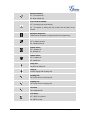
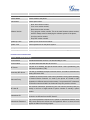
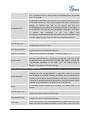
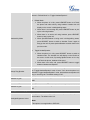
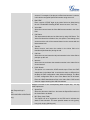
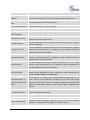
Name
The SIP server subscriber's name (optional) that will be used for Caller ID
display.
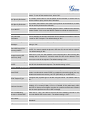
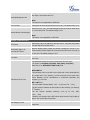
Allows you to access voice messages by pressing the MESSAGE button on
Voice Mail User ID
the phone. This ID is usually the VM portal access number. For example, in
Asterisk server, 8500 could be used.
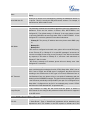
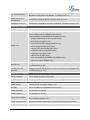
Account x -> Network Settings
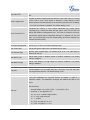
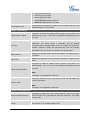
This parameter controls how the Search Appliance looks up IP addresses for
hostnames. There are four modes: A Record, SRV, NATPTR/SRV, Use
Configured IP. The default setting is "A Record". If the user wishes to locate
the server by DNS SRV, the user may select "SRV" or "NATPTR/SRV". If "Use
Configured IP" is selected, please fill in the three fields below:
Primary IP: The primary IP address where the phone sends DNS query
to;
DNS Mode
Backup IP 1;
Backup IP 2.
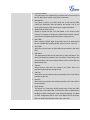
If SIP server is configured as domain name, phone will not send DNS query,
but use “Primary IP” or “Backup IP x” to send SIP message if at least one of
them are not empty. Phone will try to use “Primary IP” first. After 3 tries without
any response, it will switch to “Backup IP x”, and then it will switch back to
“Primary IP” after 3 re-tries.
If SIP server is already an IP address, phone will use it directly even “User
Configured IP” is selected.
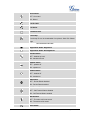
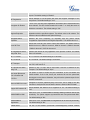
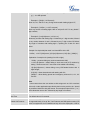
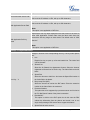
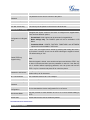
This parameter configures whether the NAT traversal mechanism is activated.
Users could select the mechanism from No, STUN, Keep-Alive, UPnP, Auto or
VPN. If set to "STUN" and STUN server is configured, the phone will route
according to the STUN server. If NAT type is Full Cone, Restricted Cone or
NAT Traversal
Port-Restricted Cone, the phone will try to use public IP addresses and port
number in all the SIP&SDP messages. The phone will send empty SDP packet
to the SIP server periodically to keep the NAT port open if it is configured to be
"Keep-Alive". Configure this to be "No" if an outbound proxy is used. "STUN"
cannot be used if the detected NAT is symmetric NAT.
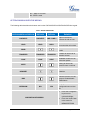
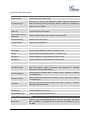
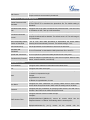
A SIP Extension to notify the SIP server that the phone is behind a
Proxy-Require
NAT/Firewall. Do not configure this parameter unless this feature is supported
on the SIP server.
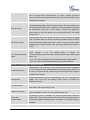
Account x -> SIP Settings -> Basic Settings
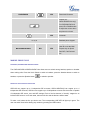
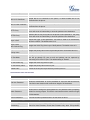
If the phone has an assigned PSTN telephone number, this field should be set
TEL URI
to "User=Phone". Then a "User=Phone" parameter will be attached to the
Request-Line and "TO" header in the SIP request to indicate the E.164
FIRMWARE VERSION 1.0.7.4
GXP2120/GXP2110/GXP2100/GXP14xx USER MANUAL
Page 49 of 85