1
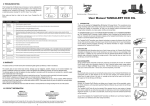
4. DISPLAY SCREENS There are two types of information displayed on the Tankalert Eco Oil Monitor: CURRENT information screens - used in normal mode to show the current status of the oil level in your tank. Change between the ‘Ltr.’, ‘%’, ‘Days to empty’, and Clock screens using the and keys. For approximately 1 week after the Tankalert Eco Oil is installed, it collects data so that the ‘Average per day’ value may be calculated. During this period the screen will flash ‘—-’ when showing ‘Days to empty’. (In the picture ‘flashing’ is indicated by the red circle). After the 1 weel period has passed, the display may continue to show ‘—-’ (but not flashing). This indicates that a meaningful value could not be calculated. This may occur in periods when there is no (or extremely low) usage. The ‘—-’ may be displayed in any of the HISTORICAL information screens under these conditions. The screen may also show ‘—-’ if the Tankalert Eco Oil Monitor had been unplugged for some time. In this case ‘—-’ means that it has no recent reading from the transmitter with which to display a value on the screen. Depending on how long it has been unplugged the screen will revert to normal after a period from a few hours up to a maximum of 1 week. HISTORICAL information screens showing ‘Fuel usage - Litres’, ‘Fuel usage - Cost’ and ‘Fuel Usage - Carbon’. Pressing MODE and / accesses these screens. CURRENT—fuel remaining HISTORICAL—Fuel: Avg./day Fuel cost: Avg./day HISTORICAL—Cost: Avg./day Fuel cost: Avg./week HISTORICAL—Carbon: Avg./day Fuel cost: Last 30 days CURRENT—fuel remaining Fuel cost: Last 365 days The Tankalert EcoOil Monitor will automatically return to the CURRENT information screen after 30s with no key presses within the HISTORICAL information screens. The maximum value displayed is 19999. 6