1
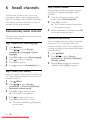
Rename channels
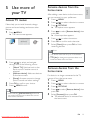
Test digital reception
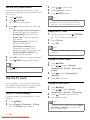
You can rename channels. The name appears
when you select the channel.
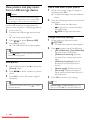
You can check the quality and signal strength
of digital channels. This allows you to reposition
and test your antenna or satellite dish.
1
2
3
When watching TV, press OK to display
the channel grid.
Select the channel to rename.
Press OPTIONS.
» The channel options menu appears.
4
Press
to select [Rename channel],
then press OK.
» A text input box appears.
5
6
7
Press
to select characters.
Press OK to confirm each character.
Select [Done], then press OK to finish
renaming channels.
1
2
3
4
Press
MENU.
Press
to select [Setup] >
[Installation] > [Channel installation] >
[Manual channel search].
Press
to enter the menu.
Press
to enter the frequency of
the channel you want to test.
5
Press OK to confirm the frequency, then
press OK again to confirm [Search].
6
When complete, select [Store] to store
the frequency.
Note
Tip
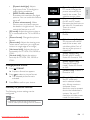
• Press [Aa] to change an uppercase letter to a
lowercase letter and vice versa.
• If the signal quality and strength is poor,
reposition the aerial or satellite dish and retest.
• If you still have problems with the reception
of your digital broadcast, contact a specialised
installer.
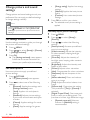
Rearrange channels
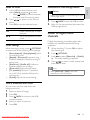
After you install channels, you can rearrange the
order in which they appear.
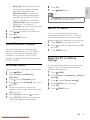
1 When watching TV, press OK to display
the channel grid.
2 Press OPTIONS.
» The channel options menu appears.
3
4
5
6
Press
to select [Reorder], then press
OK.
Select the channel to rearrange, then
press OK.
» The selected channel is highlighted.
Press
to move the highlighted
channel to the desired location, then
press OK.
Press OPTIONS.
» [Done reordering] appears on the
screen.
7
8
Press OK to confirm.
28
EN
Press
BACK to exit the channel grid.
Downloaded From TV-Manual.com Manuals