1
Specifications
Audio
No. of channels: 2 (left and right, stereo)
Frequency response:
20 to 20,000 Hz
(i0 dB to j7 dB)
DA converter:
1 bit, MASH
Headphone
output level: RMS max. 8 mWi8 mW/
16 ≠ (adjustable)
Pickup
Light source:
Semiconductor laser
Wavelength:
780 nm
General
Operational temperature
range:
0 eC–40 eC
(32 eF–104 eF)
Power supply:
DC 4.5 V with optional
AC adaptor RP-AC46
Troubleshooting Guide
Play time:
[When used in hold mode with EQ
canceled, at 25 eC (77 eF), on a flat,
stable surface]
Batteries used
2 alkaline batteries
Play time
About 35 hours
≥The play time may be less depending
on the operating conditions.
≥Play time will be considerably reduced
when playing CD-RW.
Dimensions
(WaHaD):
128a25.9a131.5 mm
(51⁄16za11⁄32za53⁄16z)
Mass:
235 g (8.2 oz.) (with batteries)
187 g (6.6 oz.) (without batteries)
Note:
Specifications are subject to change
without notice.
Mass and dimensions are approximate.
Before requesting service, make the below checks. If you are in doubt about some of
the check points, or if the remedies indicated in the chart do not solve the problem,
contact the Panasonic Customer Call Center at 1-800-211-7262, or e-mail [email protected],
or web site (http://www.panasonic.com).
Problem
Check this
Cannot close the cover. Is the disc properly secured in place?
Cannot play discs.
≥Is the unit in HOLD mode?
≥Is the disc properly secured in place?
≥Is there condensation on the lens?
(Wait for about an hour and then try again.)
≥Is the disc dirty or scratched?
Tracks on disc do not
play in order, starting
with the first track.
≥Is the random play mode on?
≥Did you stop play in the middle of the disc last
time?
Cannot hear music—
too noisy.
≥Has the headphone plug inserted firmly?
≥Is the plug dirty? (Wipe away dirt on plug.)
≥Separate the unit from mobile phones.
TV picture is distorted.
Radio reception is
noisy.
Are you using the unit too near a TV or tuner?
(Keep the unit away from the TV or tuner.)
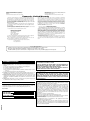
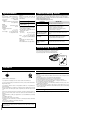
Maintaining the Lens
Open the lid and clean the lens as shown in the figure.
Use a cotton swab to gently wipe off any finger-prints.
Recommended product: Lens cleaner kit (SZZP1038C)
Lens
Air blower for
camera lens
Lens
Cautions
Listening caution
EST. 1924
Do not play your headphones or earphones at a high volume. Hearing experts advise
against continuous extended play.
If you experience a ringing in your ears, reduce volume or discontinue use.
Do not use while operating a motorized vehicle. It may create a traffic hazard and is
illegal in many areas.
You should use extreme caution or temporarily discontinue use in potentially hazardous situations.
Even if your headphones or earphones are the open-air type designed to let you hear
outside sounds, don’t turn up the volume so high that you can’t hear what’s around
you.
Sound can be deceiving. Over time your hearing “comfort level” adapts to higher volumes of sound. So what sounds “normal” can actually be loud and harmful to your
hearing.
Guard against this by setting your equipment at a safe level BEFORE your hearing
adapts.
To establish a safe level:
≥Start your volume control at a low setting.
≥Slowly increase the sound until you can hear it comfortably and clearly, and without
distortion.
Once you have established a comfortable sound level:
≥Set the dial and leave it there.
6
Discontinue use if you experience discomfort with the headphones or any other
parts that directly contact your skin. Continued use may cause rashes or other
allergic reactions.
Care of dry cell batteries
To prevent battery damage, electrolyte leakage and short-circuiting, heed the following points.
≥Do not peel off the covering on batteries and do not use if the covering has been
peeled off.
≥Align the poles + and - correctly when inserting the batteries.
≥Do not mix different types of batteries or old and new batteries.
≥Remove the batteries if you do not intend to use the unit for a long time.
≥Do not throw into fire, short-circuit, disassemble, or subject to excessive heat.
≥Do not attempt to recharge dry cell batteries.
≥Do not allow metal objects to touch the battery terminals as this may cause shortcircuiting which is dangerous.
≥When carrying batteries in a pocket or bag, ensure no metal objects such as necklaces are placed together with them. Contact with metal may cause short-circuiting
which can cause a fire.
When driving a car
In the interest of traffic safety, do not operate the unit while driving.